Navigate My Blog: All Articles by Topic
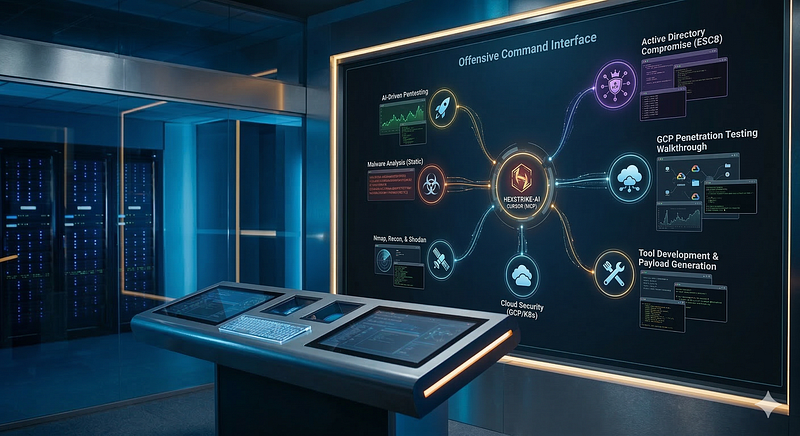
- Category: CTI
- Source article: https://medium.com/@1200km/navigate-my-blog-all-articles-by-topic-ffd800ef5480
- Published: 2026-03-16
- Preserved media: 6 image(s), including cover images, screenshots, diagrams, and infographics where present.
- Preserved technical blocks: 0 code/configuration block(s).
Ecosystem Fit
This page mirrors the original Medium article into the 1200km.com Docusaurus ecosystem. The original article flow, images, screenshots, infographics, and technical blocks are preserved from the export.
A single entry point to 100+ articles on offensive security, AI-driven pentesting, red team, labs, and defense. Use the groups below to jump to what you need.
Introduction
This blog has grown into a large collection of hands-on guides, walkthroughs, and research notes — from classic penetration testing tools to AI-driven workflows that change how we run assessments. Whether you’re building a lab, learning a new tool, or wiring HexStrike-AI and Cursor into your process, it can be hard to know where to start.
This page is your map.Every article is sorted into18 topic-based groups. Each group has a short description of what you’ll find and direct links to every post in that category. No fluff — just the themes and the links. You can bookmark this post, share it with your team, or use the Table of Contents to jump straight to the section you need.
The content spansoffensive security(recon, exploitation, AD, cloud, Kubernetes),AI in security(LLMs, MCP, HexStrike-AI, Cursor),core tools(Nmap, Burp, Metasploit, Hydra, John, Hashcat),labs and training(vulnerable VMs, Terraform, Ansible),blue-team topics(threat hunting, detection rules, SOC),malware analysis and forensics, andCTI. If you’re looking for something specific — for example “AI + Burp” or “ADCS ESC8” or “password cracking” — you’ll find the right group below and the exact articles inside it.
Table of Contents
-
CTI & Threat Intelligence
-
AI in Cybersecurity & HexStrike-AI
-
AI-Driven Pentesting & Exploitation
-
Burp Suite, Web Scanners & LLM/MCP
-
Reconnaissance & OSINT
-
Nmap & Network Scanning
-
Web Application Security (Non-AI)
-
Metasploit & Exploitation
-
Password & Credential Cracking
-
Active Directory & Red Team
-
Cloud & Kubernetes Security
-
Labs & Training Environments
-
Malware Analysis & Forensics
-
Threat Hunting & Detection
-
Tool Development & Cursor AI
-
SOC, Awareness & Best Practices
-
Logging, DevOps & XPLG
-
Reader Input & Meta
How to Use This Page
Use theTable of Contentsabove to jump to any of the 18 groups. Inside each group you’ll find ashort descriptionof the topic and abulleted list of articleswith direct links. Bookmark this page or share it with anyone who needs a clear map of the blog. At the end,Quick Links by Rolepoints red teamers, web security folks, blue team, and others to the most relevant sections.
AI in Cybersecurity & HexStrike-AI
**What’s in this group:**High-level view of AI in security — from simple “paste tool output into an LLM” to full MCP + Cursor workflows. Here you’ll find the flagship overview (The AI Revolution in Cybersecurity), why HexStrike-AI acts as a force multiplier for red teams, and how it differs from chatbot-style tools like HackerAI. Also included: step-by-step install and config for HexStrike-AI with Gemini, OpenAI, Cursor, and Llama; the Kali Linux setup guide; and the 20x Employee framework for using AI to scale your work. Start here if you want the big picture before diving into specific AI-driven pentests or tool guides.
-
HexStrike-AI: A Force Multiplier for Red Teams — and a Dangerous Shift in the Threat Landscape
-
HexStrike AI: Install, Configure, and Run MCP with Gemini, OpenAI, Cursor, Llama
-
HexStrike + Gemini vs. HackerAI: “Ops Copilot” vs. “Chatbot with Tools”
AI-Driven Pentesting & Exploitation
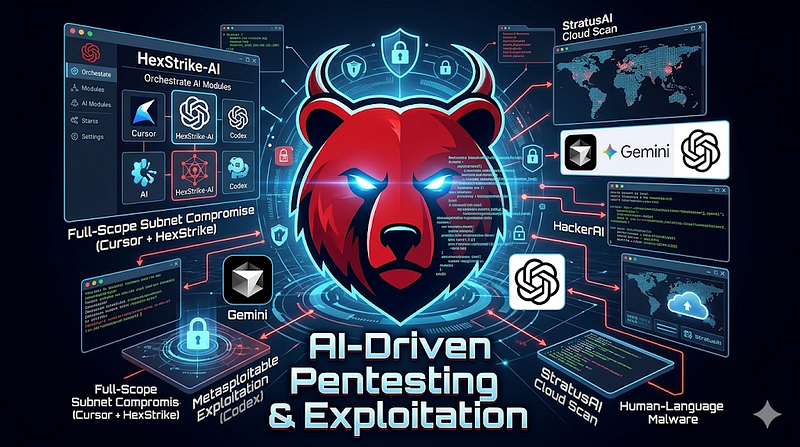
**What’s in this group:**Real engagements and labs where AI drives the workflow. Articles cover full-scope pentests (e.g. home network with HexStrike-AI), web and wireless testing with one-prompt or MCP-driven flows, and Cursor + HexStrike from a single target to full subnet compromise or from one email to a full OSINT exposure map. You’ll also find AI-assisted credential attacks (SMB, SSH), password and file recovery (ZIP, PDF, Office) with HexStrike + Gemini, and AI-driven exploitation of Metasploitable (including Codex). HackerAI walkthroughs, StratusAI for cloud scanning, the Villager framework, and the “human-language malware” warning round out this section. Use these when you want concrete examples and step-by-step flows, not just theory.
-
AI-Driven Pentesting at Home: Using HexStrike-AI for Full Network Discovery and Exploitation
-
AI-Driven Wireless Penetration Testing. One Prompt WIFI Cracking
-
HexStrike + Cursor (MCP): From Single Target → Full Subnet Compromise (Lab PT Walkthrough)
-
HexStrike + Cursor for OSINT: From One Email to a Full Exposure Map
-
AI-Assisted Web and Cloud Penetration Testing with Cursor + MCP HexStrike and Burp Suite MCP
-
HexStrike + Gemini. AI-Assisted SMB Exposure Credential Brute-Force
-
AI-Driven ZIP Password Recovery with HexStrike-AI and Gemini-CLI
-
AI-Driven PDF Password Recovery with HexStrike-AI and Gemini-CLI
-
AI-Driven Office Documents Password Recovery with HexStrike-AI and Gemini-CLI
-
HexStrike+OpenAI Codex. AI-Driven Exploitation of Metasploitable
-
Enhancing Penetration Testing with HackerAI: Step-by-Step Guide (Metasploitable Lab)
-
StratusAI: I Built an AI-Powered Cloud Security Scanner for AWS and GCP — Here’s Everything
-
⚠️ WARNING: I Just Built Real Malware by Using Just Human Language Prompts!
Burp Suite, Web Scanners & LLM/MCP

**What’s in this group:**Everything around Burp Suite and AI. That includes using LLMs to interpret and prioritize Burp scan results, generate payloads, and plan multi-step attacks; wiring Burp to Gemini CLI via MCP so the AI can drive scans and read findings; and the classic “Mastering Burp Suite” vulnerability-scanner guide. There’s also a tutorial on cracking web interfaces with Burp. If you do web app testing and want to add LLM or MCP into the loop, this is the section to use.
-
Burp Suite MCP + Gemini CLI: Connect Burp Suite to Gemini CLI using MCP
-
Cracking Web Interfaces with Burp Suite: A Comprehensive Tutorial
Reconnaissance & OSINT
**What’s in this group:**Finding targets and turning raw data into next steps. Covers Nmap + ChatGPT for command generation, result interpretation, and follow-up planning; Shodan (standalone and integrated with HexStrike-AI) for exposed assets and query building; theHarvester, Sublist3r, OWASP Amass, and SpiderFoot for OSINT and subdomain discovery; Censys for internet-wide insight; and essential CLI recon tools. Use this section when you’re building target lists, mapping attack surface, or want to combine traditional recon with LLM-assisted analysis.
-
theHarvester: Your Essential Tool for OSINT and Reconnaissance in Cybersecurity
-
SpiderFoot: Deep Dive Installation, Scans, and Practical Use Cases
-
Mastering the Basics: Essential CLI Tools for Reconnaissance in Penetration Testing
Nmap & Network Scanning
**What’s in this group:**A full Nmap series from basics to advanced use. Part 1 covers network exploration and security auditing fundamentals; later parts go deeper into service detection, version probing, and scripting (Part 4). These are the go-to references when you need correct syntax, scan strategies, or script usage for internal or external network assessments — with or without AI on top.
Web Application Security (Non-AI)
**What’s in this group:**Web application testing using traditional tools and a clear methodology. Includes OWASP ZAP for automated scanning and manual testing; SQLMap (basic wizard and advanced custom setup) for SQL injection; DirBuster for hidden paths and assets; Nikto for server and misconfiguration checks; and a two-stage methodology — reconnaissance, then scanning and vulnerability assessment — so you can run structured web pentests without AI. Use these when you need a solid, repeatable web-testing workflow or a deep dive on a specific scanner.
-
OWASP ZAP: A Comprehensive Guide to Web Application Security Testing
-
SQLMap: A Deep Dive into Automated SQL Injection Testing — Part 1 (Basic, Wizard)
-
Mastering DirBuster: A Strategic Approach to Uncovering Hidden Web Assets
-
Nikto: Uncovering Web Server Vulnerabilities with an Open-Source Scanner
-
Web Applications Penetration Testing — Stage 1: Reconnaissance
-
Web Applications Penetration Testing — Stage 2: Scanning and Vulnerability Assessment
Metasploit & Exploitation

**What’s in this group:**Metasploit from first use to module-level detail. The Ultimate Guide (Part 1) sets the foundation; separate articles cover auxiliary and exploit modules so you can choose and tune the right one. Step-by-step walkthroughs show SSH credential exploitation, FTP abuse, and Telnet cracking in real scenarios. Use this section when you’re building or refining your exploitation workflow or need a quick reference for module types and options.
-
Cracking SSH with Metasploit: A Step-by-Step Guide to Exploiting Weak Credentials
-
Exploiting FTP Vulnerabilities for Effective Penetration Testing
-
Cracking Telnet: Exploring Weaknesses and Exploitation Techniques
Password & Credential Cracking
**What’s in this group:**Credential and password recovery across protocols and file types. Core tools: John the Ripper (including hash formats and the 2John family), Hashcat for GPU cracking, and Hydra for network logon brute-forcing. Practical guides cover ZIP, PDF, and Office document cracking; WiFi with Aircrack-ng; RDP with Crowbar and PPG; RTSP; and web interfaces, plus a consolidated “passwords cracking” guide with real-life examples. The Personal Pass Generator (PPG) article explains building custom wordlists. Use this section when you need to crack hashes, test weak credentials, or choose the right tool and wordlist for the target.
-
Mastering John the Ripper: A Complete Guide to Password Cracking
-
Breaking the Code: How to Use Hashcat for Effective Password Cracking
-
Mastering Hydra: The Ultimate Guide to Network Logon Cracking
-
Passwords Cracking: Full Guide with Real-Life Examples (Zip, PDF, WiFi, RDP, Cameras, Web Interface)
-
Office File (DOC, DOCX, PPT…) Password Cracking: Guide with Real-Life Examples
-
Accessing Remote Desktops: A Beginner’s Guide to RDP Cracking with Crowbar and PPG Tools
-
Cracking RTSP Security: A Comprehensive Guide to Using the RTSP Brute Force Tool
-
Personal Pass Generator (PPG): The Ultimate Tool for Custom Password Lists
Active Directory & Red Team
**What’s in this group:**Active Directory–focused offensive work and lab setup. Includes a full AD penetration testing overview; the ADCS ESC8 attack (certificate-based domain compromise) with a complete guide and lab walkthrough; deploying a full AD pentest lab in one prompt with Cursor AI; and mapping tools to MITRE ATT&CK for red team playbooks. Use this section when you’re planning or executing AD assessments, studying ESC8 or PKI abuse, or building an AD lab for training.
-
ADCS ESC8 Attack: Certificate-Based Domain Compromise — Complete Guide
-
Deploy a Complete Active Directory PenTest Lab in One Prompt with Cursor AI
Cloud & Kubernetes Security
**What’s in this group:**Offensive security in cloud and container environments. GCP gets a step-by-step attack guide and Terraform-based vulnerable labs (GCP-specific and generic cloud). Kubernetes coverage includes building a vulnerable K8s lab with 25 security issues and a black-box penetration testing playbook. Cloud-native security discusses threats, attacks, and detection. Use this section when you’re assessing GCP, designing cloud or K8s labs, or need a structured approach to cloud and container pentesting.
-
Building a Vulnerable Kubernetes Lab: A Complete Guide to 25 Critical Security Issues
-
Cloud-Native Security: Threats, Attacks, and Detection Strategies
Labs & Training Environments
**What’s in this group:**Building and automating vulnerable environments for practice and research. Covers extremely vulnerable Ubuntu and Windows 10 labs (with bonus HexStrike PT walkthroughs), a scripted vulnerable Windows VM for pentest training, an IIS/SharePoint lab with Fluent Bit deployment, and a reproducible DVWA lab with Ansible. The one-prompt PT lab article shows autonomous Android security research with Cursor AI. Use this section when you need a safe, repeatable lab for learning or demonstrating attacks.
-
Building an Extremely Vulnerable Ubuntu 24.04 Server Lab (Bonus: Full PT with HexStrike)
-
How to Create a Vulnerable Windows Virtual Machine for Pentesting Training with Scripts!
-
Build a Vulnerable IIS SharePoint Lab with Fluent Bit: Complete Deployment Guide
-
The One-Prompt PT Lab: Autonomous Android Security Research with Cursor AI
Malware Analysis & Forensics
**What’s in this group:**Static analysis and forensics, with and without AI. Static malware analysis is covered in dedicated articles on file fingerprinting, strings analysis, and obfuscation, plus automation with Python tools. “One Tool to Rule Them All” focuses on file metadata and static analysis for malware analysts and SOC teams. The forensics article explains how ChatGPT can support investigations — pattern recognition, timeline building, evidence interpretation, and report drafting. Use this section when you’re analyzing samples, building a static-analysis workflow, or integrating AI into forensic processes.
-
Augmenting Digital Forensics with AI: How ChatGPT Transforms Investigation Workflows
-
Deep Dive: Automating Static Malware Analysis with Three Python Tools
-
One Tool to Rule Them All: File Metadata & Static Analysis for Malware Analysts and SOC Teams
Threat Hunting & Detection
**What’s in this group:**Proactive hunting and detection engineering. Endpoint threat hunting covers Windows, Linux, and macOS; protocol-level hunting uses Wireshark for traffic-centric analysis; the Pyramid of Pain ties hunting to defender cost and attacker friction. Detection rules are addressed from single-event (atomic) to correlation-based and behavioral insight, plus a practitioner’s compendium for atomic detection and defending CI/CD pipelines from targeted attacks. Use this section when you’re designing hunts, writing rules, or aligning detection with the kill chain.
-
Endpoint Threat Hunting: Proactive Detection on Windows, Linux, and macOS
-
Protocol-Level Network Threat Hunting: A Wireshark-Centric Guide
-
Correlation-Based Detection Rules in Cybersecurity: From Atomic Events to Behavioral Insight
-
The Atomic Standard: A Practitioner’s Compendium for Single-Event Threat Detection
-
The Invisible Pipeline: Defending CI/CD from Targeted Attacks
CTI & Threat Intelligence
**What’s in this group:**Threat intelligence research and sector-specific threat mapping. Includes deep dives on MuddyWater/Seedworm (Mango Sandstorm) and the Handala hack group, plus articles on 4G/LTE and 5G telecom network threats — attack mapping and defense. Use this section when you need context on specific actors, campaigns, or when you’re building or using CTI for detection and planning.
-
Cyberattacks on 4G/LTE Telecom Networks: Threat Mapping and Defense
-
Cyberattacks on 5G Telecom Networks: Threat Mapping and Defense
-
From Threat Intelligence to Detection: A Practitioner’s Guide
-
Infrastructure Pivoting: How CTI Analysts Expand From a Single IOC to a Full Attacker Network
-
Attribution Methodology: How to Build, Defend, and Challenge a Threat Actor Attribution
-
ATT&CK as a Working Tool: Theory and Hands-On Practical Usage
-
CTI-Led Defensive Strategy for a Cellular Provider (Case Study)
-
Manual CTI vs. AI-Assisted CTI: A Step-by-Step Clock Comparison
-
APT41 Targeting Pharmaceutical Sector: Log4Shell to Domain Compromise
Tool Development & Cursor AI
**What’s in this group:**Using Cursor AI to build and automate security tooling and hardware. One article walks through the full workflow for Android Rubber Ducky payloads — from idea to code and validation; another covers building a USB Rubber Ducky with an Arduino Leonardo, with Cursor assisting at each step. Use this section when you want to prototype custom tools, automate payload generation, or integrate AI into your security development workflow.
-
Hacker Tool Development Workflow: Android Rubber Ducky Payloads in Cursor AI
-
Building a USB Rubber Ducky with Arduino Leonardo with Cursor
SOC, Awareness & Best Practices
**What’s in this group:**Defensive and organizational security. SOC Tier 1 onboarding covers security monitoring and incident response for new analysts. Awareness articles address principles and best practices for employees and phishing protection. Secure coding is tackled through the OWASP Top 10 with a “from bugs to breaches” angle. There’s also a quick-start server hardening checklist (open-source focused) and the basic toolkit for penetration testing. Use this section for training, awareness programs, or when you need a concise reference for secure build and hardening.
-
SOC Tier 1: The Complete Onboarding Guide to Security Monitoring and Incident Response
-
Information Security Awareness: Principles and Best Practices for Employees
-
Phishing Email Awareness: Protecting Employees and Organizations
-
From Bugs to Breaches: Learning Secure Coding Through the OWASP Top 10
Logging, DevOps & XPLG
**What’s in this group:**Log collection, forwarding, and integration with XPLG. Covers deploying Fluent Bit as a Windows service for centralized log forwarding; Fluent Bit on AWS EKS for Kubernetes log shipping to XPLG; DaemonSet-based Fluent Bit on K8s; and sending EKS control-plane logs to XPLG via AWS Lambda. The syscheck_beauty article describes a Linux system report tool with storage insights and exportable HTML. Use this section when you’re designing or troubleshooting log pipelines in hybrid or cloud environments.
-
Deploying Fluent Bit as a Windows Service for Centralized Log Forwarding
-
Fluent Bit on AWS-EKS: Centralized Kubernetes Log Shipping to XPLG
Reader Input & Meta
**What’s in this group:**How you can shape future content. The “What Do You Want to Read?” post asks for your topics, use cases, and preferred depth — whether you want more guides on a specific tool, a new lab idea, or a deeper treatment of AI in pentesting. Your comments and suggestions directly influence the next articles. Use this section to send feedback or request new guides.
Quick Links by Role
-
**Red team / PT:**Sections 1, 2, 4, 5, 7, 8, 9, 10.
-
**Web security:**Sections 3, 6.
-
**AI + security:**Sections 1, 2, 3, 15.
-
**Blue team / SOC:**Sections 13, 14, 16, 17.
-
**Labs & training:**Sections 10, 11.
-
**Malware & forensics:**Section 12.