AI-Driven PDF Password Recovery with HexStrike-AI and Gemini-CLI

- Category: CTI
- Source article: https://medium.com/@1200km/ai-driven-pdf-password-recovery-with-hexstrike-ai-and-gemini-cli-cfa7eb0fae91
- Published: 2025-12-29
- Preserved media: 8 image(s), including cover images, screenshots, diagrams, and infographics where present.
- Preserved technical blocks: 3 code/configuration block(s).
Ecosystem Fit
This page mirrors the original Medium article into the 1200km.com Docusaurus ecosystem. The original article flow, images, screenshots, infographics, and technical blocks are preserved from the export.
From Encrypted Document to Readable Content Using LLM-Orchestrated Tooling
Overview
This guide shows how HexStrike-AI, orchestrated through Gemini-CLI, can autonomously handle a common,authorizedsecurity task:
Regain access to a password-protected PDF you own(or are explicitly authorized to access),identify the encryption scheme, andrestore usability— without handholding.
The core value here is not “magic cracking.” It’s the AI’s ability toreason,validate assumptions, andpivotwhen reality disagrees with the first plan.
This is a fully authorized, local scenario.
Full guide how to install and use HexstrikeAI here:
HexStrike on Kali Linux 2025.4: A Comprehensive Guide
**Manual PDF file Password cracking. Guide with real life examples here:| **../2024/2024-10-28-pdf-file-password-cracking-guide-with-real-life-examples-901ee411a6f4.md
Scenario
Objective
-
Confirm a PDF is encrypted and determinehow
-
Distinguish betweenuser passwordvsowner password / permissions
-
Restore accessusing known credentials(password manager candidates, documented passphrases, owner-provided secrets)
-
Extract the content and retrieve the flag (CTF-style)after access is legitimately obtained
Inputs
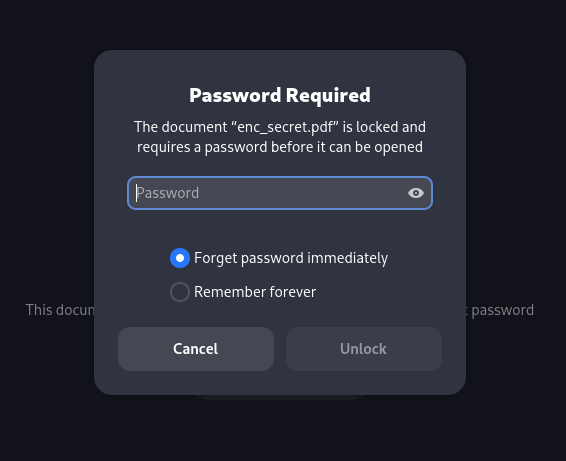
- Encrypted PDF:
/home/andrey/secret.pdf
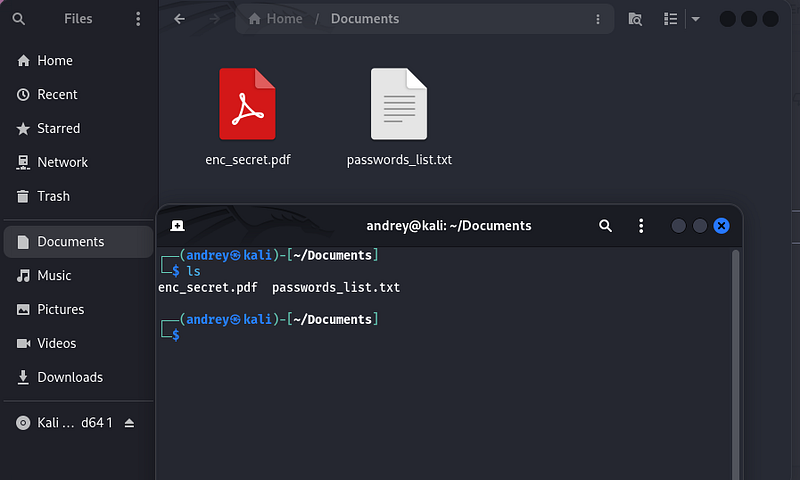
- Password Dictionary:
/home/andrey/Documents/passwords_list.txt
Step-by-Step Execution Flow
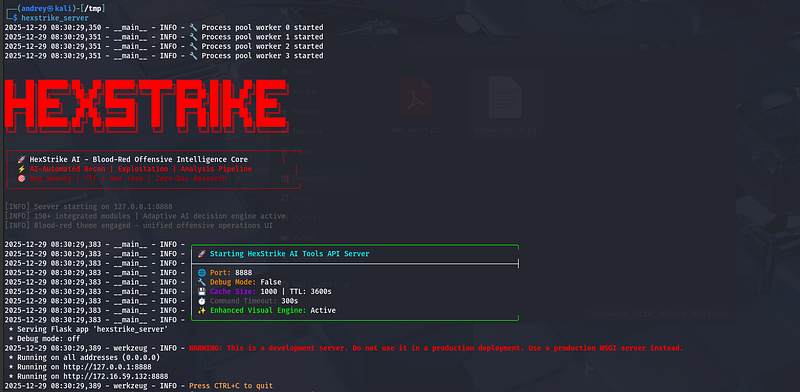
- Run the HexstrikeAI server
hexstrike_server
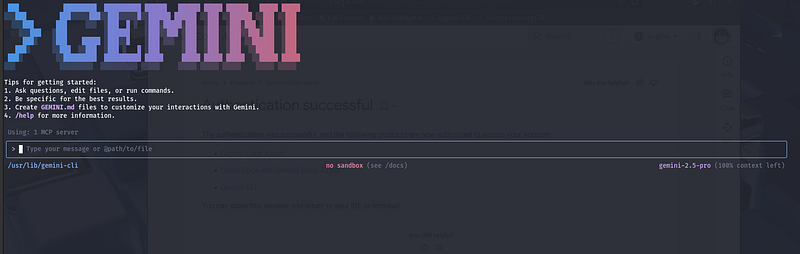
- Run Gemini-CLI
gemeni-cli
Promt:
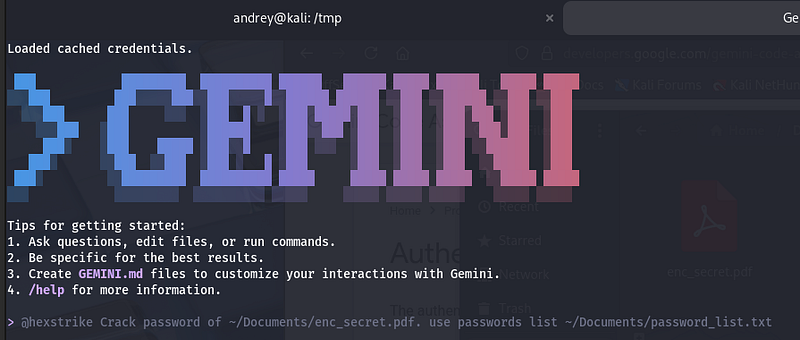
@hexstrike

Crack
 password
of
 ~
/Documents/
enc_secret.
pdf
. use passwords list ~
/Documents/
password_list.
txt
Execution Flow:
1) Task initiation (single high-level prompt)
You issued one objective:
-
Recover access to
~/Documents/enc_secret.pdfusing a provided candidate list -
Proceed until the document content is readable
No manual tool selection, no pre-planned commands.
2) Tool capability gap identified
HexStrike initially reported it didn’t have a dedicated “crack PDF” tool.
AI behavior:rather than stopping, it shifted to a plan that starts withderiving a verification artifactfrom the PDF (a representation suitable for offline validation).
3) First failure: write location permissions
The AI attempted to save output under a system directory (/usr/lib/...) and hitPermission denied.
**Pivot:**it switched to a user-writable temp directory under the Gemini working area and retried.
4) Second failure: dependency not in PATH
The helper utility needed for extraction wasn’t callable directly (command not found).
**Pivot:**the AI performed filesystem discovery, located the tool in a non-PATH location, and re-ran it using the full path.
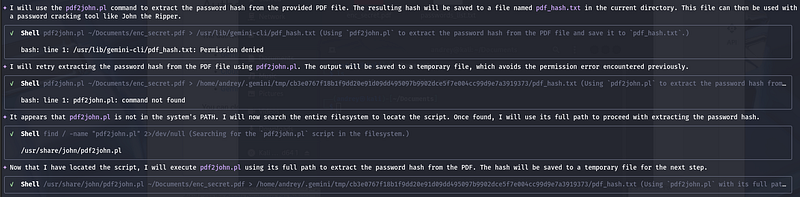
5) Extraction succeeded (hash/verification artifact produced)
With the correct tool path and a writable output directory, the AI generated the intermediate artifact successfully and prepared it for offline checking.
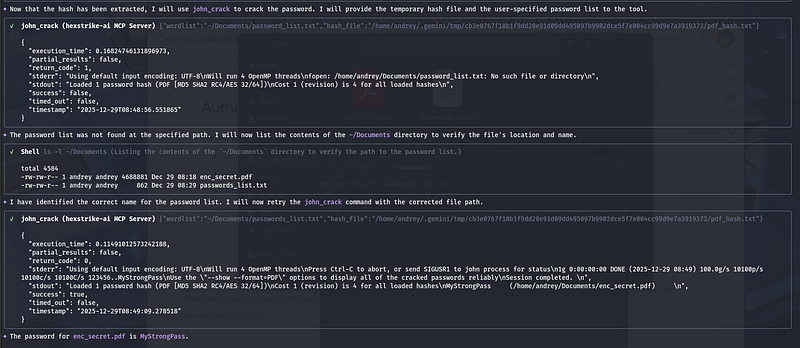
6) Offline candidate validation (dictionary replay)
The AI ran anoffline candidate checkusing:
-
The extracted artifact from the PDF
-
The provided wordlist
**Failure:**wordlist path mismatch (password_list.txtvspasswords_list.txt).
**Pivot:**it listed~/Documents, confirmed the actual filename, and reran with the corrected path.
7) Success: password recovered
After correcting the wordlist filename, the run completed and returned a valid password for the PDF:
- Recovered password:
MyStrongPass
Conclusion
This flow is a clear example of why AI-orchestrated security tooling is qualitatively different from “running commands.”
With a single high-level prompt, the system executed an end-to-end objective and — more importantly —self-troubleshot its own failureswithout human intervention:
-
It detected apermission boundary(writing into a protected directory), then automatically rerouted output to auser-writable workspace.
-
It hit amissing dependency in PATH, then performedenvironment discovery, located the tool by searching the filesystem, and continued using the correct absolute path.
-
It encountered abad input assumption(wrong wordlist filename), then validated reality by enumerating
~/Documents, corrected the path, and retried. -
It maintained a consistent strategy throughout:derive an offline verification artifact → validate candidates offline → confirm success.
The key takeaway is not the specific PDF outcome — it is theclosed-loop execution model:
Plan → execute → observe error → diagnose → adapt → retry → validate, repeated at machine speed.
That is what “one prompt success” really means here: the user didn’t babysit the workflow. The AI treated errors as telemetry, not blockers, and completed the task by dynamically chaining tools, correcting assumptions, and converging on a verified result.