Import A Navigator Layer
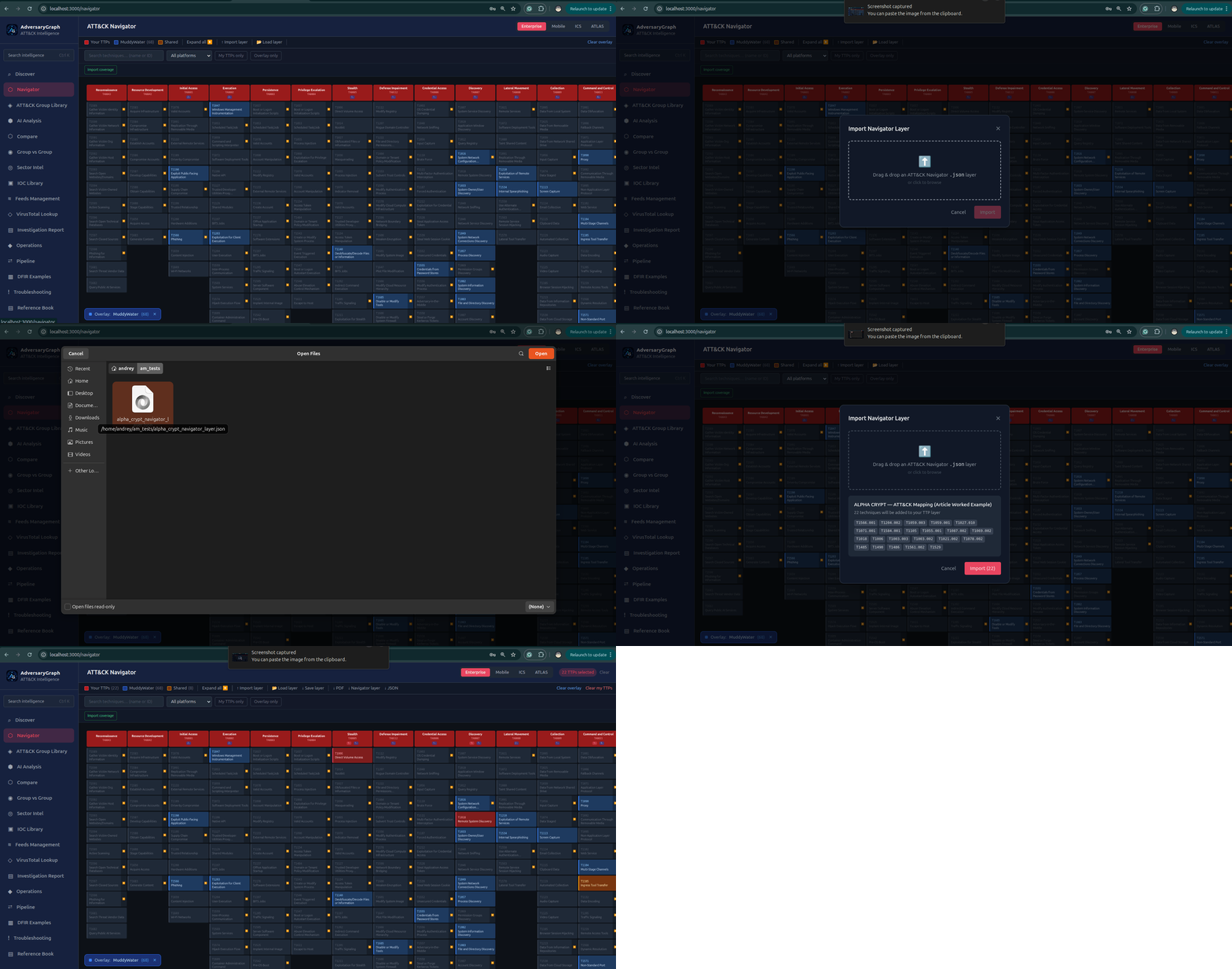
Level: Simple
Goal: Load an existing ATT&CK layer for review or comparison.
Real-Life Scenario
A detection engineer receives a Navigator layer from another team and wants to compare it with local My TTPs coverage inside AdversaryGraph.
When To Use This
Use this workflow when you need a fast, low-friction action and want the output to remain traceable to evidence.
Steps
- Open Navigator and click Import layer.
- Review the imported TTPs and save or merge them into My TTPs.
Expected Result
Imported matrix layer available for analysis.
Review Notes
- Keep source labels and evidence attached to every accepted result.
- Treat actor matches, enrichment hits, and matrix overlap as analytical signals until corroborated.
- Export only reviewed findings for customer, SOC, detection engineering, or executive use.