AI Analysis
This is the core feature. Upload a threat report, paste raw text, or submit log / PCAP-derived telemetry and AdversaryGraph extracts ATT&CK technique candidates, IOCs, suspicious commands, evidence snippets, and confidence signals in real time.
Supported Input Formats
| Format | Notes |
|---|---|
.pdf | Text extraction via PyMuPDF |
.docx | Text extraction via python-docx |
.txt | Plain text, raw paste |
| Paste area | Raw text, Slack messages, SIEM alerts, vendor advisories, firewall logs, EDR logs, and PCAP-derived text exports |
Maximum file size: 50 MB.
Upload Your Report
Navigate to Analyze in the sidebar. You'll see:
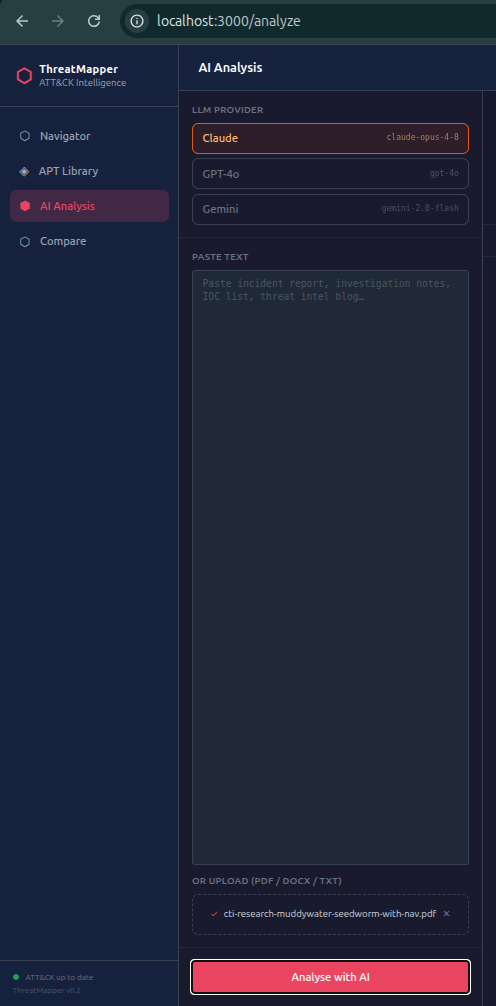
- Select your LLM Provider (Claude / OpenAI / Gemini / MiniMax / Local)
- Select the Domain —
enterprise-attackfor most corporate IR work - Optionally enter a name for this session (shows in the Reports library later)
- Paste text or upload a file
- Click Analyse with AI
You'll immediately see the LLM's response streaming token by token, just like ChatGPT — you can read the thinking as it happens.
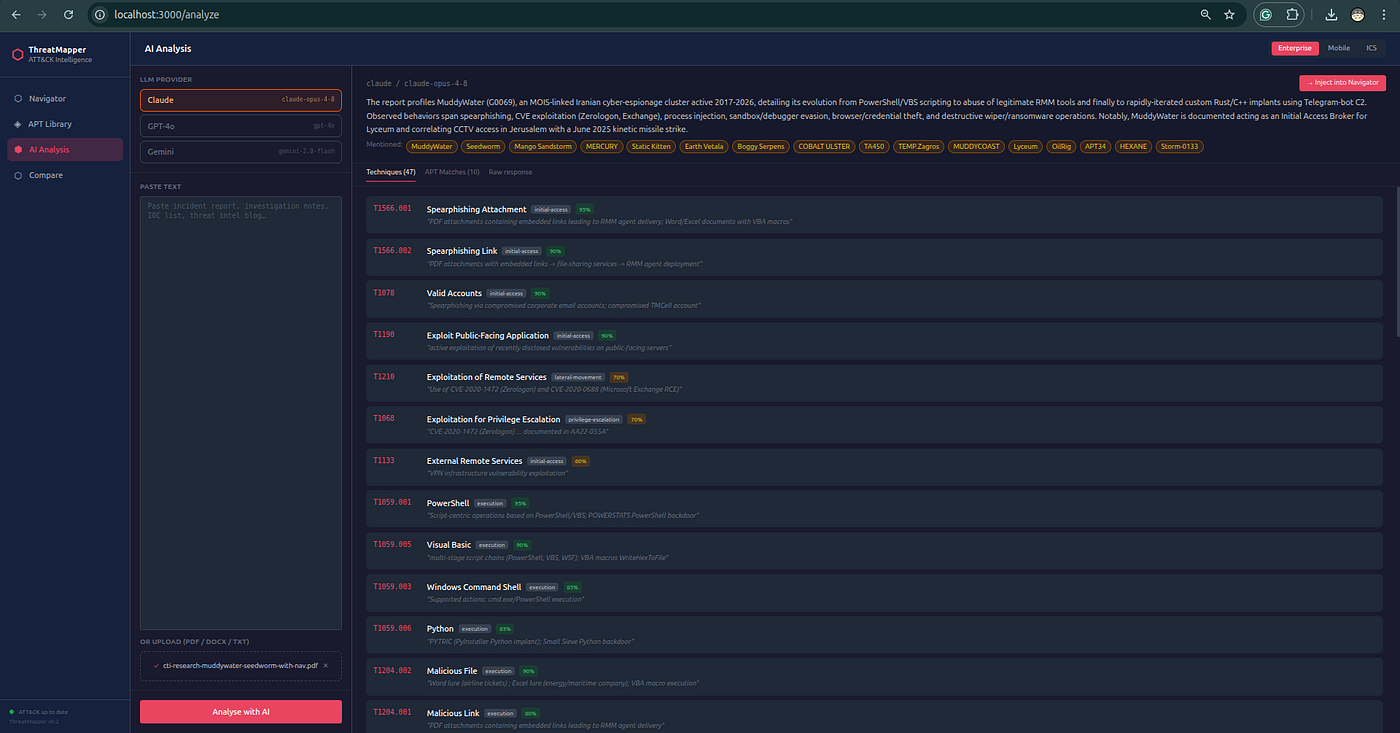
Reading the Results
When the stream completes, three tabs appear:

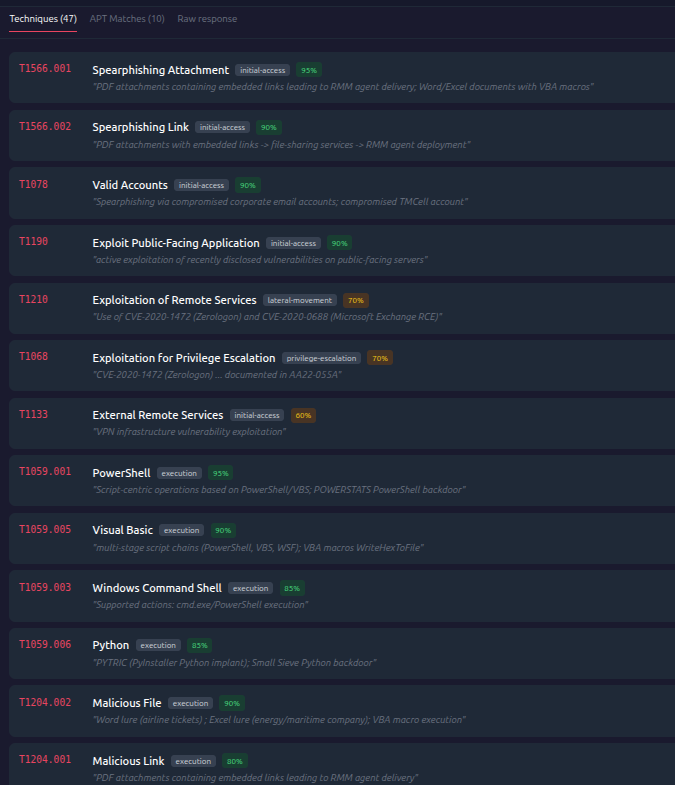
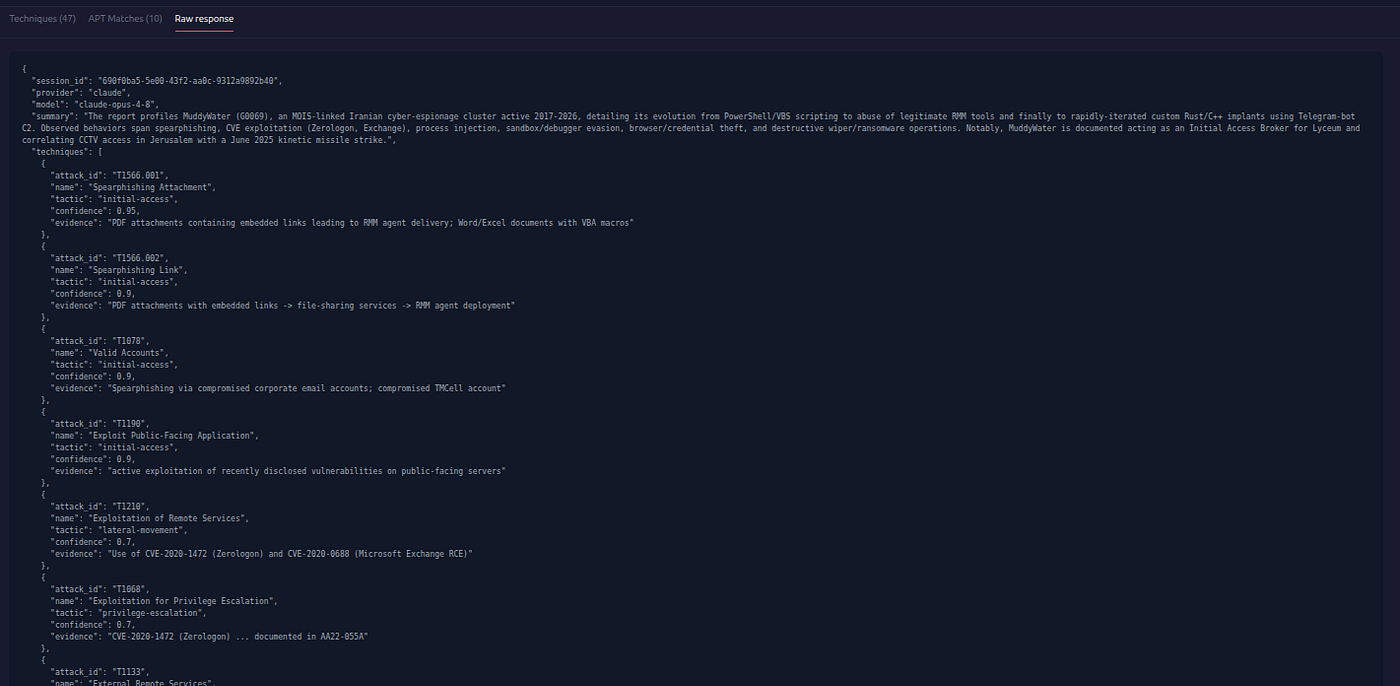
Techniques Tab
The core output. Each row shows:
| Field | Example |
|---|---|
| ATT&CK ID | T1059.001 |
| Name | PowerShell |
| Tactic | Execution |
| Confidence | 92% |
| Evidence | "executed a base64-encoded PowerShell payload" |
The evidence field is a direct quote or paraphrase from your source document — trace every mapping back to its origin in the text.
Model confidence is extraction confidence, not analytic confidence. Analytic confidence must be assigned by the reviewer after validating source evidence, procedure descriptions, ATT&CK definitions, and telemetry requirements.
LLM mappings may contain false positives, false negatives, or ambiguous technique assignments. Treat the output as a structured first pass, not a final intelligence judgment.
- High confidence (≥ 80%) — the text explicitly described the behaviour
- Medium (50–79%) — behaviour was clearly implied
- Low (< 50%) — inferred; validate manually before acting on it
Group Similarity Leads Tab
Computed locally using Jaccard similarity between your extracted techniques and every named ATT&CK group's known TTP set. The top 10 are shown with:
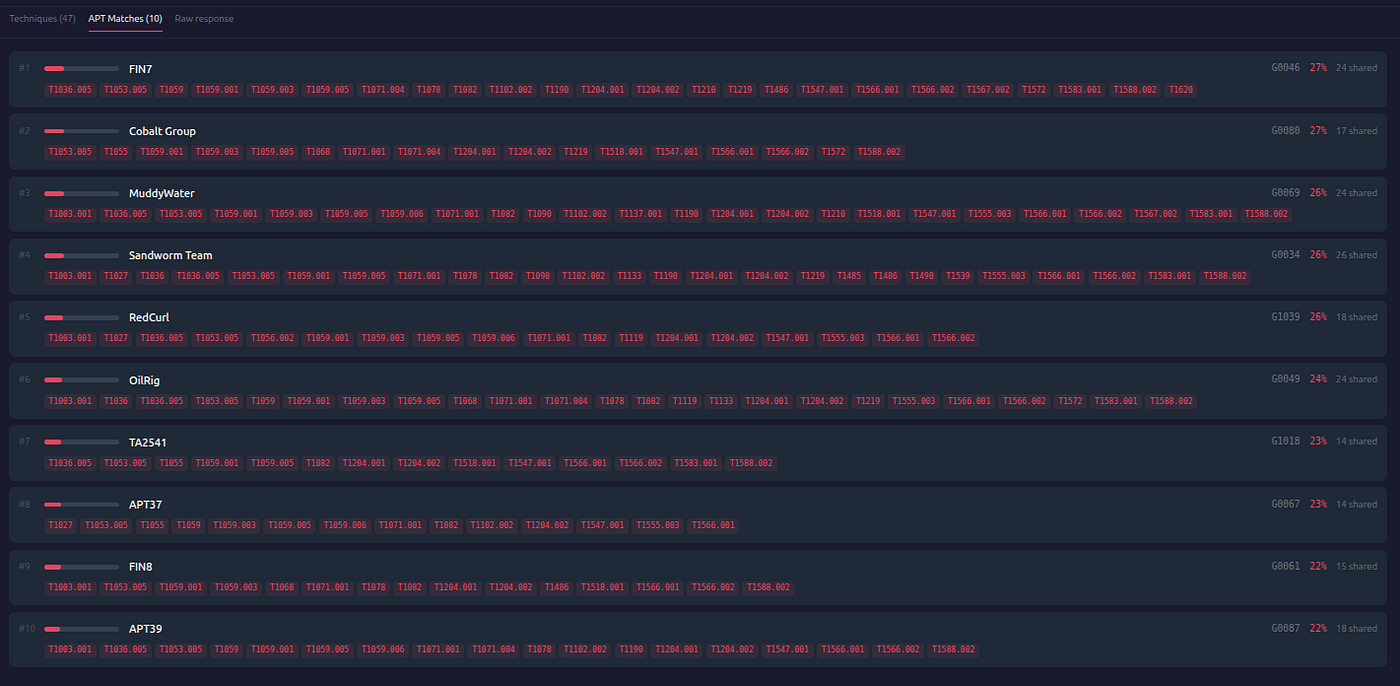
- Similarity score (0–100%)
- Shared technique count
- List of the overlapping technique IDs
A match above 25–30% is worth investigating. Use it as a lead for further research, not definitive attribution.
Raw Response Tab
The LLM's full JSON output. Useful for debugging when the model outputs something unexpected.
Inject into Navigator
Click → Inject into Navigator to push all extracted techniques into your live Navigator layer. You can then:
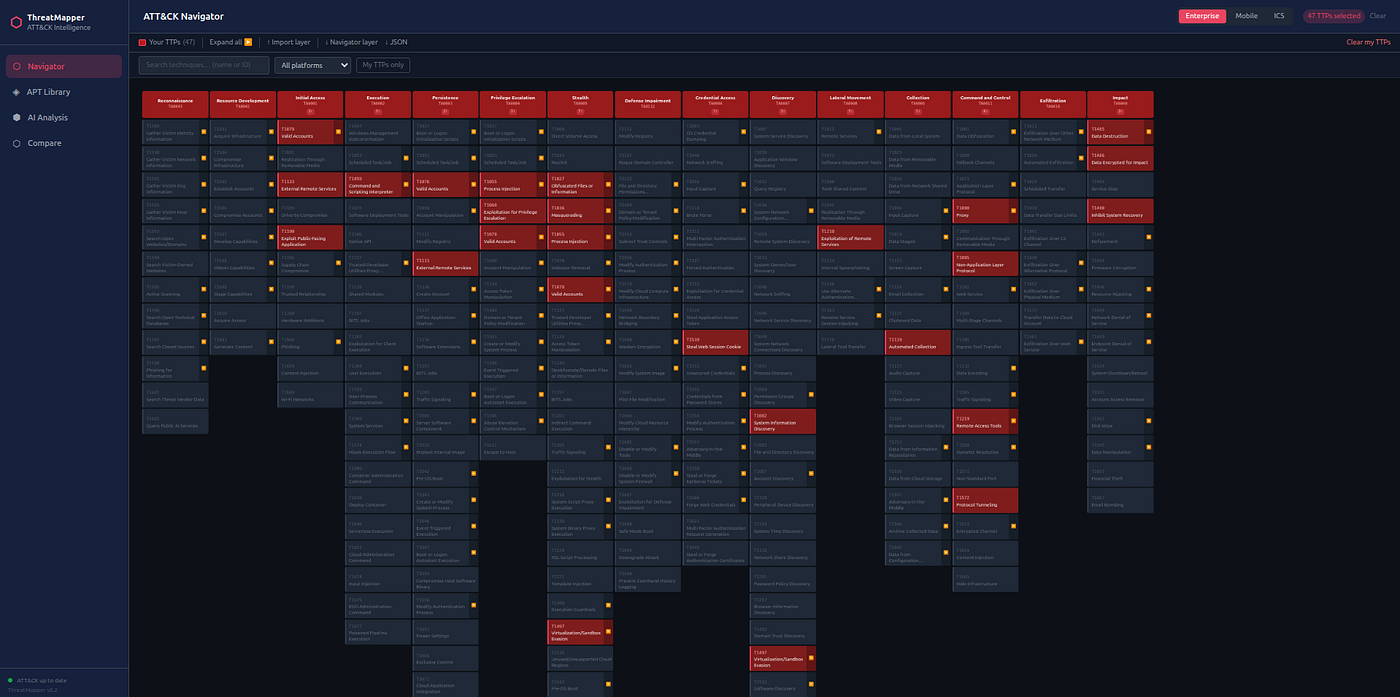
- See the techniques highlighted on the full ATT&CK matrix
- Overlay a group profile to visualise the behavioural overlap
- Export as ATT&CK Navigator JSON or PDF
From Log to Report
The v3 workflow can start from synthetic or real operational telemetry rather than a finished CTI report:
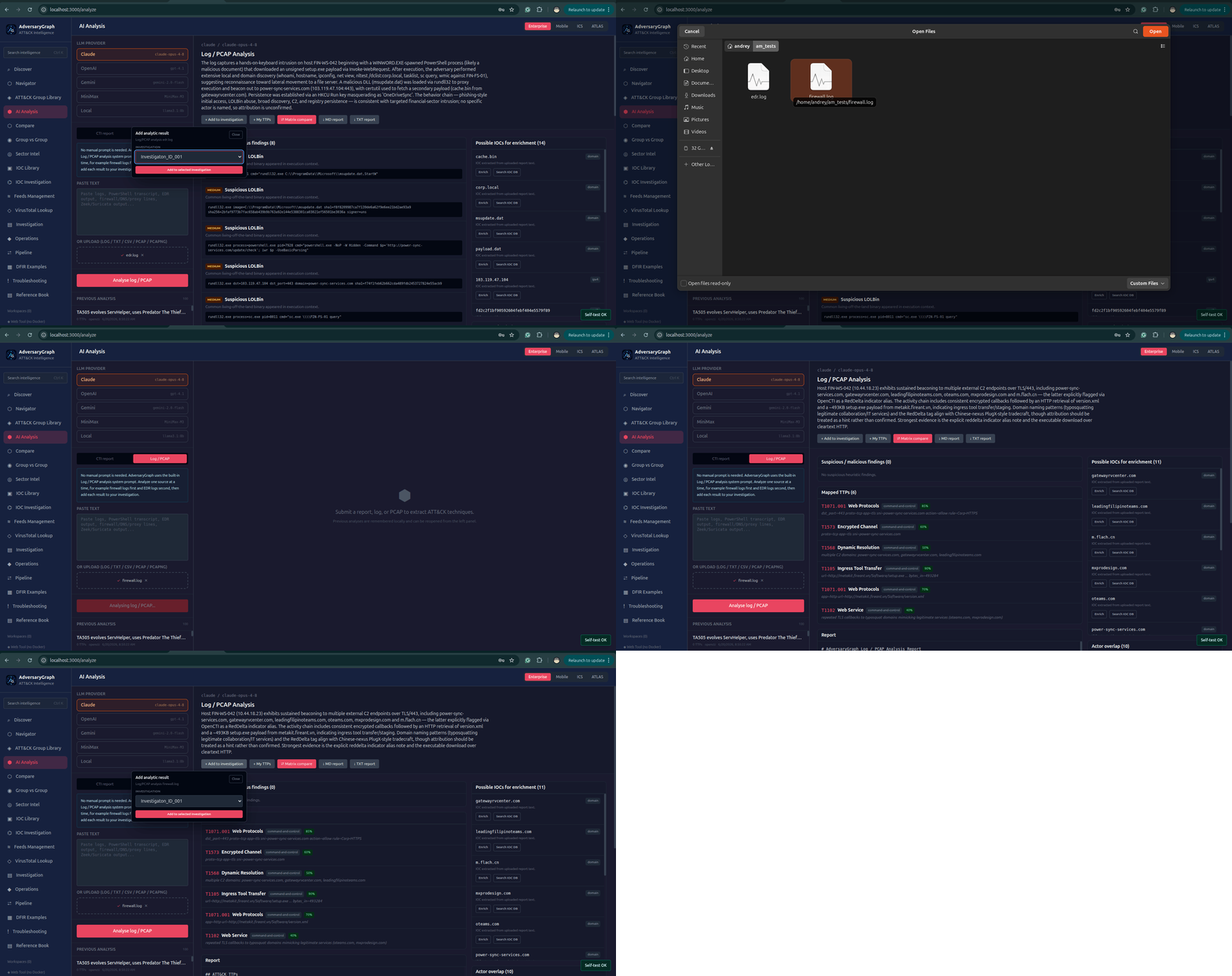
- Create or open an Investigation workspace.
- Open AI Analysis and select Log / PCAP mode.
- Analyze one source at a time: firewall logs first, then EDR logs as a separate run. No manual prompt is needed; the mode uses a built-in AdversaryGraph system prompt.
- Add each AI analysis result to the active investigation.
- Send extracted IOCs into IOC Investigation for Tier 1 / Tier 2 / Tier 3 pivots.
- Add useful IOC Investigation results to the same investigation.
- Create a Navigator-like layer from all investigation TTPs and send it to the matrix.
- Compare the investigation TTP layer with threat actors and save the overlap result to the investigation.
- Generate an AI summary of the whole investigation.
- Create a local or AI-assisted investigation report and export it.
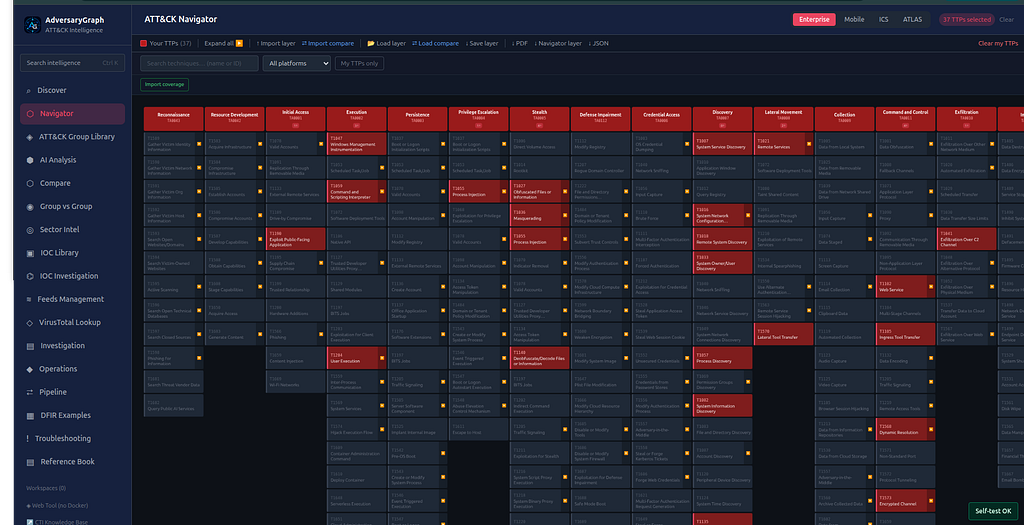
Read the complete public walkthrough: From Log to Report: Using AdversaryGraph to Turn Firewall and EDR Noise Into a CTI Investigation.
Download PDF Report
Click ↓ PDF report in the results summary bar to download a formatted multi-page report including the cover page, executive summary, techniques table, group-similarity leads, and tactic coverage breakdown. The report is generated on the backend and returned as a direct browser download.
Previous analysis sessions can be re-downloaded at any time from Compare → Reports (DB 2).
Next: AI Chat Assistant →