Platform Capabilities
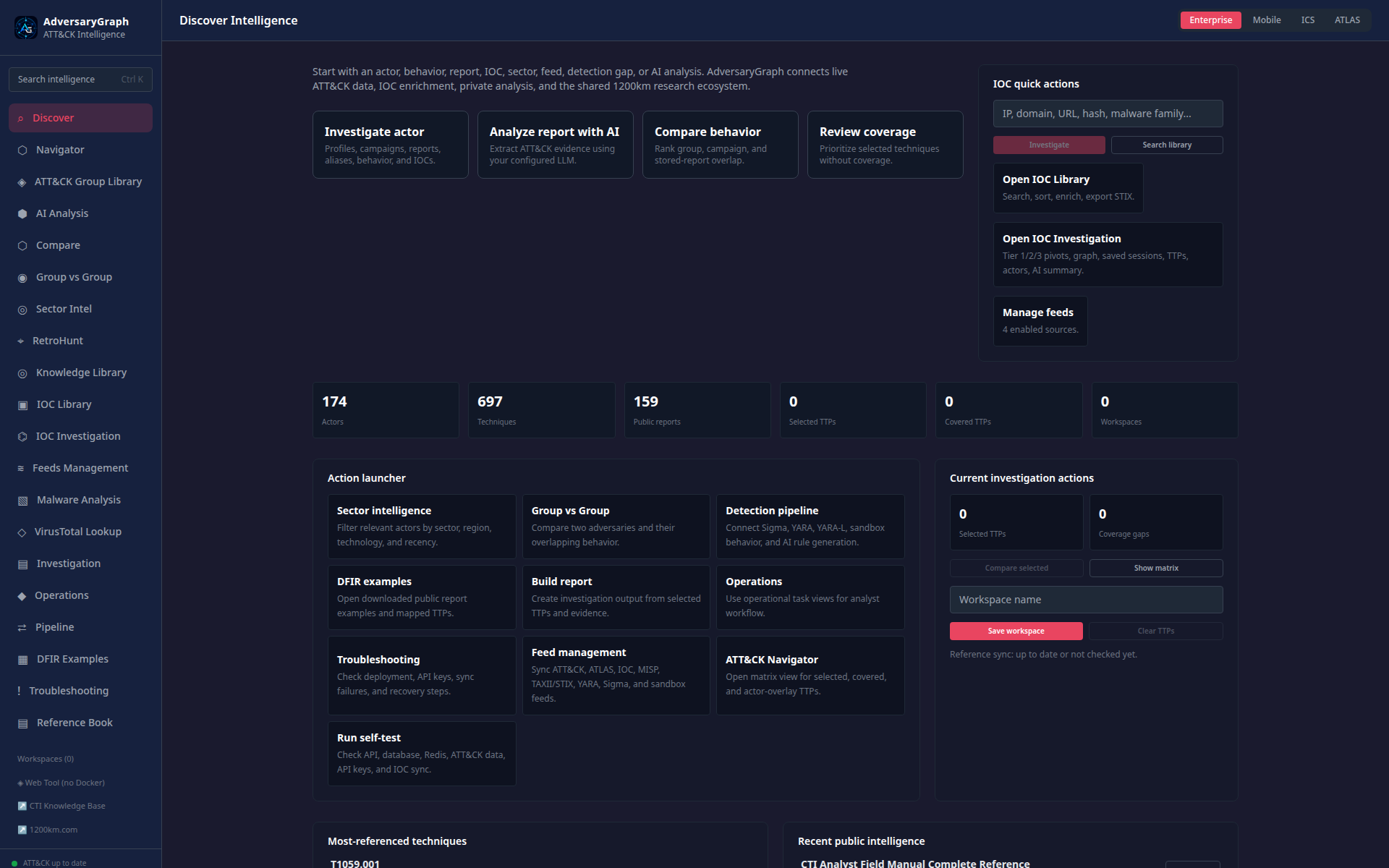
AdversaryGraph is a self-hosted CTI-to-detection platform. It connects reports, IOCs, malware behavior, threat actors, campaigns, sectors, ATT&CK/ATLAS techniques, detection rules, and analyst exports into one local workflow.
The platform is designed for private analyst workstations, internal CTI teams, detection engineering teams, and controlled self-hosted deployments.
Current Visual Capability Tour
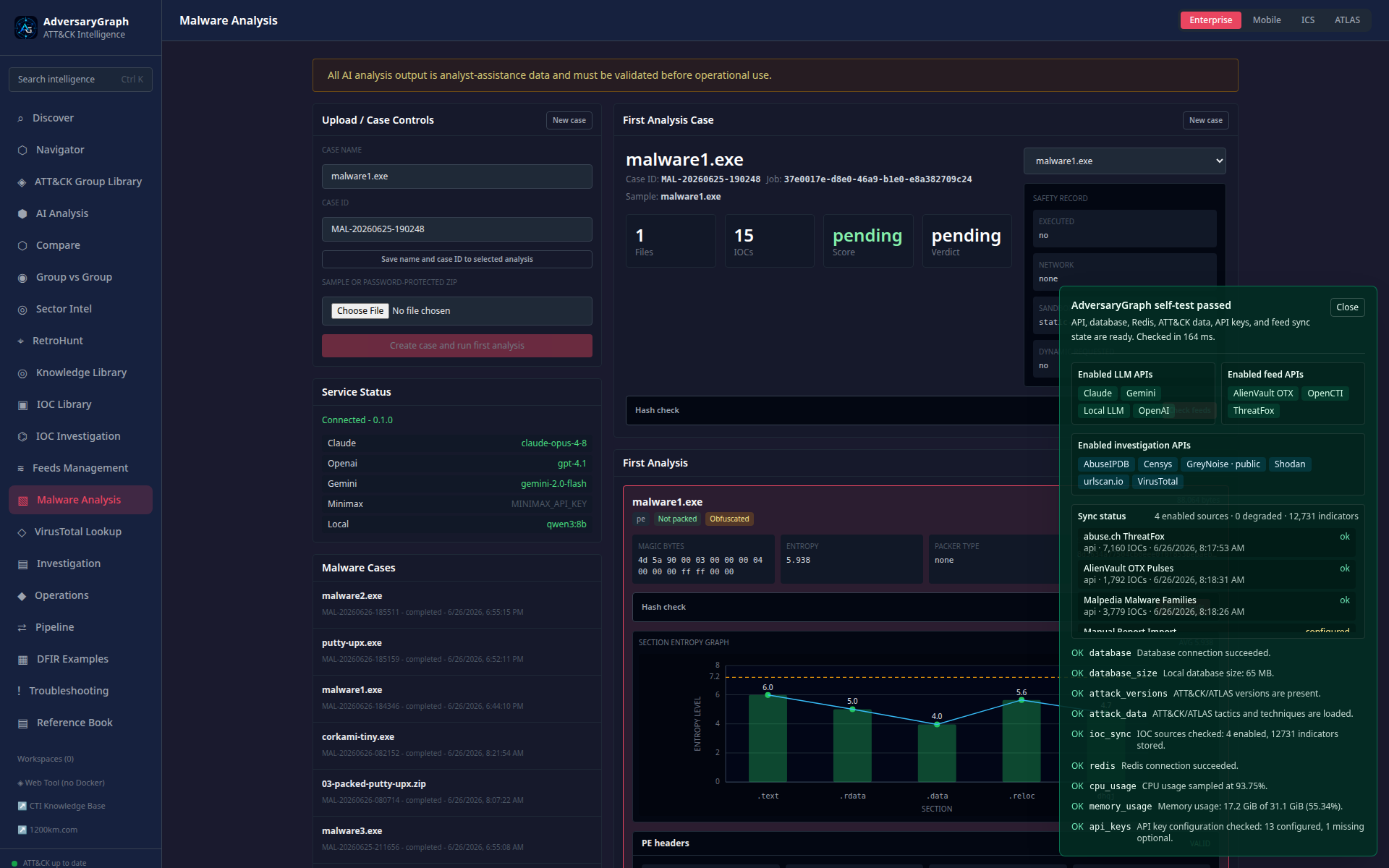
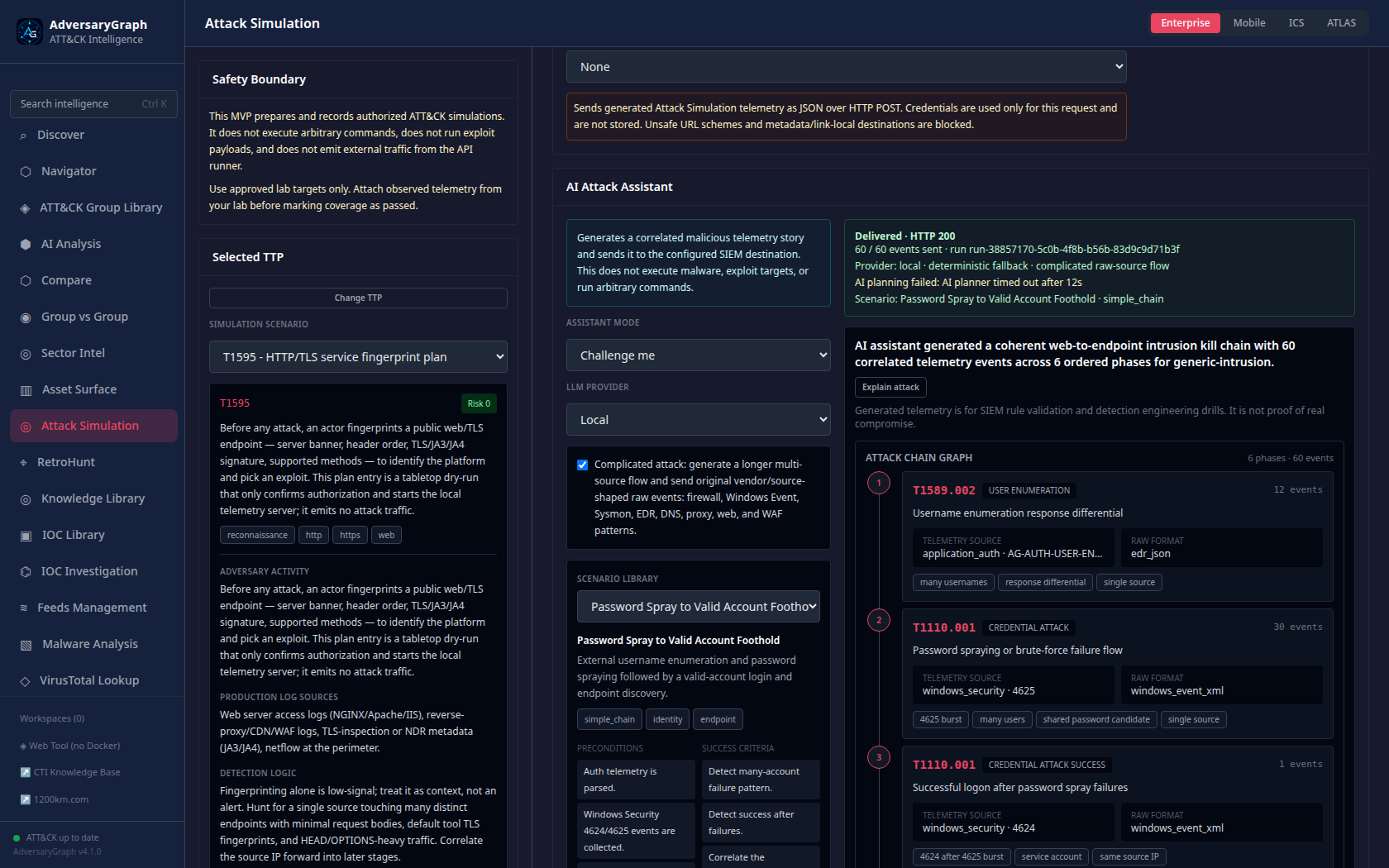
The current documentation is screenshot-backed. The Platform Guide walks through the main modules, Attack Simulation documents ATT&CK validation and AI-assisted telemetry drills, and Malware Analysis documents the MalwareGraph-backed workflow in detail. Observability and security validation documents runtime telemetry, scan coverage, and validation examples. For buyer and reviewer orientation, start with Commercial Trust, Architecture Diagrams, Case Studies And Validation Examples, and the Comparison Overview.
From Log To Report Workflow
From Log To Report Workflow
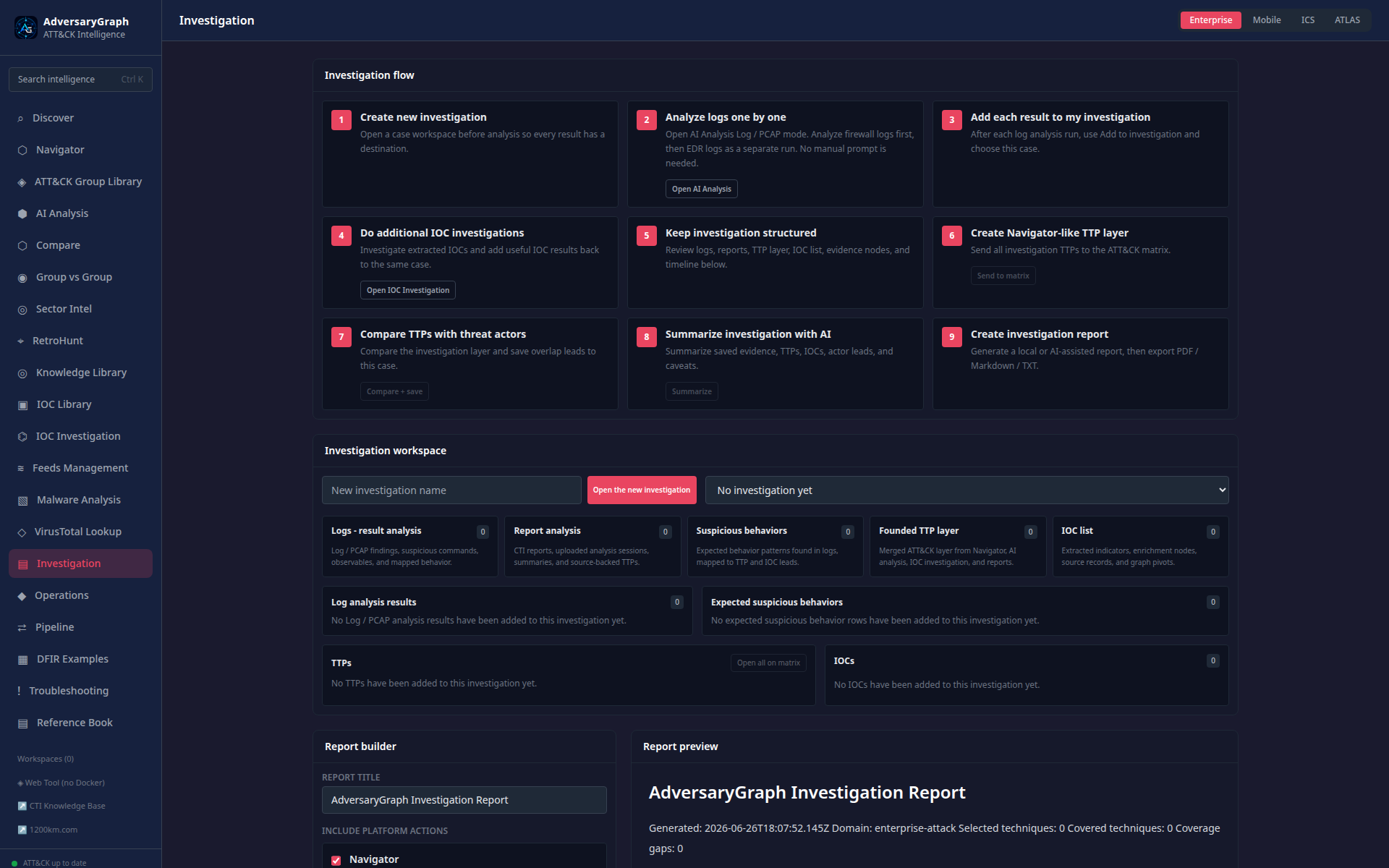
The published workflow shows how AdversaryGraph turns firewall and EDR telemetry into a complete investigation: separate log analysis runs, source-tagged IOCs, suspicious behavior rows, ATT&CK technique leads, IOC enrichment, relationship graph pivots, matrix review, actor-overlap hypotheses, AI summary, and final report generation.
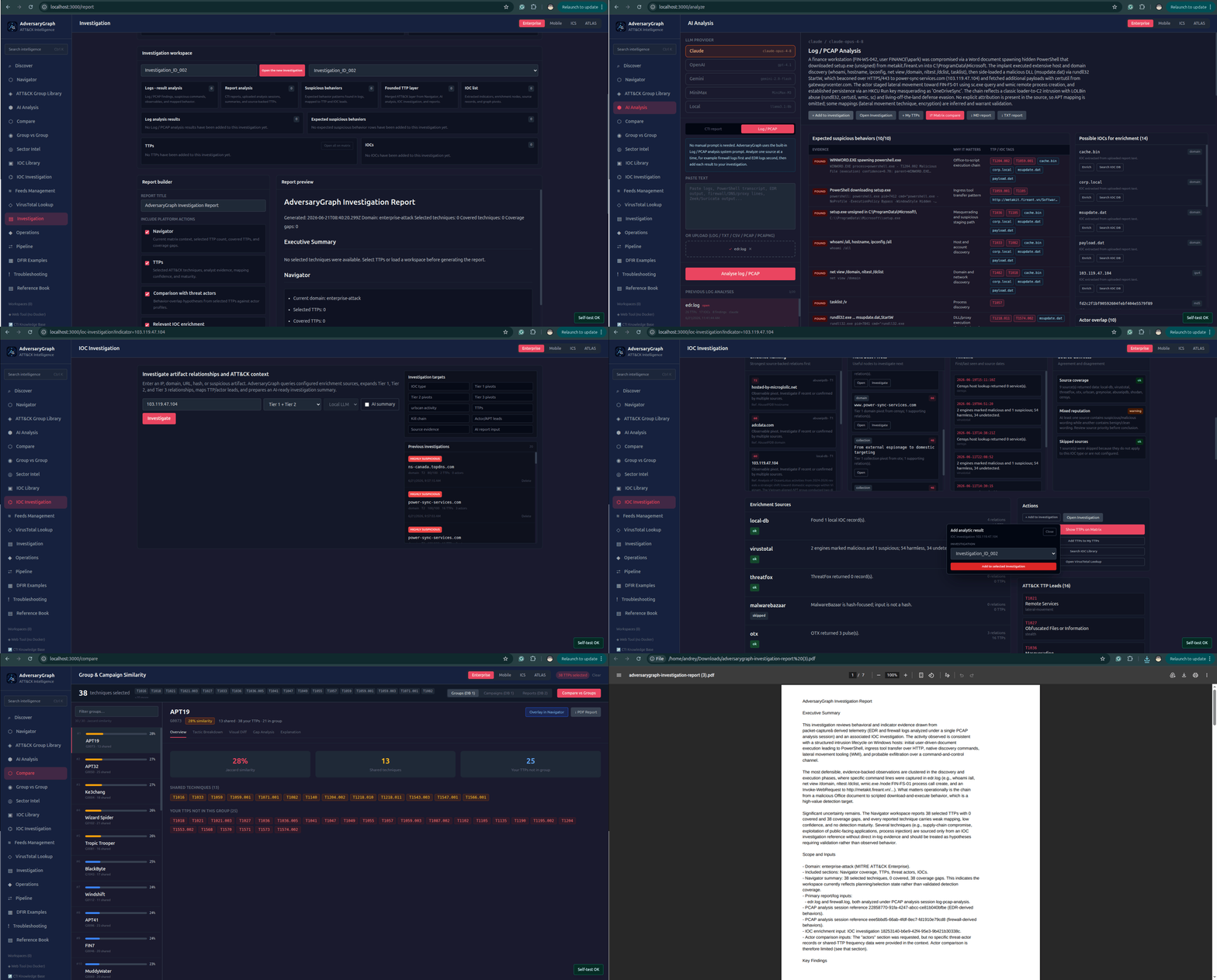
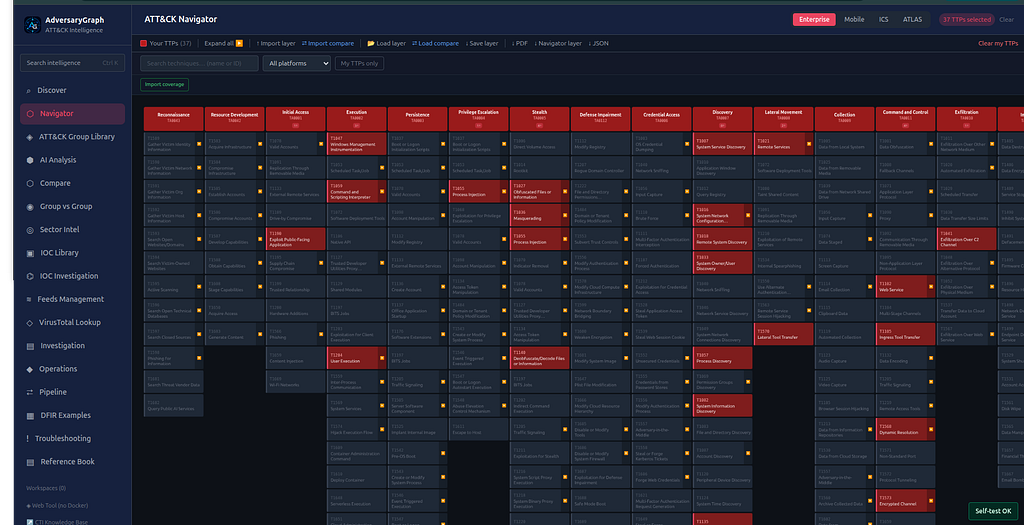
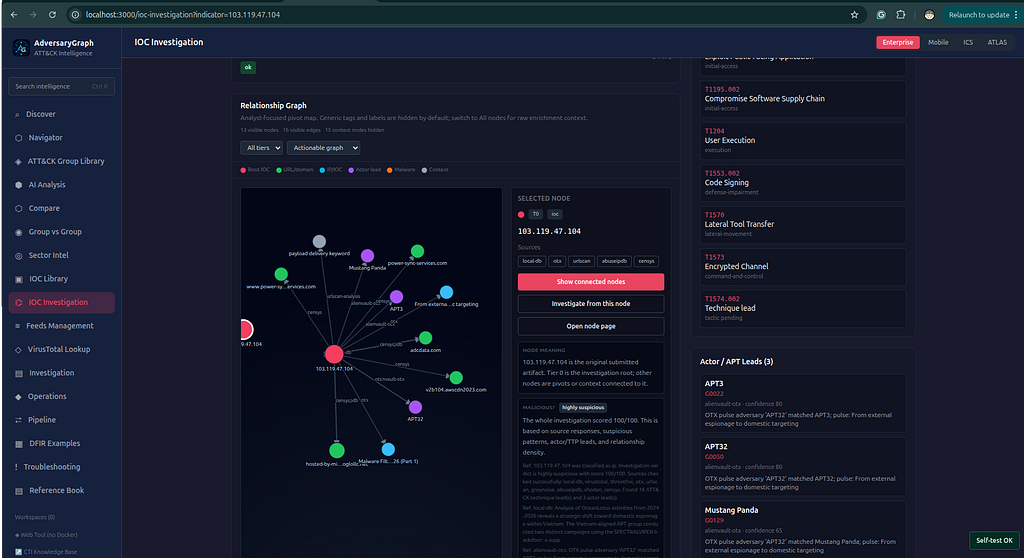
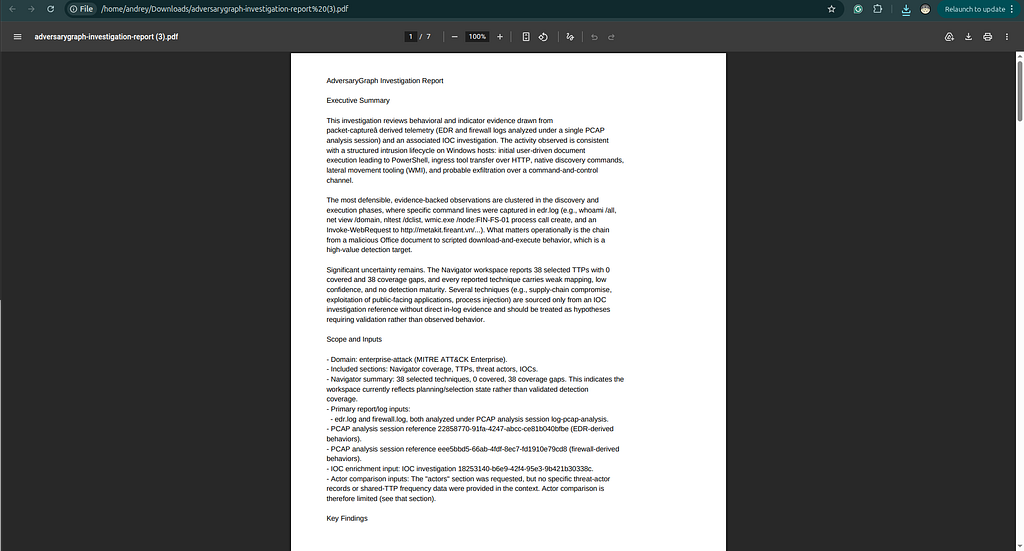
Read the complete workflow: From Log to Report: Using AdversaryGraph.
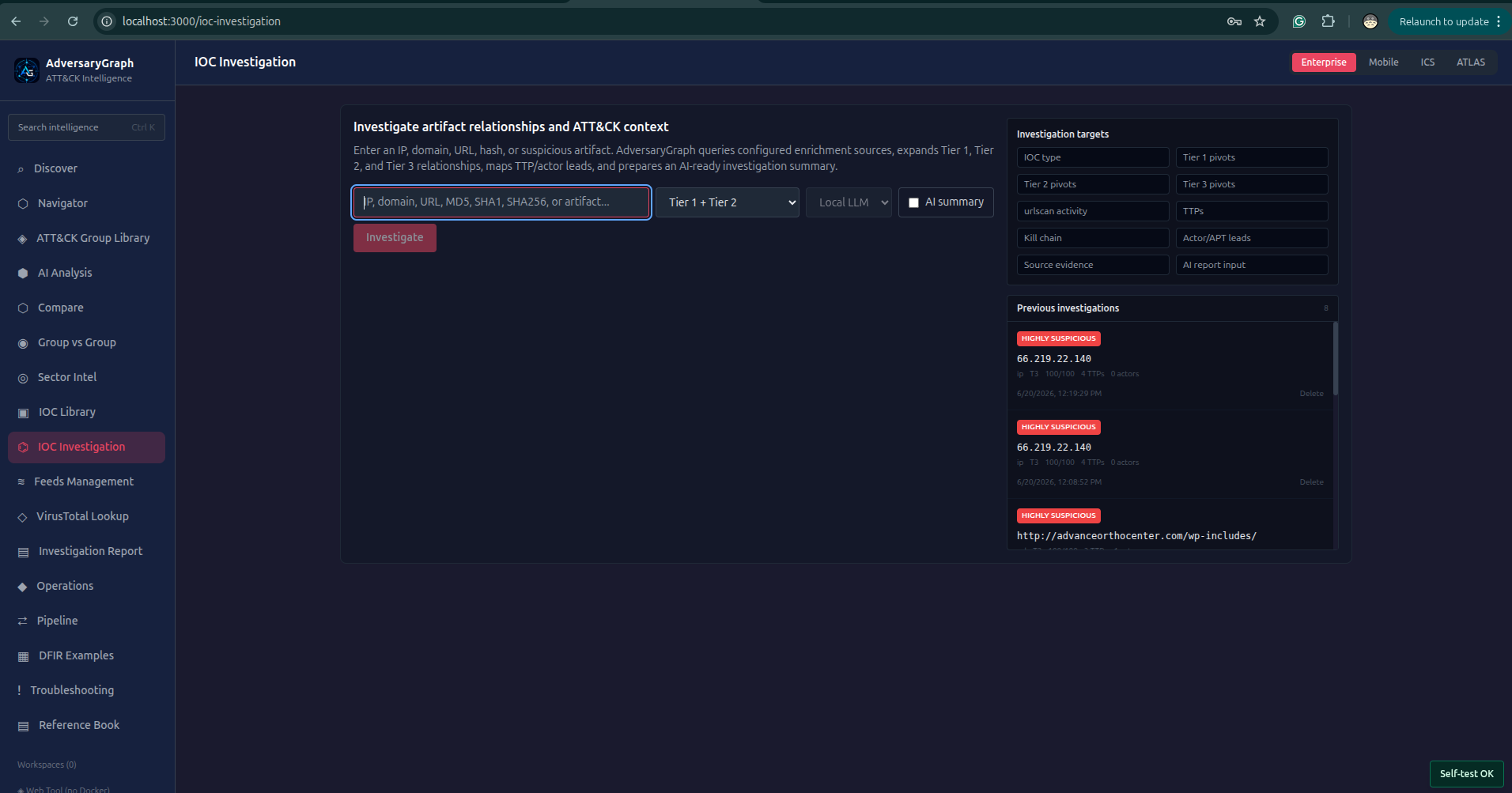
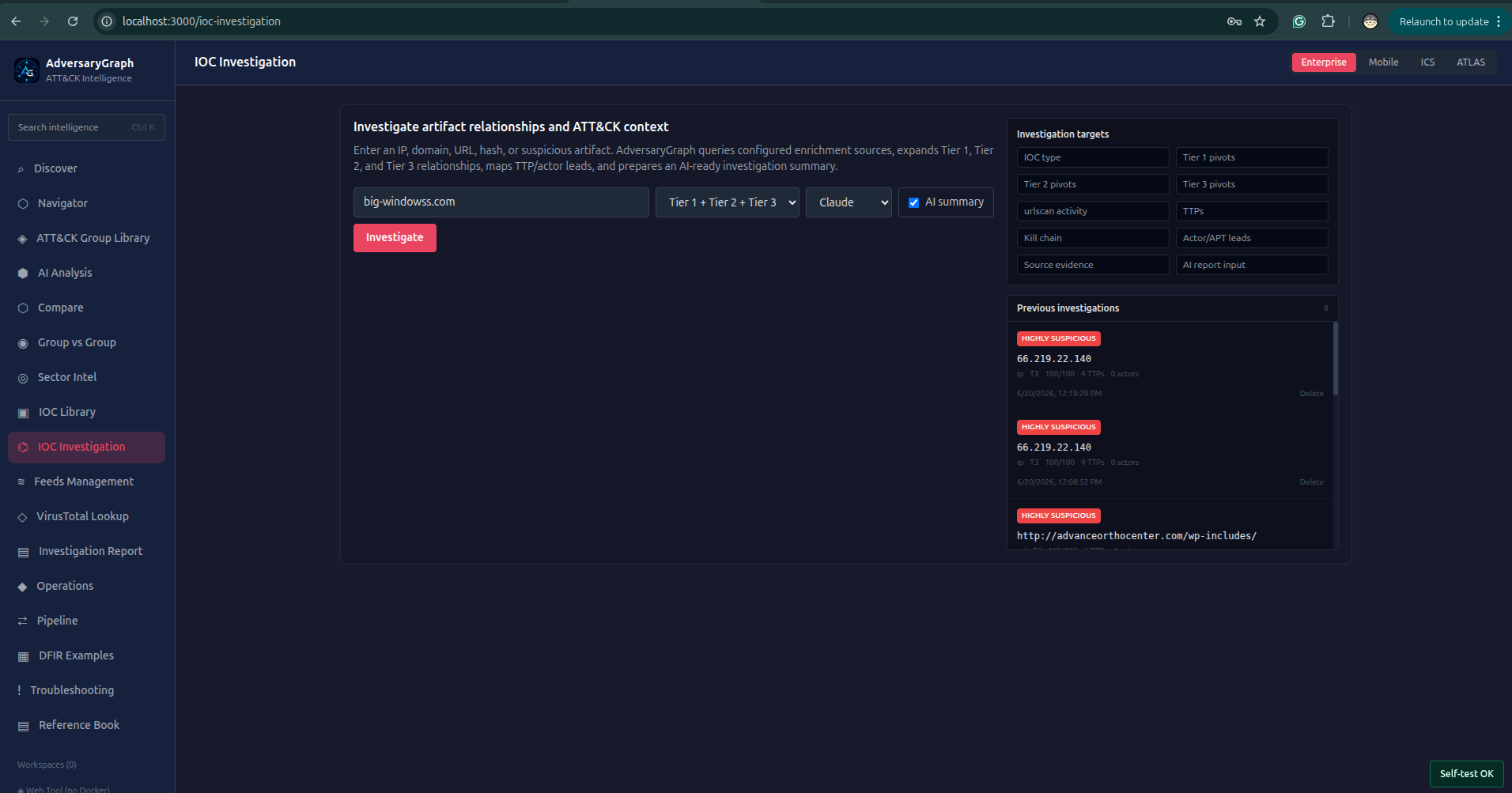
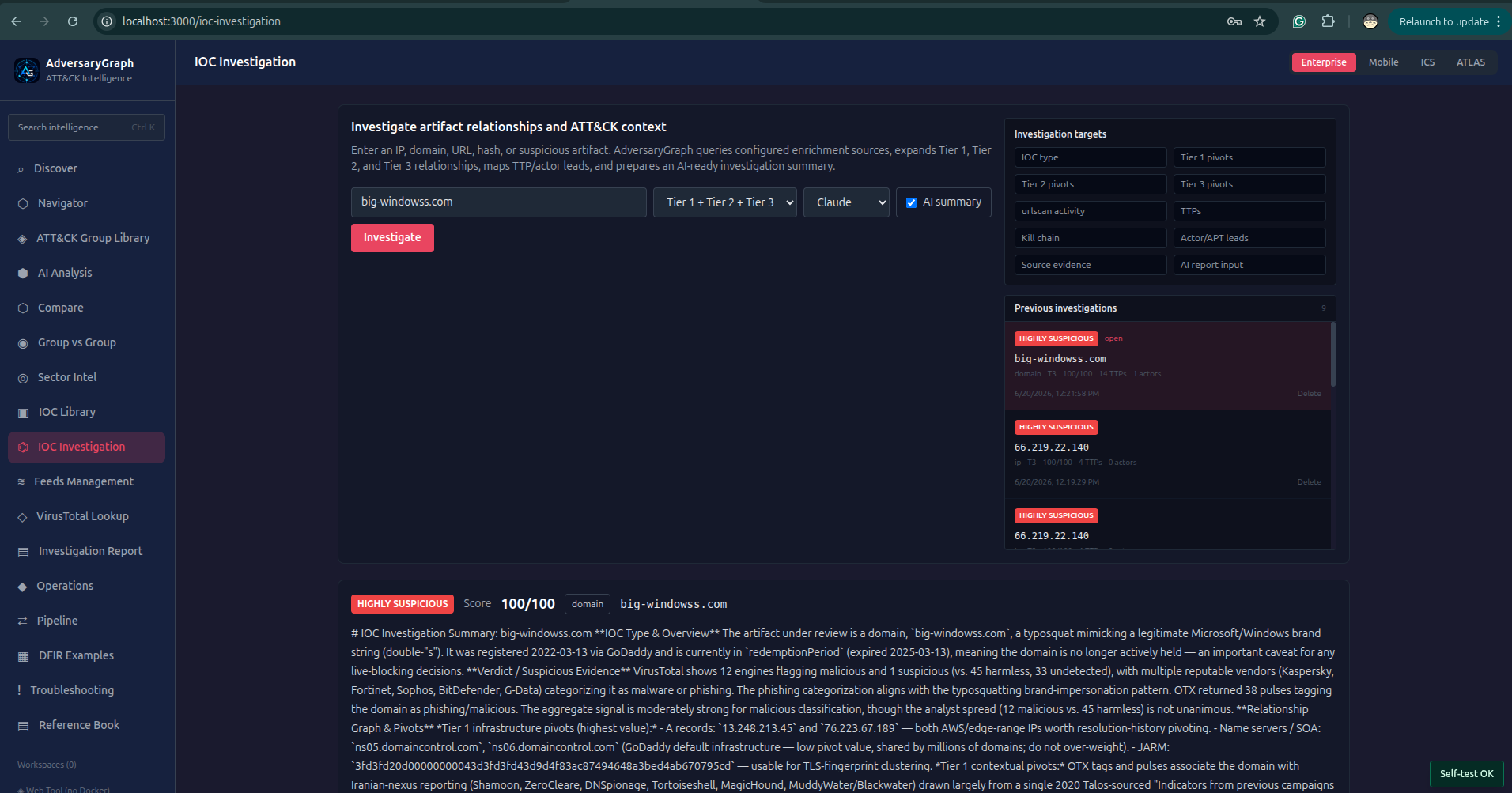
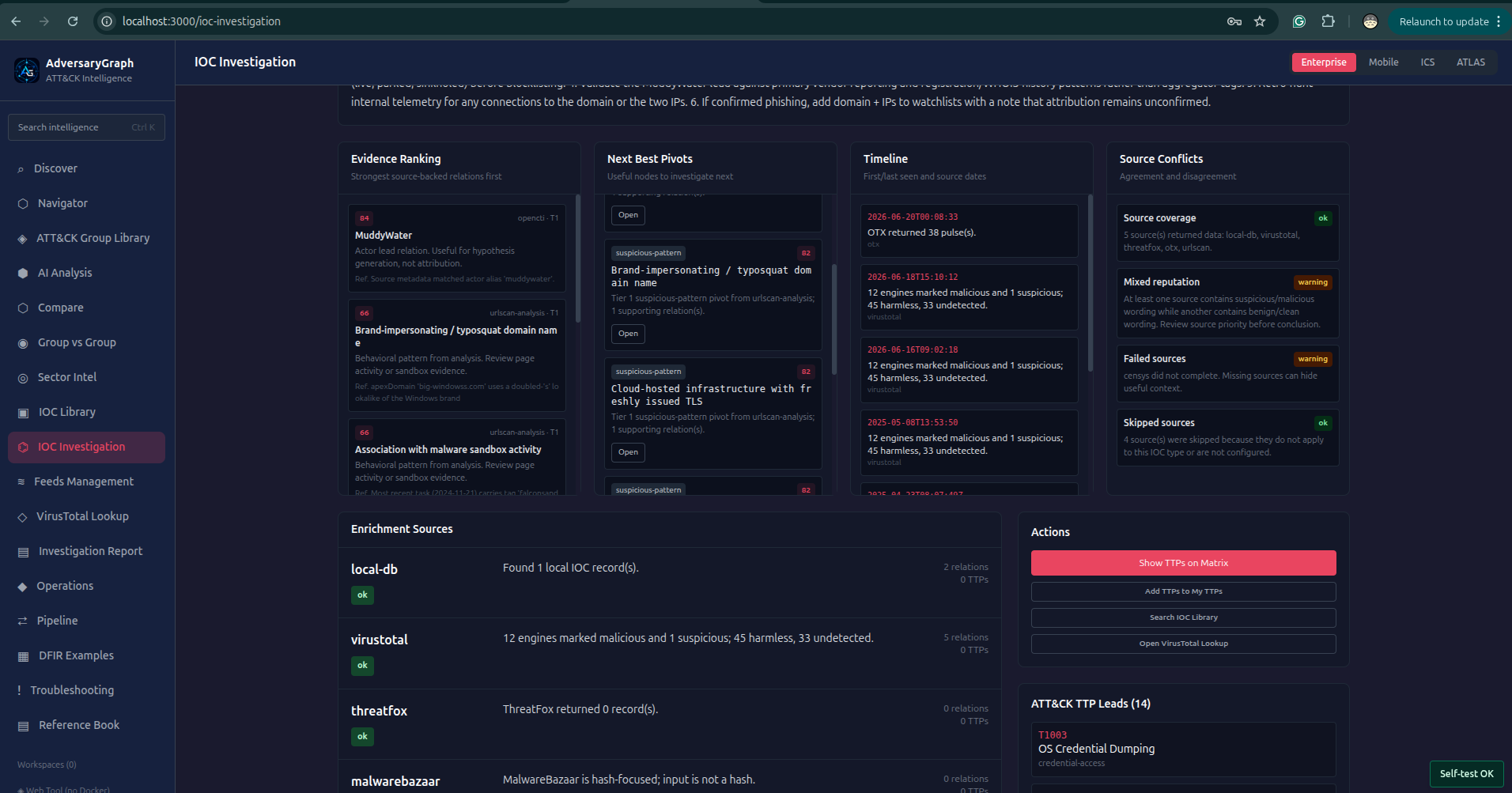
IOC Investigation Workflow
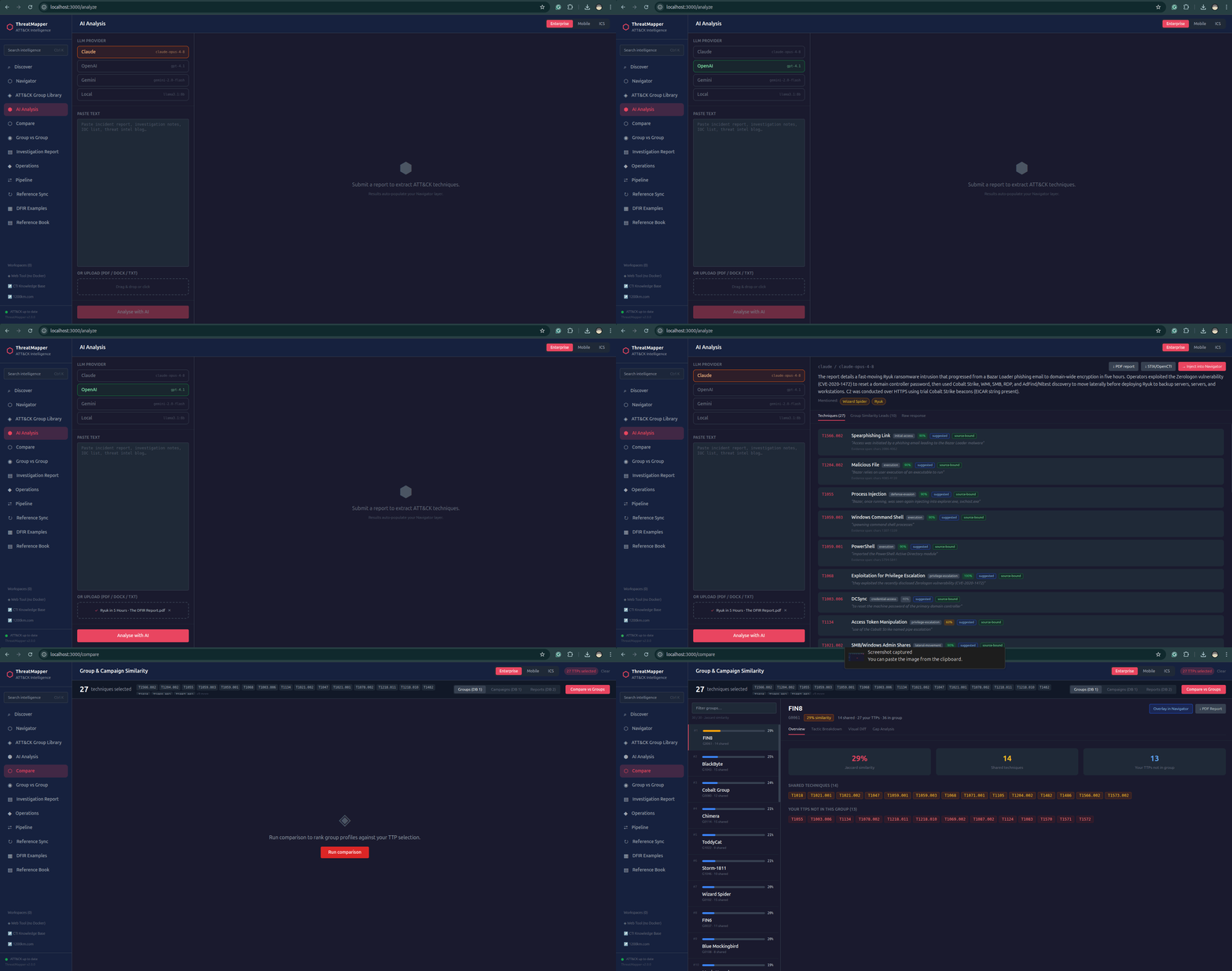
Core Platform Screens


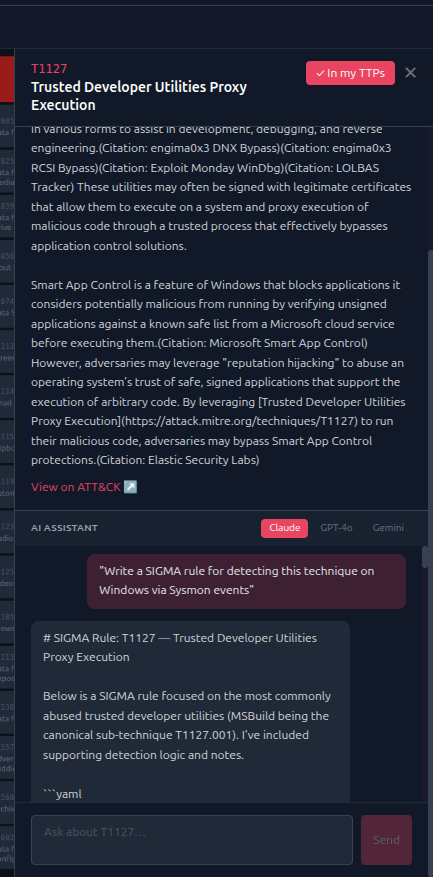
Animated Use-Case Workflows
Capability Summary
| Area | What It Provides |
|---|---|
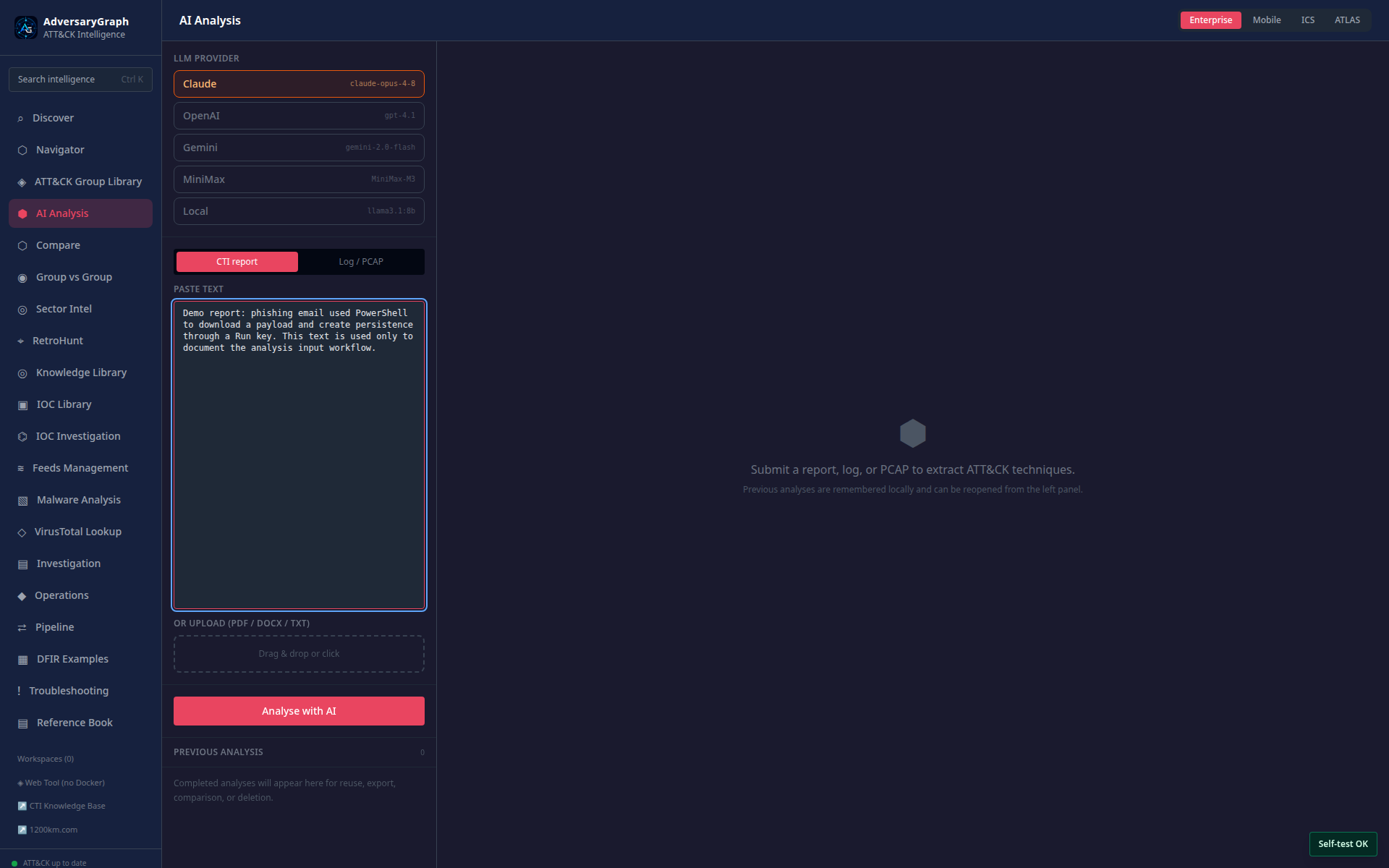
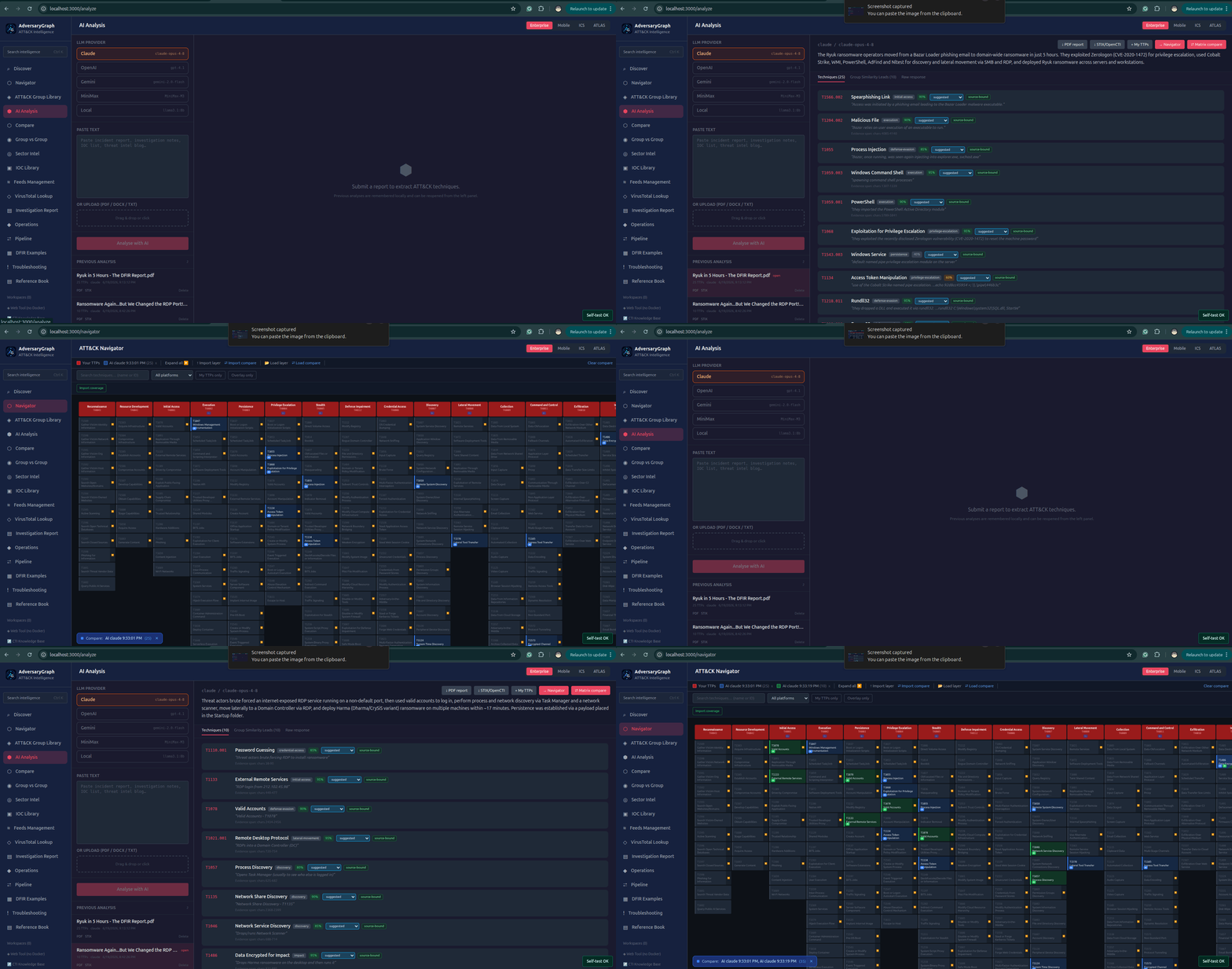
| AI report analysis | Extract ATT&CK/ATLAS mapping candidates from reports with evidence and review status |
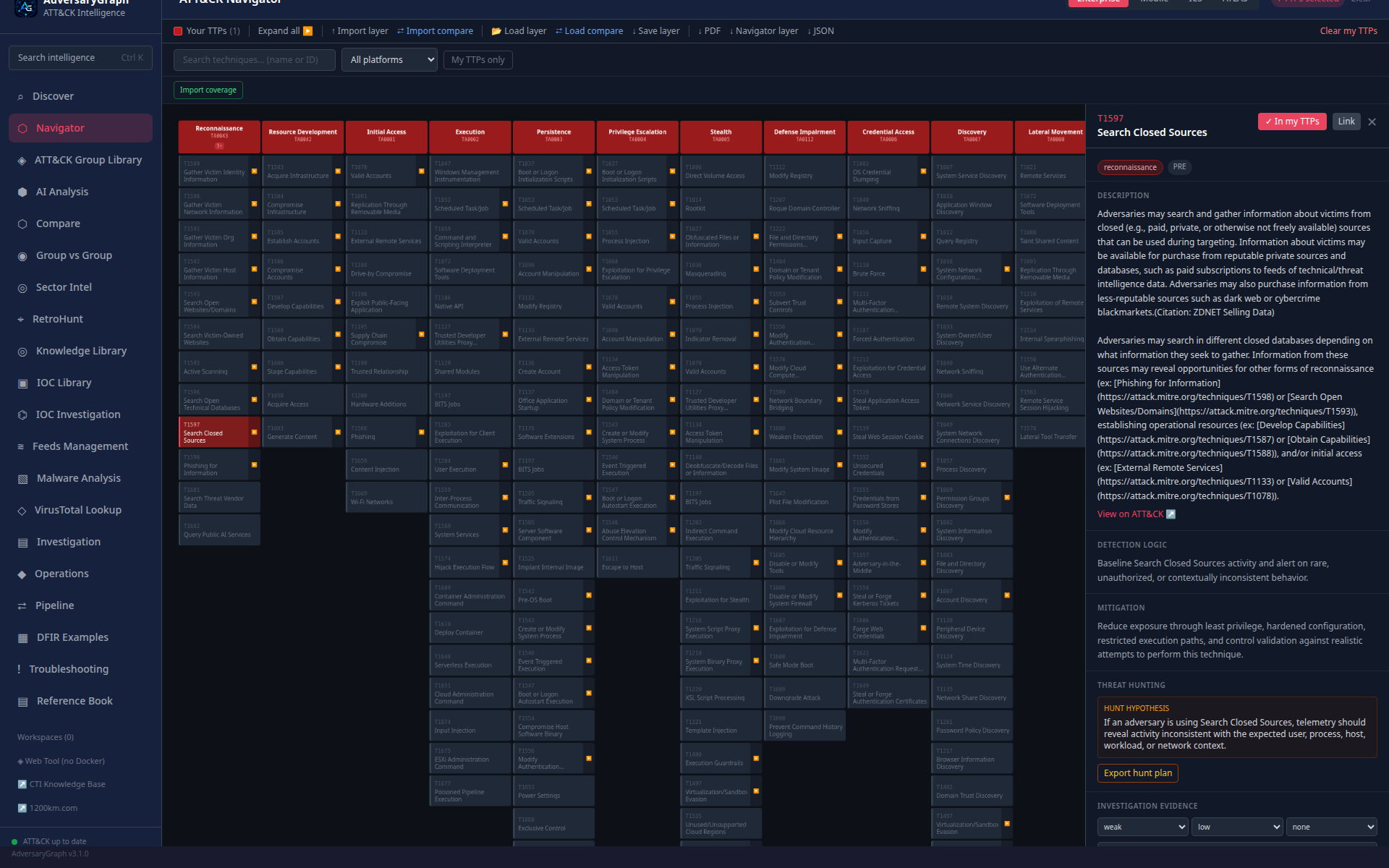
| ATT&CK/ATLAS Navigator | Explore matrices, build My TTPs, overlay actors/campaigns, import/export layers |
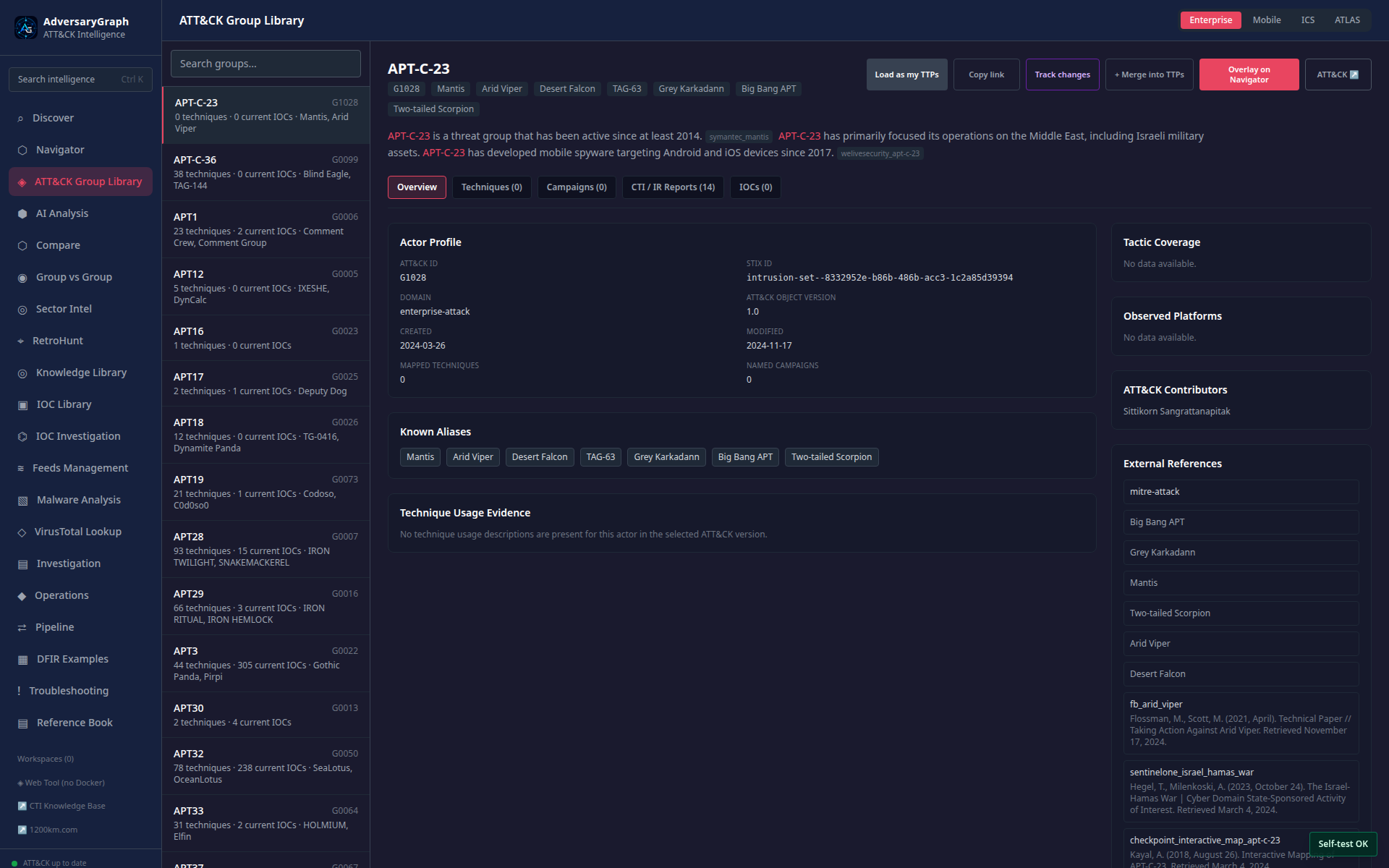
| Actor intelligence | Browse ATT&CK groups, aliases, descriptions, techniques, campaigns, reports, IOCs, platforms, and tactic coverage |
| Sector intelligence | Rank actors by sector, region, technology/environment, and activity window |
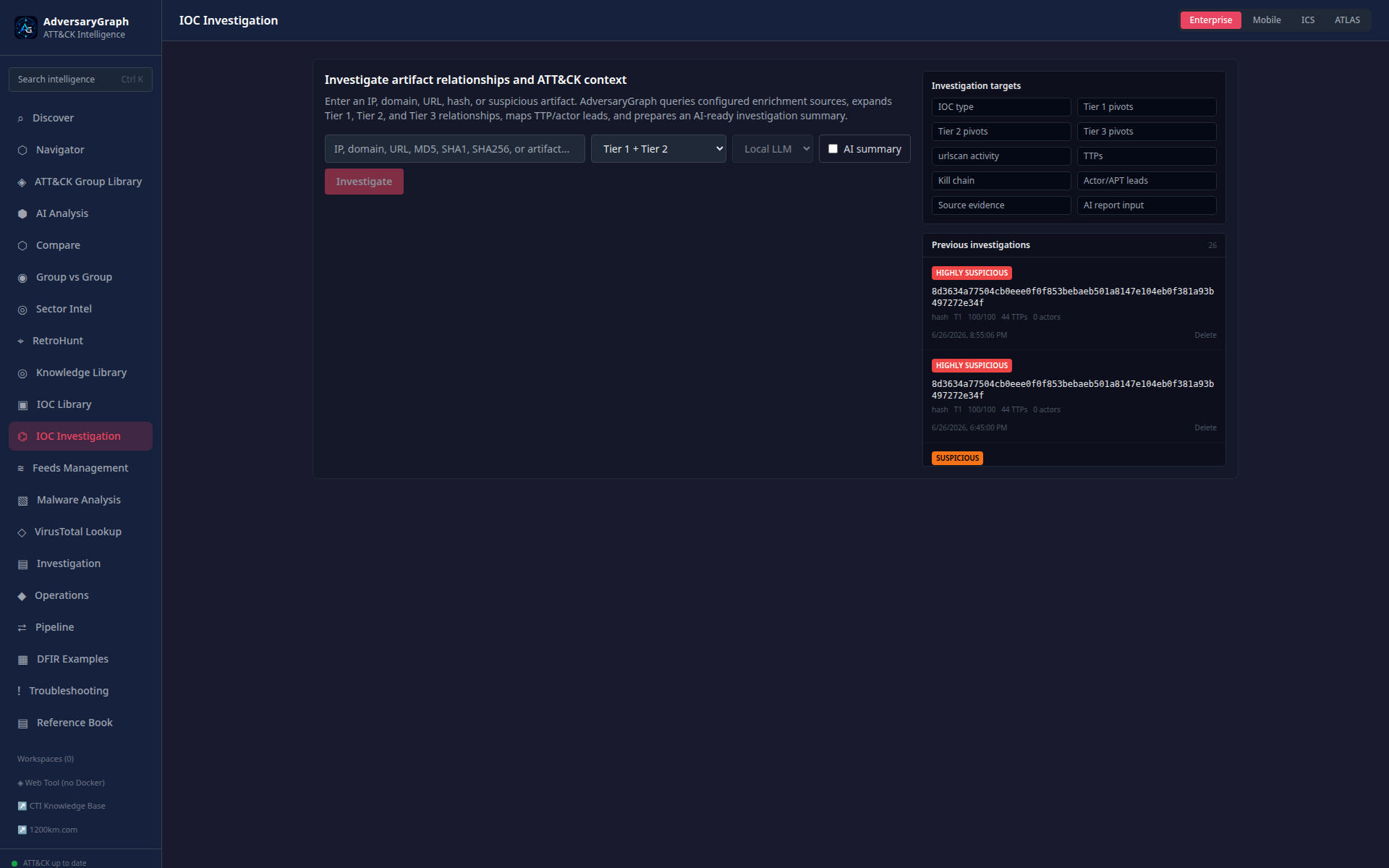
| IOC Investigation | Run Tier 1/Tier 2/Tier 3 pivots from one IP, domain, URL, hash, or suspicious artifact |
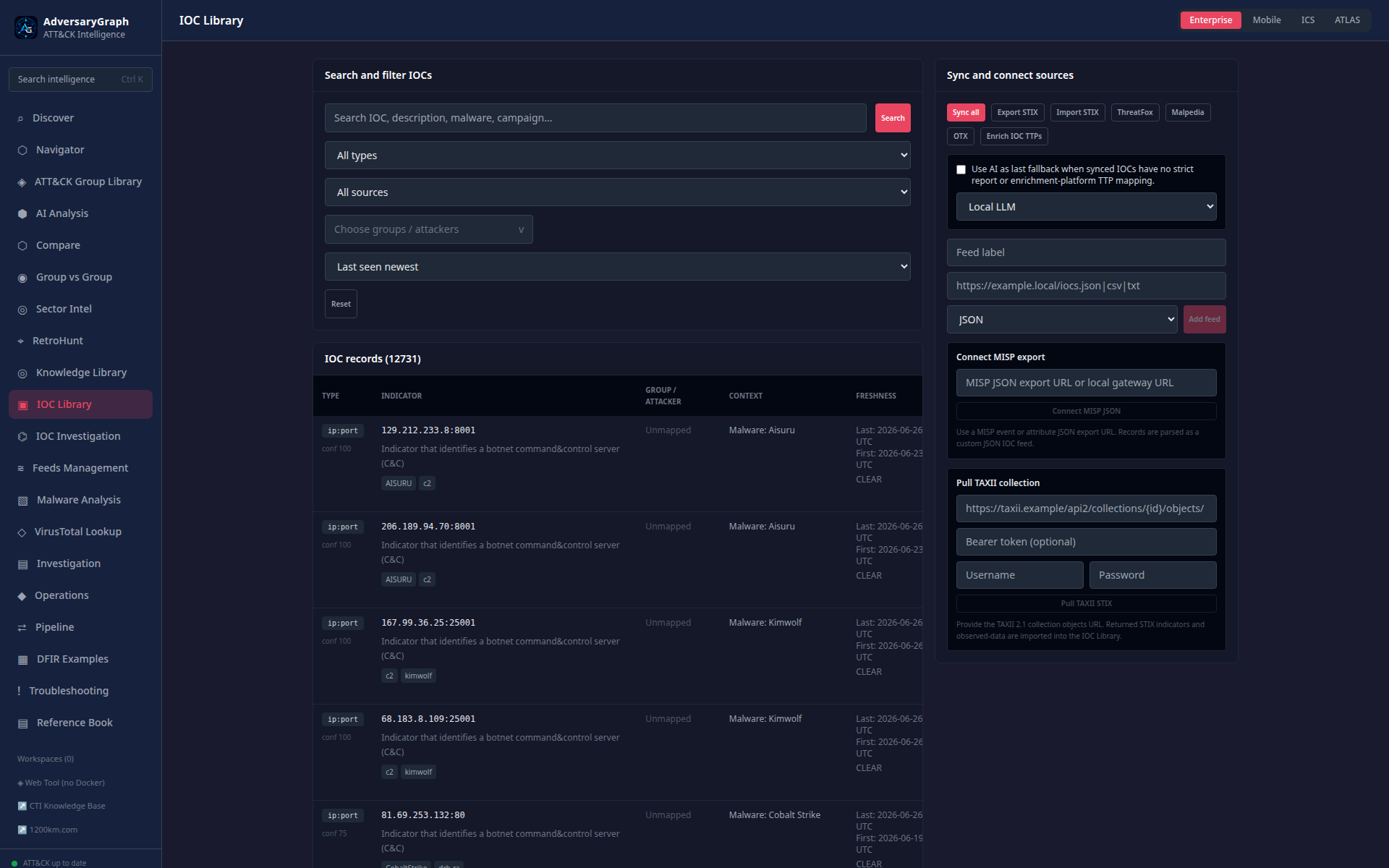
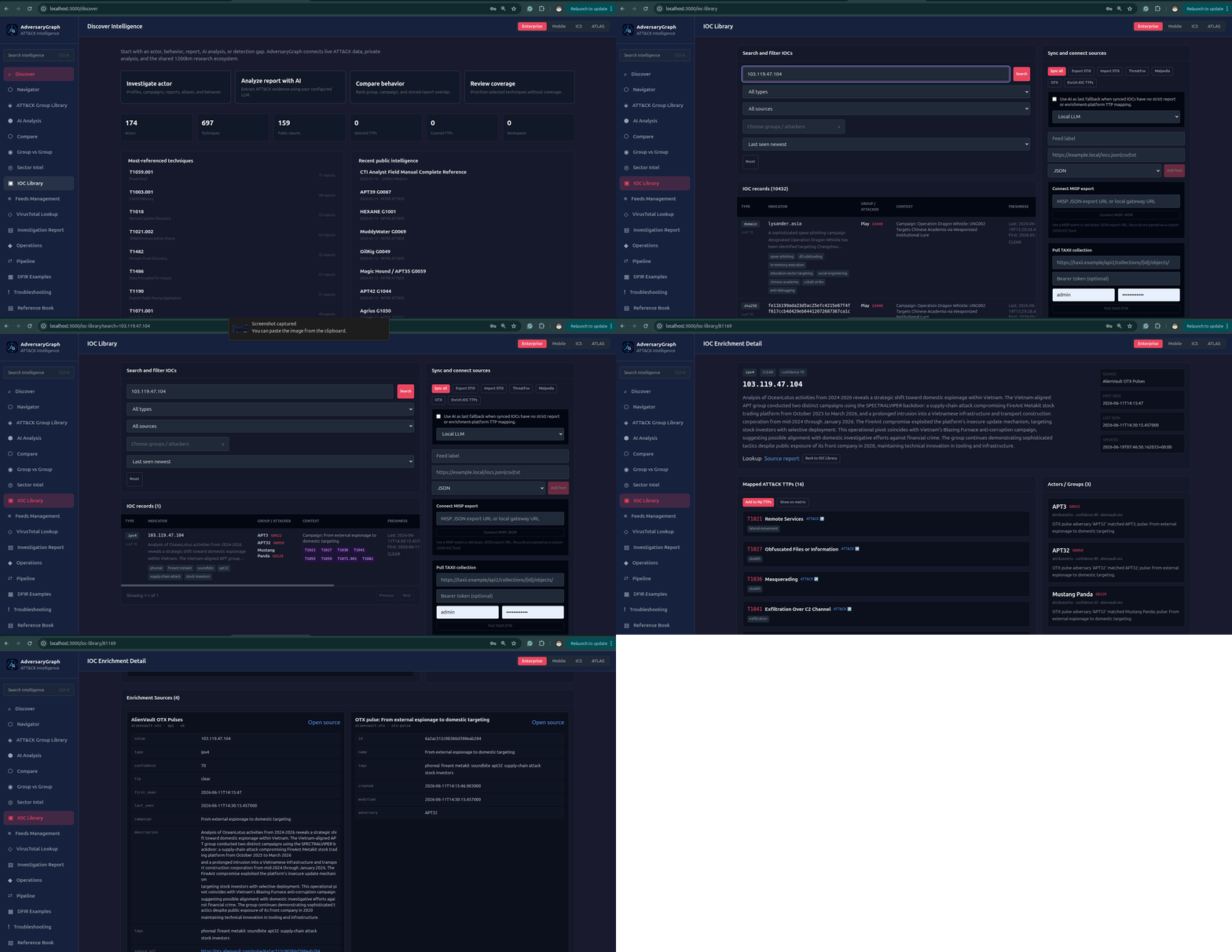
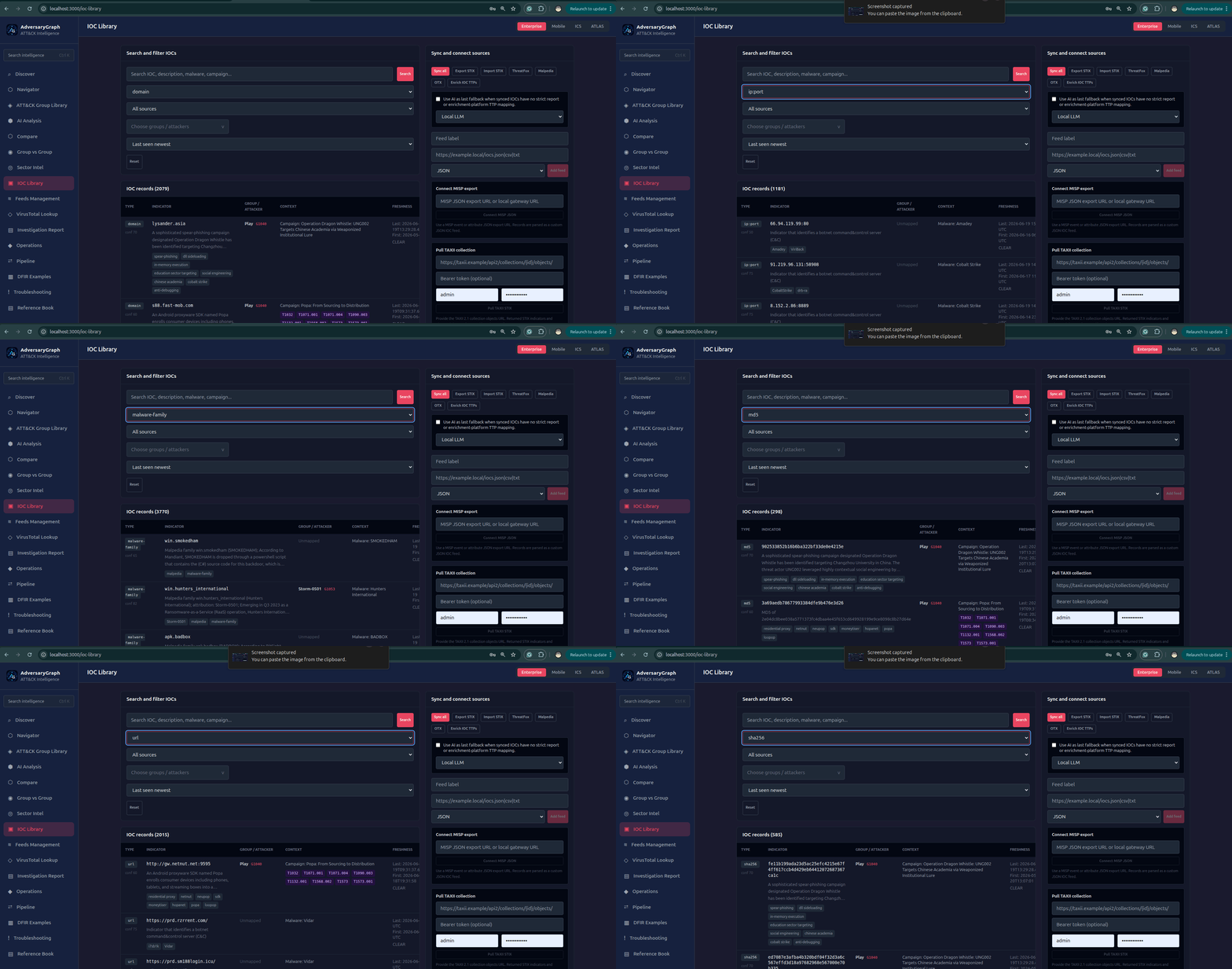
| IOC Library | Search, filter, sort, enrich, export, and map indicators to actors and TTPs |
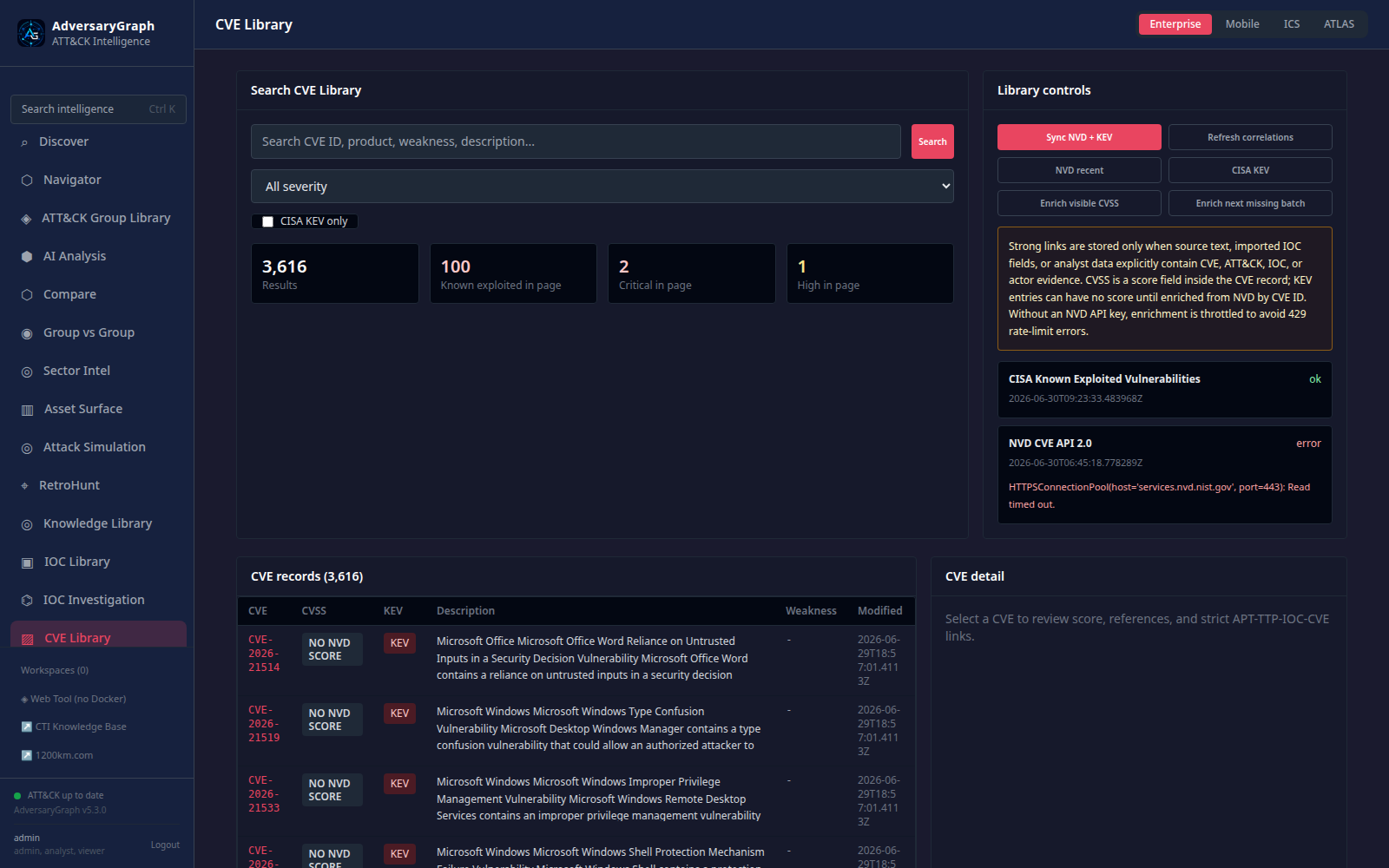
| CVE Library | Sync NVD and CISA KEV records, store CVSS/CWE/CPE fields, and correlate CVE evidence to APTs, TTPs, and IOCs |
| AI log and PCAP analysis | Extract IPs, domains, URLs, hashes, command lines, PowerShell, functions, suspicious activity, IOCs, and TTP leads from logs and packet captures |
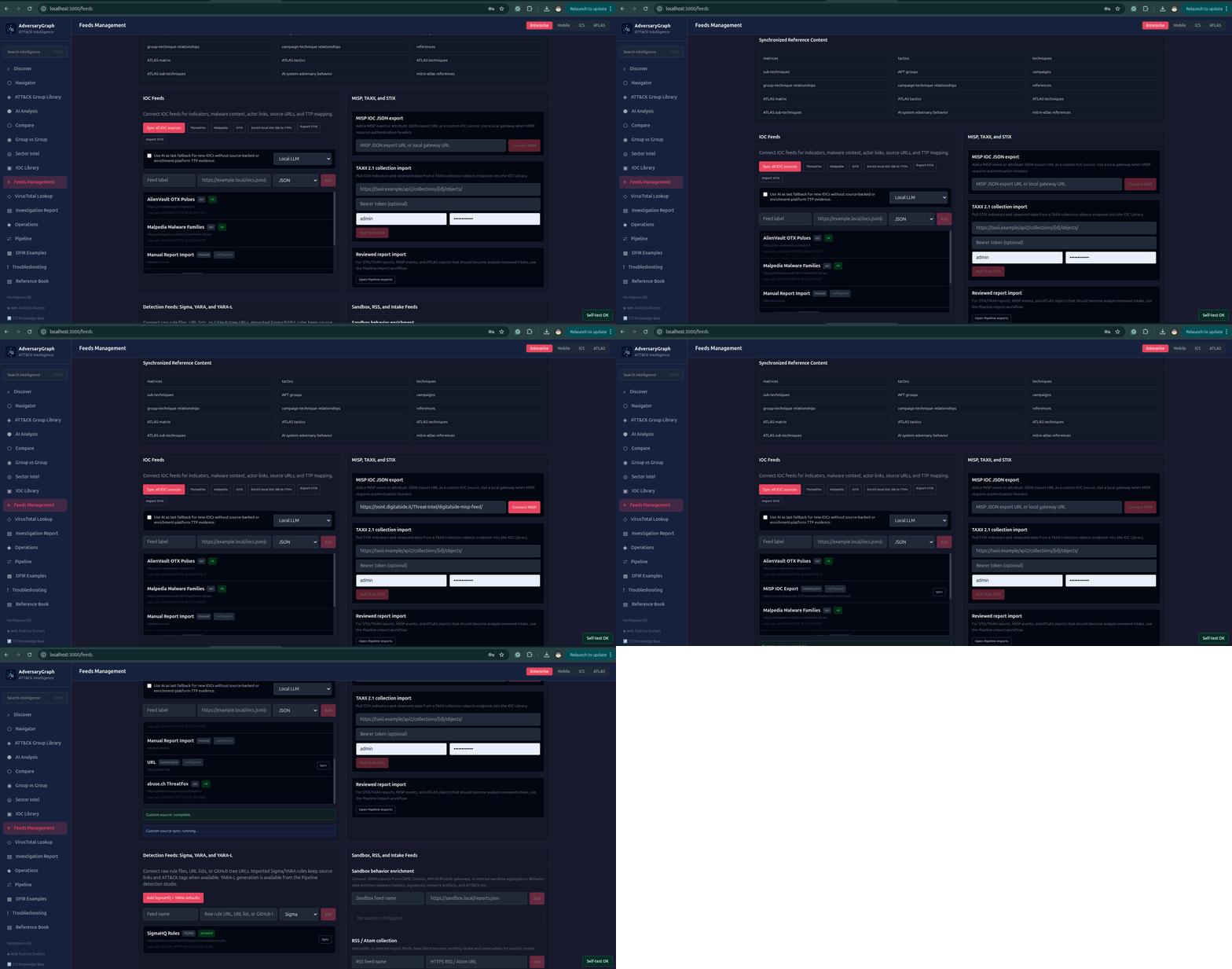
| Enrichment | VirusTotal, ThreatFox, OTX, Malpedia, MISP Galaxy, custom feeds, sandbox behavior, Sigma/YARA context |
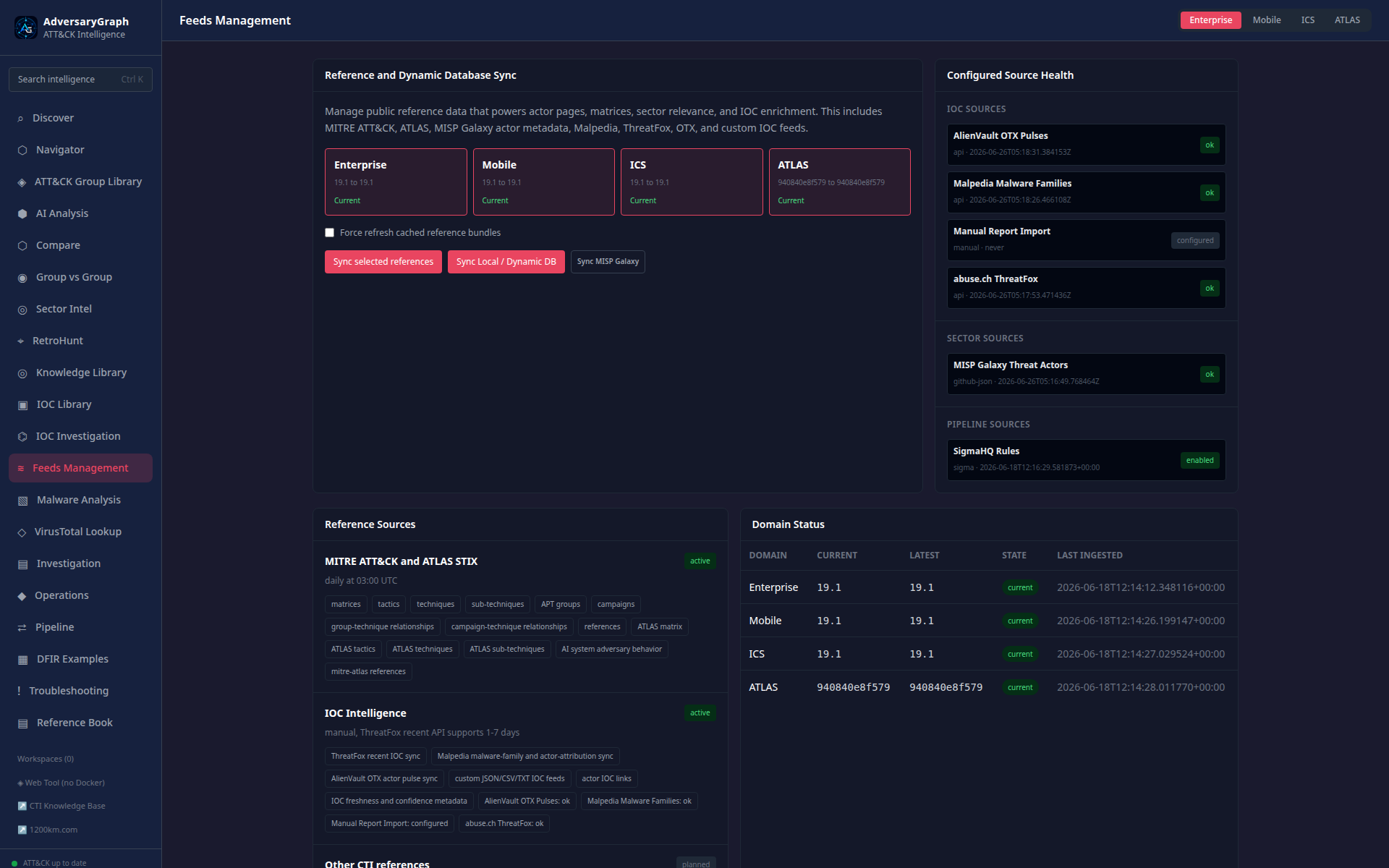
| Feed management | Central reference, IOC, rule, behavior, STIX/TAXII, MISP, and custom feed sync |
| OpenCTI sync | Pull OpenCTI indicators, observables, reports, labels, and context; push AdversaryGraph indicators and reports back through the OpenCTI workflow |
| IOC-to-TTP mapping | Prioritized evidence model: strict source first, enrichment metadata second, optional AI last |
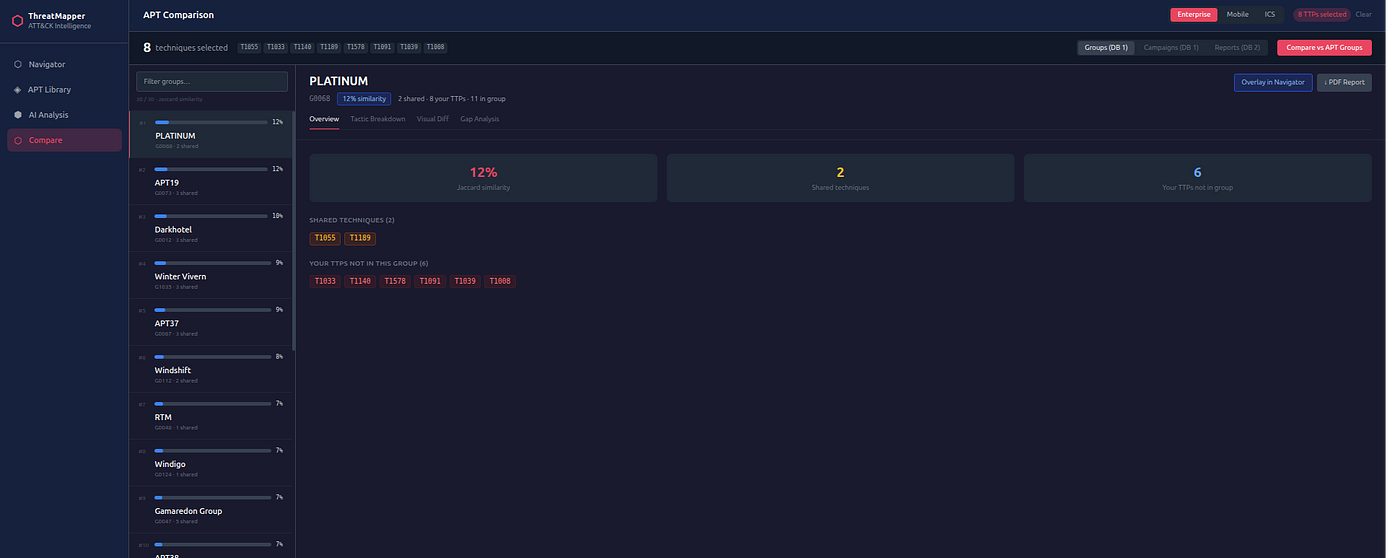
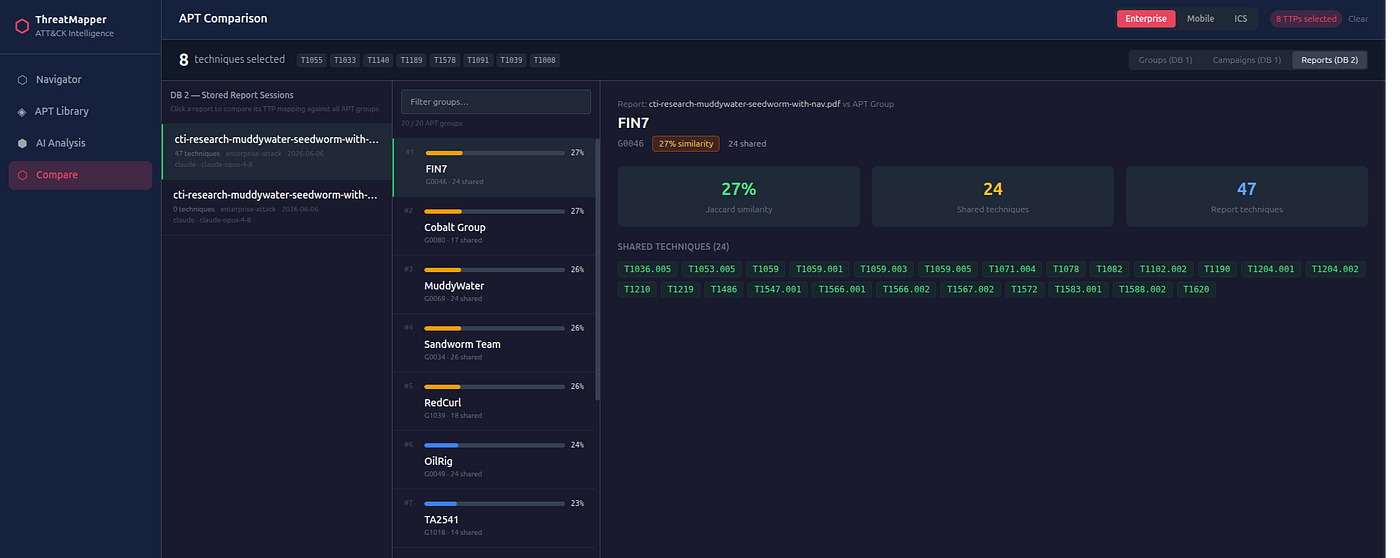
| Comparison | Compare selected TTPs to groups, campaigns, and stored reports |
| DFIR examples | Indexed public DFIR examples for training and controlled analysis workflows |
| Operations | Stored reports, investigations, pipeline workflows, selftest, troubleshooting, API access, exports |
| Authentication and user management | Native username/password login, expanded RBAC roles, per-user permissions, bootstrap admin setup, sessions, MFA workflow support, audit history, and optional trusted OIDC/SAML reverse-proxy identity |
| Observability and security validation | Health dashboard, request traces, redacted API logs, Prometheus metrics, SAST, dependency audit, secret scanning, container scanning, and validation examples |
| Outputs | PDF, JSON, CSV, STIX 2.1, ATT&CK Navigator layers, detection backlog material |
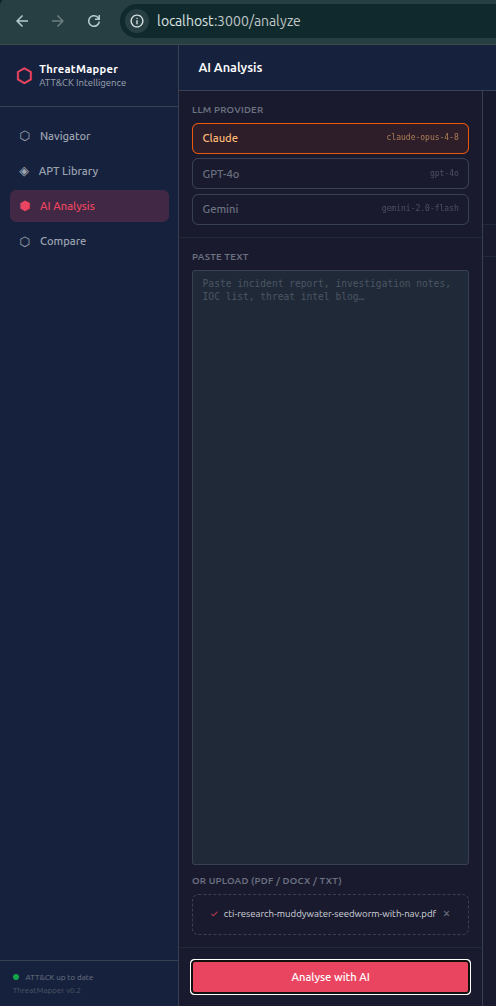
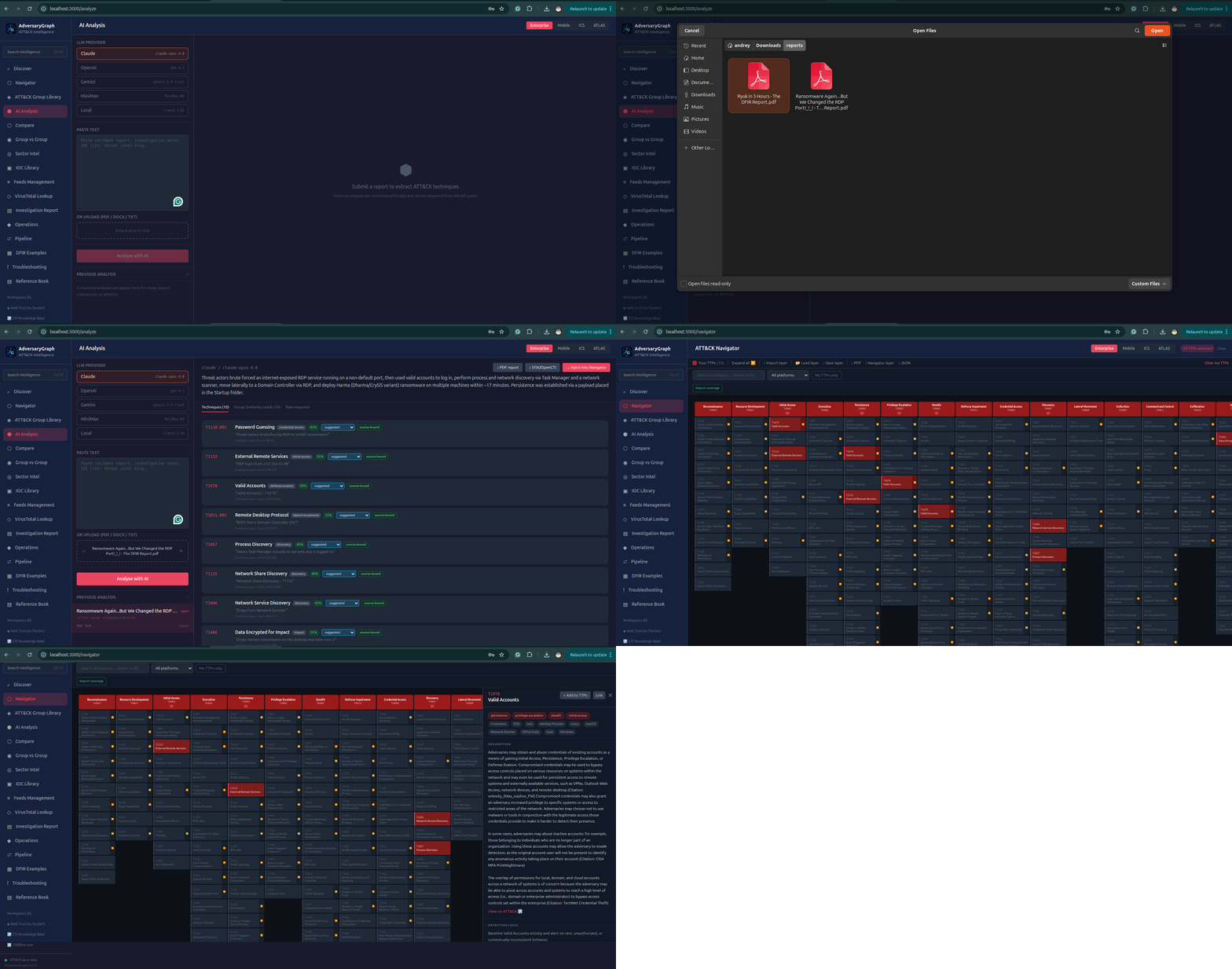
AI Report Analysis
AdversaryGraph analyzes reports from:
- pasted text
- DOCX
- TXT
Supported model paths:
- Claude through Anthropic
- OpenAI
- Gemini
- MiniMax
- local/private OpenAI-compatible LLM gateways
The output is not treated as final truth. Each mapping should be reviewed by an analyst.
Analysis results include:
- extracted ATT&CK/ATLAS technique IDs
- mapped tactic context
- evidence excerpts
- confidence
- review status
- source report context
- exportable JSON/PDF output
- actions to add accepted TTPs to Navigator
Review statuses:
- suggested
- accepted
- rejected
- needs-evidence
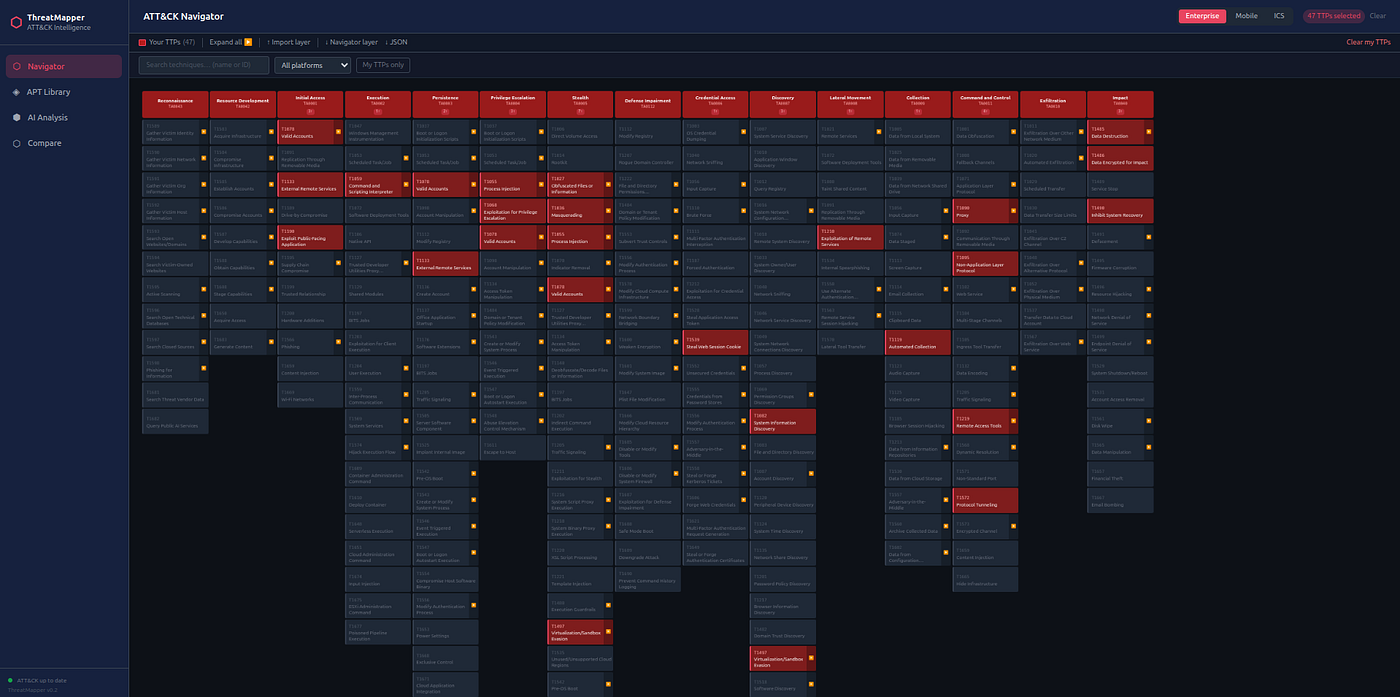
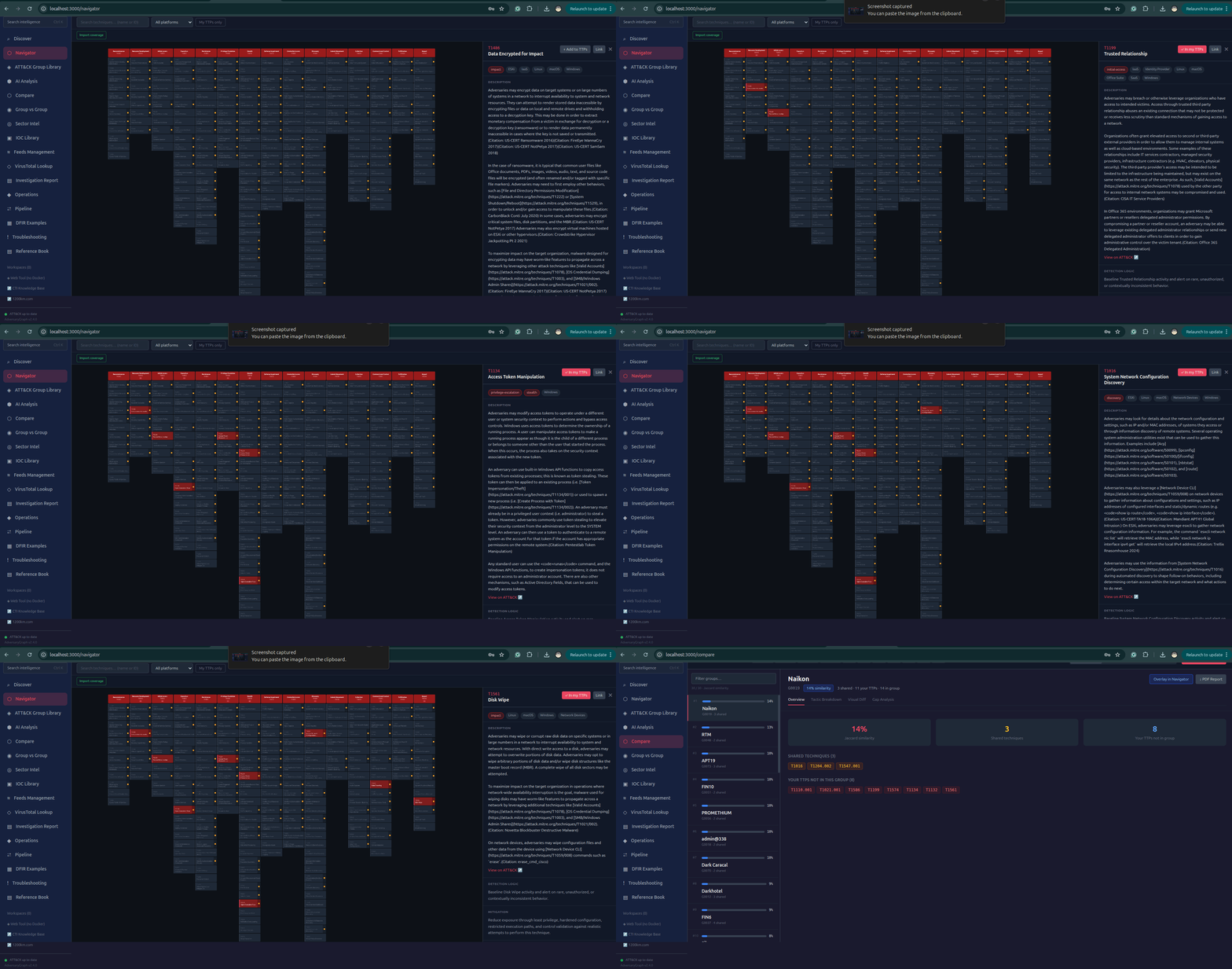
ATT&CK And ATLAS Navigator
Navigator supports:
- Enterprise ATT&CK
- Mobile ATT&CK
- ICS ATT&CK
- MITRE ATLAS
Core actions:
- search techniques by ID/name
- select and deselect My TTPs
- import ATT&CK Navigator layers
- export Navigator JSON
- load saved layers
- show actor or campaign TTPs on the matrix
- overlay selected TTPs
- review tactic coverage
- inspect technique detail context
The matrix is used as a working surface for investigation and detection coverage, not only as a visual reference.
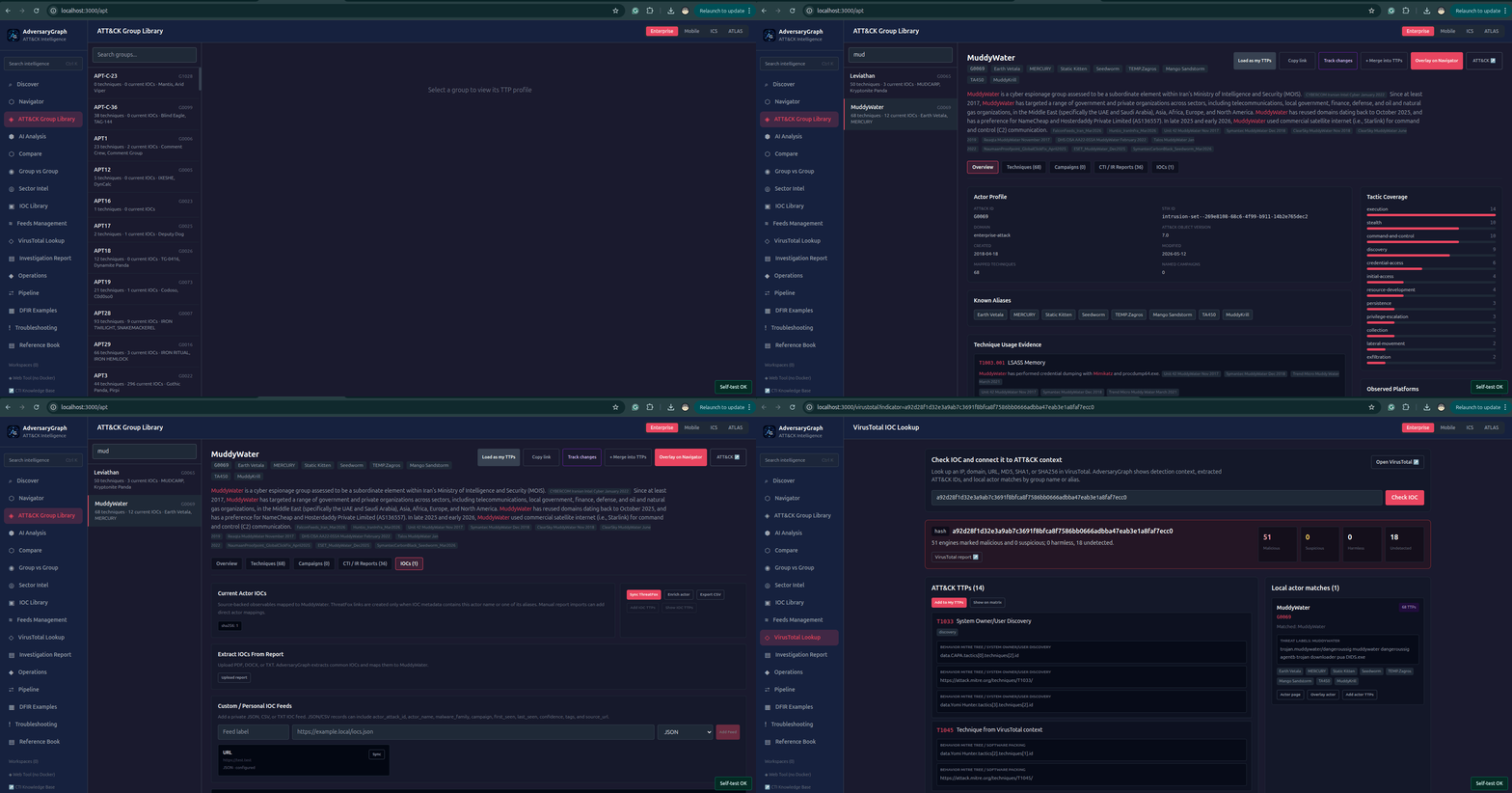
ATT&CK Group Library
Actor pages include:
- ATT&CK group ID
- actor aliases
- actor description
- known techniques
- named campaigns
- CTI/IR report links
- current IOC counts
- tactic coverage
- observed platforms
- technique usage evidence
- ATT&CK source references
- actor IOC tab
- actions to load, merge, copy, track, and overlay actor TTPs
Actor data comes from ATT&CK references, synced public metadata, MISP Galaxy, Malpedia, enrichment feeds, and imported local reports.
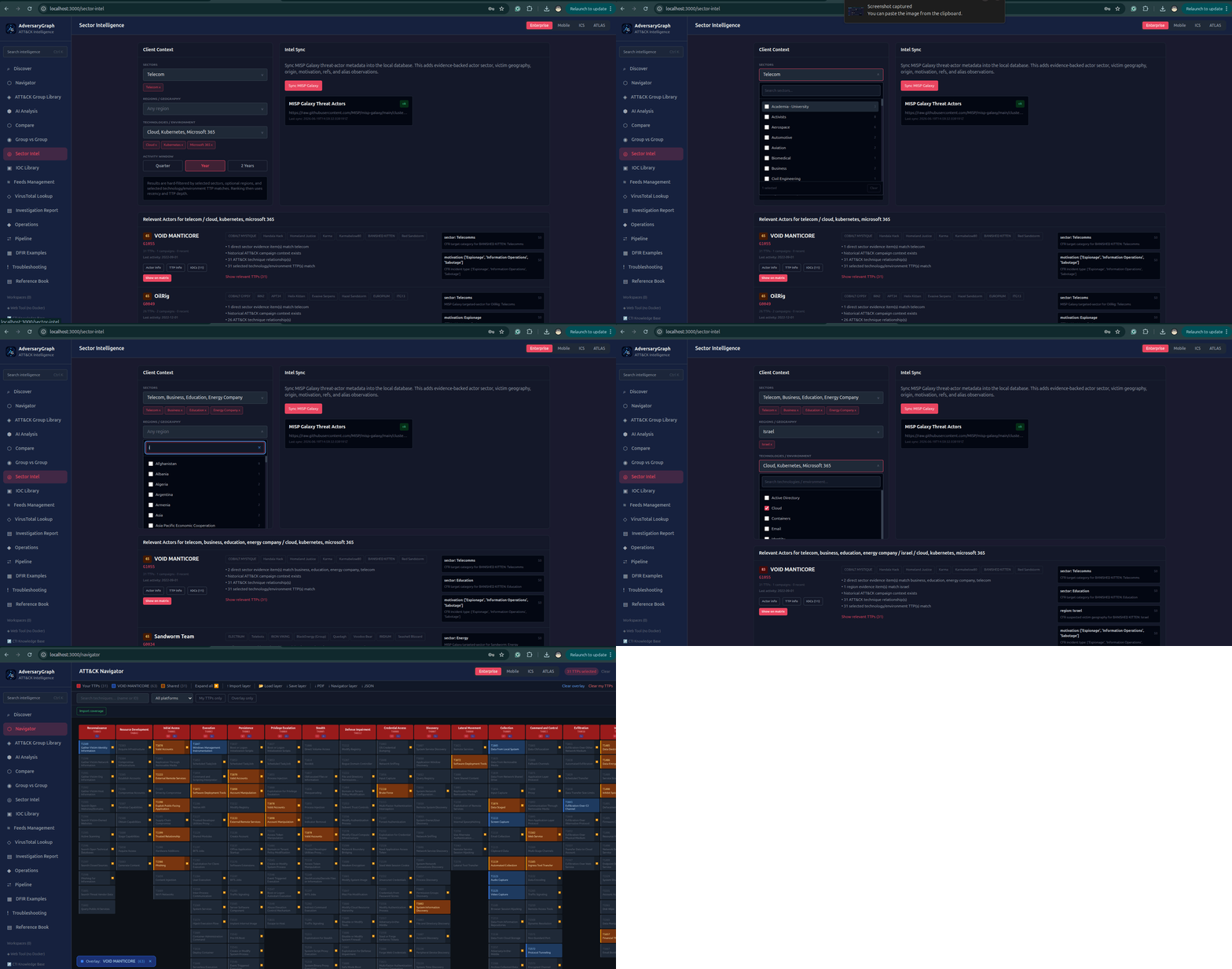
Sector Intelligence
Sector Intelligence helps answer which actors matter for a specific customer or environment.
Filters:
- sector
- region/geography
- technology/environment
- activity window
- multiple selections per parameter
- free search
Ranking considers:
- direct sector evidence
- region evidence
- technology/environment TTP matches
- activity recency
- campaign relationships
- ATT&CK technique depth
- MISP Galaxy context
- local custom evidence
Actor cards include buttons for:
- actor information
- TTP information
- IOC view
- show relevant TTPs on the matrix
IOC Investigation
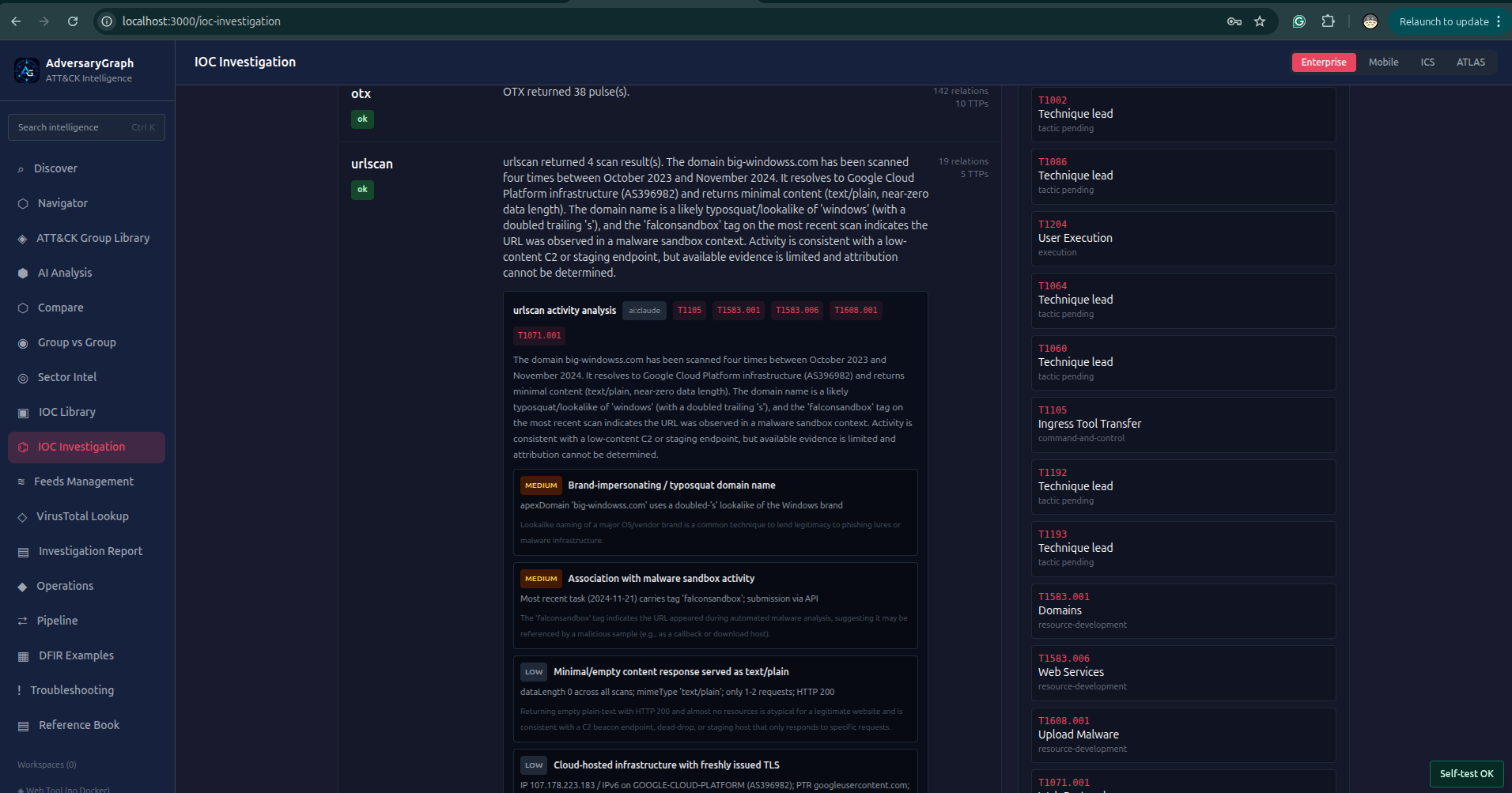
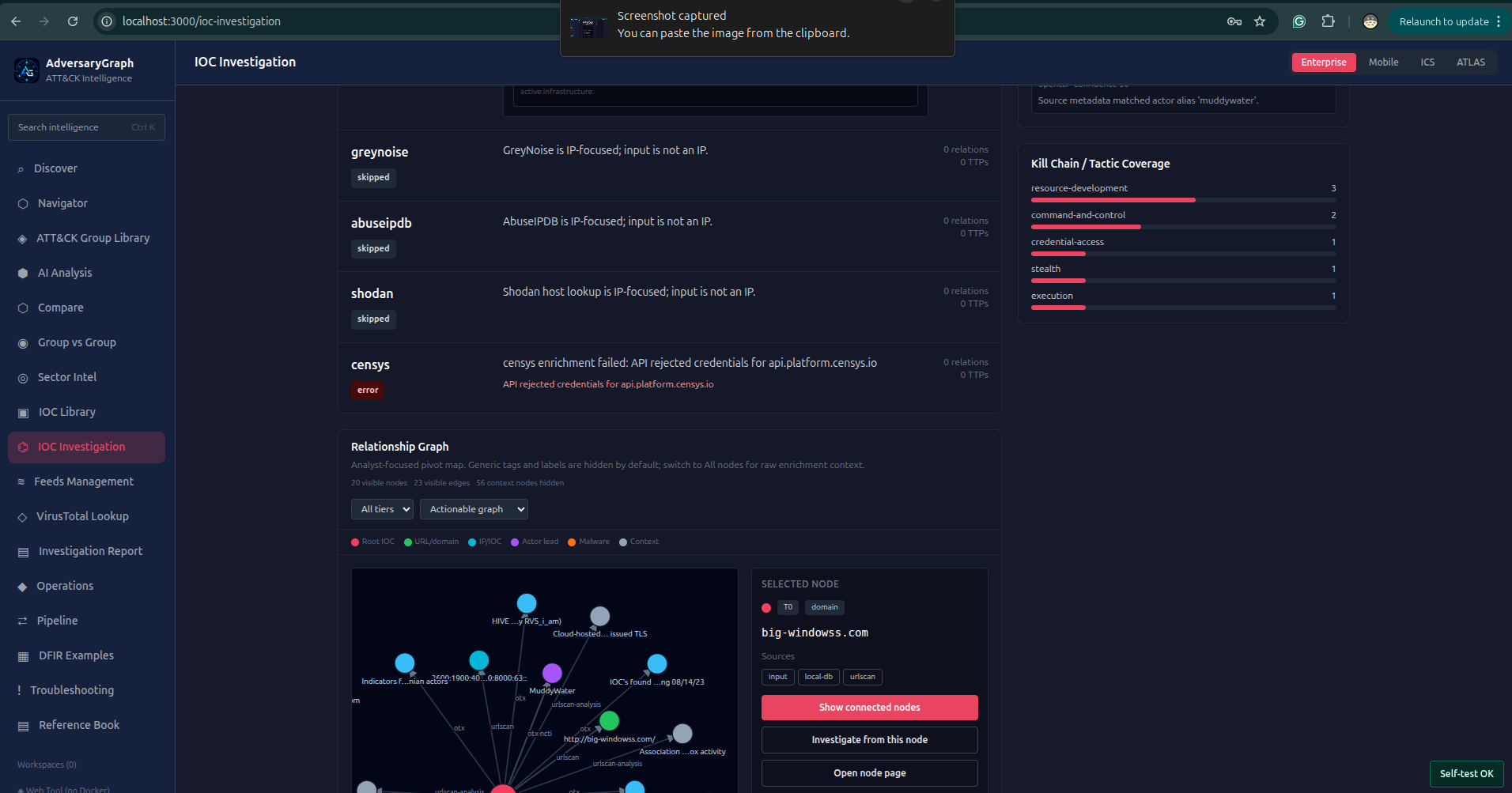
IOC Investigation is the v3 artifact investigation workbench. It starts from one observable or suspicious artifact and expands the context into a structured, reviewable investigation.
Supported inputs:
- IP address
- domain
- URL
- MD5
- SHA1
- SHA256
- suspicious artifact string
Investigation depth:
- Tier 1: direct enrichment from configured sources
- Tier 2: first-level connected pivots from source-backed relationships
- Tier 3: deeper relationship expansion for infrastructure, actor, malware, tag, and behavior pivots
Connected sources and pivots include:
- local IOC database
- VirusTotal
- ThreatFox
- AlienVault OTX
- urlscan.io
- GreyNoise Community
- AbuseIPDB
- Shodan
- Censys host and web-property lookup
- MalwareBazaar for hash-focused malware context
- OpenCTI-imported indicators, reports, and labels
- custom feeds
- MISP and STIX/TAXII imports
Investigation outputs:
- IOC type and normalized artifact
- suspiciousness score and verdict explanation
- source-by-source enrichment status
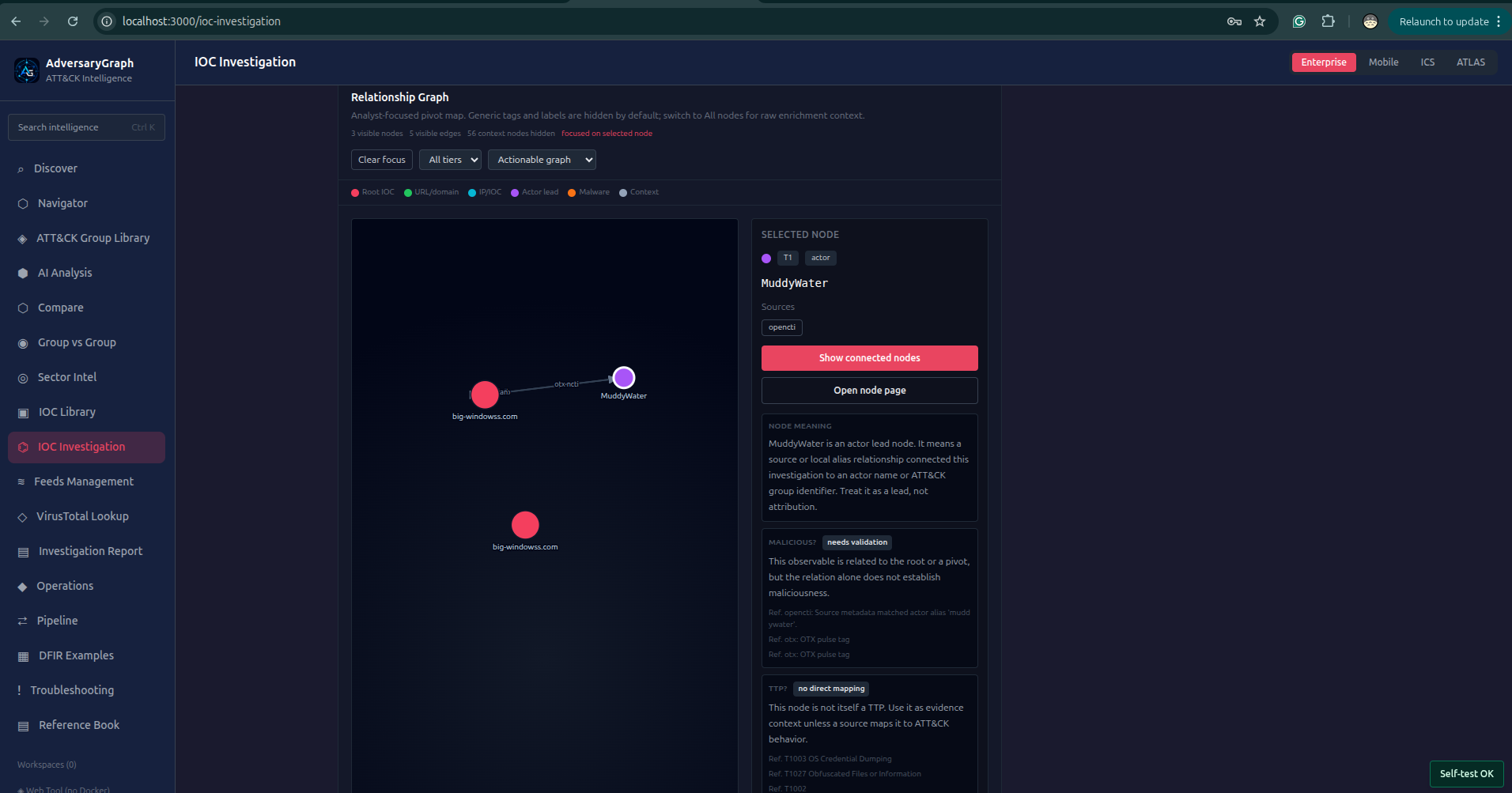
- relationship graph
- Tier 1/Tier 2/Tier 3 nodes and edges
- clickable nodes with reinvestigation actions
- evidence ranking
- next best pivots
- source timeline
- source conflict review
- ATT&CK TTP leads
- actor/APT leads when source evidence exists
- kill-chain and tactic coverage
- AI-readable investigation summary
- saved previous investigations with delete support
Important handling rules:
- Actor leads are treated as leads, not attribution.
- TTP leads are source-backed when possible and marked as possible when inferred from context.
- Generic tags are hidden from the default graph to keep the view analyst-focused.
- Every node can be opened or reinvestigated as a new starting point.
IOC Library
The IOC Library is the central observable workspace.
Supported IOC types include:
- IPv4/IPv6
- domain
- URL
- MD5
- SHA1
- SHA256
- file/hash aliases normalized from provider-specific labels
- custom feed observables
Library functions:
- full-text search
- type filter
- source filter
- group/actor multi-select search
- sort by last seen
- sort by actor/group
- sort by type
- export CSV
- check IOC in VirusTotal
- open enrichment view
- sync source
- import custom feeds
- import STIX/TAXII
- import MISP JSON
- map IOC to actor
- map IOC to TTP
CVE Library
The CVE Library adds vulnerability intelligence to the same graph used for actors, techniques, reports, and observables. CVSS is treated as a score and vector inside the CVE record; the capability name is CVE Library because the workflow covers ingestion, enrichment, KEV tracking, and strict evidence-backed relationships.
Core functions:
- sync recent NVD CVE API 2.0 records
- sync CISA Known Exploited Vulnerabilities records
- enrich missing CVSS score and vector fields by CVE ID
- search by CVE ID, product, weakness, and description
- filter by severity and CISA KEV status
- store CWE, CPE, references, published and modified timestamps
- show source sync status and enrichment errors without hiding partial data
- open a CVE detail panel with strict relationship evidence
- link CVEs to ATT&CK techniques, APT/actor records, and IOC records when source evidence explicitly supports the relationship
Stored relationship model:
CVE -> ATT&CK techniquewhen source text, imported IOC context, or analyst evidence includes both the CVE and techniqueCVE -> actor/APTwhen an actor link is explicit in source material or inherited from strict CVE-tagged IOC evidenceCVE -> IOCwhen imported indicators, tags, descriptions, or enrichment fields explicitly mention the CVE
The correlation model intentionally avoids broad vendor/product guessing. A high CVSS score or a KEV flag is not treated as actor attribution. It becomes useful when combined with exposed assets, observed IOCs, exploited products, or ATT&CK evidence.
Read the detailed guide: CVE Library.
VirusTotal Enrichment
VirusTotal lookup supports:
- IP
- domain
- URL
- MD5
- SHA1
- SHA256
The enrichment view can display:
- reputation verdict
- last analysis stats
- detection ratio
- malicious/suspicious/harmless counts
- tags
- categories
- related URLs/domains/files where available
- malware/family context when present
- possible ATT&CK tags
- possible actor or alias matches
- source links back to VirusTotal
Available actions:
- add discovered TTPs to My TTPs
- show discovered TTPs on the matrix
- open linked actor page when matched
AI Log And PCAP Analysis
AI Log and PCAP Analysis turns raw technical evidence into structured investigation inputs.
Supported analysis targets:
- plain logs
- EDR-style event exports
- proxy logs
- DNS logs
- firewall logs
- authentication logs
- PowerShell logs
- command-line traces
- shell history
- suspicious process trees
- packet capture summaries
- extracted PCAP metadata
- Zeek-style network logs when provided as text or uploaded files
The workflow extracts:
- IP addresses
- domains
- URLs
- file hashes
- usernames and hosts
- process names
- command lines
- PowerShell commands
- encoded payload indicators
- suspicious functions or script blocks
- beaconing and C2-like patterns
- lateral movement indicators
- exfiltration hints
- malware or tool references
The output can be used for:
- IOC enrichment
- IOC Investigation
- ATT&CK mapping
- Navigator coverage review
- comparison against actor behavior
- detection-rule planning
- PDF/Markdown/TXT investigation reports
Generated findings include:
- likely malicious or suspicious activity
- why the behavior is suspicious
- extracted IOC list
- possible TTPs with evidence notes
- possible kill-chain phase
- actor or malware leads only when supported by source context
- recommended next pivots
The AI result is a triage aid. It should be validated against raw logs, packet evidence, timestamps, and source telemetry before operational decisions.
ThreatFox, OTX, Malpedia, And MISP Galaxy
ThreatFox:
- recent IOC synchronization
- optional sync on Docker startup
- malware family and confidence metadata
- actor mapping when the source contains actor or alias evidence
OTX:
- actor-attributed pulse enrichment
- pulse IOC import
- actor and malware context
Malpedia:
- malware-family metadata
- actor-family relationships
- family aliases and references
MISP Galaxy:
- threat actor metadata
- sector and region context
- motivation and category evidence
- alias enrichment
Custom Feeds
Custom feeds can be connected from the UI/API.
Supported formats:
- JSON
- CSV
- TXT
- MISP JSON export
- STIX 2.1 bundle
- TAXII collection object URL
- Sigma feeds
- YARA feeds
- sandbox behavior feeds
Feed records are appended or updated in the local database. Existing indicators are merged by normalized value and type, preserving source metadata, first seen, last seen, actor links, confidence, and enrichment context.
STIX, TAXII, MISP, And OpenCTI Workflows
Structured CTI workflows include:
- export STIX 2.1 bundles
- import STIX indicators and observed-data
- pull TAXII 2.1 collection objects
- import MISP JSON exports
- prepare OpenCTI-compatible CTI handoff material
- keep local source attribution on imported records
This allows AdversaryGraph to sit before or beside a CTI platform: analysts can review, enrich, and validate before promoting data elsewhere.
OpenCTI Symmetric Sync
OpenCTI integration is a bidirectional CTI workflow between AdversaryGraph and an OpenCTI instance.
Pull from OpenCTI:
- indicators
- observables
- reports
- labels/tags
- report descriptions
- STIX-pattern indicators
- source metadata
- imported report context
Push to OpenCTI:
- local AdversaryGraph indicators
- completed reports
- STIX-compatible indicator objects
- source labels identifying AdversaryGraph-originated data
- report summaries suitable for OpenCTI review
Sync modes:
- check OpenCTI connection
- pull from OpenCTI
- push to OpenCTI
- bidirectional sync
Operational controls:
- configurable
OPENCTI_URL - configurable
OPENCTI_TOKEN - configurable sync limit
- connection status displayed in Feeds Management
- sync result JSON showing inserted, updated, imported, pushed, skipped, and error counts
- errors are shown through the platform error popup with troubleshooting links
Use this when OpenCTI is the team CTI system of record and AdversaryGraph is the local analysis, enrichment, ATT&CK mapping, and report-preparation workbench.
YARA, Sigma, And Sandbox Behavior
Rule and behavior context helps connect observables to detection engineering.
YARA support:
- import YARA rule feeds
- attach malware/file context to IOC enrichment
- preserve source labels and rule references
Sigma support:
- import Sigma rule feeds
- link rule metadata to techniques where available
- support detection backlog and coverage workflows
Sandbox behavior support:
- ingest behavior summaries
- map observed malware behavior to ATT&CK candidates
- enrich file/hash IOCs with behavior context
IOC-To-TTP Mapping
AdversaryGraph maps IOCs to TTPs using a strict priority model:
- strict source/report evidence
- enrichment-platform metadata
- optional AI enrichment fallback
This prevents weak automatic claims from overriding stronger evidence.
Mapping stores:
- IOC
- technique ID
- evidence source
- priority type
- confidence
- actor/campaign context where available
- raw enrichment reference when available
AI fallback is optional and should be used when deterministic evidence is insufficient.
Comparison And Similarity
Comparison modes:
- selected TTPs vs groups
- selected TTPs vs campaigns
- selected TTPs vs previous reports
- group vs group
Outputs include:
- overlap score
- shared techniques
- unique techniques
- missing coverage
- tactic distribution
- matrix diff
- PDF summary
Similarity is a hypothesis-generation signal, not attribution proof.
DFIR Examples
DFIR Examples provides public report examples for training and validation workflows.
Use it to:
- browse public CTI/IR report examples
- inspect associated TTPs and actors
- download/source the original report where available
- run a local AI analysis on an authorized copy
- compare extracted results to expected report context
Operations And Pipeline
Operational modules include:
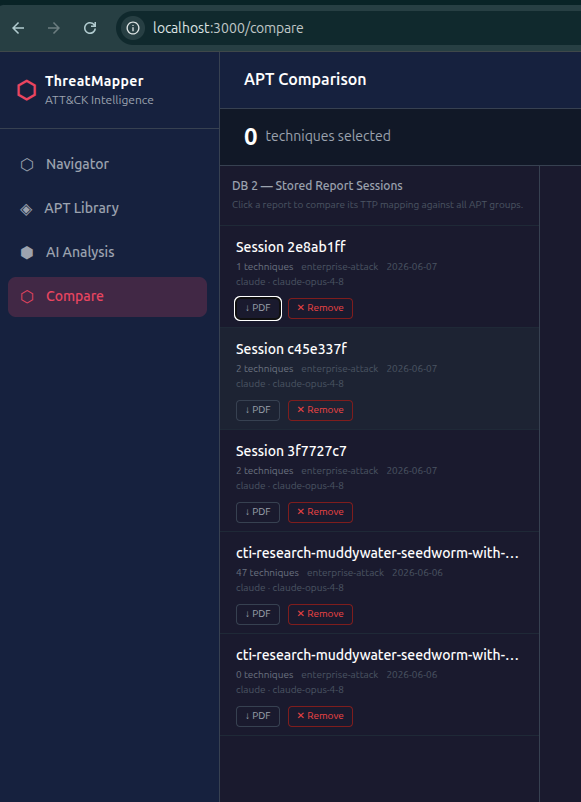
- stored report sessions
- previous analysis history
- delete previous analysis when needed
- intelligence pipeline workflows
- report comparison
- tracked actor changes
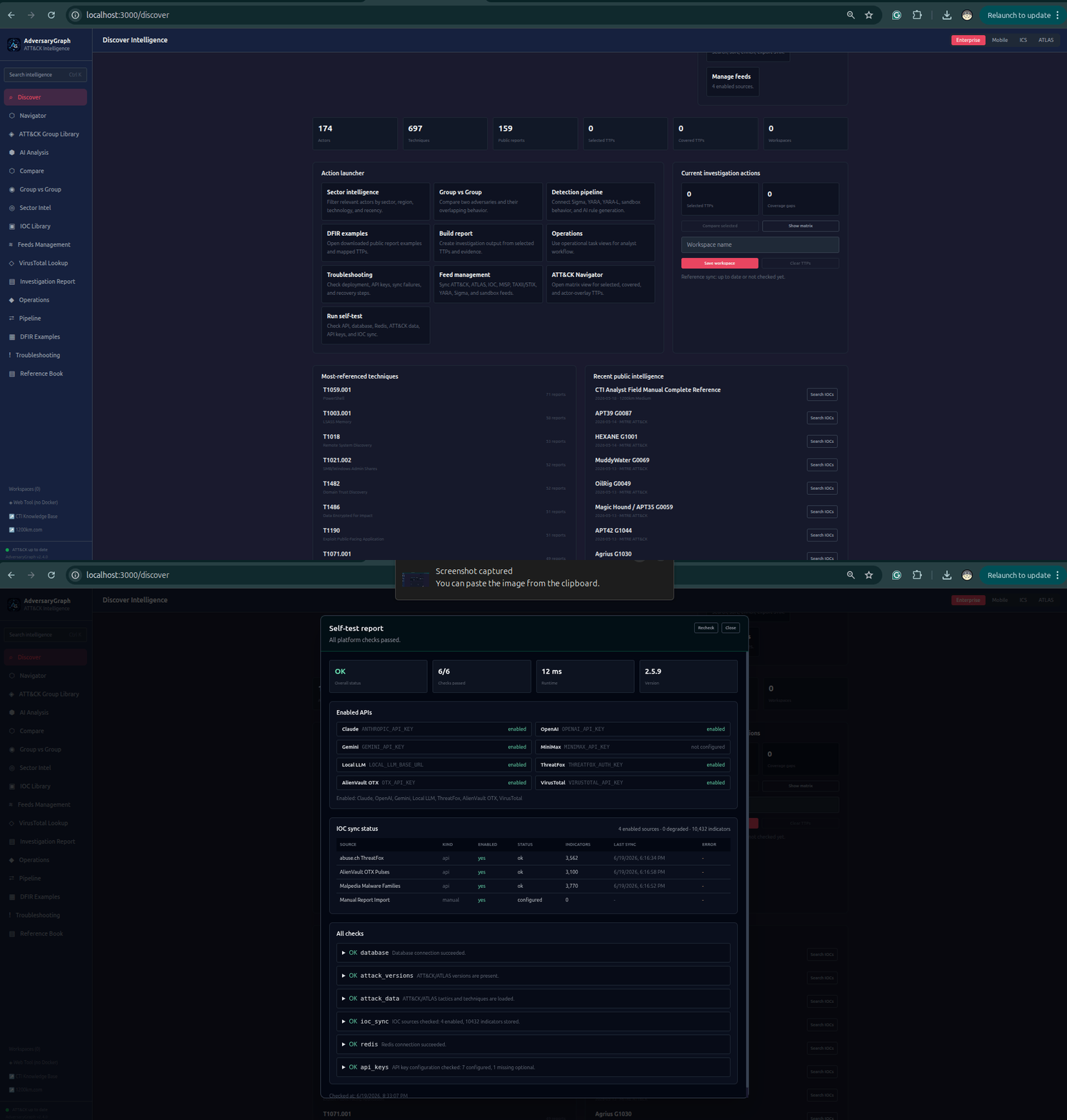
- selftest status
- troubleshooting pages
- health checks
- scheduled sync jobs
- API automation
Observability And Security Validation
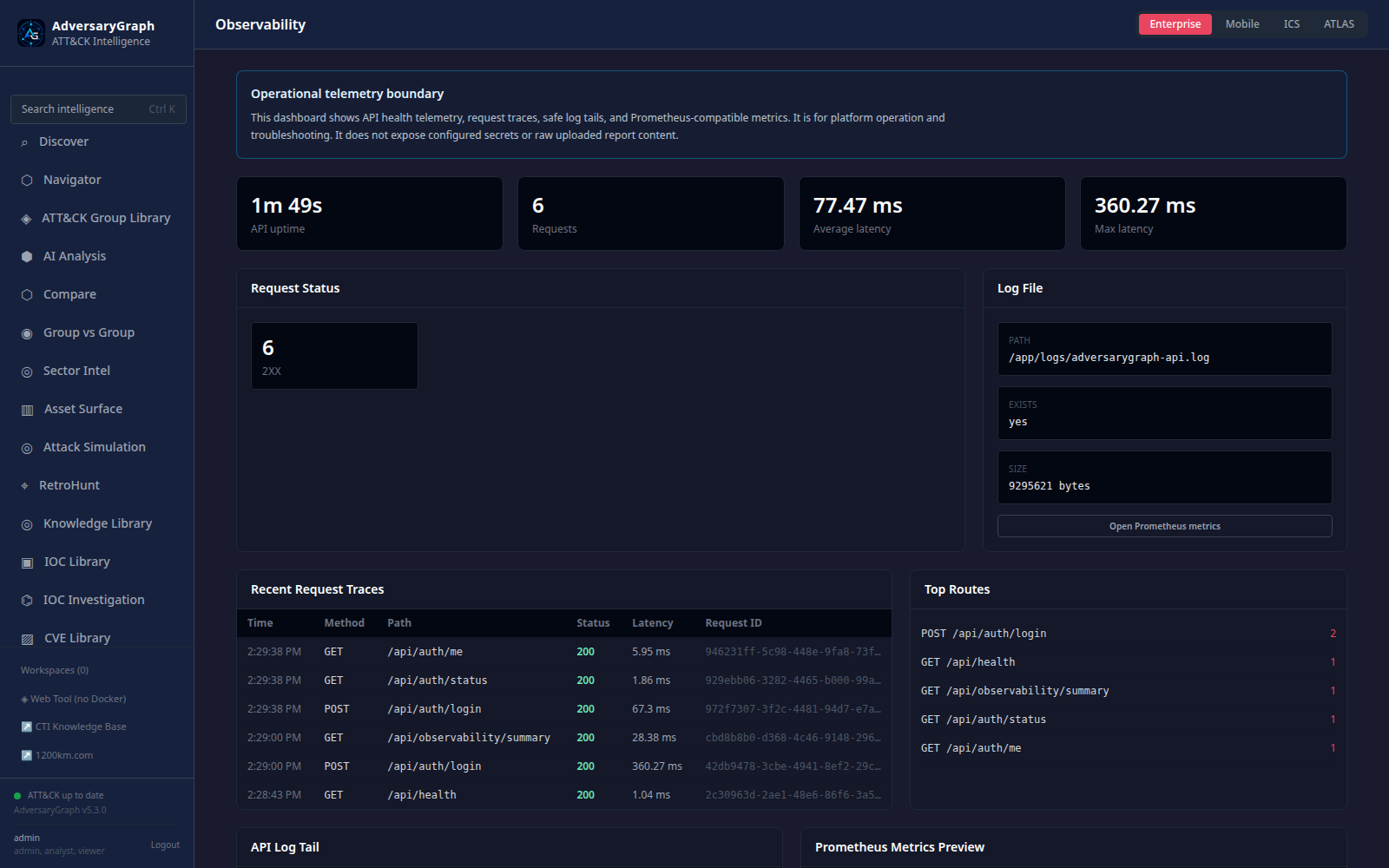
The self-hosted platform includes an authenticated observability surface for operators and reviewers.
It provides:
- API uptime, request totals, status family counts, average latency, and maximum latency
- recent request traces with route, method, status, duration, client host, and timestamp
- top route counters for quick activity review
- redacted API log tail for troubleshooting
- Prometheus-style metrics endpoint for external monitoring
- documented scan workflow for SAST, dependency audit, secret scanning, Docker validation, and container scanning
Read the full operator guide: Observability, Security Scanning, And Validation Examples.
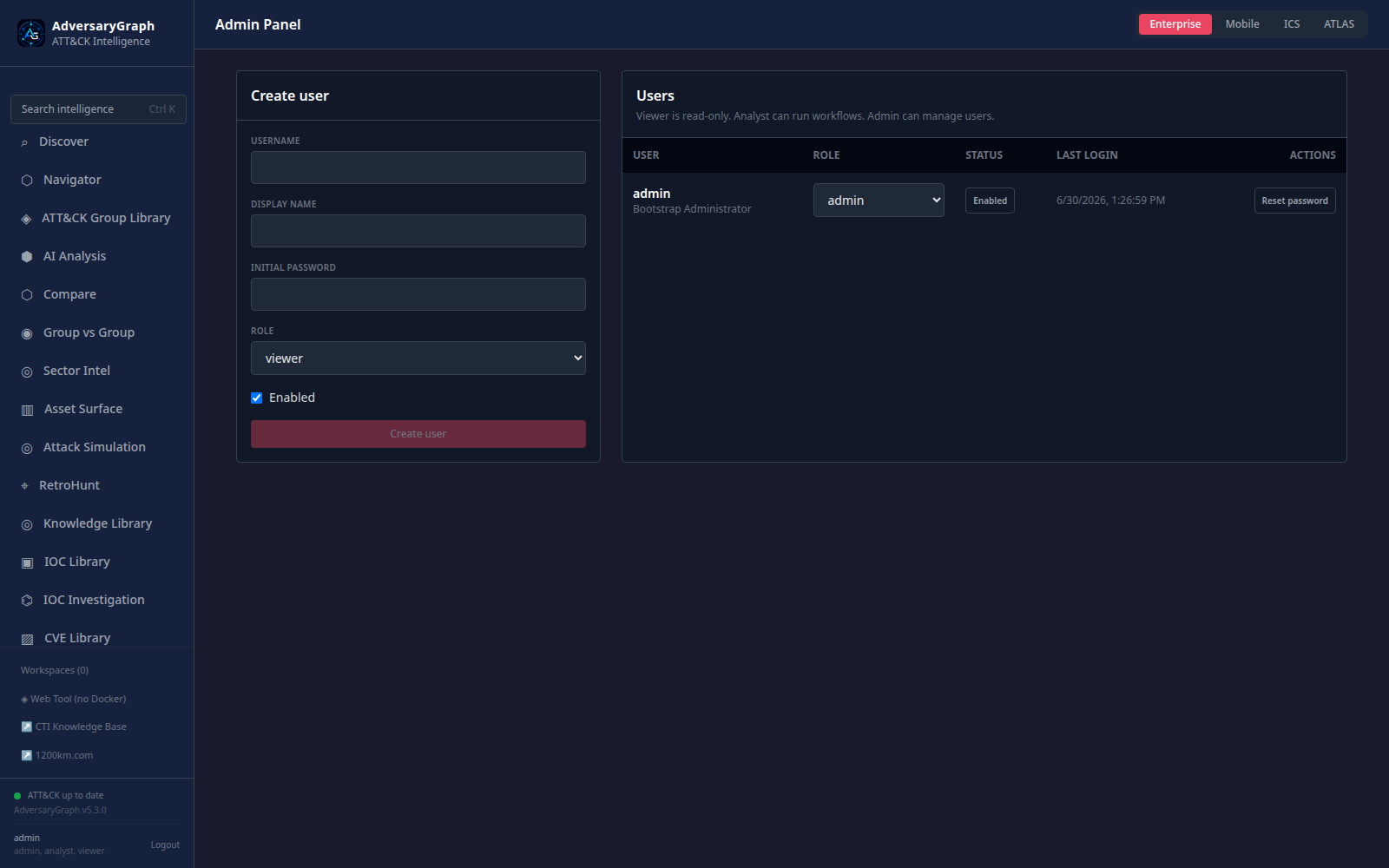
Authentication And User Management
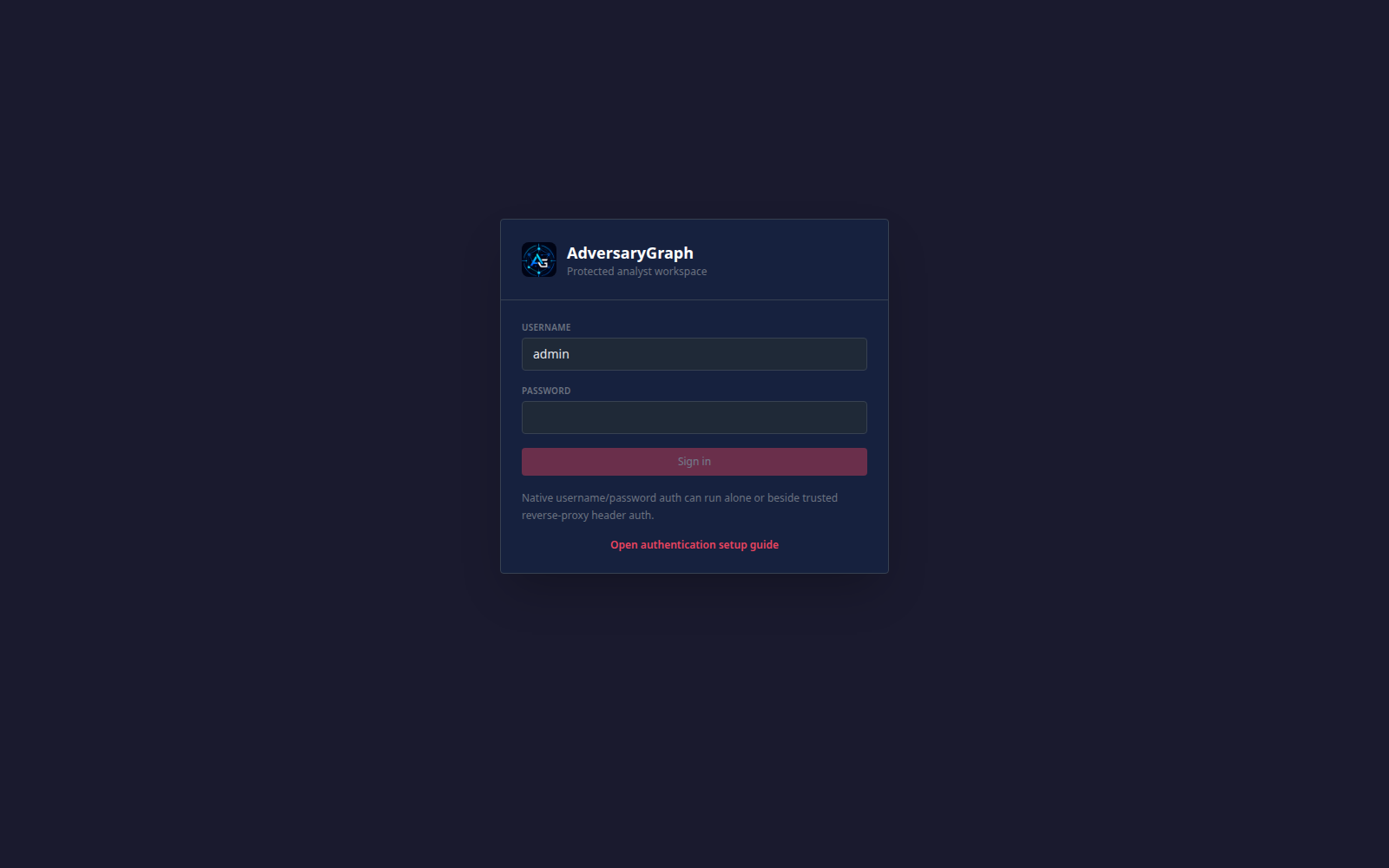
AdversaryGraph supports native platform users for self-hosted deployments where analysts, reviewers, service accounts, auditors, security administrators, and platform administrators need different levels of access. Authentication is designed for local/private deployments first, with clear hardening steps before internet exposure.
Role model:
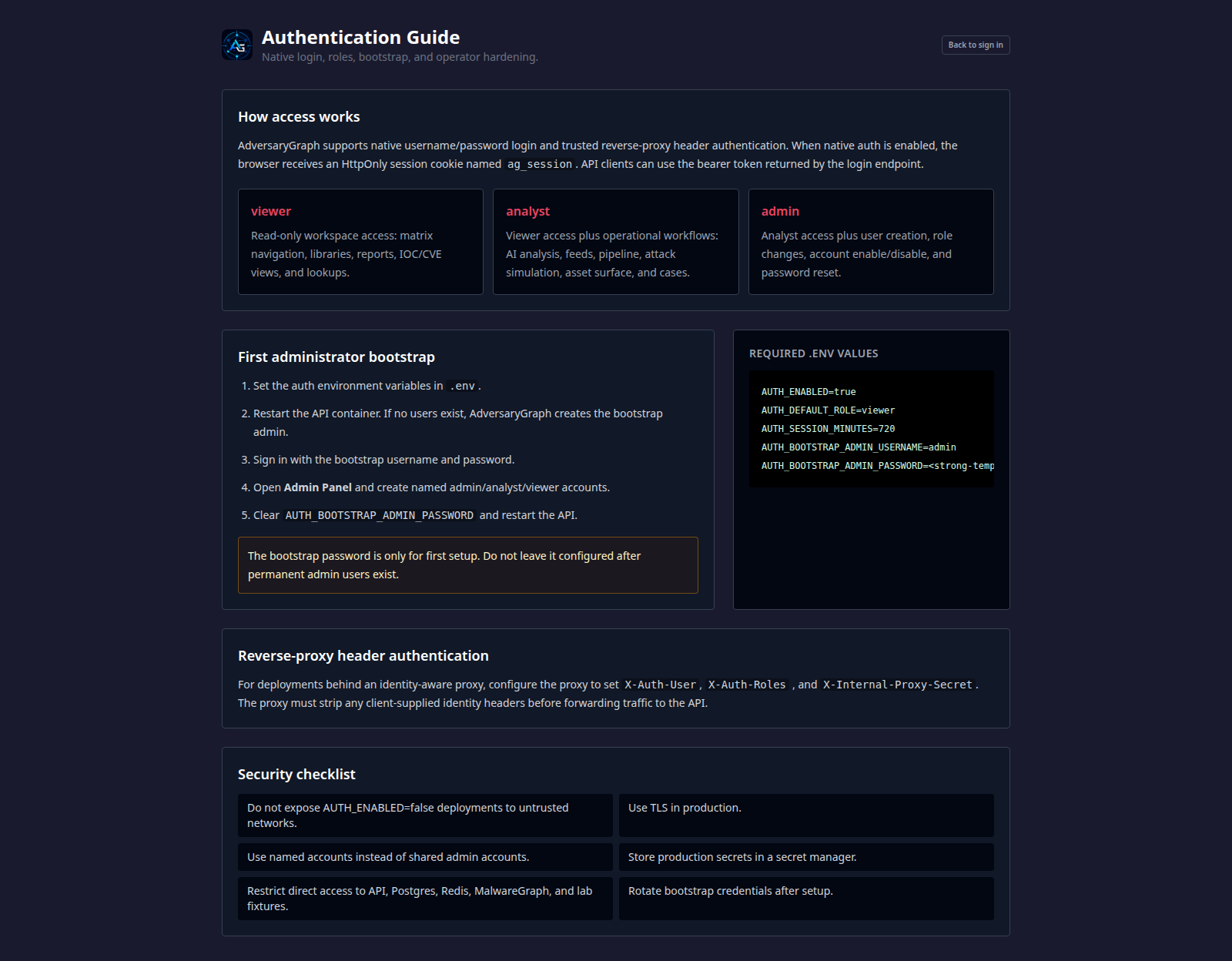
viewer: read-only workspace access for navigation, reports, IOC/CVE views, and lookupsanalyst: viewer access plus operational workflows such as AI analysis, feeds, pipeline, attack simulation, asset surface, and casesthreat_intel,detection_engineer,incident_responder, andauditor: workflow-specific roles for team separationsecurity_admin: user, session, MFA, and security administrationservice_account: API-oriented automation roleadmin: full platform administration
Access paths:
- native username/password login with an HttpOnly browser session cookie
- bearer token support for API clients after login
- bootstrap administrator creation when auth is enabled and no users exist
- per-user permission overrides layered on role defaults
- password policy settings, session expiry, session inventory, and session revocation
- local MFA setup/confirm/disable workflow support
- audit history for authentication, user changes, exports, feed sync, SIEM forwarding, and uploads
- optional trusted reverse-proxy header authentication for identity-aware OIDC/SAML proxy deployments
Operational guidance:
- replace bootstrap credentials with named admin accounts after first setup
- clear bootstrap password variables after permanent users exist
- keep
AUTH_ENABLED=falsedeployments off untrusted networks - use TLS and a reverse proxy for production exposure
- strip client-supplied identity headers before forwarding traffic to the API
- review audit history and session inventory during security checks
Read the full guide: Authentication And Users.
The local running app exposes the operator guide at /auth-guide; the Admin Panel is available at /admin for admin users.
Two-Database Architecture
AdversaryGraph uses persistent local storage for:
- synced public reference data
- private analyses
- custom reports
- custom IOCs
- custom feeds
- rule feeds
- enrichment state
- actor links
- report history
The database directory is external to the containers by default. Rebuilding containers should not delete local data.
API And Automation
The FastAPI backend exposes API routes for:
- health
- selftest
- analysis
- sessions
- layers
- compare
- sync
- IOC library
- enrichment
- exports
Open API docs at:
http://localhost:3000/docs
Exports
Supported outputs:
- PDF analysis reports
- JSON analysis data
- ATT&CK Navigator JSON layers
- CSV IOC exports
- STIX 2.1 bundles
- detection backlog material
Security And Privacy
AdversaryGraph is self-hosted, but security still depends on deployment choices.
Important controls:
- keep
.envprivate - use local/private LLM for sensitive reports
- protect API keys
- place internet-facing deployments behind TLS and authentication
- restrict network exposure
- back up PostgreSQL
- define data retention
- validate every AI-generated mapping
- run the documented security scan workflow before release or public deployment
What AdversaryGraph Does Not Do
AdversaryGraph does not:
- prove attribution
- replace analyst review
- guarantee AI mapping correctness
- act as a SIEM
- act as an EDR
- replace a CTI platform such as OpenCTI or MISP
- automatically make weak IOC-to-actor links without source evidence
It is a workbench for turning intelligence into structured, reviewable, detection-oriented output.