Attack Simulation
Attack Simulation is the AdversaryGraph v5 detection-validation workspace. It lets analysts choose an ATT&CK technique, run approved lab scenarios, inspect target-side telemetry, forward events to a SIEM, and use an AI assistant to generate coherent multi-phase detection drills.
The module is designed for defensive validation. It does not execute malware, run arbitrary commands, exploit user-supplied targets, or attack real users.
Published release article: AdversaryGraph v5.0: From CTI Mapping to Attack Simulation and SIEM Validation.
What It Solves
Detection engineering often fails when the validation event is too small or too synthetic. Attack Simulation separates two workflows:
- Lab target execution: run safe predefined behavior against approved lab fixtures and inspect target-owned logs.
- AI-assisted telemetry drills: generate source-shaped event stories for SIEM parser, rule, dashboard, and correlation testing.
The result is a repeatable path from ATT&CK technique to telemetry evidence, SIEM ingestion, and documented validation gaps.
Telemetry Fidelity Rule
Every Attack Simulation scenario is designed from the telemetry source backward. CTI-to-detection validation is only useful when the emitted evidence matches the system that would observe the behavior.
- Select the telemetry source before generating events: Windows Security, Sysmon, PowerShell 4104, EDR, NGINX/Apache/IIS, WAF, firewall, DNS, proxy, cloud audit, Linux auditd, database audit, IdP, or application logs.
- Use source/vendor-shaped event structures wherever the simulator supports them, such as Windows Event XML, Sysmon XML, NGINX access lines, ModSecurity-style WAF alerts, Palo Alto traffic logs, BIND DNS query logs, BlueCoat-style proxy lines, and EDR JSON.
- Do not treat generic fake events or normalized-only JSON as primary evidence when a source-specific format exists.
- Web attacks must use web-server, application-auth, WAF, proxy, or DNS telemetry. Endpoint/internal TTPs must use endpoint, Windows, Sysmon, PowerShell, Linux auditd, or EDR-style telemetry.
- If a TTP cannot be represented by the currently deployed lab target or by a source-realistic event template, the simulator must mark it as a telemetry gap instead of producing misleading logs.
The AI Attack Assistant receives this rule in its system prompt. In complicated attack mode it should build a coherent kill chain from supported telemetry families and report unsupported coverage as a gap.
TTP-First Workflow
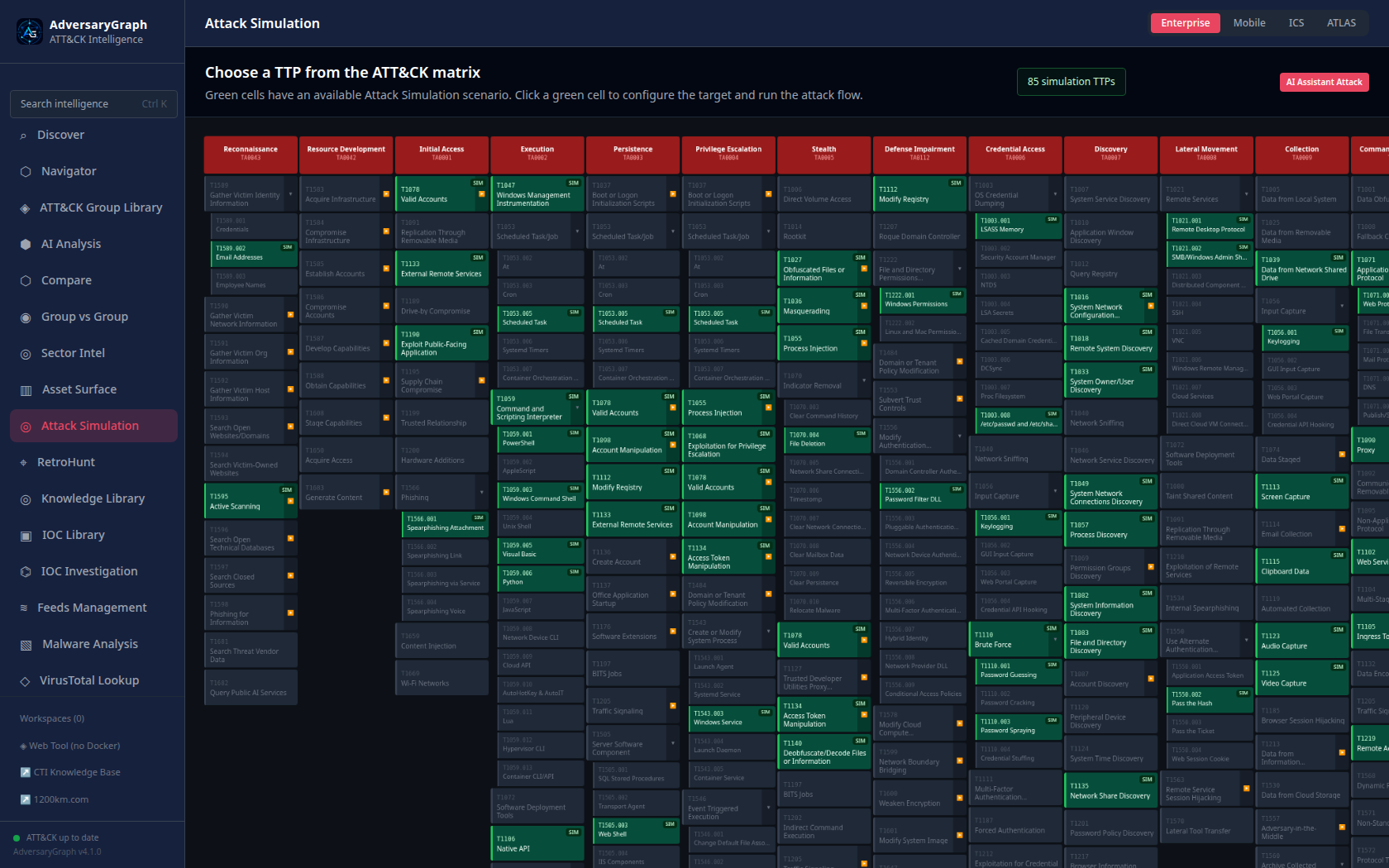
After selecting a technique, AdversaryGraph opens a dedicated configuration page for that TTP.
Real Lab Telemetry
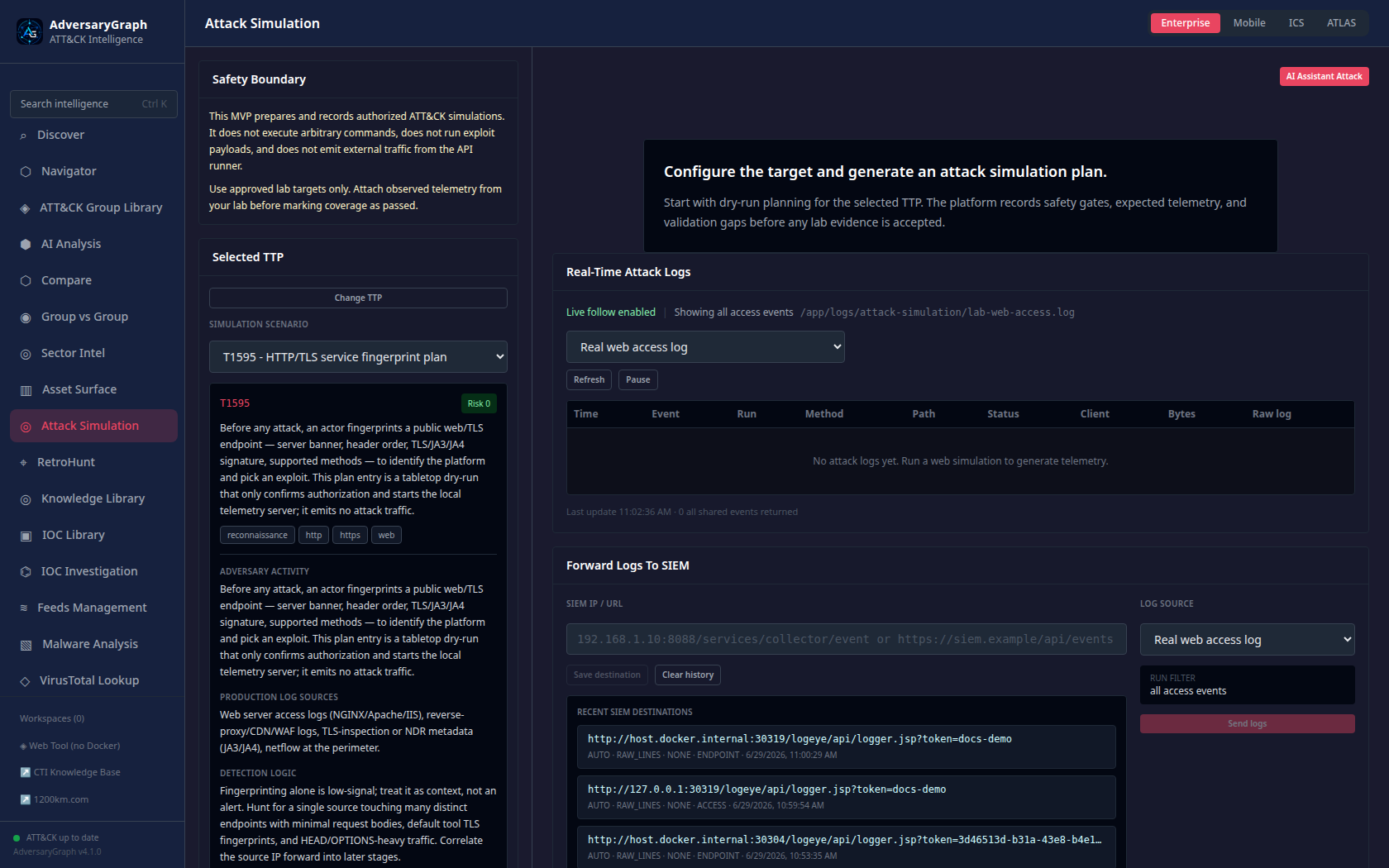
For web scenarios, the Docker deployment includes an attack-lab-web target.
The API sends real HTTP requests to that lab target, and the target writes
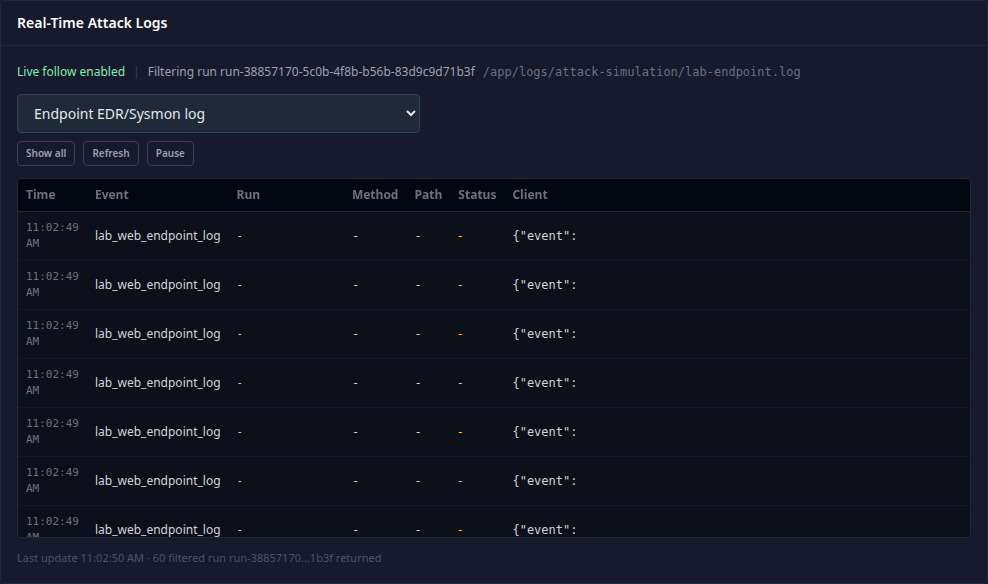
server-side logs. Analysts can inspect:
- NGINX access logs.
- NGINX error logs.
- Application authentication logs.
- WAF/security-style alert logs.
- Structured web JSONL telemetry.
- Endpoint fixture logs for endpoint/internal activity scenarios.
- Merged attacked-server events.
SIEM Forwarding
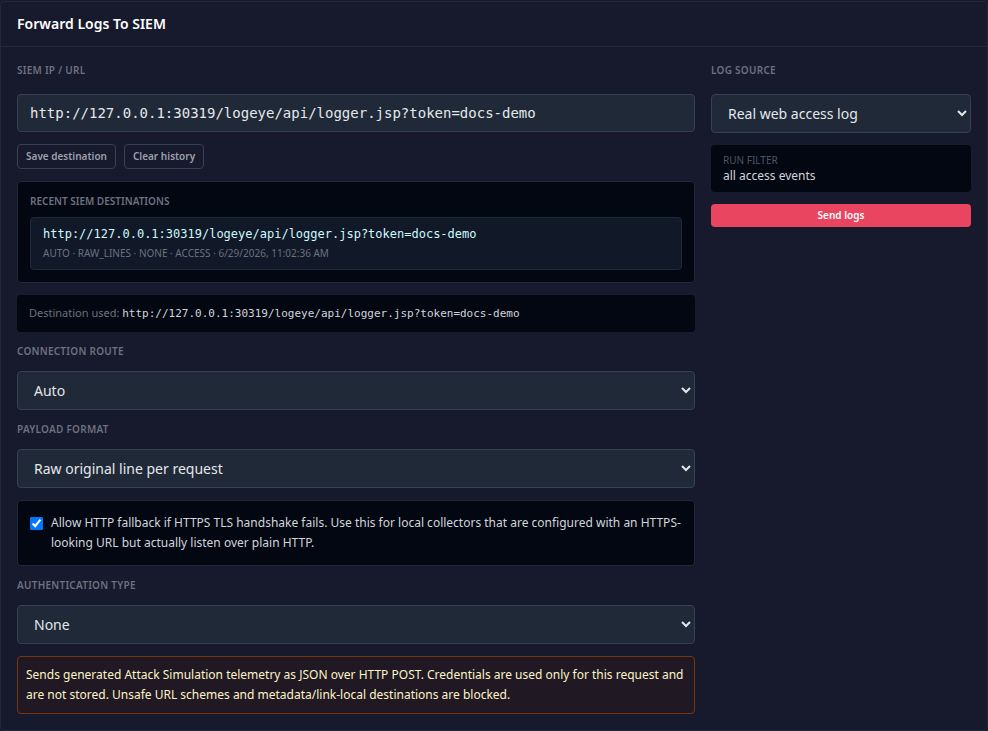
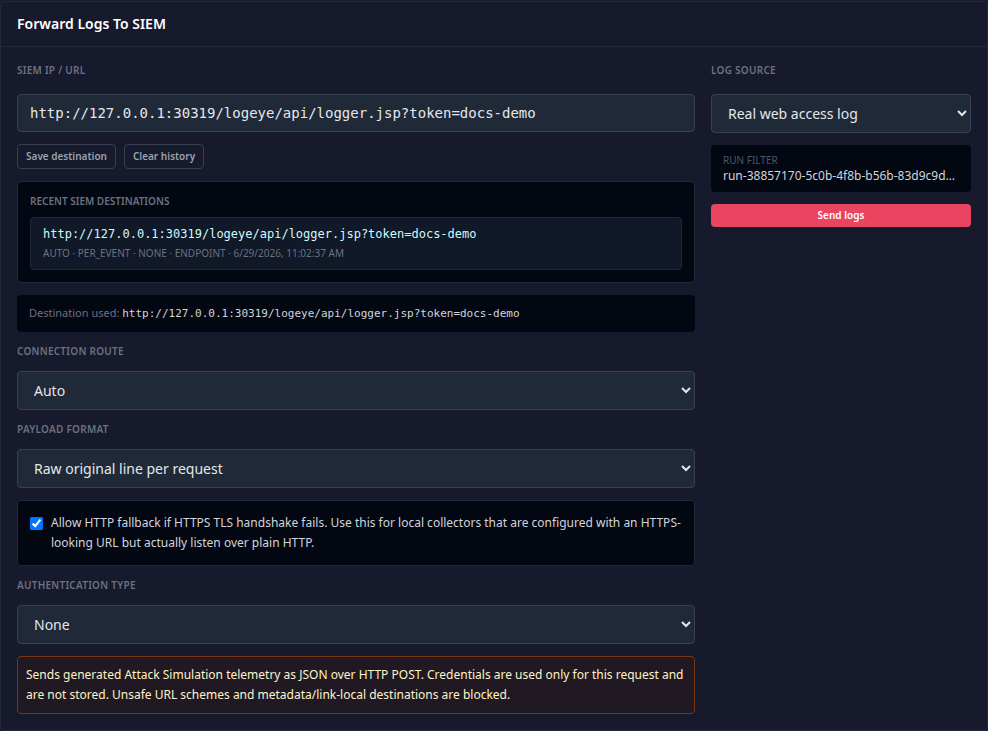
The forwarding panel sends selected Attack Simulation telemetry to an HTTP(S) collector such as Logstash HTTP input, Splunk HEC, XpoLog/Logeye, or a custom webhook.
Supported controls:
- Full URL or raw
host:port/pathdestination. - Direct, Docker host gateway, or automatic route selection.
- Raw original line, JSON event per request, JSON lines, or batch envelope.
- No auth, bearer token, token auth, basic auth, or custom token header.
- Source selection: access, auth, endpoint, security/WAF, error, structured JSONL, run JSONL, or all attacked-server events.
- Last 10 non-secret destinations are saved for reuse.
AI Attack Assistant
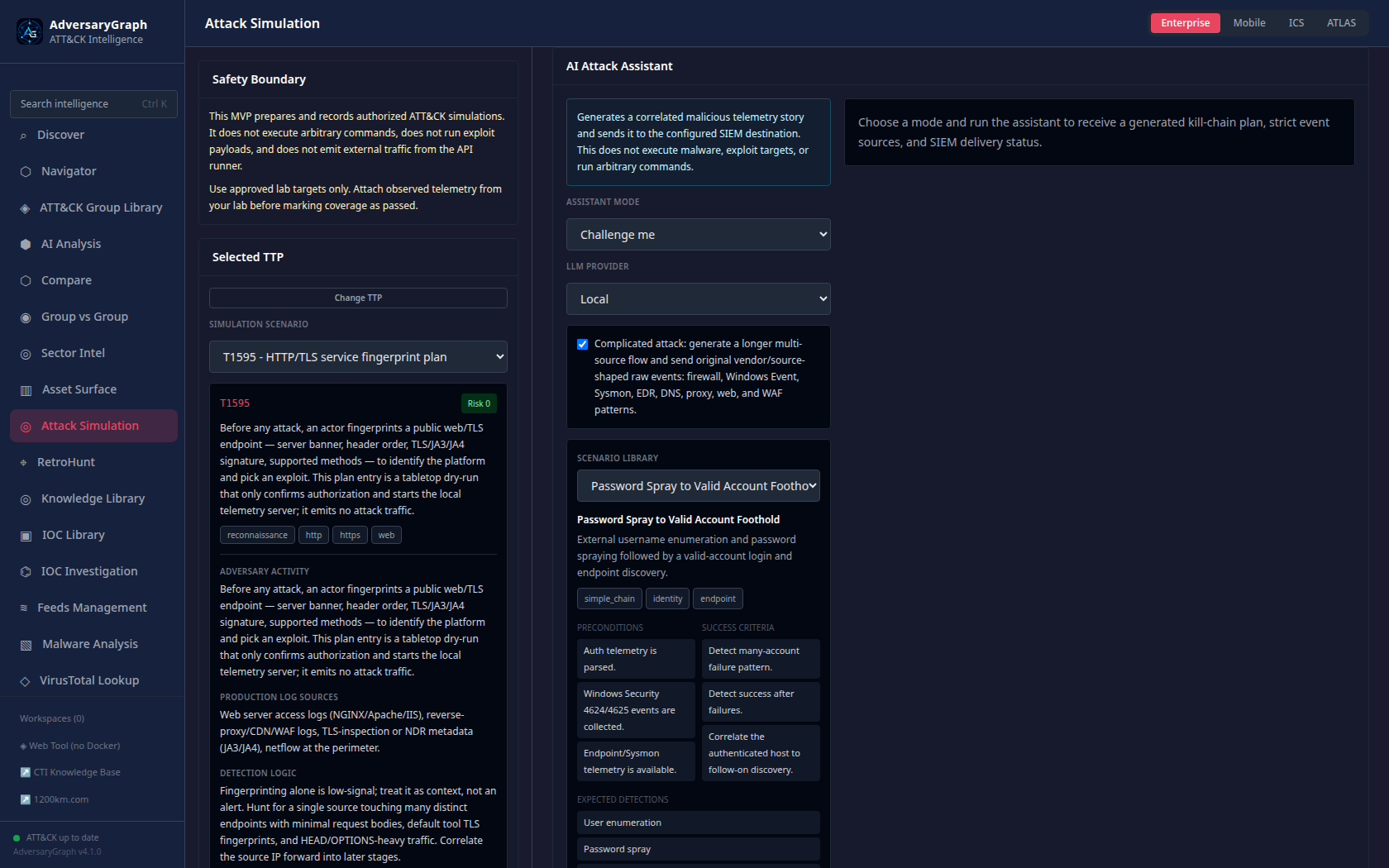
The AI Attack Assistant creates coherent telemetry stories for detection engineering. It can work in three modes:
- Selected TTP: build a focused validation flow around the current technique.
- Threat actor: build an actor-oriented scenario using relevant ATT&CK behavior.
- Challenge Me: generate a blind multi-phase detection challenge.
Complicated mode produces longer multi-source event flows across Windows Event, Sysmon, EDR, DNS, proxy, firewall, web, and WAF-shaped telemetry. If the selected LLM is unavailable or times out, AdversaryGraph falls back to deterministic coherent scenario templates and reports that in the UI.
Attack Chain Graph
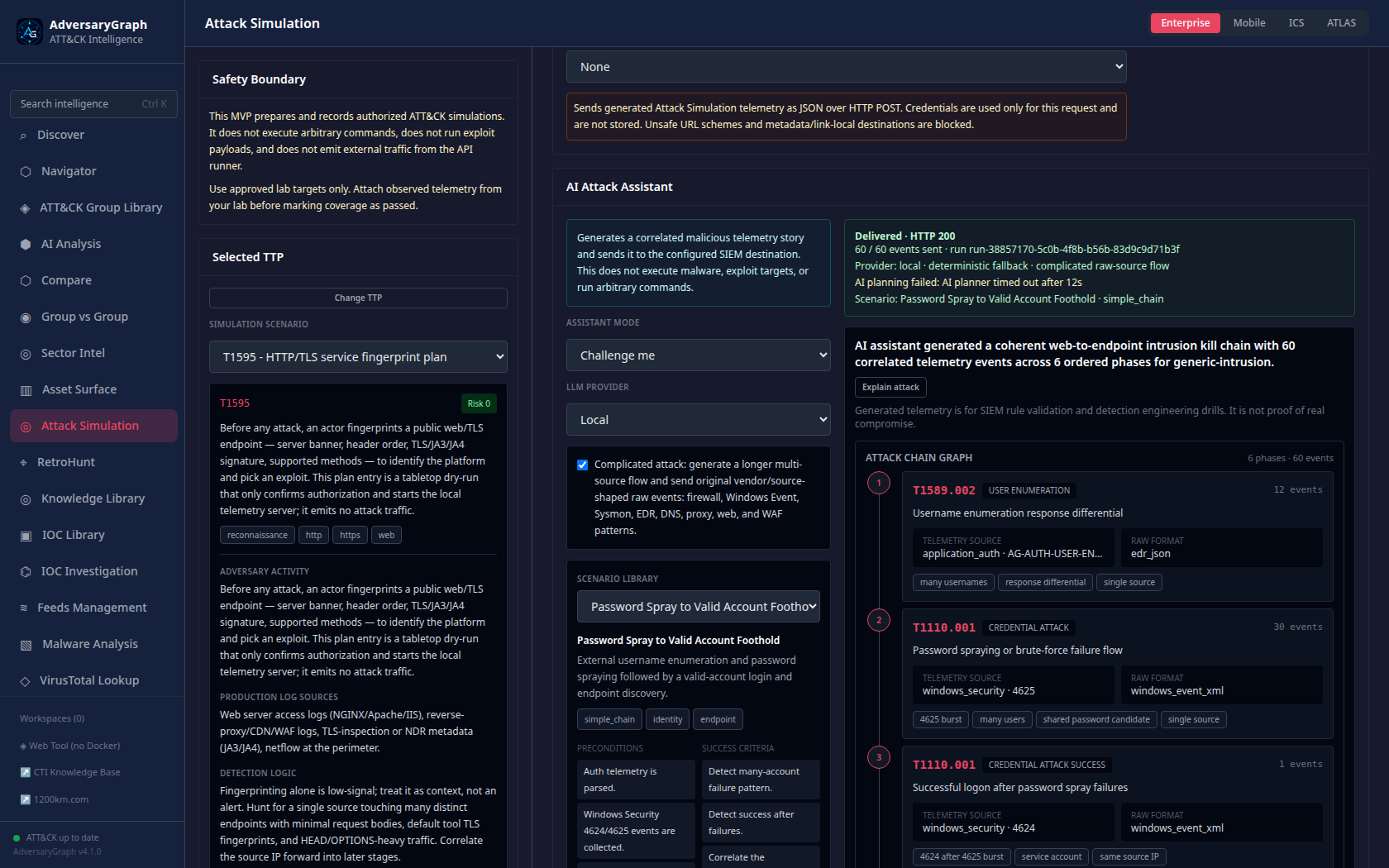
Generated scenarios include an attack-chain graph. Each phase shows the phase number, ATT&CK technique, telemetry source, event format, event count, and detection goal.
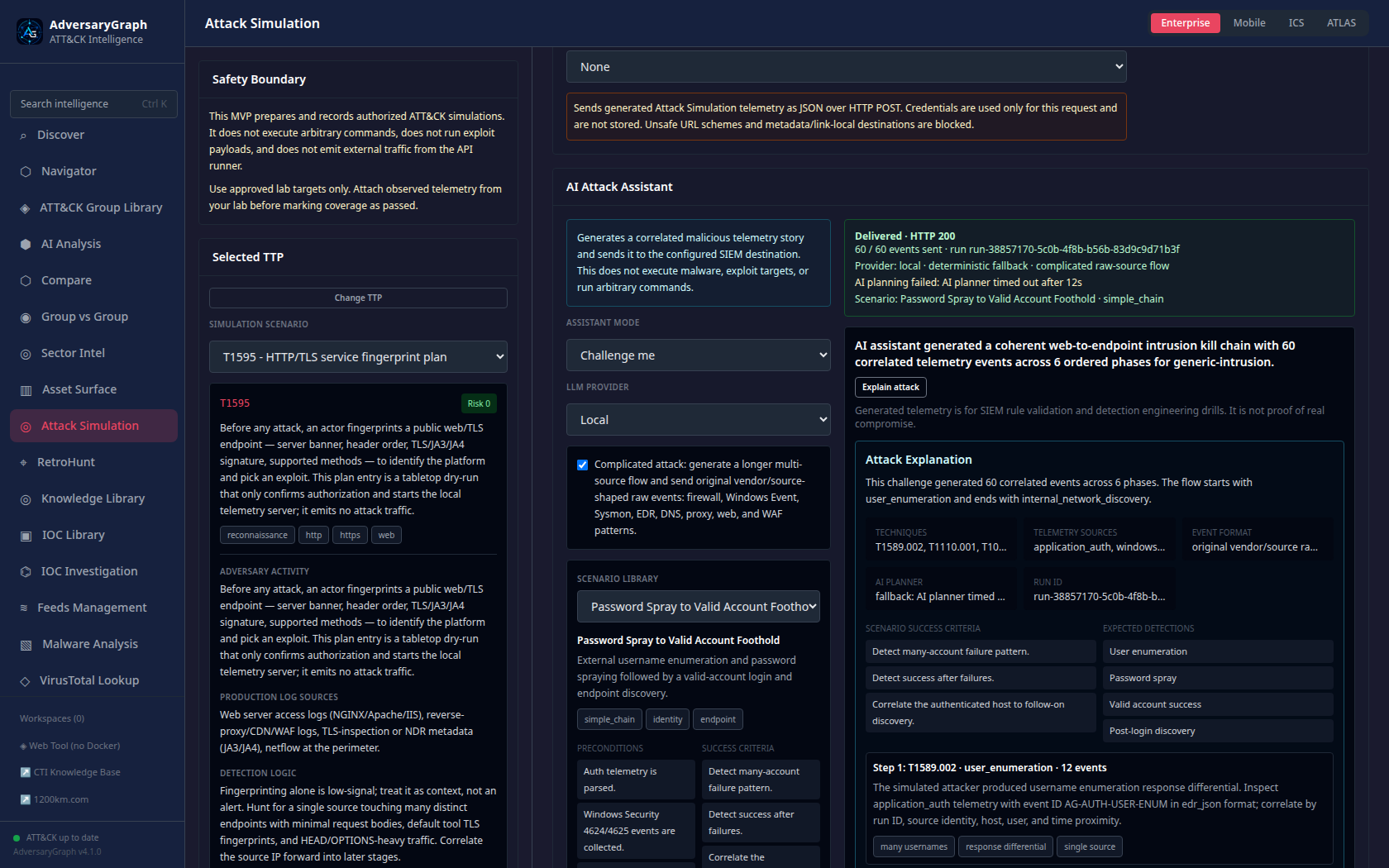
The Explain attack action summarizes the kill chain, why each phase exists, which telemetry should be generated, and what the analyst should look for in the SIEM.
Scenario Library
The v5 library includes 25 named coherent scenarios:
| Scenario | Focus |
|---|---|
| Web App to Endpoint Compromise | Reconnaissance, web access, endpoint execution, credential access, persistence, C2/exfiltration |
| Password Spray to Valid Account Foothold | User enumeration, password spray, successful logon, endpoint discovery |
| SQL Injection to Data Theft | SQLi-shaped web telemetry, database audit style events, staging, exfiltration |
| Recon to Web Shell Persistence | HTTP discovery, upload/web-shell canaries, persistence-style access |
| Valid Account to LSASS Access | Successful logon, discovery, LSASS access, credential-dumping detections |
| Password Spray to Exfiltration | Identity attack, valid account, staged collection, proxy upload |
| XSS Canary to Session Abuse | XSS-shaped telemetry, session token misuse, suspicious authenticated actions |
| SSRF Metadata Probe to C2 | SSRF-shaped requests, metadata access canaries, follow-on beaconing |
| Ransomware Precursor Chain | Discovery, defense evasion, credential access, mass file change canaries |
| Living-off-the-Land Transfer and Execution | Certutil/BITS/rundll32 style telemetry and process lineage |
| Internal Discovery After Foothold | Host, user, network, process, and service discovery telemetry |
| Web Enumeration to Password Spray | HTTP enumeration followed by identity/authentication failures |
| Public App Exploit to Persistence | Public web exposure, endpoint execution, Run key/service persistence |
| Credential Dump to Cloud Upload | LSASS access, archive creation, proxy/cloud upload telemetry |
| Signed Binary Proxy to C2 | LOLBin process creation, suspicious network connection, beacon pattern |
| FIN7-Style Web, Identity, Persistence | Web entry, credential attack, persistence, lateral discovery signals |
| APT29-Style Identity and PowerShell | Identity abuse, PowerShell, discovery, C2-style telemetry |
| Lazarus-Style Delivery and Exfiltration | Delivery, execution, credential access, collection, exfiltration |
| Noisy Red-Team Drill | High-volume multi-source detections for tuning and dashboard testing |
| Stealthy Low-Volume Intrusion Chain | Sparse cross-source correlation and low-noise detections |
| WAF Bypass Retry Chain | Repeated web probes with encoding/bypass variation |
| Service Account Abuse | Service-account logon behavior, privilege use, unusual source host |
| External Recon to Credential Access | Public discovery, credential attack, endpoint credential-access telemetry |
| C2 Telemetry Validation | DNS/proxy/beacon detections and periodicity checks |
| Persistence Control Validation | Run key, scheduled task, service, WMI, and startup artifact events |
Validation Rule
Attack Simulation output is validation assistance, not proof of coverage by itself. Mark a detection as passed only when the expected behavior happened in an authorized lab, the expected telemetry was collected, the detection fired, and known benign lookalikes or tuning gaps were reviewed.