Show Actor TTPs On The Matrix
These retained guides document AdversaryGraph v7.0.0. Latest published stable release: v8.1.2. Current development: 8.1.2, verified 2026-10-20 at source commit 789d874. Historical screenshots and instructions are not evidence of current-release behavior.
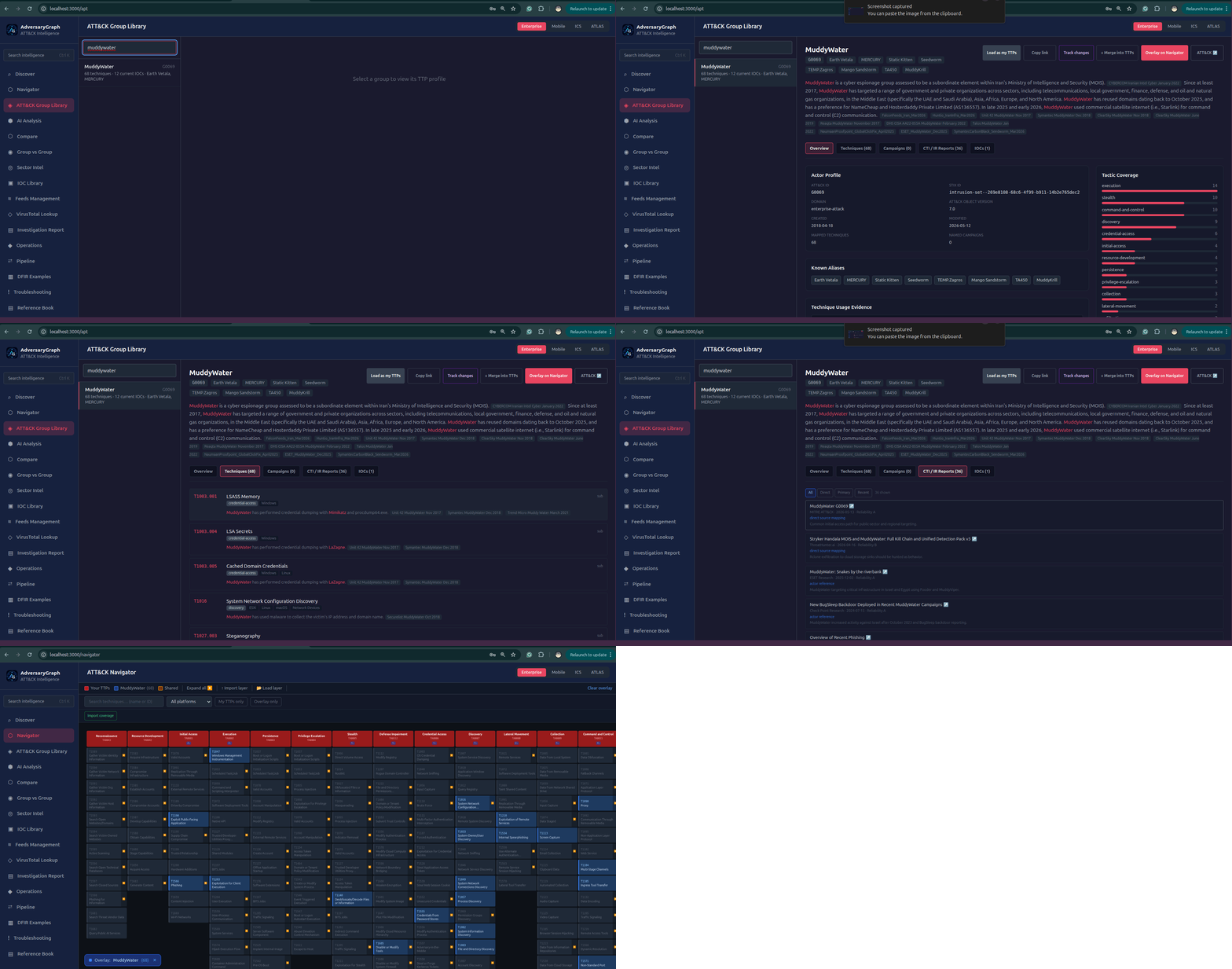
Level: Simple
Goal: Visualize one actor's known ATT&CK behavior.
Real-Life Scenario
A detection lead wants to show management what techniques are commonly associated with a specific actor before starting a coverage review.
When To Use This
Use this workflow when you need a fast, low-friction action and want the output to remain traceable to evidence.
Steps
- Open the actor profile and click the matrix or Navigator action.
- Review selected TTPs by tactic and export the layer if needed.
Expected Result
Actor behavior map in Navigator.
Review Notes
- Keep source labels and evidence attached to every accepted result.
- Treat actor matches, enrichment hits, and matrix overlap as analytical signals until corroborated.
- Export only reviewed findings for customer, SOC, detection engineering, or executive use.