Case Studies And Validation Examples
This validation catalog contains 22 step-by-step use cases for reviewers, CTI analysts, detection engineers, SOC teams, DFIR practitioners, platform operators, and security architects. Every case identifies the input, procedure, expected result, screenshot evidence, acceptance criteria, and the boundary of the claim.
These examples demonstrate product behavior. They are not proof that an organization is compromised, that an actor is responsible, or that a detection will perform identically in every environment.
Screenshot evidence and reproducibility
- Screens under
/img/adversarygraph-v6/are sanitized captures generated from deterministic API fixtures by the v6 Playwright evidence workflow. They can be regenerated from the v6 source tree. - Screens under the versioned v3, v4, and v5 folders are real historical product captures retained to document workflows not recaptured in the v6 evidence run.
- Screens show rendered application state. They do not independently prove external feed availability, production scale, successful exploitation, malware behavior, SIEM ingestion, or detection efficacy.
- Before formal acceptance, repeat the relevant case in your controlled environment and retain the input, timestamp, software version, configuration, output, reviewer, and decision.
Validation record template
For every run, record:
| Field | Required evidence |
|---|---|
| Run identity | Unique ID, UTC timestamp, AdversaryGraph version, operator |
| Scope | Authorized tenant, lab, dataset, asset, or investigation |
| Input | Source file, observable, CVE, ATT&CK object, or scenario ID |
| Configuration | Enabled providers, redacted endpoint names, model/provider, and relevant toggles |
| Output | Screenshot, exported layer/report, API response, or delivery record |
| Review | Expected versus actual result, caveats, reviewer, pass/partial/fail |
| Cleanup | Sample removal, token revocation, lab reset, or retained evidence location |
1. Create an investigation from firewall and EDR logs
Goal: convert mixed telemetry into a reviewable investigation without treating machine-generated leads as confirmed facts.
Prerequisites: a controlled AdversaryGraph deployment, a named analyst account, sanitized firewall/EDR text, and an agreed investigation ID.
Procedure
- Open Operations → Investigations and select Create investigation.
- Enter a neutral title, time range, source systems, owner, and handling notes. Do not place secrets in the title.
- Paste or upload the sanitized firewall sample. Run analysis and preserve the original source label.
- Add the EDR sample to the same investigation as a second evidence item rather than merging the raw sources.
- Review suspicious behaviors and extracted observables. Reject malformed, private, or context-free values.
- Review proposed ATT&CK techniques and record why each candidate is accepted, rejected, or left unresolved.
- Save the investigation and reopen it to verify that source separation, decisions, and timestamps persist.
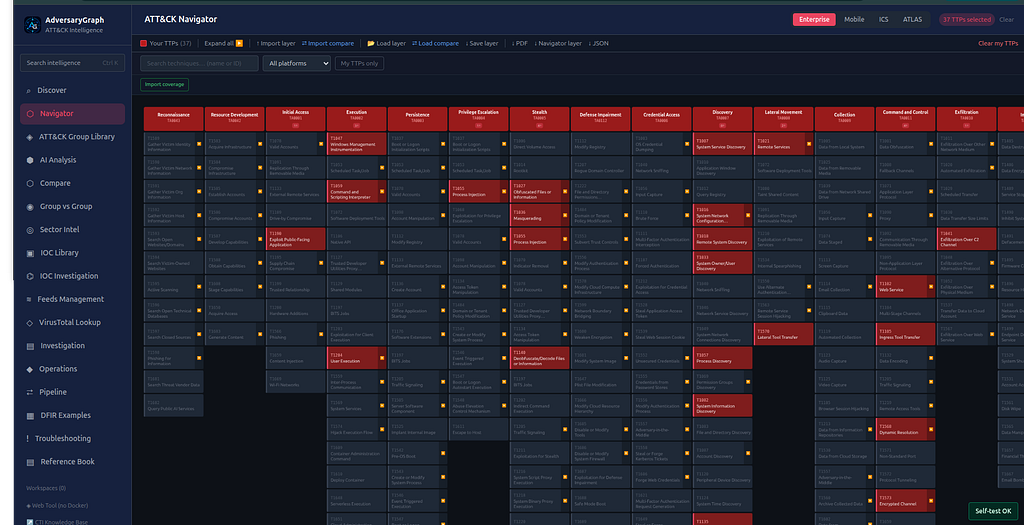
Expected result: both telemetry sources appear in one case; extracted items remain traceable to their inputs; reviewed decisions survive reload.
Accept when: source labels are present, rejected items remain auditable, and no candidate is presented as confirmed attribution.
Claim boundary: this proves workflow persistence and reviewability, not that the source logs are authentic or malicious.
2. Extract and normalize IOCs from two telemetry sources
Goal: verify that observables can be extracted without losing provenance or silently conflating duplicates.
Procedure
- From the investigation created in Case 1, open the firewall evidence item.
- Run IOC extraction and review IP addresses, domains, URLs, hashes, and email-like strings by type.
- Remove documentation ranges, placeholders, broadcast addresses, and values lacking security context.
- Repeat extraction on the EDR item.
- Compare duplicate values and confirm that one normalized observable can retain references to both sources.
- Add accepted values to the investigation; leave uncertain values pending with an analyst note.
- Export or capture the accepted IOC table with source labels and timestamps.
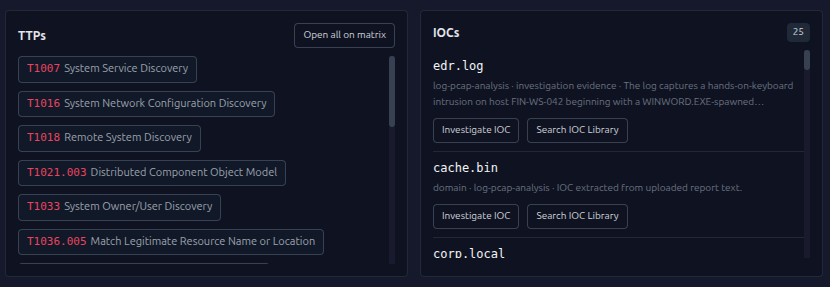
Expected result: accepted IOCs are normalized by type and retain one or more source references.
Accept when: duplicates are explainable, invalid values are excluded, and every accepted IOC has provenance.
Claim boundary: extraction identifies candidate observables; it does not establish reputation or maliciousness.
3. Investigate one IOC and preserve uncertainty
Goal: pivot from a single observable into enrichment, activity, relationships, and ATT&CK leads while preserving provider conflicts.
Procedure
- Open IOC Investigation and select the correct observable type.
- Enter a sanitized indicator and verify the exact normalized value before submission.
- Run the investigation with only approved enrichment providers enabled.
- Review summary, provider results, first/last-seen times, confidence, and evidence ranking separately.
- Inspect activity and ATT&CK leads; reject technique suggestions that lack observable evidence.
- Open the relationship graph and inspect the selected node rather than inferring meaning from proximity alone.
- Save the result and add it to the parent investigation with an analyst conclusion and caveats.
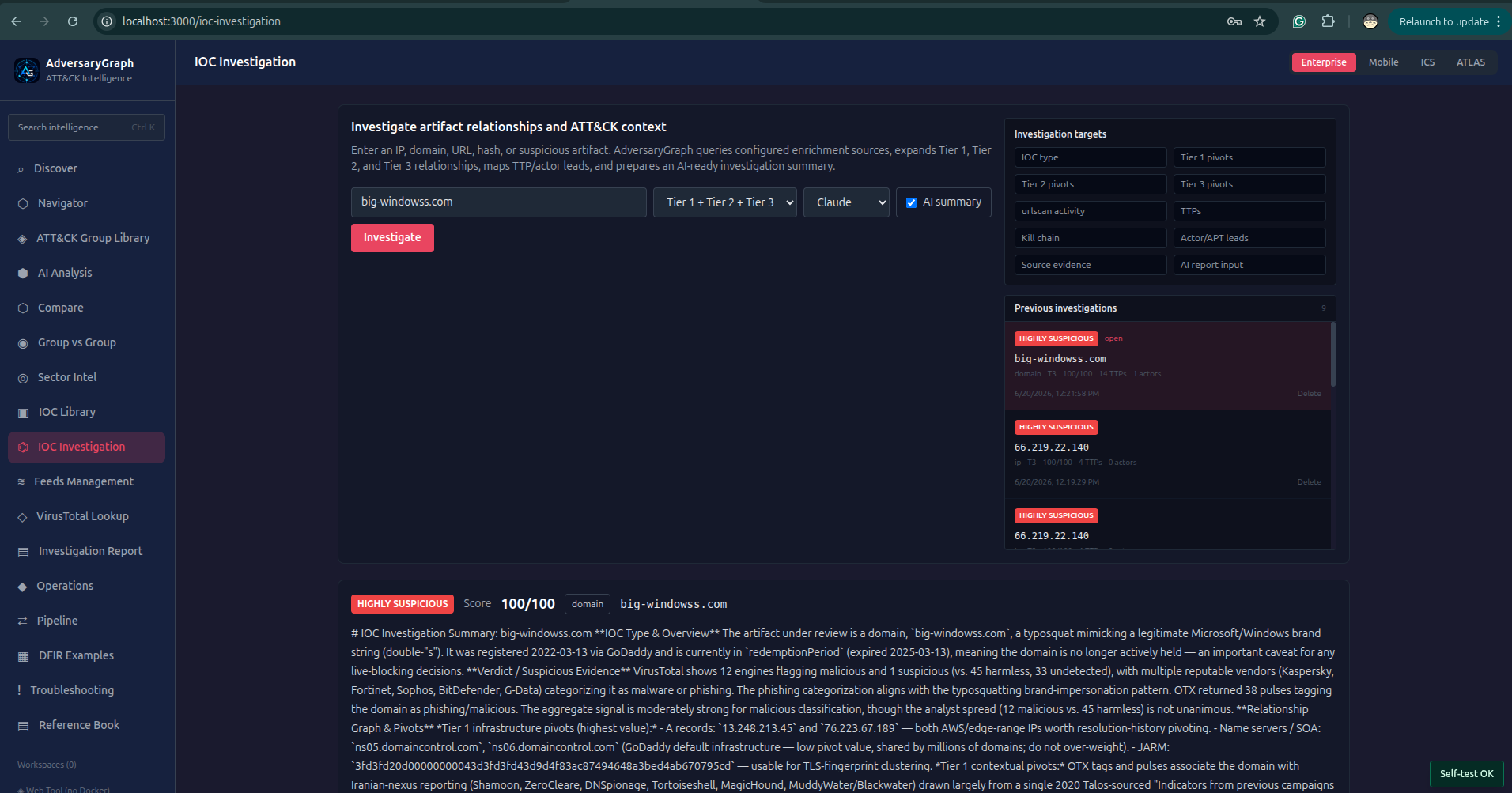
Expected result: the saved investigation contains the exact observable, provider evidence, timing, and reviewer conclusion.
Accept when: unavailable providers are visible, conflicts are not hidden, and the conclusion distinguishes observation from assessment.
Claim boundary: enrichment can support prioritization; it does not prove ownership, intent, or attribution.
4. Resolve conflicting IOC evidence
Goal: demonstrate that contradictory provider results remain visible and can be adjudicated by an analyst.
Procedure
- Open a saved IOC investigation containing at least two provider responses.
- Navigate to Evidence and sort by source reliability, recency, and directness.
- Compare collection timestamps before comparing labels; stale and current results are not equivalent.
- Open the conflict view and document why the sources disagree, including scope or detection-policy differences.
- Assign an analyst disposition such as unresolved, suspicious, benign in context, or requires collection.
- Add a review timestamp and the evidence that would change the decision.
- Reload the record and confirm that the conflict and disposition remain available.
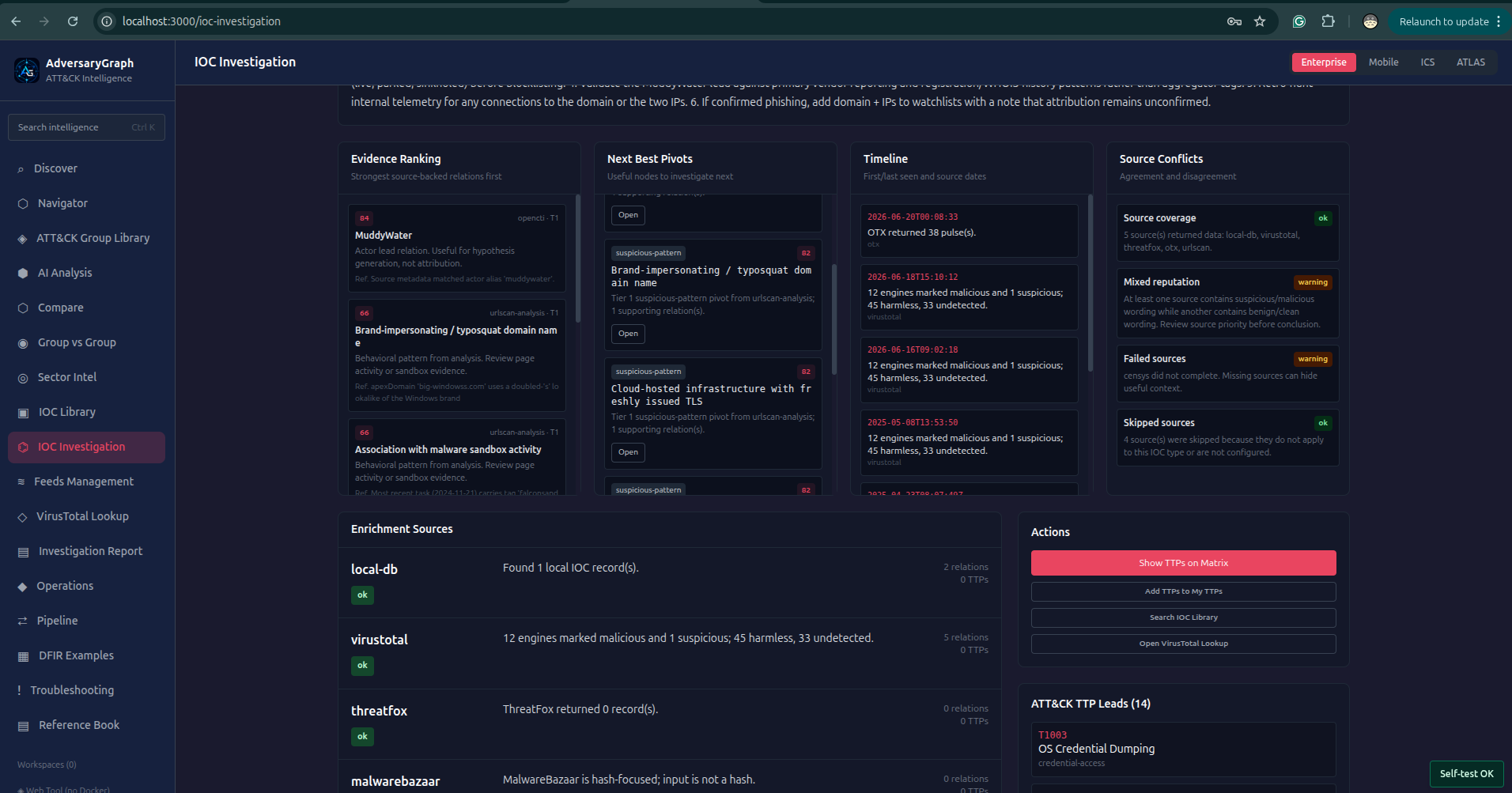
Expected result: the record shows both source claims, their dates, and a separate analyst decision.
Accept when: no source result is overwritten and the decision has a documented rationale.
Claim boundary: analyst adjudication is a recorded assessment, not an objective universal verdict.
5. Validate an IOC relationship graph
Goal: verify graph pivots without treating visual adjacency as a proven relationship.
Procedure
- Open the graph from a saved IOC investigation.
- Select the seed node and verify its type, value, source, and relationship count.
- Expand only one relationship class at a time, such as resolves-to, observed-with, or reported-by.
- Select a neighboring node and inspect the evidence panel for the relationship edge.
- Record relationships with direct evidence separately from inferred or provider-derived associations.
- Focus an actor node only after confirming the underlying source statement and date.
- Export or screenshot the focused graph with the node panel visible.
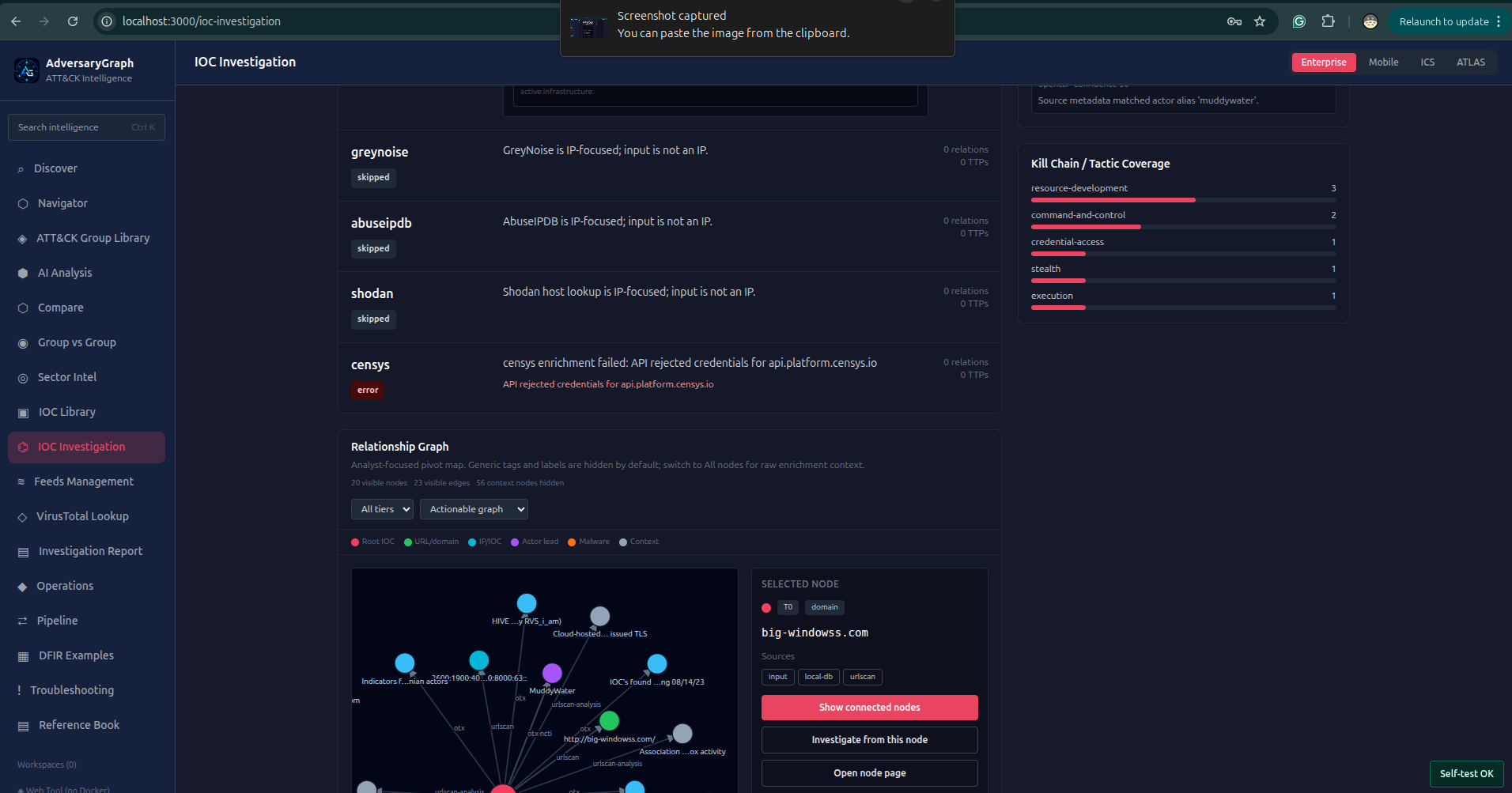
Expected result: every promoted relationship can be traced to an edge type and source evidence.
Accept when: reviewers can distinguish direct, reported, and inferred edges.
Claim boundary: a graph is a navigation and reasoning aid; spatial proximity is not evidence.
6. Map report text to ATT&CK with analyst review
Goal: extract ATT&CK candidates from a report while preserving supporting text and human approval.
Procedure
- Open AI Analysis and create a new session.
- Paste a sanitized report excerpt or upload an approved text document.
- Select the ATT&CK domain and the approved model/provider route.
- Run analysis and inspect every proposed technique with its supporting sentence.
- Reject candidates supported only by generic tool names or unsupported assumptions.
- Accept candidates whose evidence describes behavior matching the technique definition.
- Save the reviewed result and export the accepted set for layer creation.
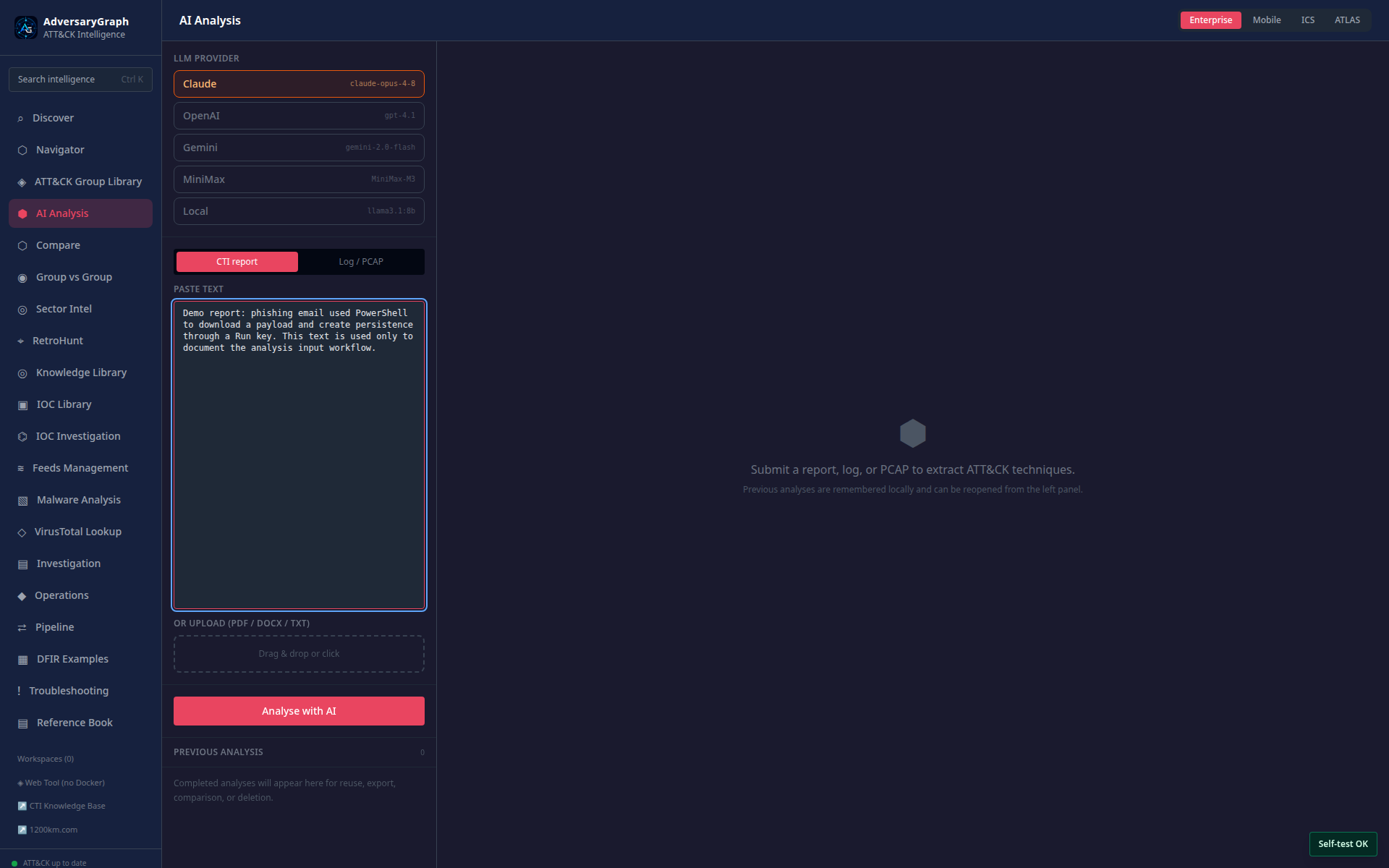
Expected result: accepted techniques retain supporting report text; rejected candidates remain distinguishable.
Accept when: each accepted technique has evidence and a reviewer decision.
Claim boundary: model output is a candidate mapping, not authoritative ATT&CK classification.
7. Build and reload an ATT&CK Navigator layer
Goal: turn a reviewed technique set into a persistent Navigator layer.
Procedure
- From a reviewed analysis, choose Add to Navigator.
- Open Navigator and verify the ATT&CK domain and version.
- Name the layer using the investigation ID and date.
- Confirm that accepted techniques are highlighted and rejected techniques are absent.
- Add a legend, score rationale, and description that identifies the source analysis.
- Save the layer, leave Navigator, and reopen it from Saved Layers.
- Export the layer JSON and verify that the technique IDs match the visible matrix.
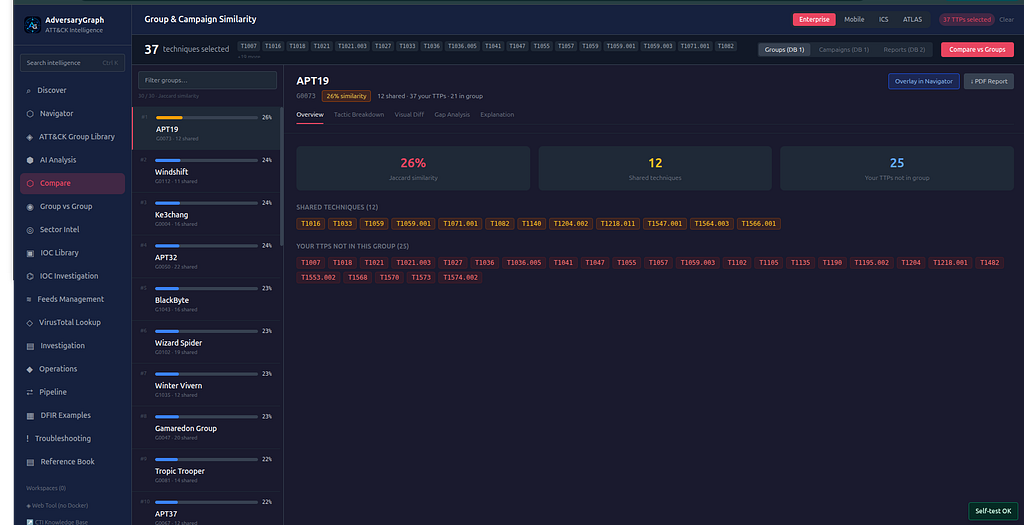
Expected result: the same technique set, metadata, and scores survive reload and JSON export.
Accept when: domain/version are explicit and exported IDs match the UI.
Claim boundary: layer coverage represents the selected evidence set, not complete adversary behavior or defensive coverage.
8. Compare two threat groups by behavior
Goal: compare ATT&CK overlap without converting similarity into attribution.
Procedure
- Open Compare → Groups.
- Select two groups with documented ATT&CK technique mappings.
- Confirm aliases and group IDs so similarly named actors are not mixed.
- Run the comparison and review shared, unique, and missing techniques.
- Inspect the source mapping behind at least three shared techniques.
- Record alternative explanations for overlap, including common tooling and widespread tradecraft.
- Export the comparison with a statement that similarity is hypothesis support only.
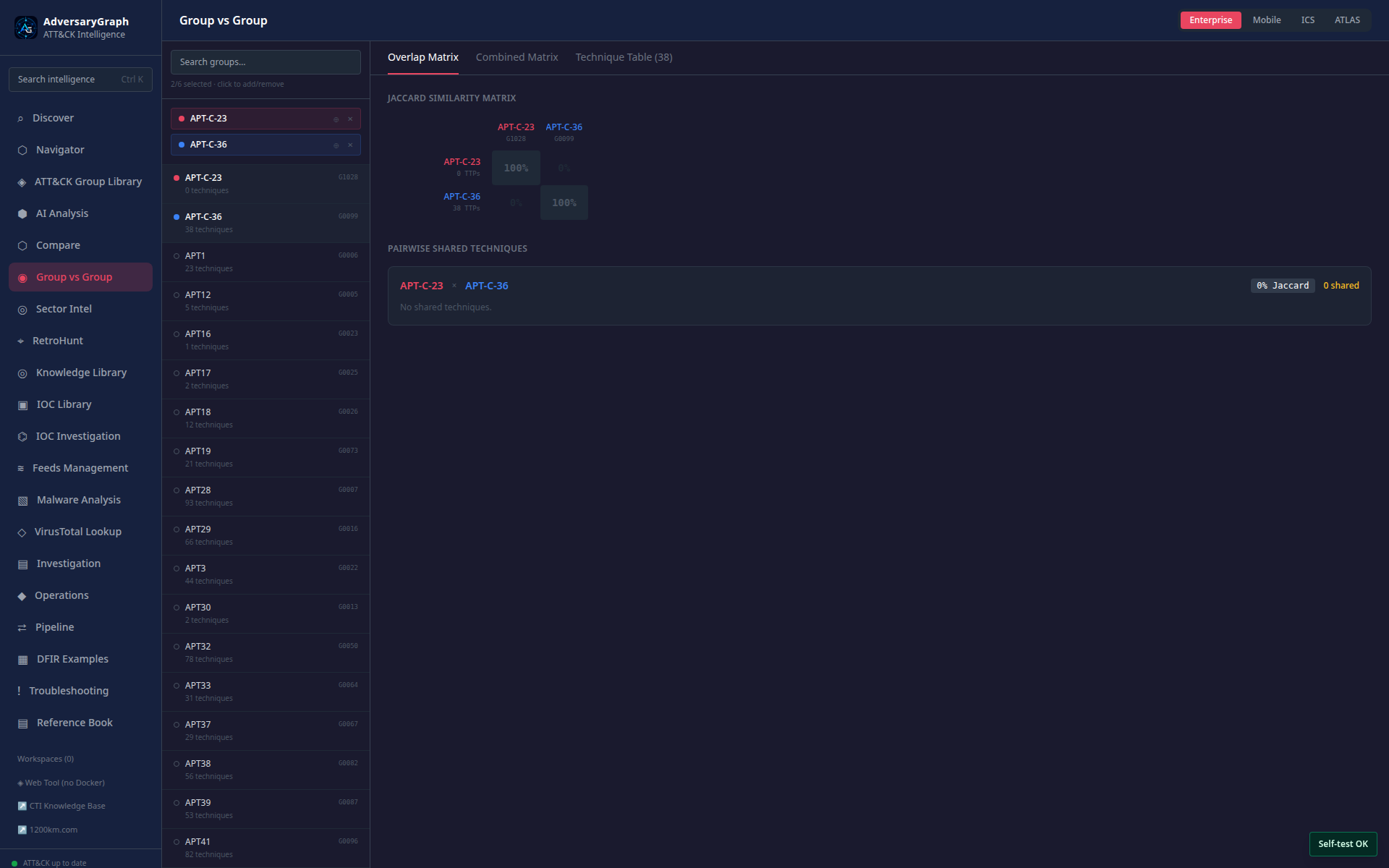
Expected result: overlap is quantified and traceable to mapped techniques for both selected group IDs.
Accept when: aliases are verified and the report avoids attribution language unsupported by evidence.
Claim boundary: behavioral similarity is not identity, sponsorship, or campaign attribution.
9. Compare a report with known actor behavior
Goal: use a reviewed report technique set to rank behavioral overlap as an investigative lead.
Procedure
- Open the reviewed analysis from Case 6.
- Choose Compare behavior and retain only accepted techniques.
- Set a reasonable result limit and minimum overlap threshold.
- Run comparison and inspect score composition rather than using rank alone.
- Review shared and report-unique techniques for the top candidates.
- Add contextual evidence such as time, victim sector, tooling, and infrastructure outside the score.
- Save a hypothesis note listing supporting evidence, contradictions, and collection gaps.
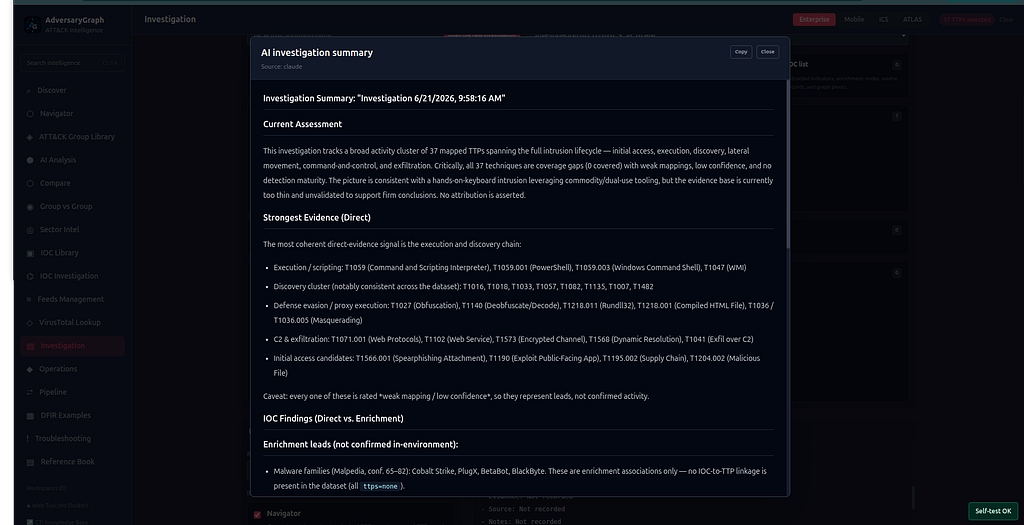
Expected result: candidates are ranked by explainable overlap and accompanied by shared/unique technique detail.
Accept when: the record contains contradictions and missing context, not only the leading match.
Claim boundary: ranking generates hypotheses; it does not attribute the activity.
10. Review sector intelligence and create a collection plan
Goal: convert sector-focused intelligence into prioritized collection and detection questions.
Procedure
- Open Sector Intelligence and choose the authorized sector and geography.
- Record the dataset update time and enabled sources.
- Review actors, techniques, vulnerabilities, and malware associated with the sector.
- Open several relationships and verify whether each is direct, reported, or inferred.
- Select high-relevance techniques and compare them with local telemetry availability.
- Create collection questions for missing log sources and detection questions for visible techniques.
- Export the reviewed shortlist with source dates and confidence notes.
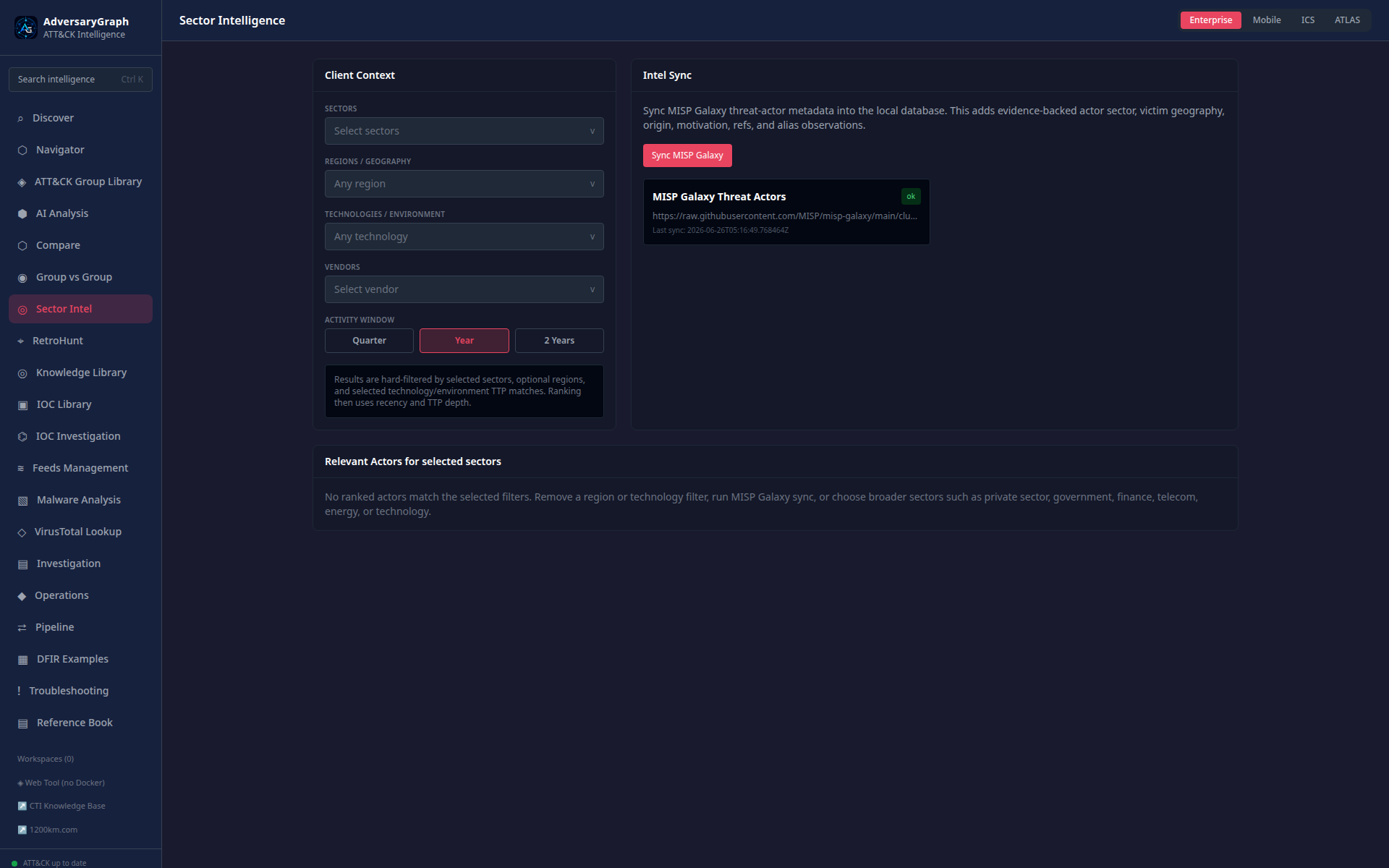
Expected result: the output is an evidence-linked shortlist plus explicit collection gaps.
Accept when: prioritization uses local context and source recency rather than raw item counts.
Claim boundary: sector association does not mean every organization in that sector is targeted or exposed.
11. Triage a CVE using CVSS, KEV, and relationship evidence
Goal: prioritize a vulnerability without equating public exploitation evidence with local exposure.
Procedure
- Open CVE Library and search for the exact CVE identifier.
- Verify description, publication/update dates, CVSS vector, and severity.
- Check KEV status and any required-action or due-date context.
- Open the detail panel and inspect linked actors, techniques, and IOCs.
- Validate each relationship’s evidence source; remove unsupported attribution assumptions.
- Add local asset/CPE, version, reachability, and control context outside the public CVE facts.
- Record priority, owner, remediation/mitigation action, and revalidation date.
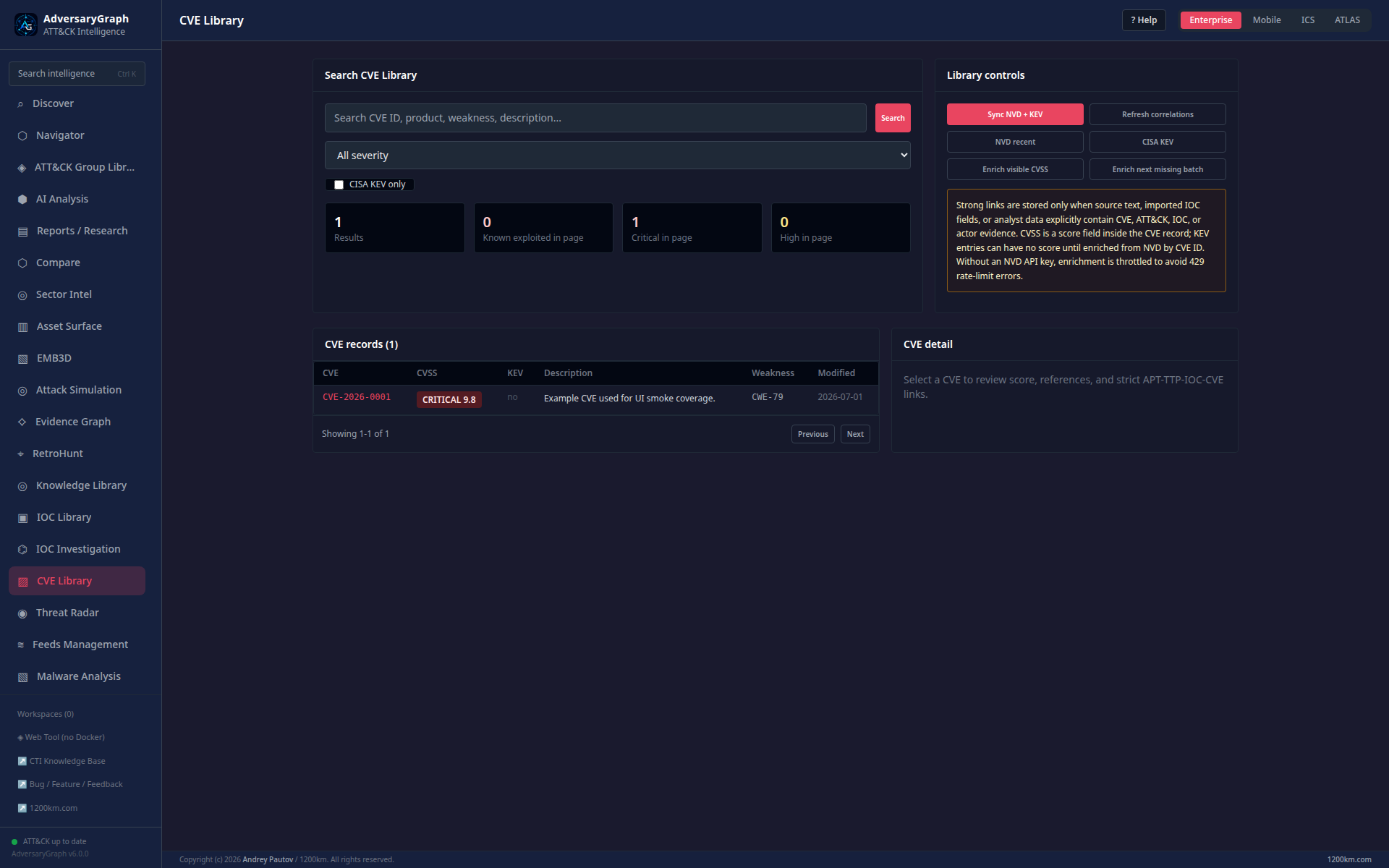
Expected result: public vulnerability facts and local exposure assumptions are recorded separately.
Accept when: priority includes asset context and linked actor/TTP/IOC claims have explicit evidence.
Claim boundary: CVSS or KEV status alone does not prove that a local asset is vulnerable or compromised.
12. Pivot from the IOC Library to provider detail
Goal: validate a stored indicator before using it in detection or blocking logic.
Procedure
- Open IOC Library and filter by type, source, confidence, and recency.
- Select an indicator and verify its normalized value and first/last-seen timestamps.
- Review tags and relationships for stale or circular sourcing.
- Open the provider lookup view, such as VirusTotal, using an approved API configuration.
- Compare provider timestamps and detection context with the library record.
- Add an analyst disposition and expiry/review date.
- Export only reviewed indicators to the downstream workflow.
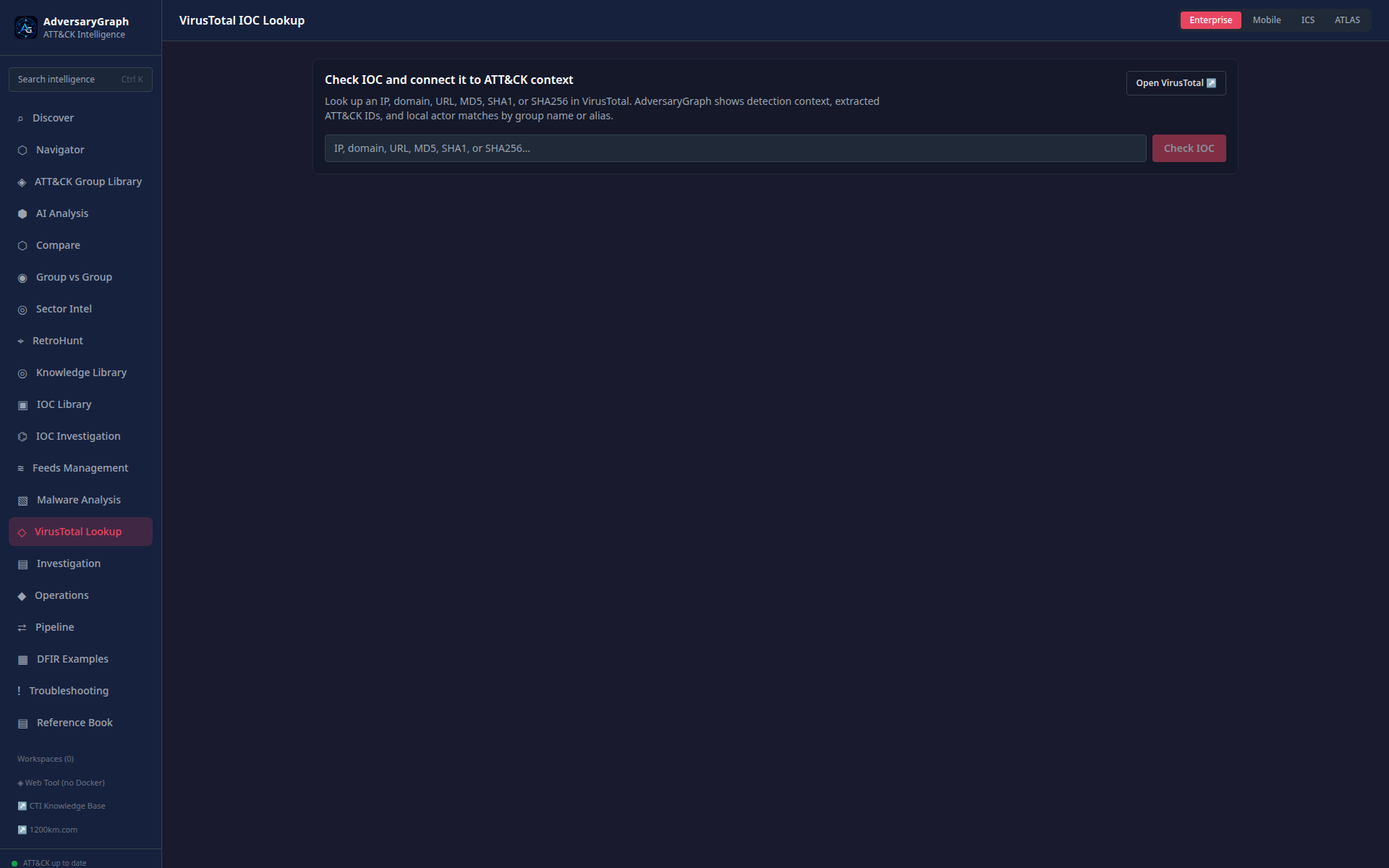
Expected result: the IOC has a documented source, current provider context, disposition, and lifecycle date.
Accept when: downstream export excludes unreviewed or expired values.
Claim boundary: provider detections and community labels require contextual interpretation.
13. Validate feed configuration and sync status
Goal: prove that enabled intelligence feeds are intentional, observable, and recoverable.
Procedure
- Open Feeds Management with an authorized operator account.
- Inventory enabled feeds, endpoints, schedules, and last-success timestamps.
- Confirm credentials are stored as secrets and never rendered in screenshots or logs.
- Trigger one approved sync and record the operation ID.
- Review inserted, updated, skipped, and failed counts.
- Inspect errors for schema, rate-limit, authentication, and network causes.
- Repeat the sync or run status check to confirm idempotent behavior and recovery.
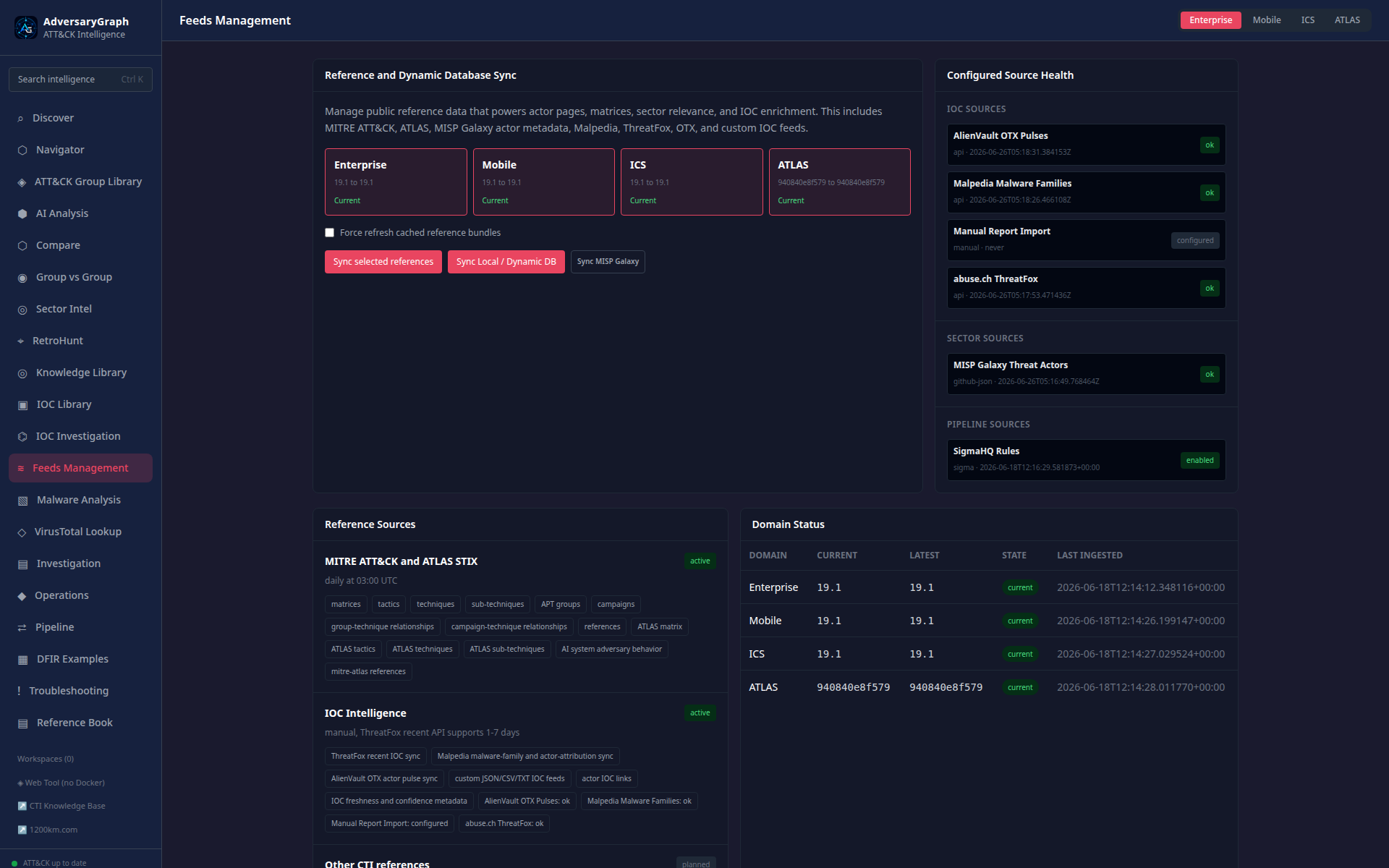
Expected result: the run has a traceable status and failures do not silently become successful imports.
Accept when: credentials are redacted, counts reconcile, and retry behavior is documented.
Claim boundary: successful ingestion does not guarantee source correctness or completeness.
14. Search the Knowledge Library and verify provenance
Goal: reuse internal knowledge without losing the original source and review status.
Procedure
- Open Knowledge Library and search by ATT&CK ID, actor alias, malware, or keyword.
- Filter results by object type and source.
- Open a record and verify canonical identifiers, aliases, citations, and update date.
- Inspect linked techniques and related entities individually.
- Flag duplicate aliases, unsupported relationships, or stale records for correction.
- Add the reviewed object to an investigation or report with its source reference.
- Confirm that the consuming record links back to the knowledge object.
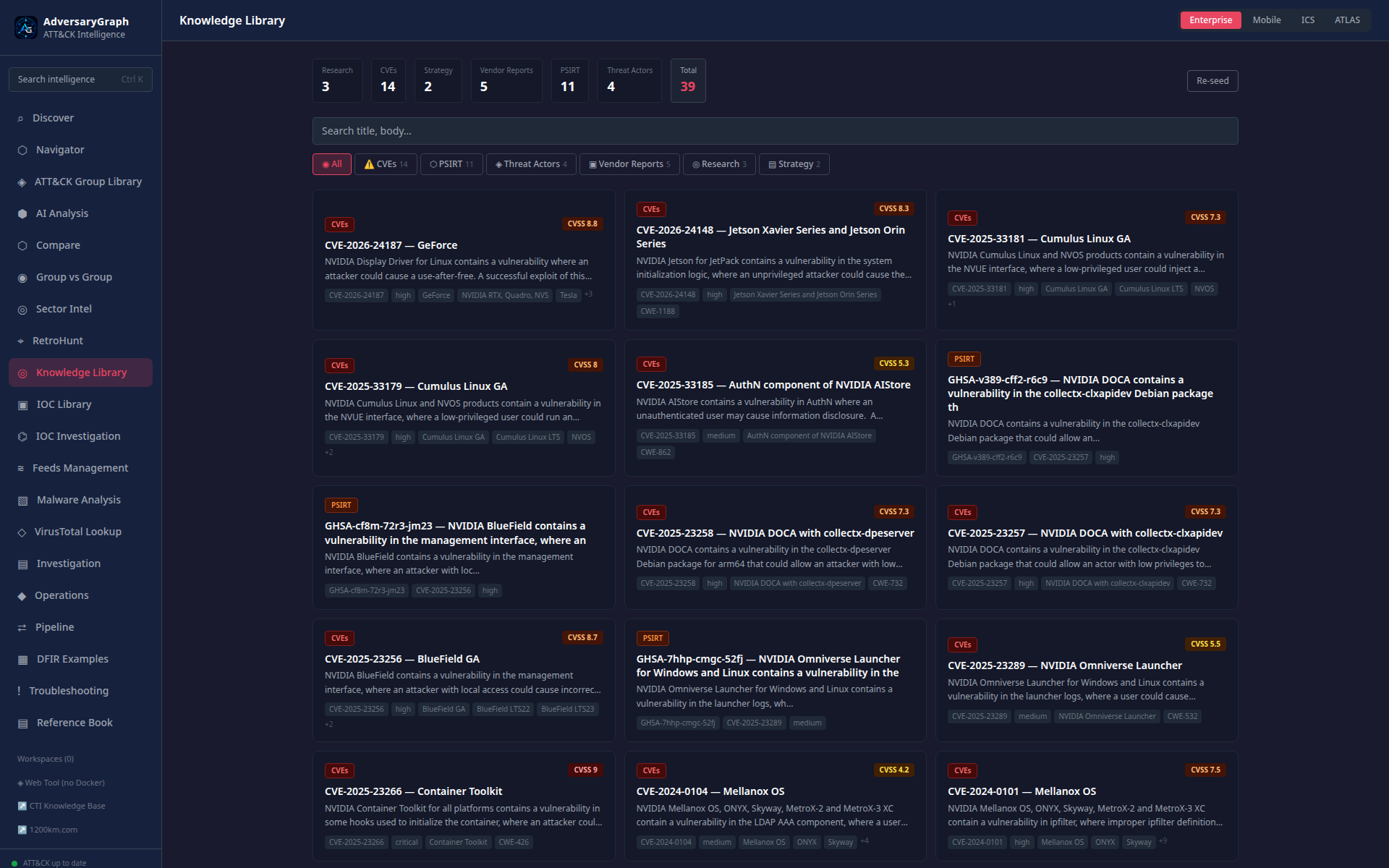
Expected result: reused knowledge remains traceable to a canonical record and citation.
Accept when: aliases are reconciled and links are reviewed before reuse.
Claim boundary: presence in the library does not make an object current or relevant to a specific incident.
15. Run a historical retrohunt for reviewed indicators
Goal: test whether reviewed observables appear in authorized historical telemetry.
Procedure
- Select reviewed, non-expired indicators from an investigation.
- Open Retrohunt and choose the authorized data source and bounded time range.
- Confirm query translation, field mapping, and expected cost before execution.
- Run the hunt and retain query/run identifiers.
- Review matches with surrounding event context and deduplicate repeated observations.
- Mark false positives, expected business activity, and results requiring escalation.
- Attach the reviewed result to the investigation and record coverage gaps.
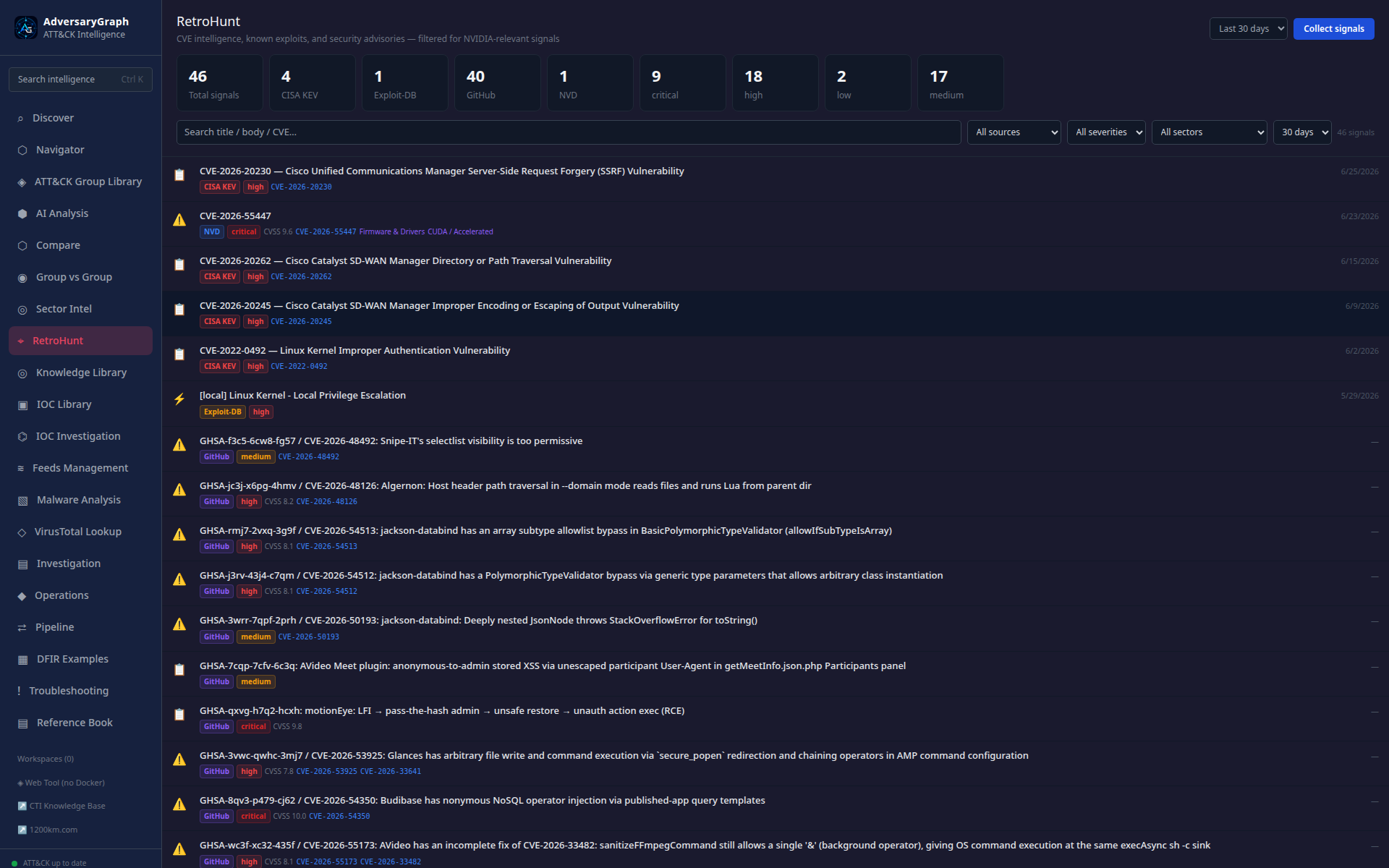
Expected result: every result is tied to a query, time range, data source, and analyst disposition.
Accept when: no-match results document telemetry coverage and match results preserve event context.
Claim boundary: no match is not proof of absence; a match is not proof of malicious activity.
16. Validate an end-to-end operations pipeline
Goal: prove that a multi-step CTI workflow exposes status, inputs, outputs, and failures.
Procedure
- Open Pipeline and choose an approved workflow template.
- Review every stage, provider dependency, and destination before execution.
- Submit a sanitized test input and capture the pipeline operation ID.
- Observe stage transitions and verify that one failed stage cannot be mistaken for overall success.
- Open outputs from completed stages and compare them with the original input.
- Retry only the failed/retry-safe stage or rerun with a new ID as documented.
- Save the final status, timings, errors, and reviewer outcome.
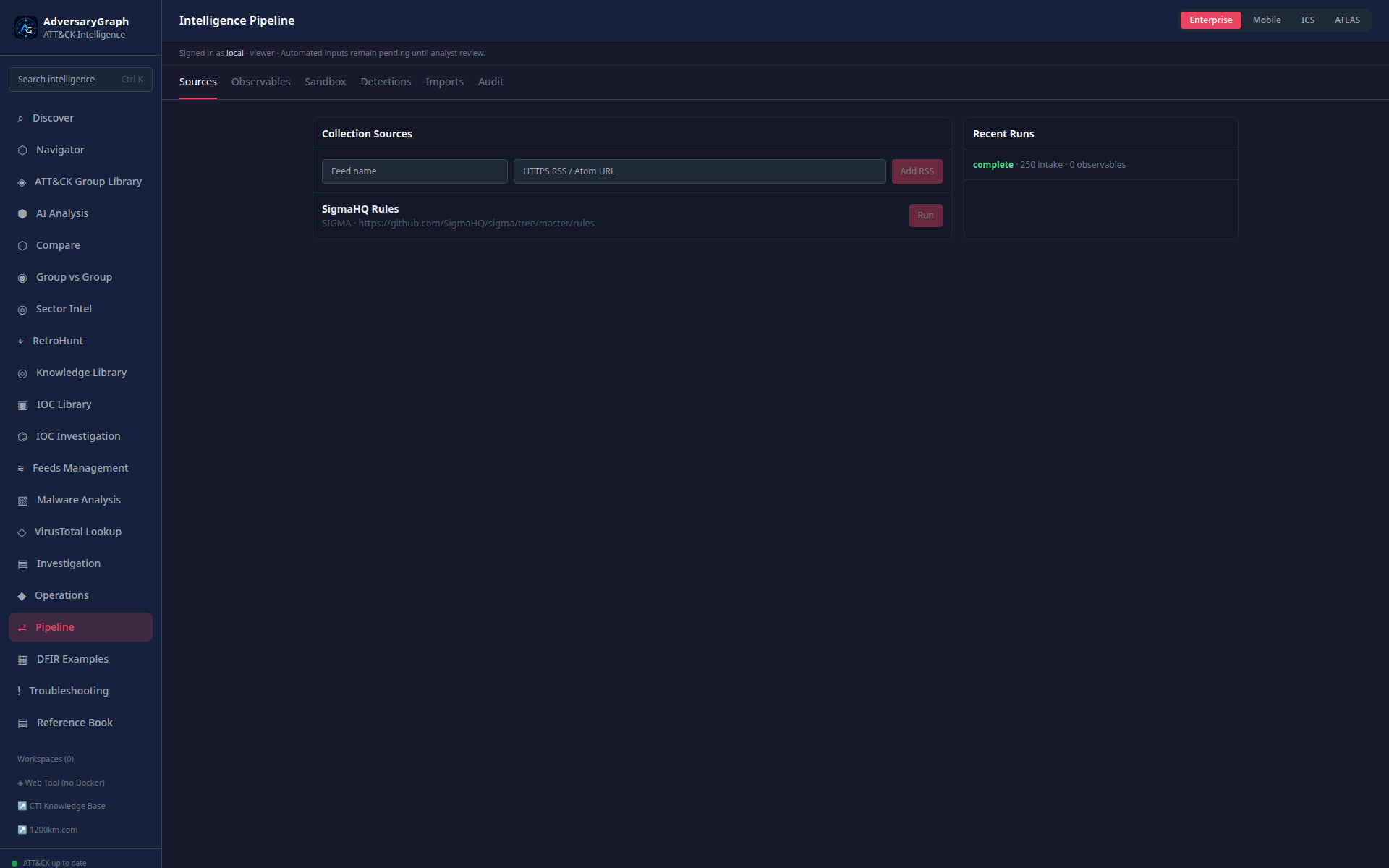
Expected result: stage status and artifacts can be traced through one operation ID.
Accept when: partial failure is explicit and retry behavior does not duplicate downstream records.
Claim boundary: orchestration success does not validate the semantic correctness of every provider output.
17. Perform controlled static malware triage
Goal: collect static evidence without claiming runtime behavior.
Procedure
- Confirm written authorization, sample handling rules, and an isolated analysis environment.
- Open Malware Analysis, create a case, and record the supplied sample hash before upload.
- Upload the sample and verify that the computed hash matches the custody record.
- Review file type, headers, sections, imports, strings, signatures, and feed/hash results.
- Extract candidate IOCs and ATT&CK behaviors, labeling each as static evidence or inference.
- Run the AI summary only through an approved provider route and review every claim.
- Export the static report and remove the sample according to retention policy.
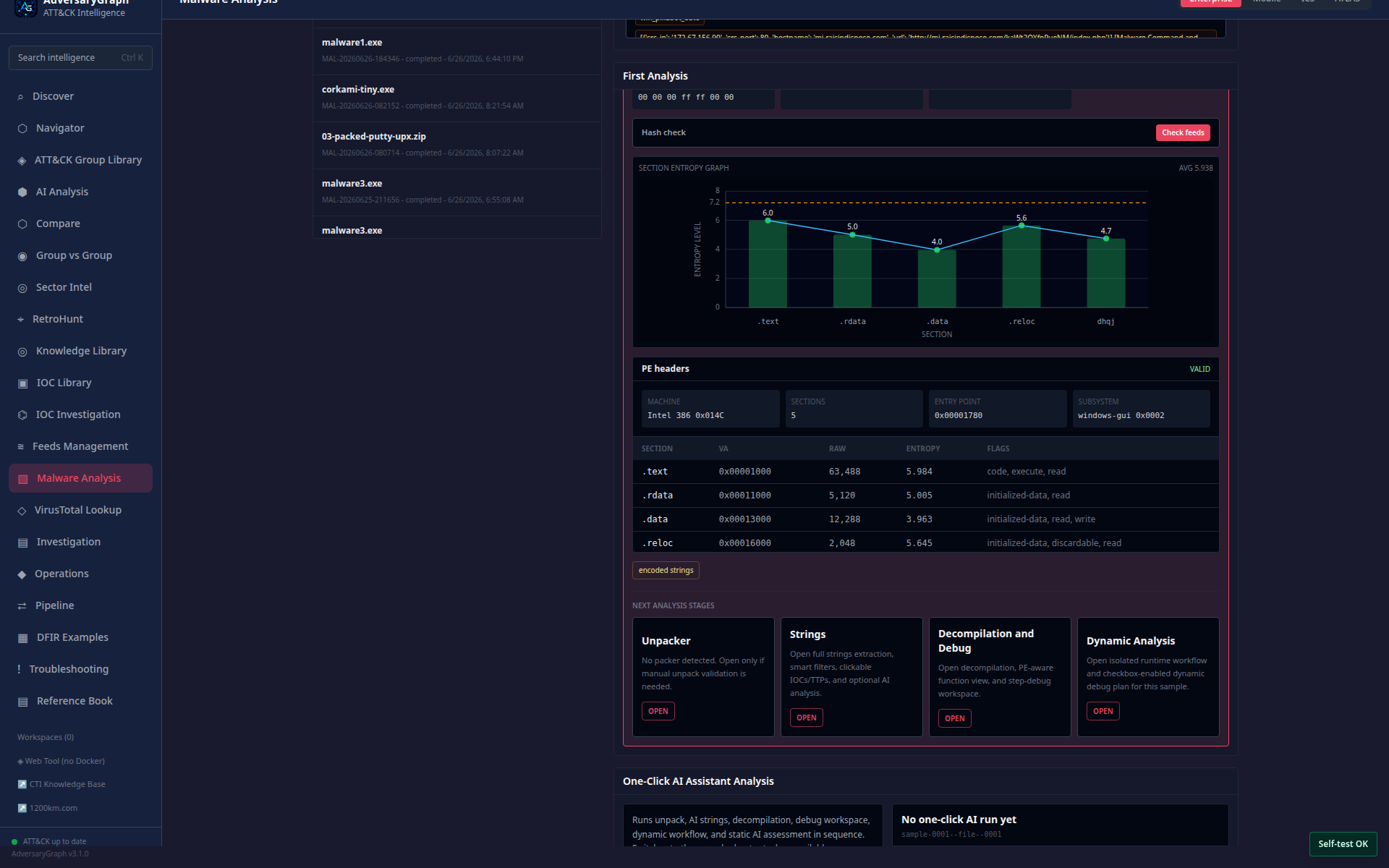
Expected result: the report contains hash-bound static facts, candidate indicators, and reviewed inferences.
Accept when: no runtime behavior is claimed from static evidence alone.
Claim boundary: strings, imports, and decompilation suggest capability; they do not prove execution.
18. Review packing, deobfuscation, and decompilation evidence
Goal: document unpacking/deobfuscation decisions while preserving the original artifact.
Procedure
- Open the authorized malware case and confirm the original sample hash.
- Use the unpacker view to review entropy, packer indicators, and proposed actions.
- Export derived artifacts to an isolated evidence location; never overwrite the original.
- Hash each derived artifact and record the transformation that produced it.
- Open the decompilation/debug-style workspace and review functions, APIs, strings, and control flow.
- Mark unresolved code paths and anti-analysis behavior as gaps.
- Add only evidence-supported capabilities to the report.
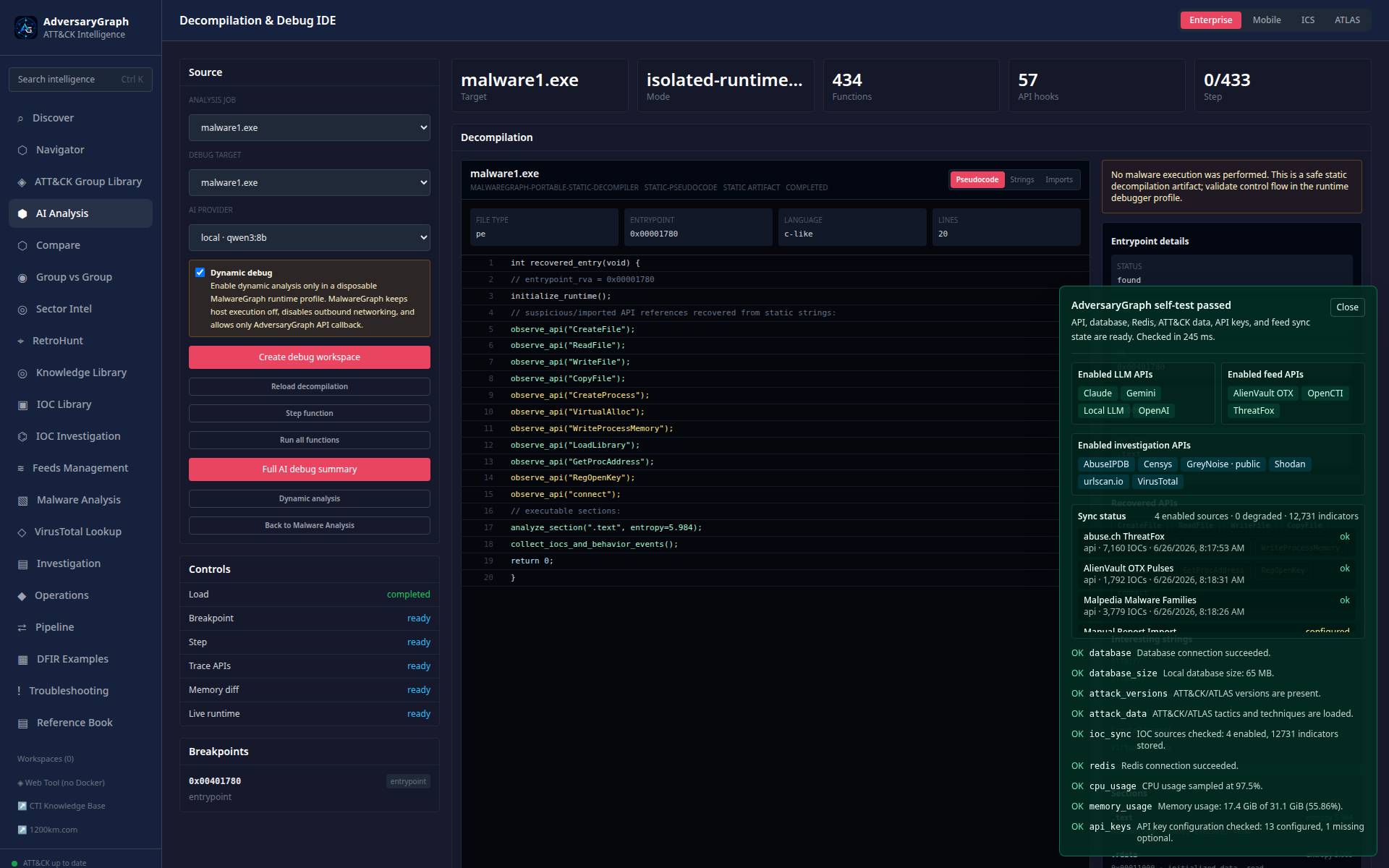
Expected result: original and derived artifacts have separate hashes and a reproducible transformation record.
Accept when: conclusions cite code evidence and unresolved paths remain explicit.
Claim boundary: decompiled intent is an analyst interpretation until corroborated by execution or other evidence.
19. Enforce the dynamic-analysis safety gate
Goal: prove that runtime execution requires an explicit isolated profile and operator approval.
Procedure
- Open Dynamic Analysis for an authorized sample.
- Confirm the default gate blocks execution when no runtime profile is configured.
- Review the required isolation, network, snapshot, callback, timeout, and cleanup controls.
- Select only the approved disposable lab profile.
- Record operator approval, sample hash, profile ID, and maximum execution time.
- Start the session and monitor process, file, registry, and network telemetry.
- Stop the session, retain authorized evidence, revert the lab snapshot, and document cleanup.
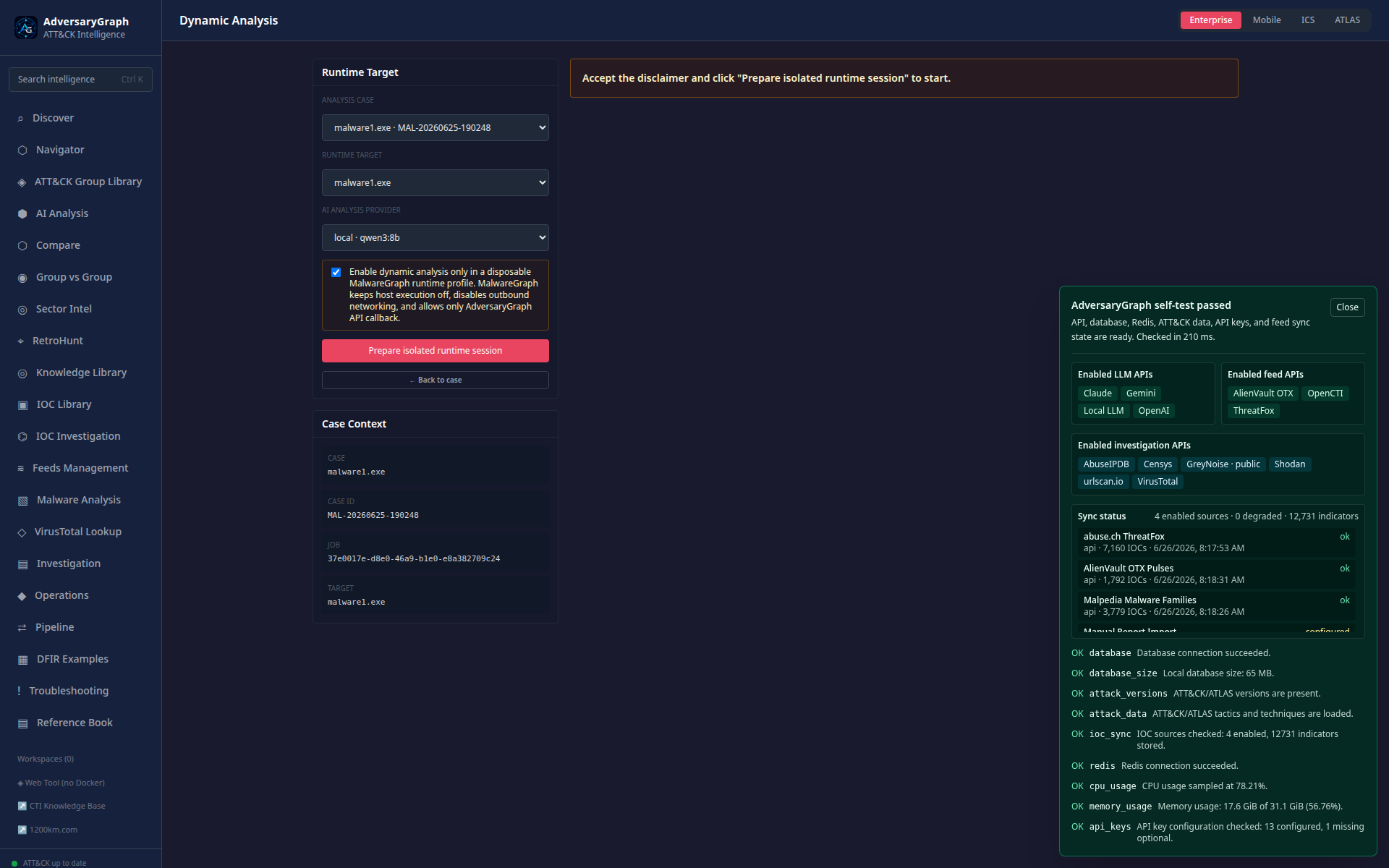
Expected result: execution cannot begin without the configured gate and produces a bounded session record when approved.
Accept when: the profile is isolated, the timeout works, and cleanup is recorded.
Claim boundary: run malware only in infrastructure you are authorized to use; observed behavior is specific to that environment and run.
20. Execute a controlled ATT&CK simulation and inspect telemetry
Goal: validate that an approved technique scenario produces reviewable target-side telemetry in a lab.
Procedure
- Open Attack Simulation and verify the target is a disposable authorized lab endpoint.
- Select one technique from the matrix and open its configuration.
- Review command/action details, prerequisites, expected telemetry, timeout, and cleanup.
- Disable external callbacks and destructive options unless explicitly approved.
- Execute the scenario and record scenario, target, operation, and technique IDs.
- Inspect real-time target logs and compare actual events with expected telemetry.
- Stop/clean the scenario and save the validation outcome as pass, partial, or fail.
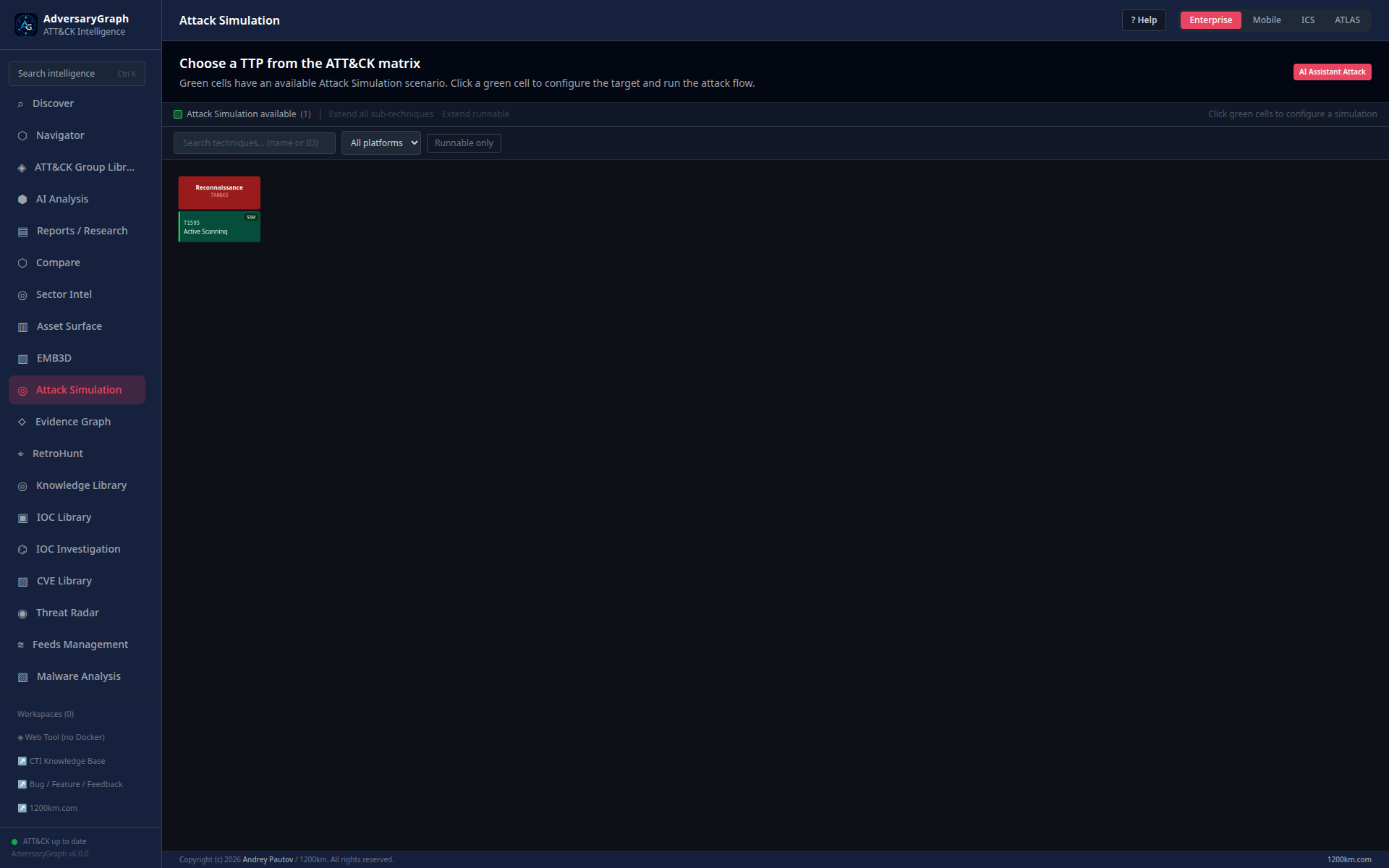
Expected result: the operation links an approved technique and target to captured lab telemetry and cleanup state.
Accept when: expected events are observed or their absence is explained by a documented telemetry gap.
Claim boundary: this validates one lab scenario; it does not authorize testing on third-party or production systems.
21. Forward simulation telemetry to a SIEM and verify delivery
Goal: demonstrate end-to-end delivery while distinguishing transport success from parsing and detection success.
Procedure
- Configure an approved SIEM test collector with TLS and a least-privilege secret.
- Send a harmless test event and verify endpoint, authentication, payload format, and timestamp handling.
- Run the approved simulation from Case 20.
- Select only the relevant target-side events for forwarding.
- Open delivery history and record HTTP/result status, event count, retries, and operation ID.
- In the SIEM, verify raw arrival, source type/index, parsed fields, and event timestamps.
- Run the intended detection query and record transport, parsing, and detection as three separate outcomes.
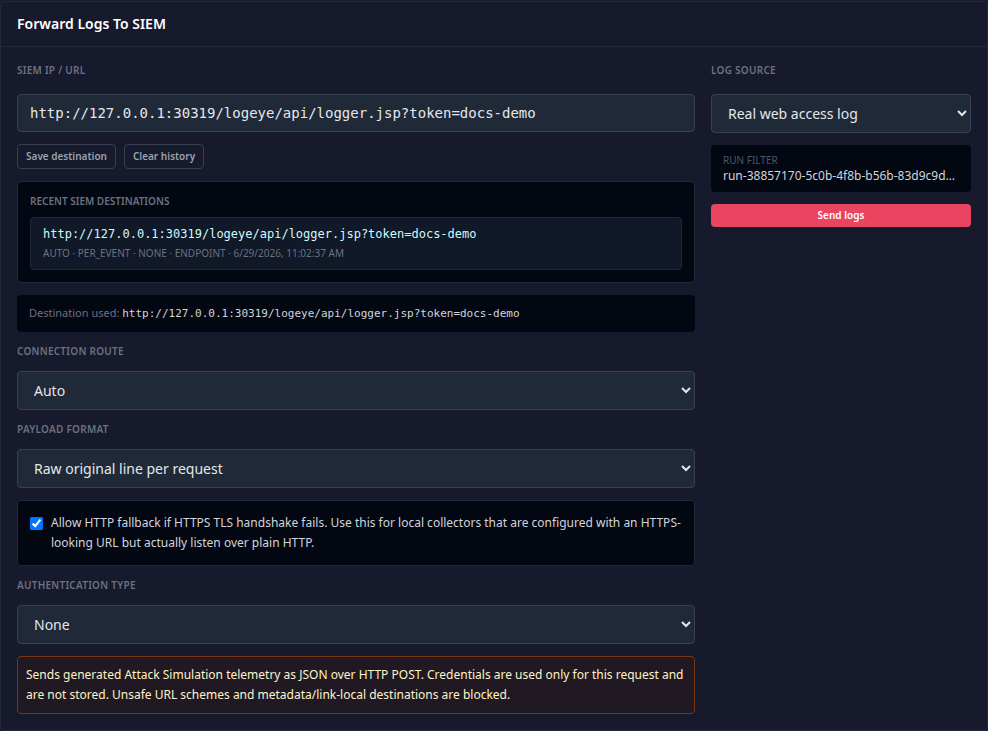
Expected result: AdversaryGraph and the SIEM contain reconcilable operation/event evidence.
Accept when: counts reconcile and transport, parsing, and detection outcomes are independently stated.
Claim boundary: HTTP delivery success does not prove correct parsing or detection efficacy.
22. Validate authentication, RBAC, sessions, and observability
Goal: establish the minimum operator-control and runtime-evidence baseline before production use.
Procedure
- Enable authentication and sign in with a named, non-shared administrator account.
- Create or select a lower-privilege analyst account and verify effective permissions.
- Attempt one permitted and one prohibited action; retain the expected success/denial evidence.
- Review active sessions, revoke a test session, and confirm it can no longer access protected routes.
- Review MFA state, audit history, and trusted-proxy/SSO metadata if those controls are enabled.
- Open Observability and verify API health, current version, recent request metrics, traces, and redacted logs.
- Correlate the test authorization events with audit/observability records and document exceptions.
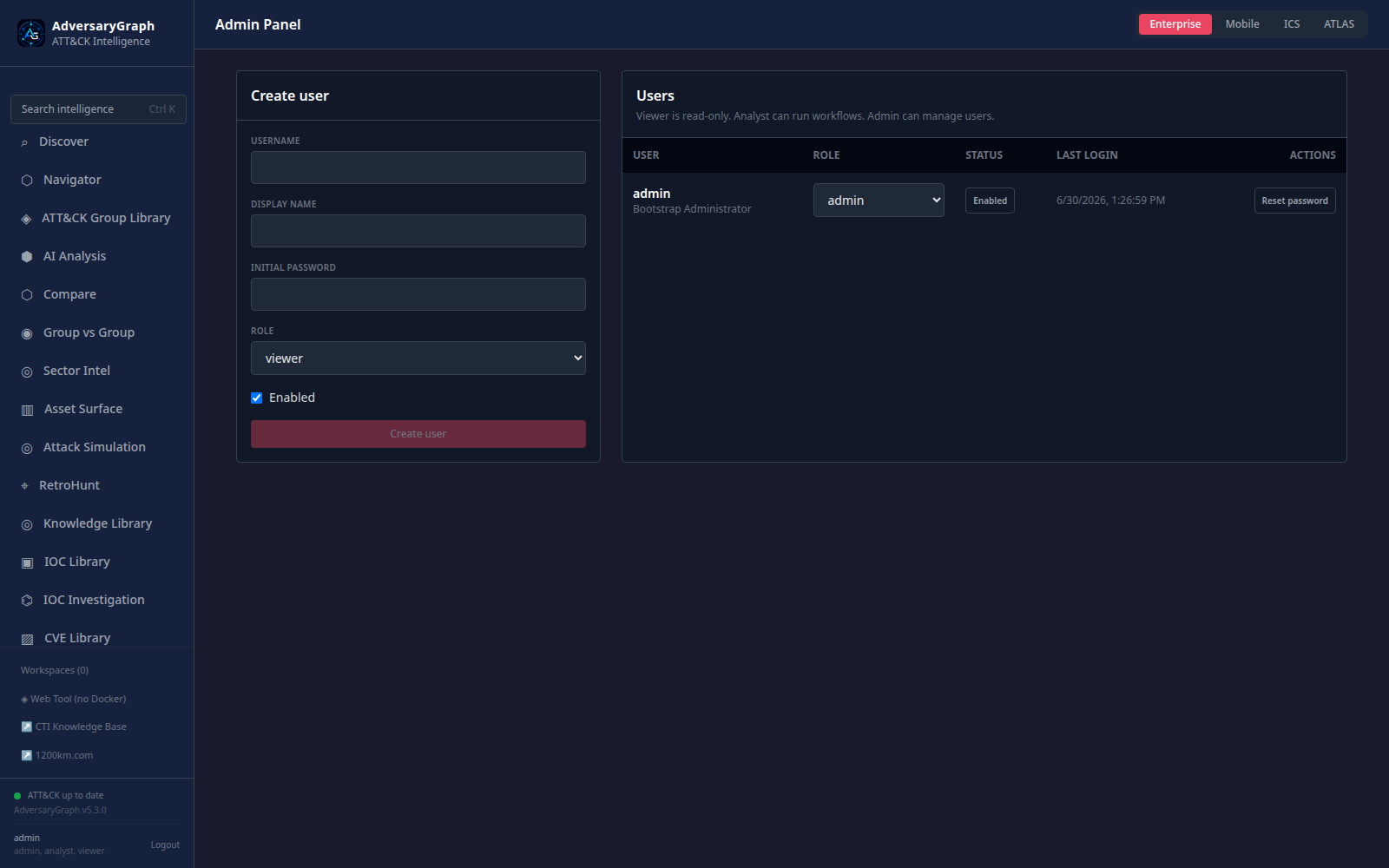
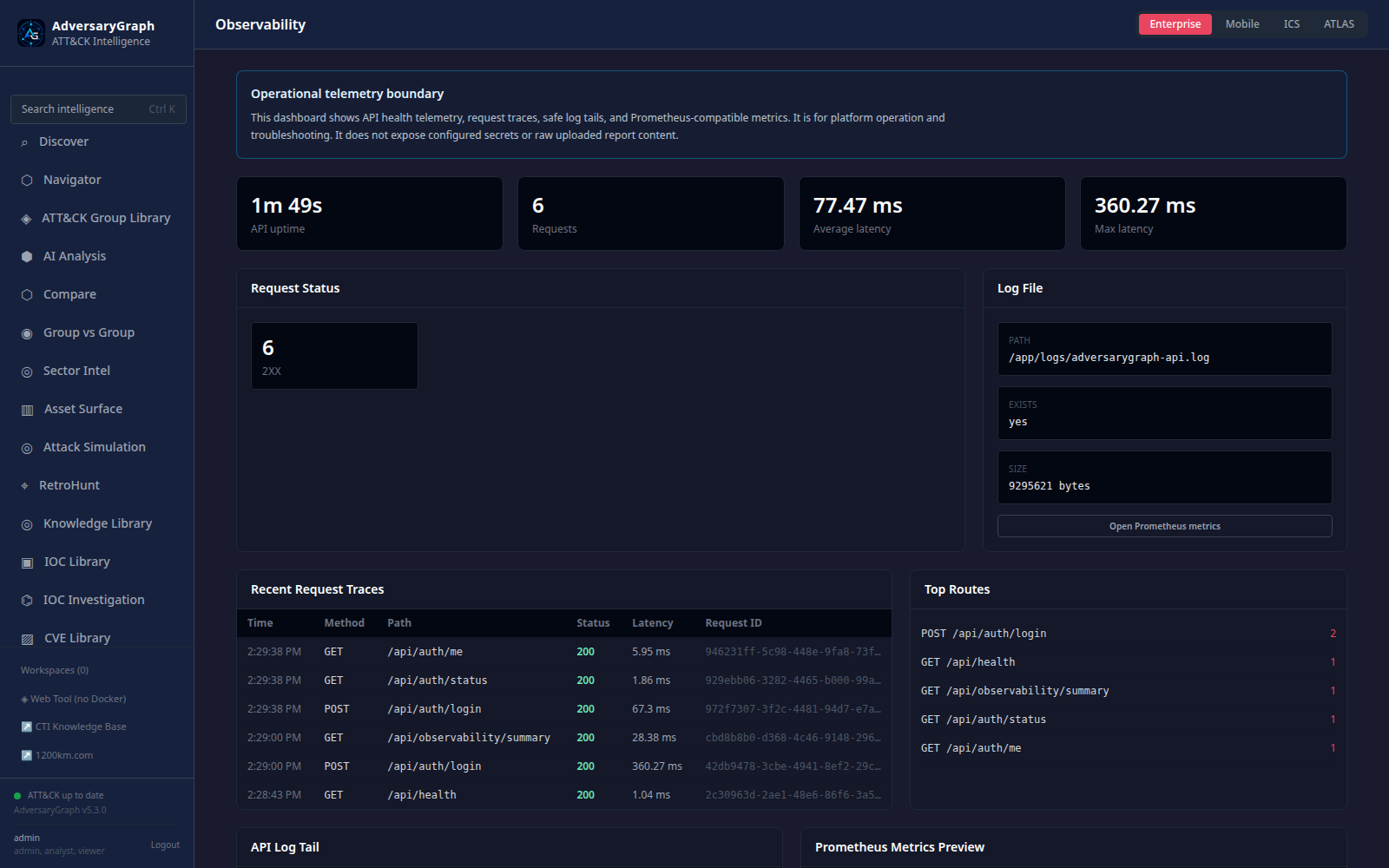
Expected result: least-privilege behavior, session revocation, audit evidence, health/version, and redacted operational signals are reviewable.
Accept when: prohibited access is denied, revocation takes effect, secrets are absent from logs, and the reported version is v7.0.0.
Claim boundary: these controls support a controlled self-hosted deployment; they do not replace organizational IAM, monitoring, backup, incident-response, and compliance programs.
Final acceptance checklist
A production or pilot reviewer should not mark the catalog complete merely because the screenshots render. For each in-scope case:
- Repeat the procedure against the intended deployment and authorized test data.
- Capture the current version, input hash/reference, configuration, UTC timestamps, output, and reviewer.
- Compare the actual result with the expected result and acceptance criteria above.
- Record pass, partial, fail, or not applicable, with a reason and remediation owner.
- Retain evidence according to data-handling policy and remove samples, tokens, and disposable lab state.
- Re-run affected cases after upgrades, provider changes, parser/rule changes, or material infrastructure changes.
For current release-level controls, continue with v7 Release Readiness, v7 Release Notes, Production Readiness, and Observability And Security Validation. The v6 Release Readiness and v6 Case Studies pages remain historical validation references.