Build a Vulnerable IIS SharePoint Lab with Fluent Bit: Complete Deployment Guide
This published article remains available in the archive, but its technical currentness has not yet been reverified. Validate it against current authoritative sources before use.
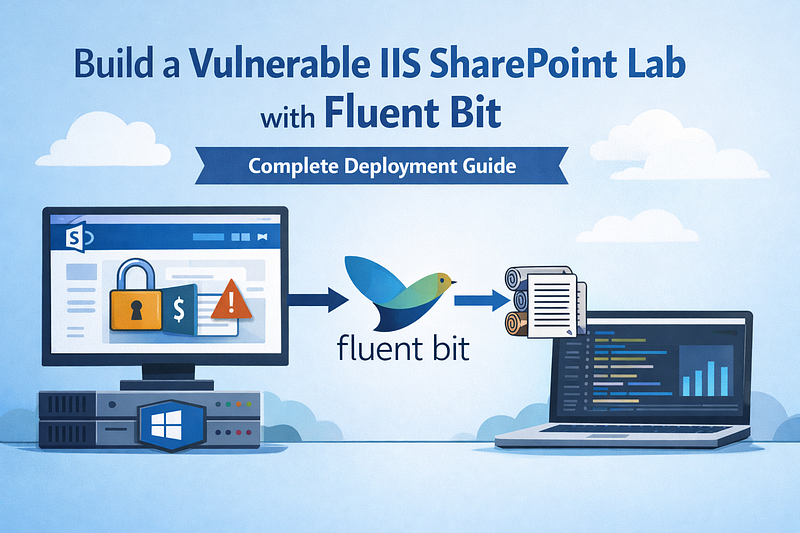
- Category: CTI
- Source article: https://medium.com/@1200km/build-a-vulnerable-iis-sharepoint-lab-with-fluent-bit-complete-deployment-guide-8fe947e8439e
- Published: 2026-02-13
- Preserved media: 1 image(s), including cover images, screenshots, diagrams, and infographics where present.
- Preserved technical blocks: 29 code/configuration block(s).
Ecosystem Fit
This page mirrors the original Medium article into the 1200km.com Docusaurus ecosystem. The original article flow, images, screenshots, infographics, and technical blocks are preserved from the export.
A full step-by-step guide with all scripts to deploy a vulnerable SharePoint-style site on Windows IIS and ship its logs with Fluent Bit — from scratch.
Introduction
Most people learn IIS and “SharePoint” pentesting the hard way: in production, under pressure, with incomplete logs, and with zero room to break things. That’s backwards.
If you want to become effective at web pentesting (or detection engineering) you need arepeatable labthat you can reset, attack, and observe — over and over — until patterns become instinct. Not “a random vulnerable VM,” but a realistic stack that mirrors what you’ll actually meet in enterprise environments:
-
Windows Server + IIS(classic target surface)
-
SharePoint-style app patterns(auth-less pages, legacy ASP.NET, messy inputs)
-
Attack scenarios that generate teachable telemetry(XSS, traversal, SQLi-like payloads)
-
Proper logging coverageso every request leaves evidence: access logs, kernel-level rejects, deep diagnostics, and Windows events
-
Centralized shippingso you train thereal workflow: attack → logs → search/hunt → detection rules
That’s exactly what this guide gives you.
You’ll build afully automated vulnerable IIS lab(Windows Server 2012 R2 in Vagrant) with a purposely insecure “SharePoint-style” ASP.NET site, and you’ll instrument it withFluent Bit as a Windows serviceto forwardIIS W3C,HTTPERR,Failed Request Tracing,ULS-style app logs, andWindows Event Logsto an HTTP backend (like XPLG or any listener).
Why this matters for pentest training:
-
You don’t just “get a payload to work”— you learn what success and failurelook like in logs.
-
You can practicereal reporting: reproduce, capture evidence, explain impact, map telemetry.
-
Blue team? Same lab becomes your detection range: write queries, build alerts, validate them against known traffic.
-
You can reset fast and iterate:infrastructure-as-labbeats “pet VMs” every time.
The goal is simple:turn pentesting practice into an engineering loop— controlled exploits, consistent telemetry, and repeatable experiments — so you build skill that transfers directly to real environments.
What You’ll Build
-
Windows Server 2012 R2 VM(Vagrant + libvirt/VirtualBox)
-
IISwith W3C logging, Failed Request Tracing
-
Vulnerable SharePoint app— XSS, path traversal, SQLi simulation (all requests logged)
-
Fluent Bit— Windows service collecting IIS + Windows Event logs, shipping to HTTP backend
Table of Contents
-
Introduction
-
Prerequisites
-
Project Structure
-
1. Vagrantfile
-
2. Provisioning Script: enable-rdp.ps1
-
3. Provisioning Script: install-iis.ps1
-
4. Provisioning Script: install-sharepoint.ps1
-
5. Provisioning Script: install-fluent-bit.ps1
-
6. Vulnerable SharePoint App
-
7. IIS Log Types: Access vs Error
-
8. Fluent Bit Config: fluent-bit.conf
-
9. Fluent Bit Parsers: parsers.conf
-
Deployment Steps
Prerequisites
-
Vagrant2.2+
-
libvirt+vagrant-libvirt(or VirtualBox)
-
FreeRDP(
freerdp2-x11)
sudo apt install vagrant libvirt-daemon-
system
 libvirt-clients qemu-kvm vagrant-libvirt freerdp2-x11
sudo usermod -aG libvirt $USER
# Log out and back in
Project Structure
Create the following layout:
Windows_IIS/
├── Vagrantfile
├── fluent-bit/
│   ├── fluent-bit.conf
│   └── parsers.conf
├── vulnerable-sharepoint/
│   ├──
default
.aspx
│   ├── search.aspx
│   ├── documents.aspx
│   ├── api.aspx
│   └── Web.config
└── provisioning/
    ├── enable-rdp.ps1
    ├── install-iis.ps1
    ├── install-sharepoint.ps1
    └── install-fluent-bit.ps1
1. Vagrantfile
# Windows IIS + SharePoint Foundation VM (vulnerable, for logging training)
# Uses pre-built Windows Server 2012 R2 box. For custom build from ISO, see docs/PACKER_FROM_ISO.md
# ISO reference: /home/andrey/DC_simulator/iso/Windows_Server_2012_R2_Evaluation.iso
Vagrant.configure(
"2"
)
do
 |config|
  config.vm.box =
"jborean93/WindowsServer2012R2"
  config.vm.box_version =
"1.1.0"
  config.vm.guest = :windows
  config.vm.communicator =
"winrm"
  config.winrm.username =
"vagrant"
  config.winrm.password =
"vagrant"
  config.vm.provider
"virtualbox"

do
 |vb|
    vb.name =
"windows-iis-sharepoint"
    vb.memory = 4096
    vb.cpus = 2
    vb.customize [
"modifyvm"
, :
id
,
"--vram"
,
"64"
]
  end
  config.vm.provider
"libvirt"

do
 |lv|
    lv.memory = 4096
    lv.cpus = 2
    lv.management_network_name =
"default"
  end

# Private network: VM gets 192.168.56.10, host is 192.168.56.1 (VirtualBox) or virbr0 (libvirt)

# Fluent Bit will send to host (log-listener, XPLG) at this IP
  config.vm.network
"private_network"
, ip:
"192.168.56.10"

# Upload fluent-bit config (avoids synced folder issues)
  config.vm.provision
"file"
,
source
:
"fluent-bit/fluent-bit.conf"
, destination:
"C:/tmp/fluent-bit.conf"
  config.vm.provision
"file"
,
source
:
"fluent-bit/parsers.conf"
, destination:
"C:/tmp/parsers.conf"

# Upload vulnerable SharePoint app
  config.vm.provision
"file"
,
source
:
"vulnerable-sharepoint/default.aspx"
, destination:
"C:/tmp/vulnerable-sharepoint/default.aspx"
  config.vm.provision
"file"
,
source
:
"vulnerable-sharepoint/search.aspx"
, destination:
"C:/tmp/vulnerable-sharepoint/search.aspx"
  config.vm.provision
"file"
,
source
:
"vulnerable-sharepoint/documents.aspx"
, destination:
"C:/tmp/vulnerable-sharepoint/documents.aspx"
  config.vm.provision
"file"
,
source
:
"vulnerable-sharepoint/api.aspx"
, destination:
"C:/tmp/vulnerable-sharepoint/api.aspx"
  config.vm.provision
"file"
,
source
:
"vulnerable-sharepoint/Web.config"
, destination:
"C:/tmp/vulnerable-sharepoint/Web.config"

# Provision: enable RDP first, then IIS, SharePoint (with vulnerable app), Fluent Bit
  config.vm.provision
"shell"
, path:
"provisioning/enable-rdp.ps1"
, privileged:
false
  config.vm.provision
"shell"
, path:
"provisioning/install-iis.ps1"
, privileged:
false
  config.vm.provision
"shell"
, path:
"provisioning/install-sharepoint.ps1"
, privileged:
true
  config.vm.provision
"shell"
, path:
"provisioning/install-fluent-bit.ps1"
, privileged:
false
, args: [
"C:/tmp"
]
end
2. Provisioning Script: enable-rdp.ps1
enable-rdp.
ps1
# Enable RDP and open firewall for Remote Desktop
$ErrorActionPreference =
"Stop"
Write-Host
"Enabling Remote Desktop..."
Set
-ItemProperty -Path
"HKLM:\System\CurrentControlSet\Control\Terminal Server"
 -Name
"fDenyTSConnections"
 -Value
0
 -Force
Set
-ItemProperty -Path
"HKLM:\System\CurrentControlSet\Control\Terminal Server\WinStations\RDP-Tcp"
 -Name
"UserAuthentication"
 -Value
0
 -Force
Write-Host
"Opening firewall for RDP..."
Enable-NetFirewallRule -DisplayGroup
"Remote Desktop"
New-NetFirewallRule -DisplayName
"RDP"
 -Direction Inbound -Protocol TCP -LocalPort
3389
 -Action Allow -ErrorAction SilentlyContinue
Write-Host
"RDP enabled. Restart required for some settings - or connect now."
Restart-Service TermService -Force -ErrorAction SilentlyContinue
3. Provisioning Script: install-iis.ps1
install-iis.
ps1
# Install IIS with common features (vulnerable config for training)
$ErrorActionPreference = "Stop"
Write-Host "Installing IIS and Web features..."
Install-WindowsFeature -Name Web-Server -IncludeManagementTools
Install-WindowsFeature -Name Web-ASP-Net45
Install-WindowsFeature -Name Web-Net-Ext45
Install-WindowsFeature -Name Web-ISAPI-Ext
Install-WindowsFeature -Name Web-ISAPI-Filter
Install-WindowsFeature -Name Web-Log-Libraries
Install-WindowsFeature -Name Web-Request-Monitor
Install-WindowsFeature -Name Web-Http-Tracing
Install-WindowsFeature -Name Web-Stat-Compression
Install-WindowsFeature -Name Web-Dyn-Compression
Import-Module WebAdministration
Set-ItemProperty "IIS:\Sites\Default Web Site" -Name logFile.logFormat -Value "W3C"
Set-ItemProperty "IIS:\Sites\Default Web Site" -Name logFile.logExtFileFlags -Value "Date,Time,ClientIP,UserName,ServerIP,Method,UriStem,UriQuery,HttpStatus,Win32Status,TimeTaken,ServerPort,UserAgent,Referer"
Set-ItemProperty "IIS:\Sites\Default Web Site" -Name logFile.directory -Value "C:\inetpub\logs\LogFiles"
$content = @"
<!DOCTYPE
html
>
<
html
>
<
head
>
<
title
>
SharePoint-style Site
</
title
>
</
head
>
<
body
>
<
h1
>
Simple SharePoint-style Landing
</
h1
>
<
p
>
This is a minimal IIS site for logging training. Vulnerable configuration.
</
p
>
<
p
>
Time: $(Get-Date)
</
p
>
</
body
>
</
html
>
"@
$content | Out-File -FilePath "C:\inetpub\wwwroot\default.aspx" -Encoding UTF8
New-Item -ItemType Directory -Force -Path "C:\inetpub\logs\LogFiles" | Out-Null
New-Item -ItemType Directory -Force -Path "C:\inetpub\logs\FailedReqLogFiles" | Out-Null
Write-Host "IIS installation complete."
4. Provisioning Script: install-sharepoint.ps1
install-sharepoint.
ps1
Large code or log block · 191 lines · expand raw text
# Vulnerable SharePoint-style setup - precompiles to avoid ASP.NET temp folder permission issues
$ErrorActionPreference
 =
"Stop"
Import-Module WebAdministration
if
 (-
not
 (Test-Path
"IIS:\AppPools\SharePointAppPool"
)) {
    New-WebAppPool -Name
"SharePointAppPool"
    Set-ItemProperty
"IIS:\AppPools\SharePointAppPool"
 -Name
"managedRuntimeVersion"
 -Value
"v4.0"
}
$sitePath
 =
"C:\inetpub\wwwroot\SharePointSite"
$stagingPath
 =
"C:\inetpub\wwwroot\SharePointStaging"
$vulnSource
 =
$null
if
 (Test-Path
"C:\vagrant\vulnerable-sharepoint\default.aspx"
) {
$vulnSource
 =
"C:\vagrant\vulnerable-sharepoint"
 }
elseif
 (Test-Path
"C:\tmp\vulnerable-sharepoint\default.aspx"
) {
$vulnSource
 =
"C:\tmp\vulnerable-sharepoint"
 }
if
 (
$vulnSource
) {
    Write-Host
"Deploying and precompiling vulnerable SharePoint app..."

if
 (Test-Path
$stagingPath
) { Remove-Item -Path
$stagingPath
 -Recurse -Force }
    New-Item -ItemType
Directory
 -Force -Path
$stagingPath
 | Out-Null
    Copy-Item -Path
"
$vulnSource
\*"
 -Destination
$stagingPath
 -Recurse -Force

if
 (Test-Path
$sitePath
) { Remove-Item -Path
"
$sitePath
\*"
 -Recurse -Force }
    New-Item -ItemType
Directory
 -Force -Path
$sitePath
 | Out-Null
    &
"
$env
:SystemRoot\Microsoft.NET\Framework64\v4.0.30319\aspnet_compiler.exe"
 -p
$stagingPath
 -v / -fixednames
$sitePath
    Remove-Item -Path
$stagingPath
 -Recurse -Force -ErrorAction SilentlyContinue
    Write-Host
"Vulnerable app precompiled and deployed."
}
else
 {
    Write-Host
"Vulnerable app not found, creating placeholder..."

$pageContent
 = @
"
<!DOCTYPE html>
<html><head><title>SharePoint</title></head>
<body><h1>SharePoint-style Site</h1><p>Placeholder.</p></body>
</html>
"
@

$pageContent
 | Out-File -FilePath
"
$sitePath
\default.aspx"
 -Encoding UTF8
}
$acl
 = Get-Acl
$sitePath
$rule
 = New-Object System.Security.AccessControl.
FileSystemAccessRule
(
"IIS AppPool\SharePointAppPool"
,
"Read"
,
"ContainerInherit,ObjectInherit"
,
"None"
,
"Allow"
)
$acl
.
SetAccessRule
(
$rule
)
Set-Acl
$sitePath

$acl
$siteName
 =
"SharePointSite"
if
 (-
not
 (Test-Path
"IIS:\Sites\$siteName"
)) {
    New-Website -Name
$siteName
 -PhysicalPath
$sitePath
 -ApplicationPool
"SharePointAppPool"
 -Port
8080
    Write-Host
"SharePoint site created on port 8080."
}
else
 {
    Set-ItemProperty
"IIS:\Sites\$siteName"
 -Name physicalPath -Value
$sitePath
}
$ulsPath
 =
"C:\Program Files\Common Files\Microsoft Shared\Web Server Extensions\15\LOGS"
New-Item -ItemType
Directory
 -Force -Path
$ulsPath
 | Out-Null
"# SharePoint ULS-style log - $(Get-Date)"
 | Out-File
"
$ulsPath
\uls.log"
 -Encoding UTF8
Write-Host
"SharePoint-style setup complete."
5. Provisioning Script: install-fluent-bit.ps1
Large code or log block · 259 lines · expand raw text
# Install Fluent Bit on Windows - downloads from packages.fluentbit.io, installs as service
$ErrorActionPreference
 =
"Stop"
[Net.ServicePointManager]::
SecurityProtocol
 = [Net.SecurityProtocolType]::
Tls12
$fluentBitVersion
 =
"4.2.2"
$fluentBitUrl
 =
"https://packages.fluentbit.io/windows/fluent-bit-
$fluentBitVersion
-win64.zip"
$installDir
 =
"C:\fluent-bit"
$configDir
 =
"
$installDir
\conf"
Write-Host
"Installing Fluent Bit
$fluentBitVersion
..."
New-Item -ItemType
Directory
 -Force -Path
$installDir
 | Out-Null
New-Item -ItemType
Directory
 -Force -Path
"
$installDir
\data"
 | Out-Null
New-Item -ItemType
Directory
 -Force -Path
"
$installDir
\data\chunks"
 | Out-Null
New-Item -ItemType
Directory
 -Force -Path
$configDir
 | Out-Null
$zipPath
 =
"
$env
:TEMP\fluent-bit-
$fluentBitVersion
-win64.zip"
if
 (-
not
 (Test-Path
$zipPath
)) {
    Write-Host
"Downloading Fluent Bit..."
    Invoke-WebRequest -Uri
$fluentBitUrl
 -OutFile
$zipPath
 -UseBasicParsing
}
$svc
 = Get-Service -Name
"fluent-bit"
 -ErrorAction SilentlyContinue
if
 (
$svc
 -
and

$svc
.Status -eq
"Running"
) {
    Stop-Service fluent-bit -Force
    Start-Sleep -Seconds
2
}
Write-Host
"Extracting Fluent Bit..."
$extractDir
 =
"
$env
:TEMP\fluent-bit-extract"
if
 (Test-Path
$extractDir
) { Remove-Item -Path
$extractDir
 -Recurse -Force }
Add-Type -AssemblyName System.IO.Compression.FileSystem
[System.IO.Compression.ZipFile]::
ExtractToDirectory
(
$zipPath
,
$extractDir
)
$extractedDir
 = Get-ChildItem -Path
$extractDir
 -
Directory
 | Where-Object {
$_
.Name -like
"fluent-bit*"
 } | Select-Object -First
1
if
 (
$extractedDir
) {
    Get-ChildItem -Path
$extractedDir
.FullName | ForEach-Object {

$dest
 = Join-Path
$installDir

$_
.Name

if
 (Test-Path
$dest
) { Remove-Item -Path
$dest
 -Recurse -Force }
        Move-Item -Path
$_
.FullName -Destination
$installDir
 -Force
    }
    Remove-Item -Path
$extractDir
 -Recurse -Force -ErrorAction SilentlyContinue
}
$configSource
 =
$args
[
0
]
if
 (-not
$configSource
) {
$configSource
 =
"C:\tmp"
 }
if
 (Test-
Path
 (Join-Path
$configSource

"fluent-bit.conf"
)) {
    Copy-
Item
 (Join-Path
$configSource

"fluent-bit.conf"
) -Destination
$configDir
 -Force
    Copy-
Item
 (Join-Path
$configSource

"parsers.conf"
) -Destination
$configDir
 -Force
    Write-Host
"Config copied from
$configSource
"
}
else
 {
    Write-Host
"ERROR: fluent-bit config not found"

exit

1
}
$fluentBitExe
 = Join-Path
$installDir

"bin\fluent-bit.exe"
$configPath
 = Join-Path
$configDir

"fluent-bit.conf"
if
 (Test-Path
$fluentBitExe
) {

$binPath
 =
"
$fluentBitExe
 -c
$configPath
"

$existing
 = Get-Service -Name
"fluent-bit"
 -ErrorAction SilentlyContinue

if
 (
$existing
) {
        sc.exe delete fluent-bit
        Start-Sleep -Seconds
2
    }
    sc.exe create fluent-bit binpath=
$binPath
 start= auto
    Write-Host
"Fluent Bit installed as Windows service."
    Start-Service fluent-bit -ErrorAction SilentlyContinue
}
else
 {
    Write-Host
"WARNING: fluent-bit.exe not found."
}
Write-Host
"Fluent Bit installation complete."
6. Vulnerable SharePoint App
default.aspx
default
.aspx
<%@ Page Language="C#" %>
<!DOCTYPE
html
>
<
html
>
<
head
>
<
title
>
Vulnerable SharePoint - Logging Training
</
title
>
</
head
>
<
body
>
<
h1
>
Vulnerable SharePoint Site
</
h1
>
<
p
>
Intentionally vulnerable for security and logging training. All activity is logged.
</
p
>
<
ul
>
<
li
>
<
a

href
=
"default.aspx"
>
Home
</
a
>
</
li
>
<
li
>
<
a

href
=
"search.aspx"
>
Search (XSS)
</
a
>
</
li
>
<
li
>
<
a

href
=
"documents.aspx"
>
Documents (Path Traversal)
</
a
>
</
li
>
<
li
>
<
a

href
=
"api.aspx"
>
API (SQLi simulation)
</
a
>
</
li
>
</
ul
>
<
p
>
Request at: <%= DateTime.Now %>
</
p
>
</
body
>
</
html
>
search.aspx (Reflected XSS)
search.
aspx
<%@ Page Language="C#" %>
<!DOCTYPE
html
>
<
html
>
<
head
>
<
title
>
Search - Vulnerable SharePoint
</
title
>
</
head
>
<
body
>
<
h1
>
Document Search
</
h1
>
<
form

method
=
"GET"

action
=
"search.aspx"
>

<
input

type
=
"text"

name
=
"q"

value
=
"<%= Request.QueryString["
q
"] ?? "" %>
" />

<
input

type
=
"submit"

value
=
"Search"
 />
</
form
>
<% if (!string.IsNullOrEmpty(Request.QueryString["q"])) { %>

<
p
>
Results for: <%= Request.QueryString["q"] %>
</
p
>

<
p
>
<
em
>
Vulnerable: reflected XSS in search - payload appears in response
</
em
>
</
p
>
<% } %>
<
p
>
<
a

href
=
"default.aspx"
>
Back
</
a
>
</
p
>
</
body
>
</
html
>
documents.aspx (Path Traversal)
documents.
aspx
Large code or log block · 154 lines · expand raw text
<%@ Page Language="C#" %>
<!DOCTYPE
html
>
<
html
>
<
head
>
<
title
>
Documents - Vulnerable SharePoint
</
title
>
</
head
>
<
body
>
<
h1
>
Document Library
</
h1
>
<
form

method
=
"GET"

action
=
"documents.aspx"
>

<
label
>
File:
<
input

type
=
"text"

name
=
"file"

value
=
"<%= Request.QueryString["
file
"] ?? "
report.pdf
" %>
" />
</
label
>

<
input

type
=
"submit"

value
=
"Open"
 />
</
form
>
<%
string file = Request.QueryString["file"];
if (!string.IsNullOrEmpty(file)) {
  bool looksSuspicious = file.Contains("..") || file.Contains(":");
  Response.Write("
<
p
>
Requested file: " + Server.HtmlEncode(file) + "
</
p
>
");
  if (looksSuspicious) {
    Response.Write("
<
p
>
<
strong
>
Path traversal attempt detected - logged!
</
strong
>
</
p
>
");
  }
  Response.Write("
<
p
>
<
em
>
Vulnerable: path traversal attempts are logged for analysis
</
em
>
</
p
>
");
}
%>
<
p
>
<
a

href
=
"default.aspx"
>
Back
</
a
>
</
p
>
</
body
>
</
html
>
api.aspx (SQLi Simulation)
api.
aspx
<%@ Page Language="C#" %>
<%@ Import Namespace="System.Data" %>
<!DOCTYPE
html
>
<
html
>
<
head
>
<
title
>
API - Vulnerable SharePoint
</
title
>
</
head
>
<
body
>
<
h1
>
REST API (SQLi simulation)
</
h1
>
<
form

method
=
"GET"

action
=
"api.aspx"
>

<
label
>
User ID:
<
input

type
=
"text"

name
=
"id"

value
=
"<%= Request.QueryString["
id
"] ?? "
1
" %>
" />
</
label
>

<
input

type
=
"submit"

value
=
"Query"
 />
</
form
>
<%
string id = Request.QueryString["id"];
if (!string.IsNullOrEmpty(id)) {
  string fakeQuery = "SELECT * FROM users WHERE id='" + id + "'";
  Response.Write("
<
p
>
Simulated query (logged): " + Server.HtmlEncode(fakeQuery) + "
</
p
>
");
  Response.Write("
<
p
>
<
em
>
Vulnerable: SQL injection - try id=1' OR '1'='1
</
em
>
</
p
>
");
}
%>
<
p
>
<
a

href
=
"default.aspx"
>
Back
</
a
>
</
p
>
</
body
>
</
html
>
Web.config
Web.
config
<?xml version=
"1.0"
 encoding=
"utf-8"
?>
<
configuration
>

<
system.web
>

<
compilation

debug
=
"true"

targetFramework
=
"4.5"

tempDirectory
=
"C:\inetpub\temp\ASP.NET"
 />

<
httpRuntime

targetFramework
=
"4.5"
 />

</
system.web
>
</
configuration
>
7. IIS Log Types: Access vs Error
This topic explains each log type collected by Fluent Bit and whether it is anaccess log(successful requests) or anerror log(failures, rejections, diagnostics).
Access Logs
IIS W3C Extended Log (iis.w3c)
**Type:**Access log
Path:C:\inetpub\logs\LogFiles\W3SVC*/*.log
**Format:**W3C Extended Log Format (space-separated)
Recordsevery HTTP requestthat reaches IIS, whether it succeeds or fails from the application’s perspective. Each line typically includes:
**Use case:**Traffic analysis, security auditing, performance, debugging. You see all requests, including 4xx/5xx responses.
**Note:**W3C logs include both successful (2xx) and failed (4xx, 5xx) requests. “Access” here means “request log,” not “success-only.”
Error Logs
HTTPERR (iis.httperr)
**Type:**Error log
Path:C:\Windows\System32\LogFiles\HTTPERR\*.log
**Format:**Space-separated
Records events whereHTTP.sys(kernel-mode HTTP driver) rejects or fails requestsbeforethey reach IIS. Typical cases:
-
Connection timeouts
-
Rejected connections (e.g. too many)
-
Invalid requests
-
SSL/TLS handshake failures
-
Request header/body issues
Example events:
-
Timer_ConnectionIdle— client idle timeout -
Timer_MinBytesPerSecond— slow client -
Rejected— connection rejected -
SSL handshake— TLS errors
**Use case:**Diagnosing connection and low-level HTTP issues that never reach the application.
Failed Request Tracing (iis.freb)
**Type:**Error / diagnostic log
Path:C:\inetpub\logs\FailedReqLogFiles\*\*.xml
**Format:**XML
Generated whenFailed Request Tracingis enabled for a site. Contains detailed diagnostics for requests that meet failure rules (e.g. status 500, slow requests).
Contents:
-
Request details
-
Module trace (which module failed)
-
Stack traces
-
Timing
**Use case:**Deep troubleshooting of specific failing requests. Must be enabled per-site in IIS.
Application Logs
SharePoint ULS (sharepoint.uls)
**Type:**Application log
Path:C:\Program Files\Common Files\Microsoft Shared\Web Server Extensions\15\LOGS\*.log
**Format:**Tab-separated
SharePoint Unified Logging Service logs. Contains application-level events, errors, and traces from SharePoint.
**Use case:**SharePoint-specific debugging and monitoring. Only present if SharePoint (or a similar structure) is installed.
Windows Event Log — Application (windows.application)
**Type:**System / application log **Source:**Windows Event Log API **Channel:**Application
System and application events from the Application channel, including IIS and ASP.NET.
**Use case:**Service starts/stops, application crashes, and other system-level events.
Summary: Access vs Error
Access logs= what was requested (W3C). Error logs= what failed and why (HTTPERR, FREB, ULS, Event Log).
8. Fluent Bit Config: fluent-bit.conf
fluent-bit.
conf
Large code or log block · 541 lines · expand raw text
# Fluent Bit for Windows IIS - raw collection, NO log modifications
# Outputs logs as-is from each source. Adjust Host/Port in [OUTPUT] for your backend.
[
SERVICE
]

Flush

2

Grace

30

Log_Level

info

Parsers_File

parsers.conf

storage.path

C:/fluent-bit/data/chunks

storage.sync

normal
# --- ACCESS LOGS ---
# IIS W3C Extended Log (access log)
# Path: C:\inetpub\logs\LogFiles\W3SVC*/*.log
# Tag: iis.w3c
[
INPUT
]

Name

tail

Tag

iis.w3c

Path

C:/inetpub/logs/LogFiles/W3SVC*/*.log

Parser

iis_w3c

Path_Key

source_path

DB

C:/fluent-bit/data/flb_iis.db

Mem_Buf_Limit

5MB

Refresh_Interval

10

Ignore_Older

1h

Read_from_Head

On
# --- ERROR LOGS ---
# HTTPERR (HTTP.sys error log)
# Path: C:\Windows\System32\LogFiles\HTTPERR\*.log
# Tag: iis.httperr
[
INPUT
]

Name

tail

Tag

iis.httperr

Path

C:/Windows/System32/LogFiles/HTTPERR/*.log

Parser

iis_httperr

DB

C:/fluent-bit/data/flb_httperr.db

Mem_Buf_Limit

2MB

Refresh_Interval

10

Ignore_Older

1h

Read_from_Head

On
# Failed Request Tracing (diagnostic XML)
# Path: C:\inetpub\logs\FailedReqLogFiles\*\*.xml
# Tag: iis.freb
[
INPUT
]

Name

tail

Tag

iis.freb

Path

C:/inetpub/logs/FailedReqLogFiles/*/*.xml

Parser

iis_freb

DB

C:/fluent-bit/data/flb_freb.db

Mem_Buf_Limit

2MB

Refresh_Interval

10

Ignore_Older

1h

Read_from_Head

On
# --- SHAREPOINT / APPLICATION ---
# SharePoint ULS (Unified Logging Service)
# Path: ...\Web Server Extensions\15\LOGS\*.log
# Tag: sharepoint.uls
[
INPUT
]

Name

tail

Tag

sharepoint.uls

Path

C:/Program

Files/Common

Files/Microsoft

Shared/Web

Server

Extensions/15/LOGS/*.log

Parser

sharepoint_uls

DB

C:/fluent-bit/data/flb_uls.db

Mem_Buf_Limit

5MB

Refresh_Interval

10

Ignore_Older

1h

Read_from_Head

On

Path_Key

source_path
# Windows Event Log - Application channel
# Tag: windows.application
[
INPUT
]

Name

winlog

Tag

windows.application

Channels

Application

Interval_Sec

5
# --- FILTERS: separate logs by type for XPLG (cluster_name->source->host) ---
[
FILTER
]

Name

modify

Match

iis.w3c

Add

cluster_name

windows-iis-vm

Add

source

iis_w3c

Add

log_type

access
[
FILTER
]

Name

modify

Match

iis.httperr

Add

cluster_name

windows-iis-vm

Add

source

iis_httperr

Add

log_type

error
[
FILTER
]

Name

modify

Match

iis.freb

Add

cluster_name

windows-iis-vm

Add

source

iis_freb

Add

log_type

error
[
FILTER
]

Name

modify

Match

sharepoint.uls

Add

cluster_name

windows-iis-vm

Add

source

sharepoint_uls

Add

log_type

application
[
FILTER
]

Name

modify

Match

windows.application

Add

cluster_name

windows-iis-vm

Add

source

windows_event

Add

log_type

system
# Normalize message field (XPLG expects message for display)
[
FILTER
]

Name

modify

Match

iis.*

Rename

log

message
[
FILTER
]

Name

modify

Match

sharepoint.*

Rename

log

message
[
FILTER
]

Name

modify

Match

windows.*

Rename

Message

message
# Ensure "log" field for XPLG (many collectors use "log" as primary display)
[
FILTER
]

Name

modify

Match

*

Copy

message

log
# --- OUTPUT ---
[
OUTPUT
]

Name

http

Match

*

Host

192.168
.56
.1

Port

8081

URI

/ingest

Format

json_stream

Json_date_key

timestamp

Json_date_format

iso8601
[
OUTPUT
]

Name

http

Match

*

Host

192.168
.56
.1

Port

30303

URI

/logeye/api/logger.jsp?token=b757c1af-2664-4c90-adf5-1a58fa1bf2ab

Format

json

Json_date_key

time

Json_date_format

iso8601

Retry_Limit

5

Header

X-Xpolog-Sender

fluent-bit-windows-iis
Note:
 Change
Host
 and
Port
 in
[OUTPUT]
 to your log backend.
192.168.56.1
 is the host on the Vagrant private network.
9. Fluent Bit Parsers: parsers.conf
parsers.
conf
[PARSER]
    Name        iis_w3c
    Format      regex
    Regex       ^(?<date>\d
{4}
-\d
{2}
-\d
{2}
) (?<
time
>\d
{2}
:\d
{2}
:\d
{2}
) (?<
log
>.*)$
    Time_Key
time
    Time_Format %H:%M:%S
    Time_Keep   On
[PARSER]
    Name        iis_w3c_header
    Format      regex
    Regex       ^
#(?<log>.*)$
    Time_Keep   Off
[PARSER]
    Name        iis_httperr
    Format      regex
    Regex       ^(?<date>\d
{4}
-\d
{2}
-\d
{2}
) (?<
time
>\d
{2}
:\d
{2}
:\d
{2}\.\d
+) (?<c_ip>[^ ]+) (?<cs_method>[^ ]+) (?<cs_uri_stem>[^ ]+) (?<sc_status>[^ ]+) (?<s_port>[^ ]+) (?<cs_referer>[^ ]+) (?<cs_user_agent>[^ ]+)
    Time_Key
time
    Time_Format %H:%M:%S
    Time_Keep   On
[PARSER]
    Name        iis_freb
    Format      regex
    Regex       ^(?<
log
>.*)$
    Time_Keep   Off
[PARSER]
    Name        sharepoint_uls
    Format      regex
    Regex       ^(?<timestamp>\d
{2}
/\d
{2}
/\d
{4}
 \d
{2}
:\d
{2}
:\d
{2}\.\d
+)\s+(?<
log
>.*)$
    Time_Key    timestamp
    Time_Format %m/%d/%Y %H:%M:%S
    Time_Keep   On
Deployment Steps
1. Create the directory structure and files
mkdir
 -p Windows_IIS/{fluent-bit,vulnerable-sharepoint,provisioning}
cd
 Windows_IIS
Create each file above (Vagrantfile, provisioning scripts, ASPX pages, configs).
2. Start the VM
# With libvirt:
sg libvirt -c
"vagrant up"
# With VirtualBox:
vagrant up
First run: 15–30 minutes (downloads Windows box ~4–5 GB, provisions).
3. Connect and test
vagrant rdp
# Credentials: vagrant / vagrant
In the VM browser:http://localhost:8080/
Vulnerable URLs:
-
http://192.168.56.10:8080/search.aspx?q=<script>alert(1)</script> -
http://192.168.56.10:8080/documents.aspx?file=../../../etc/passwd -
http://192.168.56.10:8080/api.aspx?id=1' OR '1'='1
4. Ensure log backend is reachable
Run a log collector on the host (e.g. port 8081) so Fluent Bit can send logs. The VM reaches the host at192.168.56.1.