Mode 3 — Reports (DB 2)
Switch to Reports (DB 2). The left panel lists every AI analysis you have ever run. Click any report to re-run Jaccard comparison against all ATT&CK groups — without re-calling the LLM.
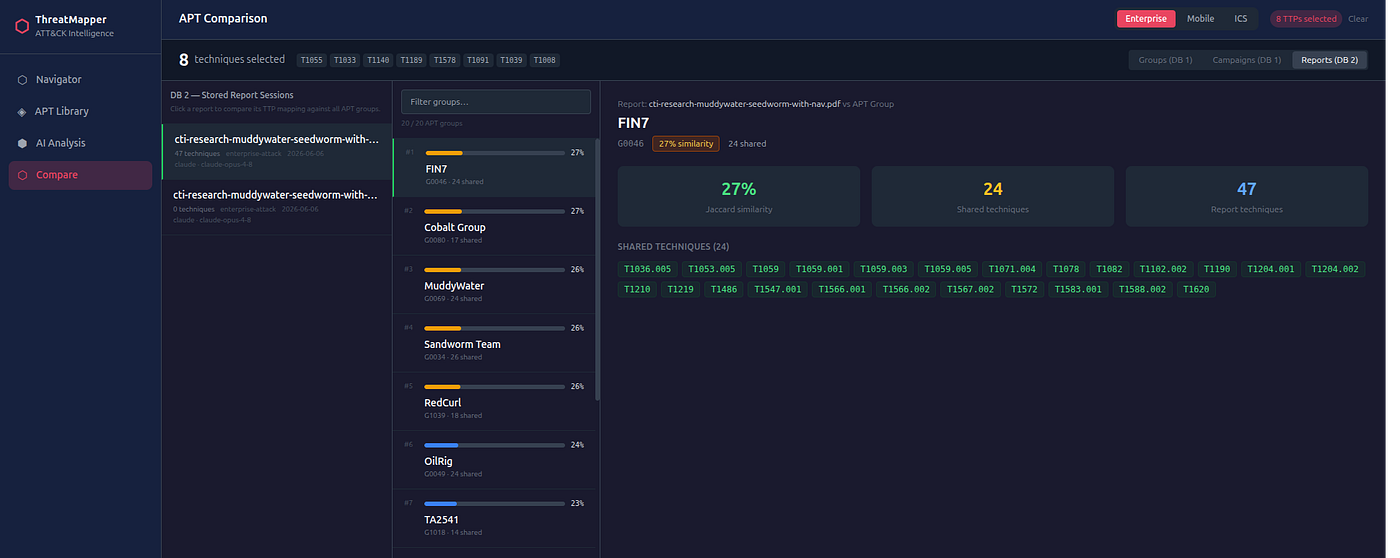
The Reports Library
Each session row shows:
- Name (the filename or label you gave it when you uploaded)
- Technique count
- Domain
- Provider and model used
- Date
Actions Per Session
Each row has two action buttons below the session info:
↓ PDF — download the full multi-page analysis report (cover page, executive summary, technique table, APT attribution, tactic coverage) directly from the browser without re-running analysis.
✕ Remove — permanently delete the session from DB 2. A browser confirmation prompt guards against accidents. The list refreshes automatically; if the deleted session was selected, the comparison results are cleared.
Use Cases
Retrospective attribution: You analysed a report before you had a strong hypothesis about the actor. A new ATT&CK version was released that added new groups or techniques. Re-run the comparison against updated ATT&CK data without re-running the expensive LLM analysis.
Cross-incident correlation: If two reports from different incidents both have high similarity to the same APT group, that's a data point for clustering the incidents under a common actor.
Building a baseline: Accumulate 20 reports over a quarter. In the Reports library you can see at a glance which groups are recurring themes across your incident set — a form of environmental threat profiling.
API
# List all stored report sessions
curl "http://localhost:8000/api/analyze/sessions?limit=20" | python -m json.tool

# Re-compare a stored report
SESSION_ID="550e8400-e29b-41d4-a716-446655440000"
curl -X POST "http://localhost:8000/api/analyze/sessions/$SESSION_ID/compare?top_n=10"

# Download PDF for a session
curl "http://localhost:8000/api/export/analysis/$SESSION_ID" -o report.pdf

# Delete a session
curl -X DELETE "http://localhost:8000/api/analyze/sessions/$SESSION_ID"