APT Attribution Deep-Dive: Three Compare Modes
The Compare view has three modes selectable from a switcher at the top of the page. Each answers a different attribution question.

| Mode | What you compare | Against |
|---|---|---|
| Groups (DB 1) | Your selected TTPs from Navigator | All 174+ ATT&CK groups |
| Campaigns (DB 1) | Your selected TTPs from Navigator | All 56+ named MITRE campaigns |
| Reports (DB 2) | A stored report's extracted TTPs | All 174+ ATT&CK groups |
How Jaccard Similarity Works
similarity = |shared techniques| / |union of all techniques|
If you have 5 techniques selected and an APT group has 12 techniques, and 5 of them match:
similarity = 5 / 12 = 42%
A match above 25–30% is worth investigating. Higher is not always better — a group with very few techniques will show a high similarity even on a small overlap.
The Practical Attribution Workflow
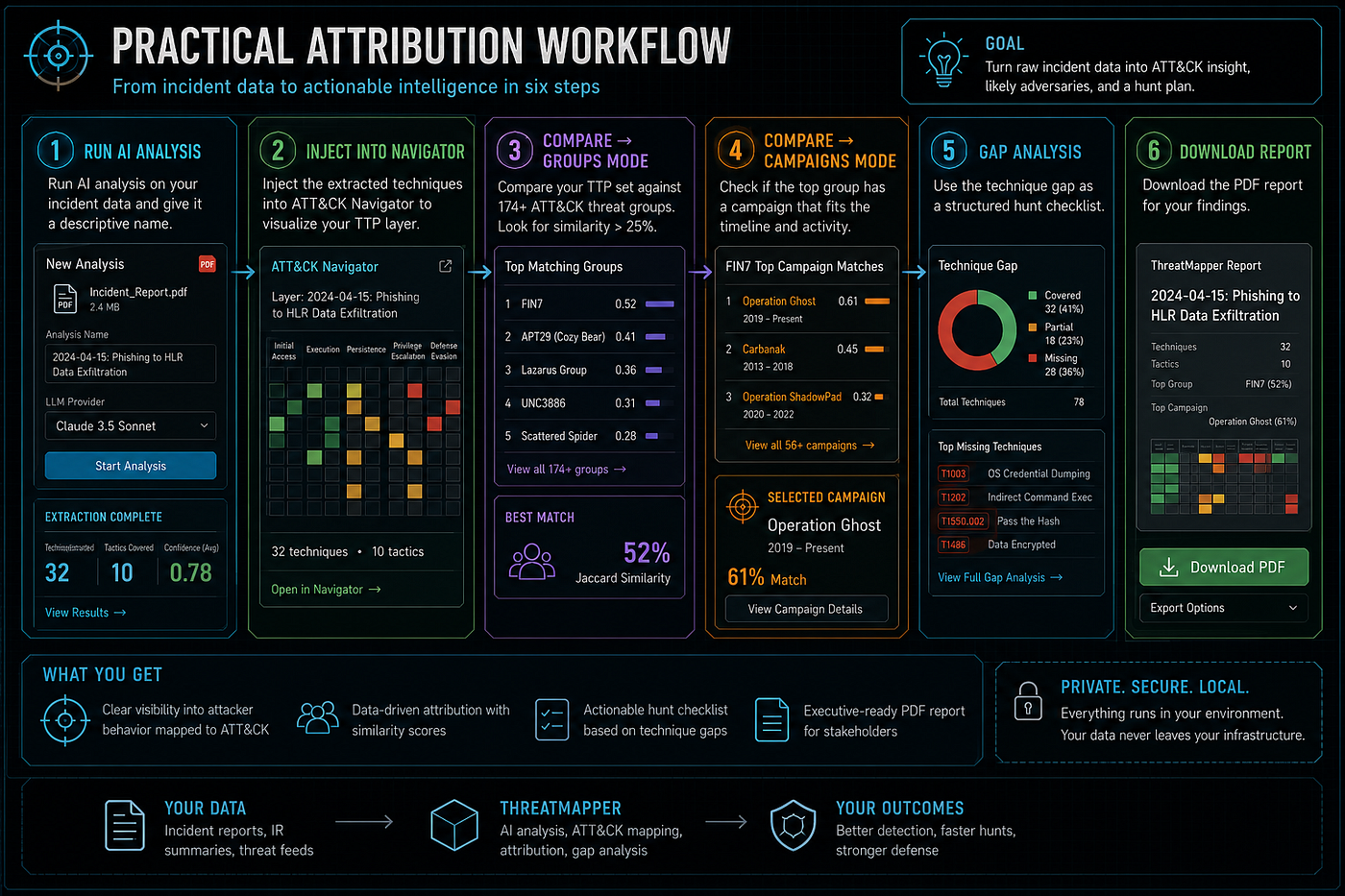
- Run AI analysis on your incident data (give it a descriptive name)
- Inject extracted techniques into Navigator
- Compare → Groups: look for similarity > 25%
- Compare → Campaigns: check if the top group has a campaign that fits the timeline
- Gap Analysis tab: use the technique gap as a structured hunt checklist
- Download the PDF report for your findings