The ATT&CK Navigator
The Navigator is the central hub. It renders the full ATT&CK matrix as an interactive heatmap.
Building a Layer
Click any technique cell to add it to your layer — it turns red. Click again to deselect.
For sub-techniques, click the small ▶ arrow to expand the parent cell and see the sub-technique rows.
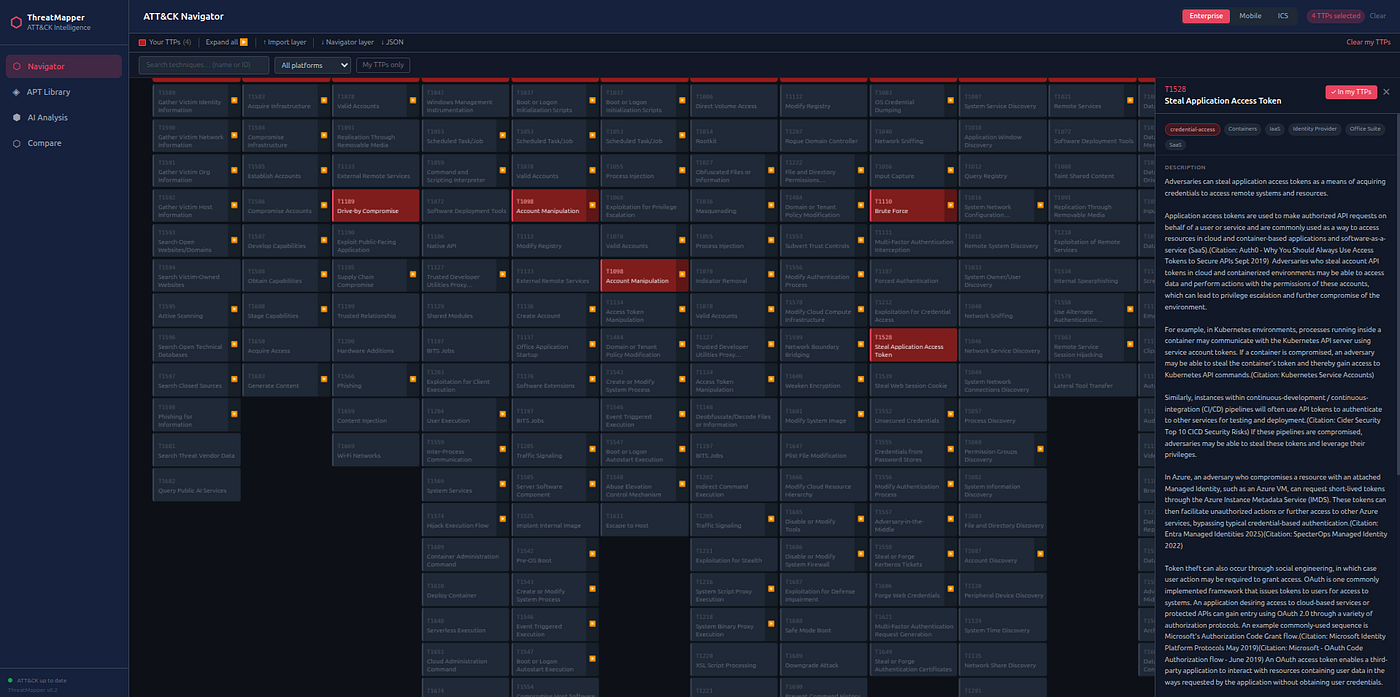
Search: use the search box to find techniques by name or ID without manually scanning the matrix.
- Type
T1059to jump to all Command and Scripting Interpreter techniques - Type
phishto find all phishing-related techniques
The technique counter in the toolbar shows how many unique technique IDs you have selected.
Overlaying an APT Group
- Go to APT Library and find your group of interest
- Click Overlay on Navigator
- Return to Navigator

The matrix now uses three colours:
| Colour | Meaning |
|---|---|
| Red | In your layer only |
| Blue | In the APT group's profile only |
| Amber | In both — the overlap |
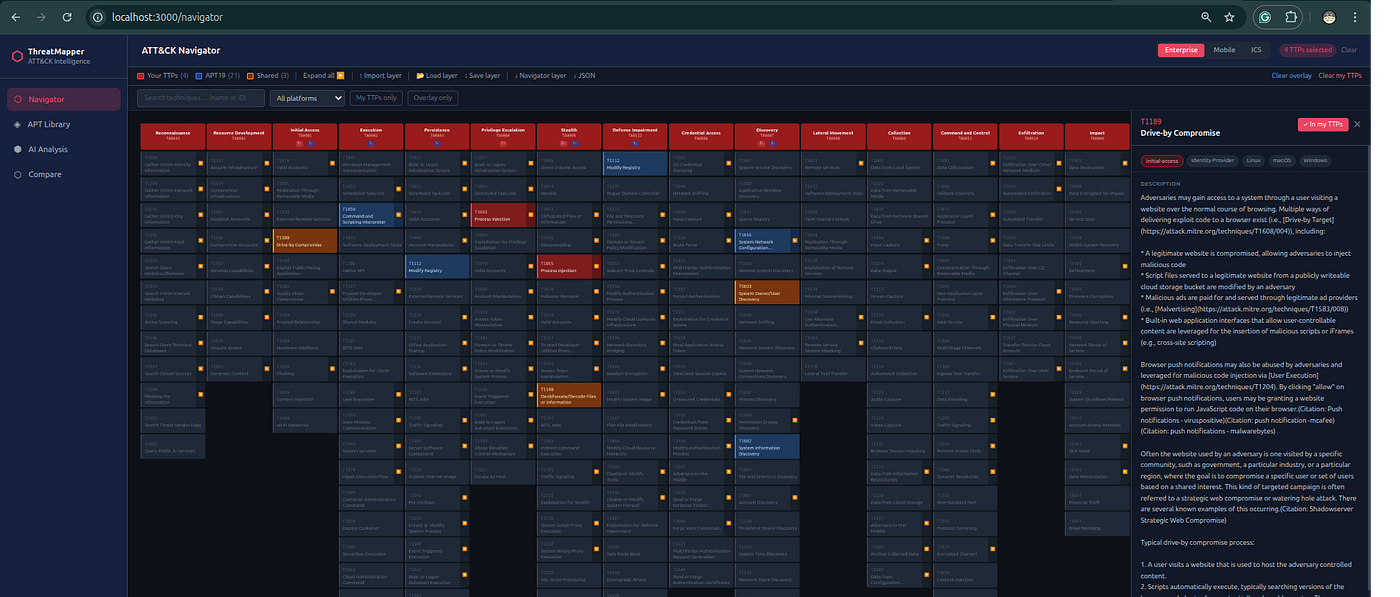
This visual immediately answers: "Which of this group's known techniques am I not already detecting?"
The overlay badge at the bottom-left of the matrix shows the group name and technique count. Click the ✕ button to clear the overlay.
Technique Detail Panel
Click any technique to open its detail panel on the right side. The panel shows:
- Full ATT&CK name, ID, and tactic
- Description from STIX
- Platforms it applies to
- Sub-technique list (if any)
- AI chat assistant (see Chat Assistant)