AI Analysis
This is the core feature. Upload a threat report — or paste raw text — and ThreatMapper extracts every ATT&CK technique the LLM identifies, with evidence snippets and confidence scores, in real time.
Supported Input Formats
| Format | Notes |
|---|---|
.pdf | Text extraction via PyMuPDF |
.docx | Text extraction via python-docx |
.txt | Plain text, raw paste |
| Paste area | Raw text, Slack messages, SIEM alerts, vendor advisories |
Maximum file size: 50 MB.
Upload Your Report
Navigate to Analyze in the sidebar. You'll see:
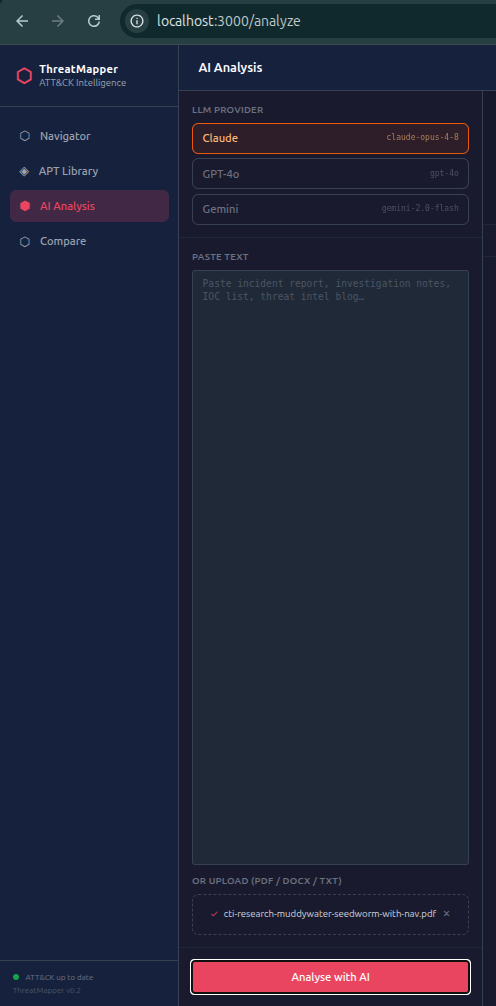
- Select your LLM Provider (Claude / GPT-4o / Gemini)
- Select the Domain —
enterprise-attackfor most corporate IR work - Optionally enter a name for this session (shows in the Reports library later)
- Paste text or upload a file
- Click Analyse with AI
You'll immediately see the LLM's response streaming token by token, just like ChatGPT — you can read the thinking as it happens.
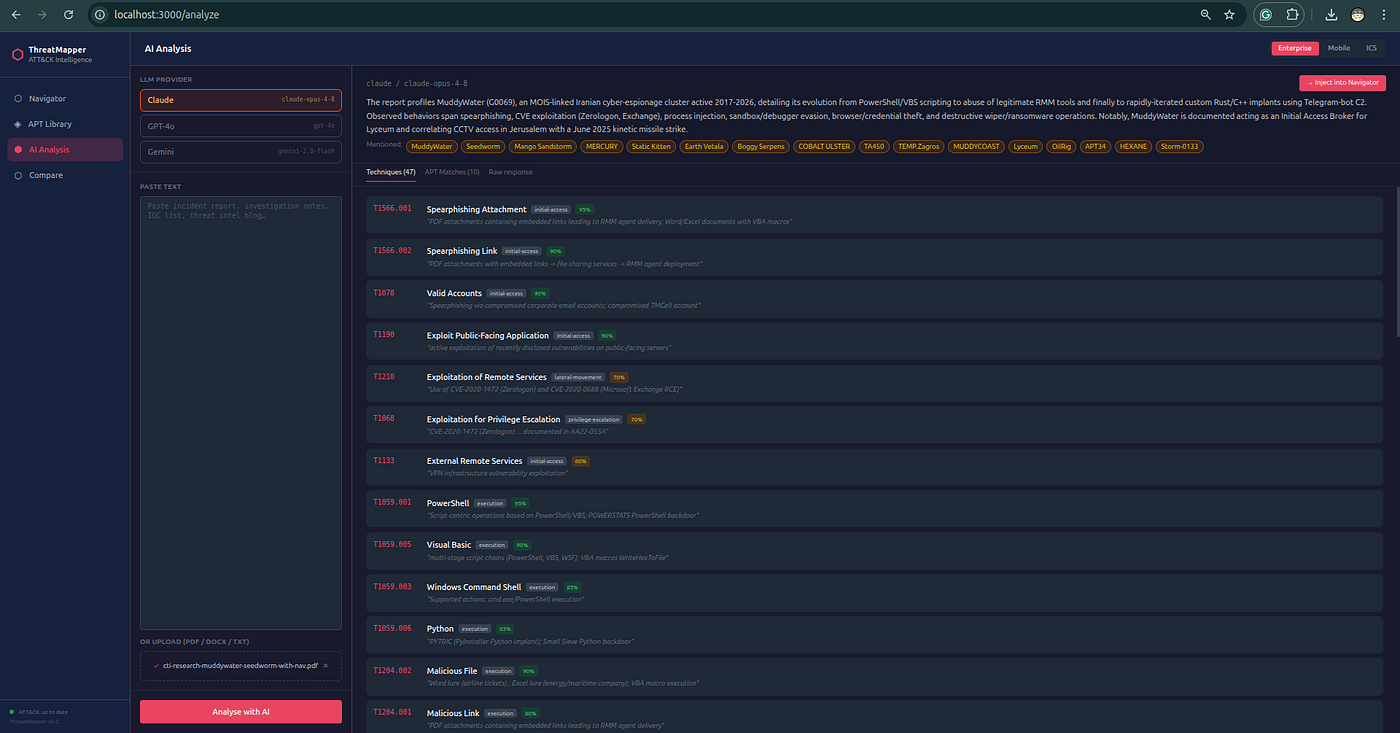
Reading the Results
When the stream completes, three tabs appear:

Techniques Tab
The core output. Each row shows:
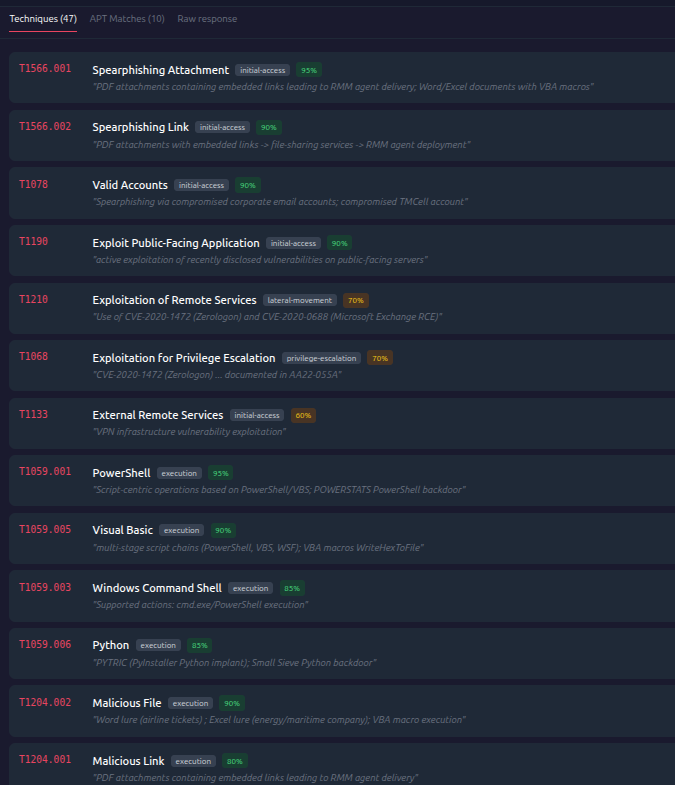
| Field | Example |
|---|---|
| ATT&CK ID | T1059.001 |
| Name | PowerShell |
| Tactic | Execution |
| Confidence | 92% |
| Evidence | "executed a base64-encoded PowerShell payload" |
The evidence field is a direct quote or paraphrase from your source document — trace every mapping back to its origin in the text.
- High confidence (≥ 80%) — the text explicitly described the behaviour
- Medium (50–79%) — behaviour was clearly implied
- Low (< 50%) — inferred; validate manually before acting on it
APT Matches Tab
Computed locally using Jaccard similarity between your extracted techniques and every named ATT&CK group's known TTP set. The top 10 are shown with:
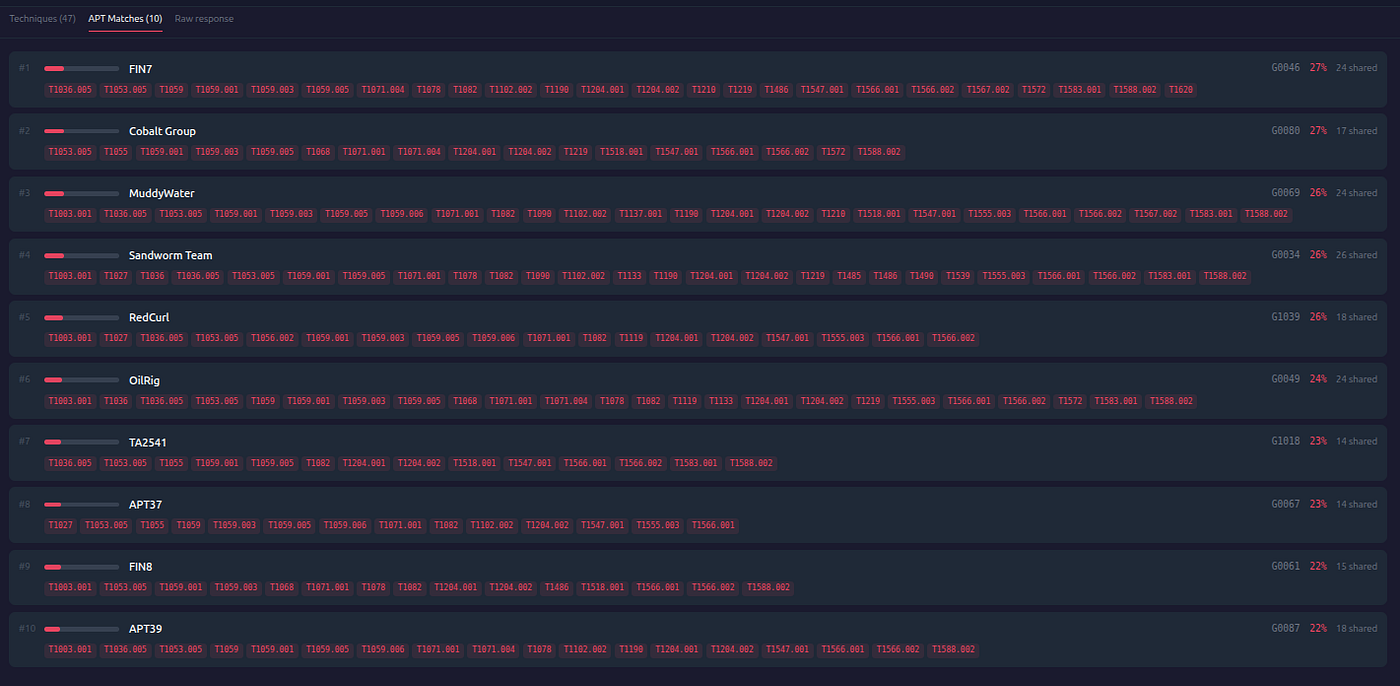
- Similarity score (0–100%)
- Shared technique count
- List of the overlapping technique IDs
A match above 25–30% is worth investigating. Use it as a lead for further research, not definitive attribution.
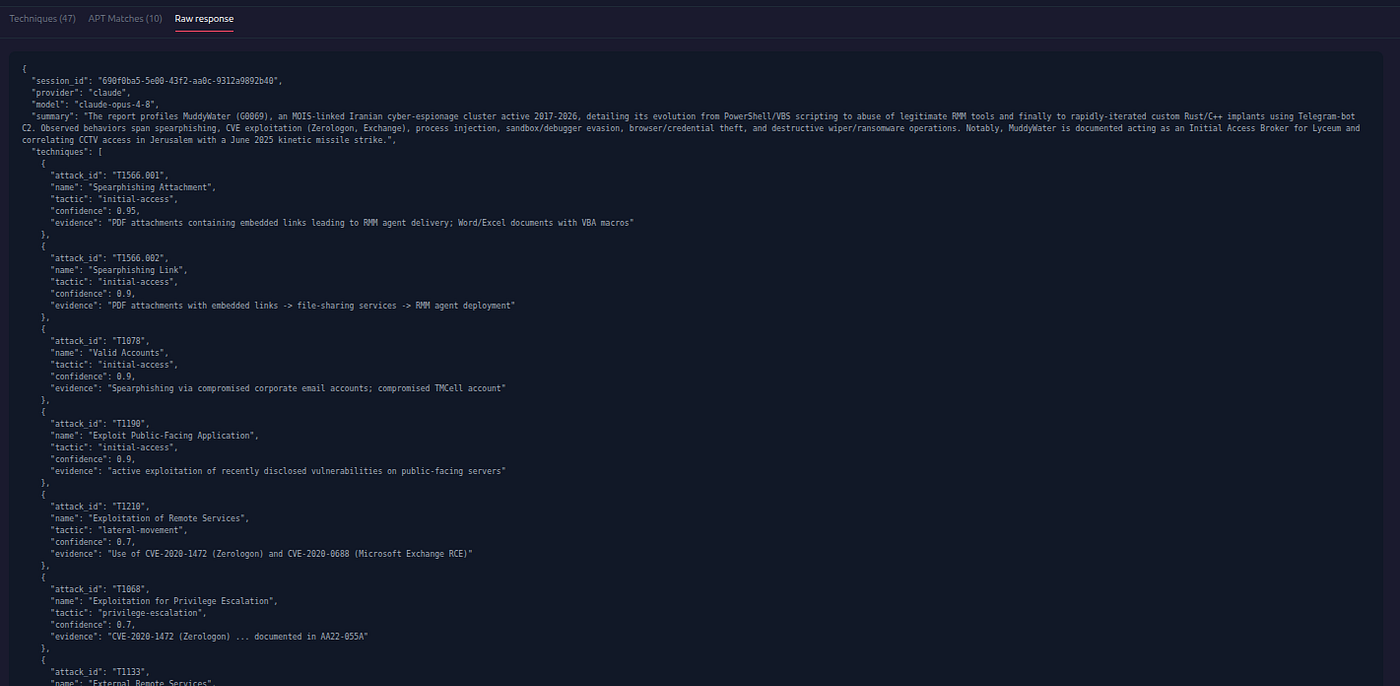
Raw Response Tab
The LLM's full JSON output. Useful for debugging when the model outputs something unexpected.
Inject into Navigator
Click → Inject into Navigator to push all extracted techniques into your live Navigator layer. You can then:
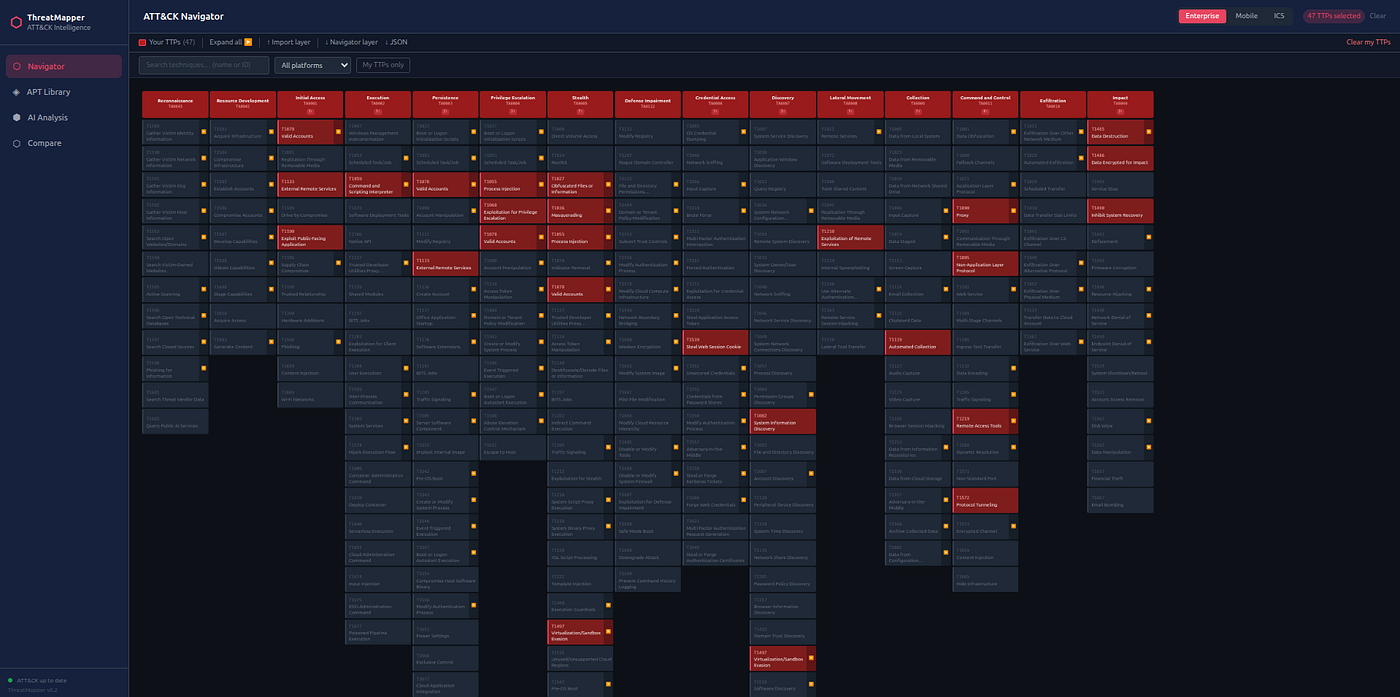
- See the techniques highlighted on the full ATT&CK matrix
- Overlay an APT group to visualise the behavioural overlap
- Export as ATT&CK Navigator JSON or PDF
Download PDF Report
Click ↓ PDF report in the results summary bar to download a formatted multi-page report including the cover page, executive summary, techniques table, APT attribution, and tactic coverage breakdown. The report is generated on the backend and returned as a direct browser download.
Previous analysis sessions can be re-downloaded at any time from Compare → Reports (DB 2).
Next: AI Chat Assistant →