4.1 Deterministic Rules
These rules fire on specific artefact patterns with near-zero legitimate prevalence in a properly configured environment. They require no baseline period and produce the highest signal-to-noise ratio available for this problem class. Deploy these first.
Post-Termination Access Attempts
Catches any authentication or resource access by an account belonging to a terminated or resigned employee or contractor.
Log sources:
- IdP sign-in logs (Entra ID, Okta, ADFS)
- VPN authentication logs
- AWS CloudTrail
ConsoleLoginandAssumeRole - AD Event 4624 / 4625 on domain controllers
Detection logic: Maintain a terminated-accounts list fed from HR; alert on any successful or failed authentication by an account on that list. Successful post-termination authentication should be treated as an incident until documented otherwise. [Inferred]
False positives: Service accounts shared with departed users; accounts not yet fully deprovisioned due to HR-feed lag.
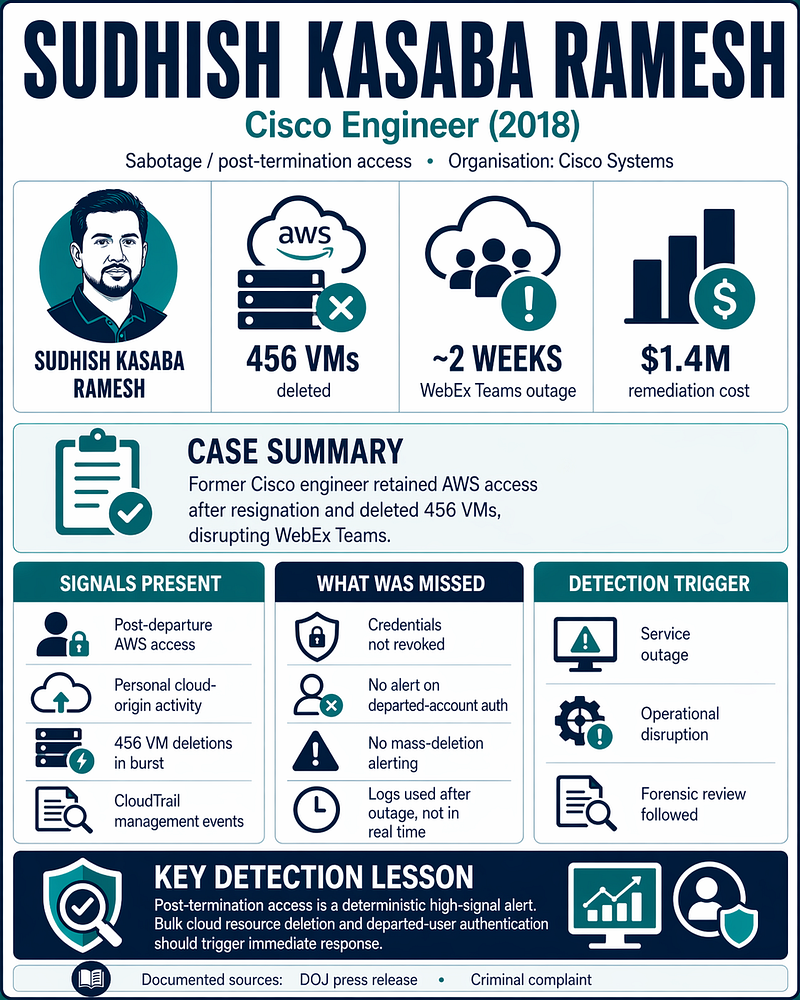
Real case: Cisco/Ramesh — AWS credentials used 5 months after resignation to delete 456 VMs. CloudTrail evidence was present; no real-time alert existed. [Documented]
Prerequisite: HR system integration with identity management; accounts disabled within a defined SLA of departure (same business day is the recommended target).
Audit Log Deletion or Disablement
Catches covering-tracks activity: clearing Windows Event Logs, disabling cloud audit trails, or stopping log forwarding agents.
Log sources:
- Windows Security Event 1102 ("The audit log was cleared" — Security channel)
- Microsoft-Windows-Eventlog/Operational Event 104 (non-Security log cleared)
- AWS CloudTrail
StopLogging,DeleteTrail - Azure Diagnostic Settings deletion or Log Analytics workspace deletion
- SIEM ingestion health monitoring for unexpected log-source silence
Detection logic:
Alert on any occurrence of Security/1102 or Eventlog/Operational/104 outside a documented maintenance window. Alert on any StopLogging or DeleteTrail API call — these have near-zero legitimate ad-hoc prevalence on production infrastructure.
Alert when a monitored critical log source stops producing events for longer than your expected collection latency (15 minutes is a commonly used illustrative threshold; calibrate to your actual pipeline latency). [Inferred]
Log clearing should generate an immediate incident ticket, not a risk score increment within a UEBA framework. It should not be handled via threshold accumulation.
False positives: System reimaging, approved maintenance. Require change ticket correlation to suppress.
Email Forwarding Rule to External Address
Catches inbox rules forwarding all or selected email to a personal external account.
Log sources:
- Exchange / Microsoft 365 Unified Audit Log operation
New-InboxRule(whereForwardToorRedirectTocontains an external domain) Set-MailboxwithForwardingAddressorForwardingSmtpAddressset to a non-corporate domain
The exact operation names available depend on M365 licence tier and audit configuration — validate against your UAL before deployment.
Detection logic: Alert on any inbox rule or mailbox-level forwarding setting that directs mail to a non-corporate domain, when created by a non-IT account. Review any rule created during a departure notification window immediately. [Inferred]
False positives: Low in organisations with enforced acceptable use policies. Legitimate delegated routing should be IT-managed, not user-created.
Bulk File Copy to Removable Media
Catches USB drives, SD cards, or external hard disks used to stage files for physical exfiltration.
Log sources:
- Windows Security Event 4663 (object access, with SACL configured on sensitive directory paths) correlated with a removable volume path
- DLP endpoint agent removable media events
- Sysmon Event 11 (FileCreate) where target path is a removable volume
- Windows Event 6416 (new external device recognised)
Enabling object access auditing (Event 4663) for file reads on general file shares will immediately destroy a SOC's EPS budget. On a typical enterprise file server, read-access events generate tens of thousands to hundreds of thousands of events per minute.
SACLs for read auditing must be scoped exclusively to crown-jewel directory paths — specific directories containing classified data, source code, financial records, or regulated HR data.
Write and delete auditing (Events 4660 and 4663 for write/delete operations) generate substantially lower volumes and can be deployed more broadly, but still require deliberate SACL scoping.
Detection logic: Alert on file writes to a removable volume by a non-IT user account; escalate when:
- Source files originate from monitored sensitive paths
- File count exceeds a threshold in the session (calibrate per role — a starting point is >50 files)
- The user is in a departure window flagged by HR [Inferred]
Real cases: Manning — writable CD on SIPRNet with no removable media DLP. Levandowski — removable media connected during notice window. Desjardins — USB keys used repeatedly over 26 months. [Documented]
Compression of Sensitive Directories
Catches data staging — an actor archiving files prior to exfiltration.
Log sources:
- Sysmon Event 1 / Windows Security Event 4688 with command-line logging enabled
- Process names:
7z.exe,7za.exe,winrar.exe,zip.exe, PowerShellCompress-Archive - With source path arguments pointing to monitored directories
Detection logic: Alert when an archiving utility is executed by a user-interactive session where the source path argument includes sensitive directories (HR, Finance, Legal, source code, IP-classified paths). Combine with a subsequent upload or removable media write for higher confidence. [Inferred]
False positives: Legitimate backup processes and developer packaging. Mitigate by scoping to user-interactive sessions rather than backup service accounts.
Large SharePoint or Repository Download
Catches "repository drain" — large-scale file download from document stores, SharePoint sites, or source code repositories.
Log sources:
- Microsoft 365 UAL operations
FileDownloaded,FileSyncDownloadedFull - GitHub audit log repository clone events
- GitLab clone API events
- Confluence space export audit
FolderDownloaded is not a confirmed standard M365 UAL operation — validate the exact operation names available in your tenant, as they vary by workload, licence tier, and client type.
Detection logic: Alert when a user's daily download event count from SharePoint or OneDrive exceeds their 30-day rolling average by a material threshold. Additionally, alert on any single-session bulk download exceeding a fixed count threshold (e.g., >500 files) by a non-IT account. [Inferred]
A Z-score ≥ 3 is a commonly cited starting point, but it is mathematically flawed as a standalone threshold for file download counts. Human file-access counts are right-skewed, not normally distributed: a small number of power users generate dramatically higher volumes than the median.
Apply log-transformation or use percentile-based thresholds calibrated per role cluster before deploying Z-score alerting. Validate that your threshold produces acceptable alert rates across all role cohorts, not just the median user.
When a user provisions a new device, the sync client performs a full library resync, generating a burst of FileDownloaded and FileSyncDownloadedFull events volumetrically identical to a repository drain.
Filter events where the UserAgent field contains known sync client identifiers (e.g., OneDriveMpc-Transform_Sync, Microsoft SkyDriveSync) prior to applying volume thresholds.
Screenshot and Screen Capture Tool Execution
Catches capture of data that cannot be exfiltrated via file copy.
Log sources:
- Sysmon Event 1 / Event 4688 with command-line
- Process names:
SnippingTool.exe,ScreenSketch.exe,ShareX.exe,Greenshot.exe,PSR.exe(Problem Steps Recorder)
Detection logic: Alert when screen capture tool execution is correlated within a configurable time window with concurrent access to a monitored sensitive directory path. Standalone first-execution alerting is impractical — SnippingTool.exe and ScreenSketch.exe ship with Windows and have significant organic usage. [Inferred]