
Use intrusion detection signatures to block traffic at network boundaries.
MITRE mitigation sourceAdversaryGraph public intelligence page
This page is part of Threat Matrix, the public browser workspace for the main AdversaryGraph platform. Use it for ATT&CK pivots, actor and technique context, similarity leads, detection coverage review, and analyst-ready investigation paths.
Validation disclaimer: TTP overlap, actor similarity, generated summaries, and coverage findings are investigation leads, not attribution proof or operational validation without analyst review.
Main AdversaryGraph project Documentation Malware Analysis GitHub
Ingress Tool Transfer
Adversaries may transfer tools or other files from an external system into a compromised environment. Tools or files may be copied from an external adversary-controlled system to the victim network through the command and control channel or through alternate protocols such as [ftp](https://attack.mitre.org/software/S0095). Once present, adversaries may also transfer/spread tools between victim devices within a compromised environment (i.e. [Lateral Tool Transfer](https://attack.mitre.org/techniques/T1570)). On Windows, adversaries may use various utilities to download tools, such as `copy`, `finger`, [certutil](https://attack.mitre.org/software/S0160), and [PowerShell](https://attack.mitre.org/techniques/T1059/001) commands such as <code>IEX(New-Object Net.WebClient).downloadString()</code> and <code>Invoke-WebRequest</code>. On Linux and macOS systems, a variety of utilities also exist, such as `curl`, `scp`, `sftp`, `tftp`, `rsync`, `finger`, and `wget`.(Citation: t1105_lolbas) A number of these tools, such as `wget`, `curl`, and `scp`, also exist on ESXi. After downloading a file, a threat actor may attempt to verify its integrity by checking its hash value (e.g., via `certutil -hashfile`).(Citation: Google Cloud Threat Intelligence COSCMICENERGY 2023) Adversaries may also abuse installers and package managers, such as `yum` or `winget`, to download tools to victim hosts. Adversaries have also abused file application features, such as the Windows `search-ms` protocol handler, to deliver malicious files to victims through remote file searches invoked by [User Execution](…
Open detection, hunting, mitigation, and evidence workspace
Detection logic
Monitor for file creation and files transferred into the network. Unusual processes with external network connections creating files on-system may be suspicious. Use of utilities, such as ftp, that does not normally occur may also be suspicious. Analyze network data for uncommon data flows (e.g., a client sending significantly more data than it receives from a server). Processes utilizing the network that do not normally have network communication or have never been seen before are suspicious. Specifically, for the finger utility on Windows and Linux systems, monitor command line or terminal execution for the finger command. Monitor network activity for TCP port 79, which is used by the finger utility, and Windows netsh interface portproxy modifications to well-known ports such as 80 and 443. Furthermore, monitor file system for the download/creation and execution of suspicious files, which may indicate adversary-downloaded payloads. Analyze packet contents to detect communications that do not follow the expected protocol behavior for the port that is being used.
Observed actors
Ke3chang
G0004APT28
G0007Turla
G0010Darkhotel
G0012APT29
G0016Molerats
G0021APT3
G0022APT18
G0026Threat Group-3390
G0027Lazarus Group
G0032Sandworm Team
G0034Dragonfly
G0035Patchwork
G0040Winnti Group
G0044menuPass
G0045FIN7
G0046Gamaredon Group
G0047OilRig
G0049APT32
G0050Magic Hound
G0059BRONZE BUTLER
G0060FIN8
G0061APT33
G0064Leviathan
G0065Elderwood
G0066APT37
G0067PLATINUM
G0068MuddyWater
G0069Rancor
G0075Gorgon Group
G0078Cobalt Group
G0080Tropic Trooper
G0081APT38
G0082APT39
G0087WIRTE
G0090Silence
G0091TA505
G0092GALLIUM
G0093Kimsuky
G0094APT41
G0096APT-C-36
G0099Wizard Spider
G0102Rocke
G0106Whitefly
G0107Windshift
G0112Chimera
G0114Fox Kitten
G0117Indrik Spider
G0119Evilnum
G0120Sidewinder
G0121Volatile Cedar
G0123HAFNIUM
G0125TA551
G0127ZIRCONIUM
G0128Mustang Panda
G0129Ajax Security Team
G0130Tonto Team
G0131Nomadic Octopus
G0133BackdoorDiplomacy
G0135IndigoZebra
G0136Andariel
G0138TeamTNT
G0139LazyScripter
G0140Confucius
G0142Aquatic Panda
G0143HEXANE
G1001BITTER
G1002SideCopy
G1008Moses Staff
G1009Metador
G1013LuminousMoth
G1014Scattered Spider
G1015FIN13
G1016Volt Typhoon
G1017TA2541
G1018Mustard Tempest
G1020Cinnamon Tempest
G1021INC Ransom
G1032Daggerfly
G1034Winter Vivern
G1035Moonstone Sleet
G1036Play
G1040BlackByte
G1043Salt Typhoon
G1045Storm-1811
G1046Medusa Group
G1051VOID MANTICORE
G1055TeamPCP
G1056ShinyHunters
G1057NIMBUS MANTICORE
G1059
G0004APT28
G0007Turla
G0010Darkhotel
G0012APT29
G0016Molerats
G0021APT3
G0022APT18
G0026Threat Group-3390
G0027Lazarus Group
G0032Sandworm Team
G0034Dragonfly
G0035Patchwork
G0040Winnti Group
G0044menuPass
G0045FIN7
G0046Gamaredon Group
G0047OilRig
G0049APT32
G0050Magic Hound
G0059BRONZE BUTLER
G0060FIN8
G0061APT33
G0064Leviathan
G0065Elderwood
G0066APT37
G0067PLATINUM
G0068MuddyWater
G0069Rancor
G0075Gorgon Group
G0078Cobalt Group
G0080Tropic Trooper
G0081APT38
G0082APT39
G0087WIRTE
G0090Silence
G0091TA505
G0092GALLIUM
G0093Kimsuky
G0094APT41
G0096APT-C-36
G0099Wizard Spider
G0102Rocke
G0106Whitefly
G0107Windshift
G0112Chimera
G0114Fox Kitten
G0117Indrik Spider
G0119Evilnum
G0120Sidewinder
G0121Volatile Cedar
G0123HAFNIUM
G0125TA551
G0127ZIRCONIUM
G0128Mustang Panda
G0129Ajax Security Team
G0130Tonto Team
G0131Nomadic Octopus
G0133BackdoorDiplomacy
G0135IndigoZebra
G0136Andariel
G0138TeamTNT
G0139LazyScripter
G0140Confucius
G0142Aquatic Panda
G0143HEXANE
G1001BITTER
G1002SideCopy
G1008Moses Staff
G1009Metador
G1013LuminousMoth
G1014Scattered Spider
G1015FIN13
G1016Volt Typhoon
G1017TA2541
G1018Mustard Tempest
G1020Cinnamon Tempest
G1021INC Ransom
G1032Daggerfly
G1034Winter Vivern
G1035Moonstone Sleet
G1036Play
G1040BlackByte
G1043Salt Typhoon
G1045Storm-1811
G1046Medusa Group
G1051VOID MANTICORE
G1055TeamPCP
G1056ShinyHunters
G1057NIMBUS MANTICORE
G1059
Correlated CTI and IR reports
Hamas affiliate Ashen Lepus uses new malware suite AshTag
Unit 42 · direct source mappingUNC1860 and the Temple of Oats: Iran's Hidden Hand in Middle Eastern Networks
Google Cloud / Mandiant · direct source mappingAPT39 (Chafer / Remix Kitten)
Israel Threat Actors CTI · explicit report mentionAPT41 Targeting Pharmaceutical Sector: Log4Shell to Domain Compromise
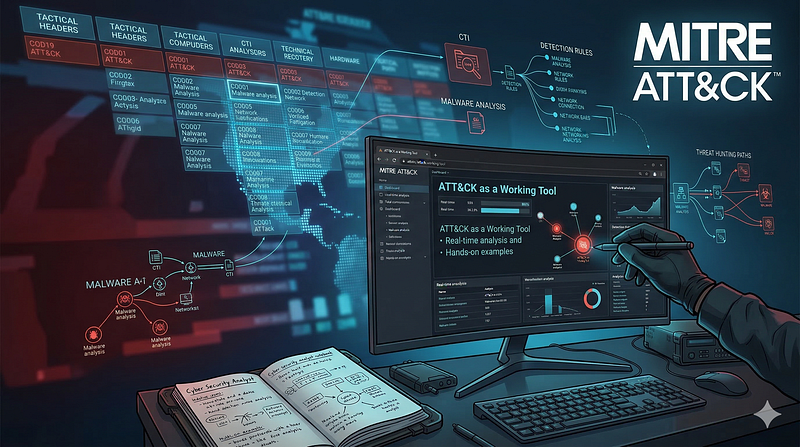
1200km CTI repository · explicit report mentionATT&CK as a Working Tool: Theory and Hands-On Practical Usage
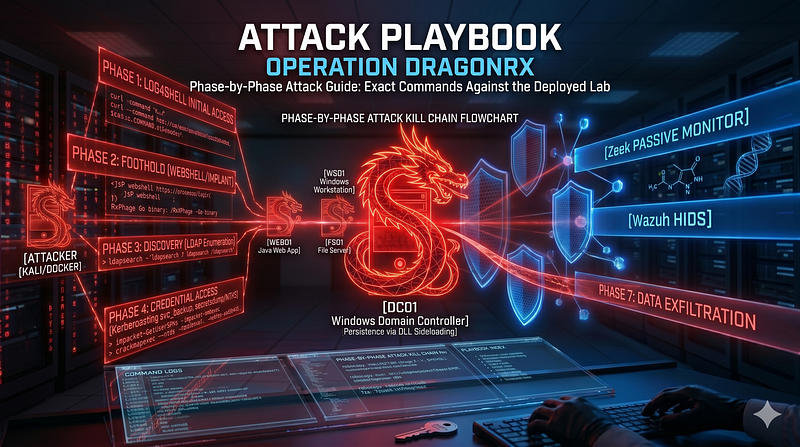
1200km CTI repository · explicit report mentionAttack Playbook — Operation DragonRx
1200km CTI repository · explicit report mentionCTI Research: Handala Hack Group (aka Handala Hack Team)
1200km CTI repository · explicit report mentionCTI Research: Handala Hack Group (aka Handala Hack Team)
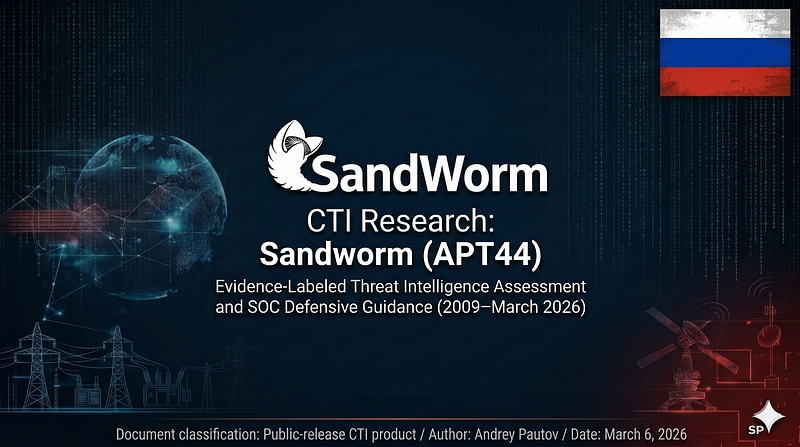
1200km CTI repository · explicit report mentionCTI Research: Sandworm / APT44
1200km CTI repository · explicit report mentionCTI Research: Sandworm / APT44
1200km CTI repository · explicit report mentionExecutive Summary
Israel Threat Actors CTI · explicit report mentionATT CK as a Working Tool Theory and Hands On Practical Usage
1200km Medium · authored report mentionAttack Playbook Operation DragonRx
1200km Medium · authored report mentionCTI Research Handala Hack Group aka Handala Hack Team
1200km Medium · authored report mentionCTI Research Sandworm APT44
1200km Medium · authored report mention
Unit 42 · direct source mappingUNC1860 and the Temple of Oats: Iran's Hidden Hand in Middle Eastern Networks
Google Cloud / Mandiant · direct source mappingAPT39 (Chafer / Remix Kitten)
Israel Threat Actors CTI · explicit report mentionAPT41 Targeting Pharmaceutical Sector: Log4Shell to Domain Compromise
1200km CTI repository · explicit report mentionATT&CK as a Working Tool: Theory and Hands-On Practical Usage
1200km CTI repository · explicit report mentionAttack Playbook — Operation DragonRx
1200km CTI repository · explicit report mentionCTI Research: Handala Hack Group (aka Handala Hack Team)
1200km CTI repository · explicit report mentionCTI Research: Handala Hack Group (aka Handala Hack Team)
1200km CTI repository · explicit report mentionCTI Research: Sandworm / APT44
1200km CTI repository · explicit report mentionCTI Research: Sandworm / APT44
1200km CTI repository · explicit report mentionExecutive Summary
Israel Threat Actors CTI · explicit report mentionATT CK as a Working Tool Theory and Hands On Practical Usage
1200km Medium · authored report mentionAttack Playbook Operation DragonRx
1200km Medium · authored report mentionCTI Research Handala Hack Group aka Handala Hack Team
1200km Medium · authored report mentionCTI Research Sandworm APT44
1200km Medium · authored report mention
Cyber Knowledge context
Use these routes to move from the ATT&CK behavior into explanation, implementation, evidence handling, validation, and defensive operations. Relevance is generated from explicit identifiers/names and governed topic mappings; it is not attribution evidence.
Module 2 — The Intelligence Cycle Intelligence Types
Cyber Threat Intelligence (CTI) · Governed topic match · 57/100Module 8 — Operationalizing CTI (CTI → Detection)
Cyber Threat Intelligence (CTI) · Governed topic match · 57/100Module 6 — The Threat Actor Landscape
Cyber Threat Intelligence (CTI) · Tactic learning route · 24/100Disassembly, decompilation, and code-led analysis
Malware Analysis & Reverse Engineering · Tactic learning route · 24/100Module 5 — Threat hunting
Blue Team & Defensive Security · Tactic learning route · 24/100
Cyber Threat Intelligence (CTI) · Governed topic match · 57/100Module 8 — Operationalizing CTI (CTI → Detection)
Cyber Threat Intelligence (CTI) · Governed topic match · 57/100Module 6 — The Threat Actor Landscape
Cyber Threat Intelligence (CTI) · Tactic learning route · 24/100Disassembly, decompilation, and code-led analysis
Malware Analysis & Reverse Engineering · Tactic learning route · 24/100Module 5 — Threat hunting
Blue Team & Defensive Security · Tactic learning route · 24/100
MITRE mitigations
Employ network appliances and endpoint software to filter ingress, egress, and lateral network traffic. This includes protocol-based filtering, enforcing firewall rules, and blocking or restricting traffic based on predefined conditions to limit adversary movement and data exfiltration. This mitigation can be implemented through the following measures: Ingress Traffic Filtering: - Use Case: Configure network firewalls to allow traffic only from authorized IP addresses to public-facing servers. - Implementation: Limit SSH (port 22) and RDP (port 3389) traffic to specific IP ranges. Egress Traffic Filtering: - Use Case: Use firewalls or endpoint security software to block unauthorized outbound traffic to prevent data exfiltration and command-and-control (C2) communications. - Implementation: Block outbound traffic to known malicious IPs or regions where communication is unexpected. Protoc…
MITRE mitigation sourceMITRE detection strategies and analytics
- AN0165 · Analytic 0165 — Unusual or uncommon processes initiate network connections to external destinations followed by file creation (tools downloaded).
- AN0166 · Analytic 0166 — Shell-based tools (curl, wget, scp) initiate connections to external domains followed by creation of executable files on disk.
- AN0167 · Analytic 0167 — Process execution of curl or wget followed by a network connection and a file created in temporary or user-specific directories.
- AN0168 · Analytic 0168 — Command line interface or vCLI triggers remote transfer using wget or curl, writing files into datastore paths or local tmp directories.
- AN0169 · Analytic 0169 — Network device logs show anomalous inbound file transfers or uncharacteristic flows with high payload volume to network devices with storage or automation hooks.
Continue the investigation
Attack tools, simulations and detection rules
Follow explicit source relationships into the reference modules. Linked procedures and detectors are not claims of live validation or actor attribution.
- T1105 Ingress Tool Transfer simulation — Exact active technique ID
- T1105 detection rules — Exact active technique ID; not actor-specific detector coverage