Network segmentation involves dividing a network into smaller, isolated segments to control and limit the flow of traffic between devices, systems, and applications. By segmenting networks, organizations can reduce the attack surface, restrict lateral movement by adversaries, and protect critical assets from compromise. Effective network segmentation leverages a combination of physical boundaries, logical separation through VLANs, and access control policies enforced by network appliances like firewalls, routers, and cloud-based configurations. This mitigation can be implemented through the following measures: Segment Critical Systems: - Identify and group systems based on their function, sensitivity, and risk. Examples include payment systems, HR databases, production systems, and internet-facing servers. - Use VLANs, firewalls, or routers to enforce logical separation. Implement DMZ f…
MITRE mitigation sourceAdversaryGraph public intelligence page
This page is part of Threat Matrix, the public browser workspace for the main AdversaryGraph platform. Use it for ATT&CK pivots, actor and technique context, similarity leads, detection coverage review, and analyst-ready investigation paths.
Validation disclaimer: TTP overlap, actor similarity, generated summaries, and coverage findings are investigation leads, not attribution proof or operational validation without analyst review.
Main AdversaryGraph project Documentation Malware Analysis GitHub
Create Account
Adversaries may create an account to maintain access to victim systems.(Citation: Symantec WastedLocker June 2020) With a sufficient level of access, creating such accounts may be used to establish secondary credentialed access that do not require persistent remote access tools to be deployed on the system. Accounts may be created on the local system or within a domain or cloud tenant. In cloud environments, adversaries may create accounts that only have access to specific services, which can reduce the chance of detection.
Open detection, hunting, mitigation, and evidence workspace
Detection logic
Monitor for processes and command-line parameters associated with account creation, such as net user or useradd. Collect data on account creation within a network. Event ID 4720 is generated when a user account is created on a Windows system and domain controller. Perform regular audits of domain and local system accounts to detect suspicious accounts that may have been created by an adversary. Collect usage logs from cloud administrator accounts to identify unusual activity in the creation of new accounts and assignment of roles to those accounts. Monitor for accounts assigned to admin roles that go over a certain threshold of known admins.
Observed actors
Correlated CTI and IR reports
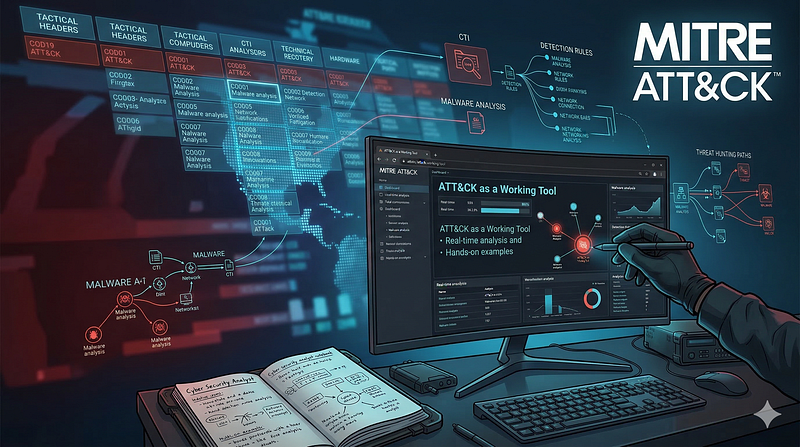
1200km Medium · authored report mentionCloud Native Security Threats Attacks and Detection Strategies
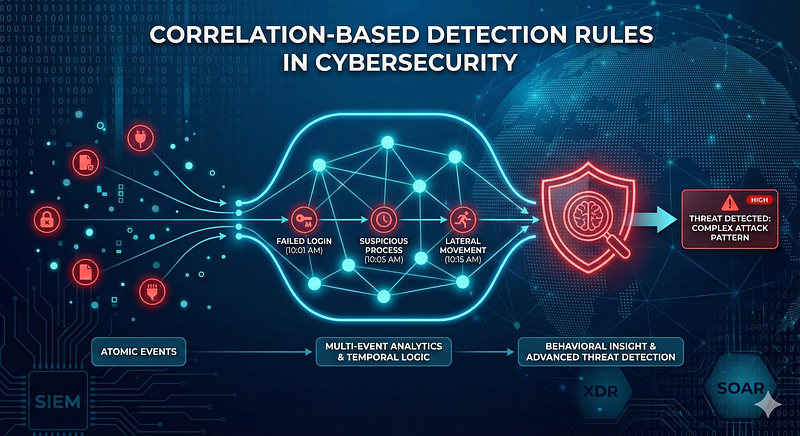
1200km Medium · authored report mentionCorrelation Based Detection Rules in Cybersecurity From Atomic Events to Behavioral Insight
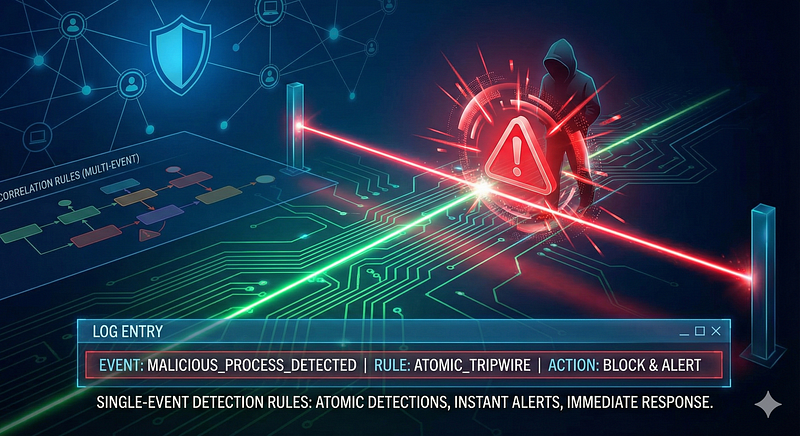
1200km Medium · authored report mentionSingle Event Detection Rules in Cybersecurity
1200km Medium · authored report mention
Cyber Knowledge context
Use these routes to move from the ATT&CK behavior into explanation, implementation, evidence handling, validation, and defensive operations. Relevance is generated from explicit identifiers/names and governed topic mappings; it is not attribution evidence.
Blue Team & Defensive Security · Governed topic match · 51/100Module 12 — Incident response, DFIR, crisis coordination, and recovery
Blue Team & Defensive Security · Governed topic match · 51/100Module 14 — Safe validation, purple teaming, metrics, and maturity
Blue Team & Defensive Security · Governed topic match · 51/100Authorization, object access, and tenant isolation
Secure Code & Application Security · Governed topic match · 42/100Legal, regulatory, contractual, and sector obligations
Governance, Risk & Compliance (GRC) · Governed topic match · 42/100Module 5 — Cloud, containers, and Kubernetes
Red Team & Offensive Security · Tactic learning route · 24/100Module 4 — Detection engineering and detection as code
Blue Team & Defensive Security · Tactic learning route · 24/100Disk, file-system, and persistence forensics
Digital Forensics & Incident Response (DFIR) · Tactic learning route · 24/100
MITRE mitigations
Operating System Configuration involves adjusting system settings and hardening the default configurations of an operating system (OS) to mitigate adversary exploitation and prevent abuse of system functionality. Proper OS configurations address security vulnerabilities, limit attack surfaces, and ensure robust defense against a wide range of techniques. This mitigation can be implemented through the following measures: Disable Unused Features: - Turn off SMBv1, LLMNR, and NetBIOS where not needed. - Disable remote registry and unnecessary services. Enforce OS-level Protections: - Enable Data Execution Prevention (DEP), Address Space Layout Randomization (ASLR), and Control Flow Guard (CFG) on Windows. - Use AppArmor or SELinux on Linux for mandatory access controls. Secure Access Settings: - Enable User Account Control (UAC) for Windows. - Restrict root/sudo access on Linux/macOS and e…
MITRE mitigation sourceMulti-Factor Authentication (MFA) enhances security by requiring users to provide at least two forms of verification to prove their identity before granting access. These factors typically include: - *Something you know*: Passwords, PINs. - *Something you have*: Physical tokens, smartphone authenticator apps. - *Something you are*: Biometric data such as fingerprints, facial recognition, or retinal scans. Implementing MFA across all critical systems and services ensures robust protection against account takeover and unauthorized access. This mitigation can be implemented through the following measures: Identity and Access Management (IAM): - Use IAM solutions like Azure Active Directory, Okta, or AWS IAM to enforce MFA policies for all user logins, especially for privileged roles. - Enable conditional access policies to enforce MFA for risky sign-ins (e.g., unfamiliar devices, geolocati…
MITRE mitigation sourcePrivileged Account Management focuses on implementing policies, controls, and tools to securely manage privileged accounts (e.g., SYSTEM, root, or administrative accounts). This includes restricting access, limiting the scope of permissions, monitoring privileged account usage, and ensuring accountability through logging and auditing.This mitigation can be implemented through the following measures: Account Permissions and Roles: - Implement RBAC and least privilege principles to allocate permissions securely. - Use tools like Active Directory Group Policies to enforce access restrictions. Credential Security: - Deploy password vaulting tools like CyberArk, HashiCorp Vault, or KeePass for secure storage and rotation of credentials. - Enforce password policies for complexity, uniqueness, and expiration using tools like Microsoft Group Policy Objects (GPO). Multi-Factor Authentication (MF…
MITRE mitigation sourceMITRE detection strategies and analytics
- AN1604 · Analytic 1604 — Adversary uses built-in OS tools or API calls to create local or domain accounts for persistence or lateral movement. Tools such as 'net user', PowerShell, or MMC snap-ins may be used. Detection focuses on Event ID 4720 paired with process lineage and user context.
- AN1605 · Analytic 1605 — Adversary invokes 'useradd', 'adduser', or equivalent system commands or scripts to create local users. Detection focuses on command execution and audit trail of passwd/shadow file modifications.
- AN1606 · Analytic 1606 — Adversary creates new users using 'dscl' commands, GUI tools, or by modifying user plist files. Detection includes monitoring dscl invocation and user-related plist changes.
- AN1607 · Analytic 1607 — Adversary creates users via IAM/IdP API or portal (e.g., Azure AD, Okta). Detection involves monitoring API calls, admin action logs, and correlation with role assignments.
- AN1608 · Analytic 1608 — Account creation via cloud service APIs or CLI, often associated with key generation. Monitored via CloudTrail or equivalent audit logs.
Continue the investigation
Attack tools, simulations and detection rules
Follow explicit source relationships into the reference modules. Linked procedures and detectors are not claims of live validation or actor attribution.
- T1136 Create Account simulation — Exact active technique ID
- T1136 detection rules — Exact active technique ID; not actor-specific detector coverage