Restrict access to network resources, such as file shares, remote systems, and services, to only those users, accounts, or systems with a legitimate business requirement. This can include employing technologies like network concentrators, RDP gateways, and zero-trust network access (ZTNA) models, alongside hardening services and protocols. This mitigation can be implemented through the following measures: Audit and Restrict Access: - Regularly audit permissions for file shares, network services, and remote access tools. - Remove unnecessary access and enforce least privilege principles for users and services. - Use Active Directory and IAM tools to restrict access based on roles and attributes. Deploy Secure Remote Access Solutions: - Use RDP gateways, VPN concentrators, and ZTNA solutions to aggregate and secure remote access connections. - Configure access controls to restrict connect…
MITRE mitigation sourceAdversaryGraph public intelligence page
This page is part of Threat Matrix, the public browser workspace for the main AdversaryGraph platform. Use it for ATT&CK pivots, actor and technique context, similarity leads, detection coverage review, and analyst-ready investigation paths.
Validation disclaimer: TTP overlap, actor similarity, generated summaries, and coverage findings are investigation leads, not attribution proof or operational validation without analyst review.
Main AdversaryGraph project Documentation Malware Analysis GitHub
Remote Services
Adversaries may use [Valid Accounts](https://attack.mitre.org/techniques/T1078) to log into a service that accepts remote connections, such as telnet, SSH, and VNC. The adversary may then perform actions as the logged-on user. In an enterprise environment, servers and workstations can be organized into domains. Domains provide centralized identity management, allowing users to login using one set of credentials across the entire network. If an adversary is able to obtain a set of valid domain credentials, they could login to many different machines using remote access protocols such as secure shell (SSH) or remote desktop protocol (RDP).(Citation: SSH Secure Shell)(Citation: TechNet Remote Desktop Services) They could also login to accessible SaaS or IaaS services, such as those that federate their identities to the domain, or management platforms for internal virtualization environments such as VMware vCenter. Legitimate applications (such as [Software Deployment Tools](https://attack.mitre.org/techniques/T1072) and other administrative programs) may utilize [Remote Services](https://attack.mitre.org/techniques/T1021) to access remote hosts. For example, Apple Remote Desktop (ARD) on macOS is native software used for remote management. ARD leverages a blend of protocols, including [VNC](https://attack.mitre.org/techniques/T1021/005) to send the screen and control buffers and [SSH](https://attack.mitre.org/techniques/T1021/004) for secure file transfer.(Citation: Remote Management MDM macOS)(Citation: Kickstart Apple Remote Desktop commands)(Citation: Apple Remote Desktop…
Open detection, hunting, mitigation, and evidence workspace
Detection logic
Correlate use of login activity related to remote services with unusual behavior or other malicious or suspicious activity. Adversaries will likely need to learn about an environment and the relationships between systems through Discovery techniques prior to attempting Lateral Movement. Use of applications such as ARD may be legitimate depending on the environment and how it’s used. Other factors, such as access patterns and activity that occurs after a remote login, may indicate suspicious or malicious behavior using these applications. Monitor for user accounts logged into systems they would not normally access or access patterns to multiple systems over a relatively short period of time. In macOS, you can review logs for "screensharingd" and "Authentication" event messages. Monitor network connections regarding remote management (ports tcp:3283 and tcp:5900) and for remote login (port tcp:22).
Observed actors
Correlated CTI and IR reports
1200km CTI repository · explicit report mentionCTI Research: LLM/AI/MCP Usage in the Cyber Kill Chain
1200km CTI repository · explicit report mentionCTI Research: LLM/AI/MCP Usage in the Cyber Kill Chain
1200km CTI repository · explicit report mentionPioneer Kitten (Fox Kitten, Lemon Sandstorm, UNC757) – Actor Deep Research
Israel Threat Actors CTI · explicit report mentionATT CK as a Working Tool Theory and Hands On Practical Usage
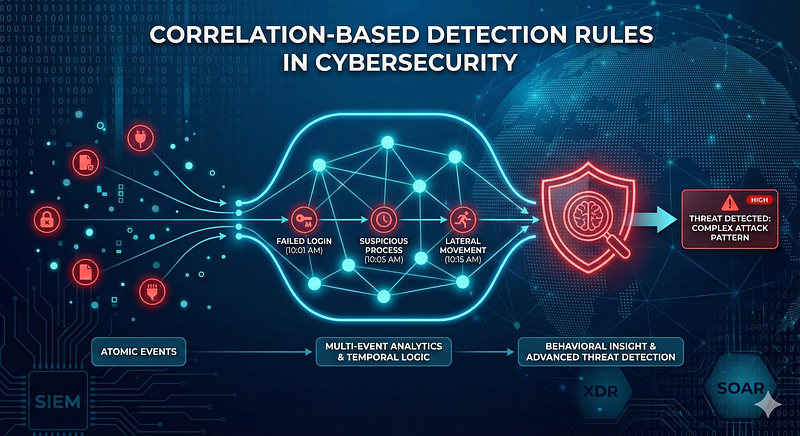
1200km Medium · authored report mentionCorrelation Based Detection Rules in Cybersecurity From Atomic Events to Behavioral Insight
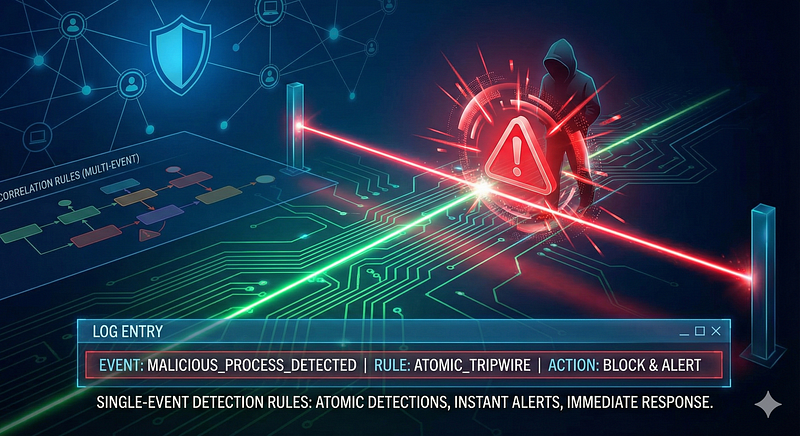
1200km Medium · authored report mentionSingle Event Detection Rules in Cybersecurity
1200km Medium · authored report mention
Cyber Knowledge context
Use these routes to move from the ATT&CK behavior into explanation, implementation, evidence handling, validation, and defensive operations. Relevance is generated from explicit identifiers/names and governed topic mappings; it is not attribution evidence.
Red Team & Offensive Security · Tactic learning route · 24/100Module 5 — Threat hunting
Blue Team & Defensive Security · Tactic learning route · 24/100Data classification, storage, cryptography, keys, backup, and deletion
Cloud Security · Tactic learning route · 24/100
MITRE mitigations
Auditing is the process of recording activity and systematically reviewing and analyzing the activity and system configurations. The primary purpose of auditing is to detect anomalies and identify potential threats or weaknesses in the environment. Proper auditing configurations can also help to meet compliance requirements. The process of auditing encompasses regular analysis of user behaviors and system logs in support of proactive security measures. Auditing is applicable to all systems used within an organization, from the front door of a building to accessing a file on a fileserver. It is considered more critical for regulated industries such as, healthcare, finance and government where compliance requirements demand stringent tracking of user and system activates.This mitigation can be implemented through the following measures: System Audit: - Use Case: Regularly assess system co…
MITRE mitigation sourceUser Account Management involves implementing and enforcing policies for the lifecycle of user accounts, including creation, modification, and deactivation. Proper account management reduces the attack surface by limiting unauthorized access, managing account privileges, and ensuring accounts are used according to organizational policies. This mitigation can be implemented through the following measures: Enforcing the Principle of Least Privilege - Implementation: Assign users only the minimum permissions required to perform their job functions. Regularly audit accounts to ensure no excess permissions are granted. - Use Case: Reduces the risk of privilege escalation by ensuring accounts cannot perform unauthorized actions. Implementing Strong Password Policies - Implementation: Enforce password complexity requirements (e.g., length, character types). Require password expiration every 90…
MITRE mitigation sourceDisable or remove unnecessary and potentially vulnerable software, features, or services to reduce the attack surface and prevent abuse by adversaries. This involves identifying software or features that are no longer needed or that could be exploited and ensuring they are either removed or properly disabled. This mitigation can be implemented through the following measures: Remove Legacy Software: - Use Case: Disable or remove older versions of software that no longer receive updates or security patches (e.g., legacy Java, Adobe Flash). - Implementation: A company removes Flash Player from all employee systems after it has reached its end-of-life date. Disable Unused Features: - Use Case: Turn off unnecessary operating system features like SMBv1, Telnet, or RDP if they are not required. - Implementation: Disable SMBv1 in a Windows environment to mitigate vulnerabilities like EternalBlu…
MITRE mitigation sourceMulti-Factor Authentication (MFA) enhances security by requiring users to provide at least two forms of verification to prove their identity before granting access. These factors typically include: - *Something you know*: Passwords, PINs. - *Something you have*: Physical tokens, smartphone authenticator apps. - *Something you are*: Biometric data such as fingerprints, facial recognition, or retinal scans. Implementing MFA across all critical systems and services ensures robust protection against account takeover and unauthorized access. This mitigation can be implemented through the following measures: Identity and Access Management (IAM): - Use IAM solutions like Azure Active Directory, Okta, or AWS IAM to enforce MFA policies for all user logins, especially for privileged roles. - Enable conditional access policies to enforce MFA for risky sign-ins (e.g., unfamiliar devices, geolocati…
MITRE mitigation sourceSet and enforce secure password policies for accounts to reduce the likelihood of unauthorized access. Strong password policies include enforcing password complexity, requiring regular password changes, and preventing password reuse. This mitigation can be implemented through the following measures: Windows Systems: - Use Group Policy Management Console (GPMC) to configure: - Minimum password length (e.g., 12+ characters). - Password complexity requirements. - Password history (e.g., disallow last 24 passwords). - Account lockout duration and thresholds. Linux Systems: - Configure Pluggable Authentication Modules (PAM): - Use `pam_pwquality` to enforce complexity and length requirements. - Implement `pam_tally2` or `pam_faillock` for account lockouts. - Use `pwunconv` to disable password reuse. Password Managers: - Enforce usage of enterprise password managers (e.g., Bitwarden, 1Passwor…
MITRE mitigation sourceMITRE detection strategies and analytics
- AN0750 · Analytic 0750 — Logon via RDP or WMI by a user account followed by uncommon command execution, file manipulation, or lateral network connections.
- AN0751 · Analytic 0751 — SSH session from new source IP followed by interactive shell or privilege escalation (e.g., sudo, su) and outbound lateral connection.
- AN0752 · Analytic 0752 — Remote login via ARD or SSH followed by screensharingd process activity or modification of TCC-protected files.
- AN0753 · Analytic 0753 — Use of cloud-based bastion or VM console session followed by commands that initiate outbound SSH or RDP sessions from the cloud instance to other environments.
- AN0754 · Analytic 0754 — vSphere API logins (vimService) or SSH to ESXi host followed by unauthorized shell commands or lateral remote logins from the ESXi host.
Continue the investigation
Attack tools, simulations and detection rules
Follow explicit source relationships into the reference modules. Linked procedures and detectors are not claims of live validation or actor attribution.
- T1021 Remote Services simulation — Exact active technique ID
- T1021 detection rules — Exact active technique ID; not actor-specific detector coverage