The Basic Toolkit for Penetration Testing
This older publication is retained for research history. Current technical applicability has not been asserted; validate versions, commands, and assumptions before use.
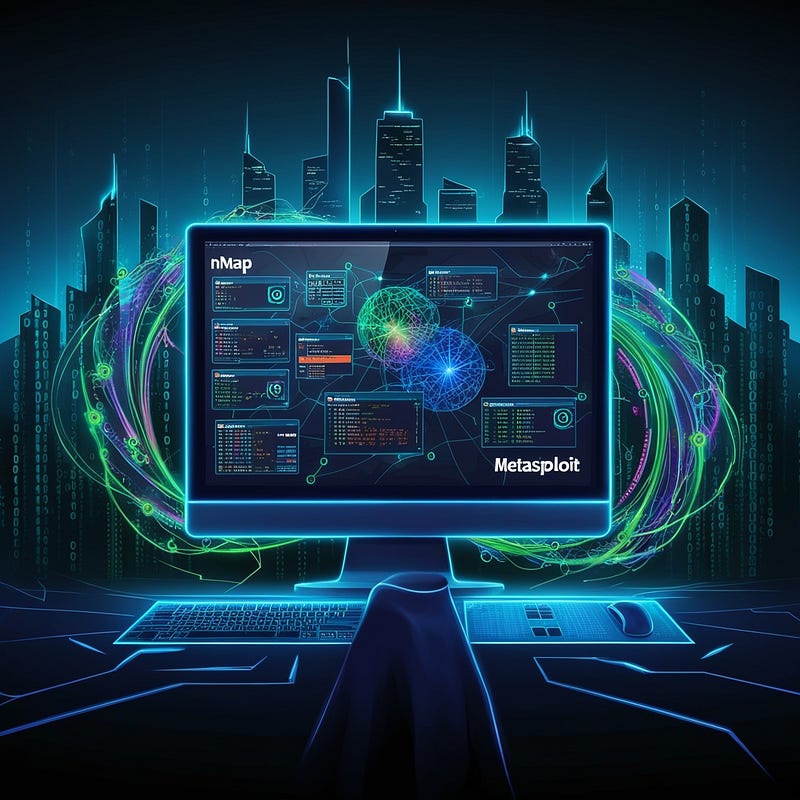
- Category: CTI
- Source article: https://medium.com/@1200km/the-basic-toolkit-for-penetration-testing-303da9234d82
- Published: 2024-11-16
- Preserved media: 22 image(s), including cover images, screenshots, diagrams, and infographics where present.
- Preserved technical blocks: 0 code/configuration block(s).
Ecosystem Fit
This page mirrors the original Medium article into the 1200km.com Docusaurus ecosystem. The original article flow, images, screenshots, infographics, and technical blocks are preserved from the export.
Unlocking Vulnerabilities: A Comprehensive Guide to Essential Tools for Pen Testing
Introduction
-
Penetration testing is the cornerstone of identifying and addressing vulnerabilities in systems.
-
Success depends not only on skills but also on having the right tools tailored to each phase of the pen-testing lifecycle.
Linux Configuration
Penetration testers often use Linux as their base OS. Here are essential tools for configuring and optimizing your Linux environment for pen-testing:
Kali Linux: The Standard for Penetration Testing

What is Kali Linux? Kali Linux is a Debian-based Linux distribution designed specifically for penetration testing and security auditing. It comes pre-installed with hundreds of tools for various security tasks.
- My full guide about Kali linux under construction
Key Features of Kali Linux
-
Pre-Installed Tools: Includes Nmap, Metasploit, Burp Suite, and more, covering everything from reconnaissance to exploitation.
-
Wide Community Support: Extensive documentation and an active user community make it ideal for beginners.
-
Rolling Updates: Always up-to-date with the latest security tools and features.
-
Customizability: Offers a variety of desktop environments and installation options, including VirtualBox images and WSL (Windows Subsystem for Linux).
When to Choose Kali Linux
-
You are new to penetration testing and need a straightforward, ready-to-use environment.
-
You require a versatile distribution that works out of the box on various platforms.
Parrot Security OS: Lightweight and Privacy-Focused

What is Parrot Security OS? Parrot Security OS is another Debian-based distribution tailored for penetration testers and security researchers, with a strong emphasis on privacy and anonymity.
- My full guide about Parrot OS under construction
Key Features of Parrot Security OS
-
Anonymity Tools: Built-in Tor and anonymous browsing tools for stealth operations.
-
Lightweight Design: Consumes fewer resources compared to Kali, making it ideal for older hardware or virtual machines.
-
Pre-Configured Security Tools: Includes tools for pen-testing, forensics, and reverse engineering.
-
Sandboxing Features: Provides a more secure testing environment through isolation.
When to Choose Parrot Security OS
-
You prioritize privacy and anonymity in your penetration testing tasks.
-
You need a lightweight alternative to Kali Linux for lower-spec systems.
BlackArch Linux: A Robust Choice for Advanced Penetration Testers

In addition toKali Linux,Parrot Security OS, and custom setups with Debian/Ubuntu,BlackArch Linuxis a powerful option for penetration testers, especially those looking for a highly customizable and extensive toolkit.
What is BlackArch Linux?
BlackArch Linux is a lightweight, Arch Linux-based distribution tailored for penetration testers and security researchers. It provides a repository of over 3,000 security tools, making it one of the most extensive options available.
My full guide about BlackArch is under construction
Key Features of BlackArch Linux
-
Extensive Toolset:
-
The largest repository of penetration testing and security tools, including categories like forensics, exploitation, web application testing, and reverse engineering.
2. Highly Customizable:
- Built on Arch Linux, it allows users to fine-tune their environment for performance and specific needs.
3. Minimalist Design:
- Starts as a minimal installation, enabling users to add only the components and tools they need.
4. Compatibility with Arch Linux:
- Users can install BlackArch tools on top of an existing Arch Linux installation.
5. Advanced Package Management:
- Leverages the Pacman package manager for efficient installation and updates.
When to Choose BlackArch Linux
-
You’re an experienced Linux user comfortable with Arch Linux and its command-line package management.
-
You require an extensive, modular toolkit for specialized penetration testing tasks.
-
You prefer a distribution that can integrate seamlessly with an existing Arch Linux environment.
Debian/Ubuntu + Custom Setup: Build Your Own Toolkit
What is a Custom Debian/Ubuntu Setup? A custom setup allows you to use Debian or Ubuntu as the base OS and selectively install only the tools you need, creating a streamlined, personalized pen-testing environment.
Full guide how to customise your Ubuntu for Pen Test under construction
Key Features of a Custom Debian/Ubuntu Setup
-
Full Control: Install only the tools and packages you require for specific tasks.
-
Stable and Reliable: Based on robust, well-supported Linux distributions.
-
Broad Compatibility: Works well on various hardware and virtual machines.
-
Wide Software Support: Access to extensive software repositories and package managers (e.g., APT).
When to Choose a Custom Debian/Ubuntu Setup
-
You prefer a lightweight and minimalist environment tailored to your workflow.
-
You already have experience configuring Linux systems from scratch.
Comparison with Kali, Arch, Parrot and Custom
-
Kali Linux: Ideal for beginners with its user-friendly interface and broad community support.
-
Parrot Security OS: Focuses on privacy and anonymity, making it great for scenarios requiring stealth.
-
BlackArch Linux: Best suited for advanced users who need maximum flexibility and a large repository of tools.
-
Debian/Ubuntu + Custom Setup: Create your pen-testing toolkit by installing necessary tools.
Tools
Reconnaissance and OSINT Tools
Effective penetration testing starts with gathering intelligence about the target system.
Full guide to recconnaissance here:
**OWASP Amass:**is an open-source tool for in-depth domain reconnaissance, asset discovery, and network mapping.

Full guide to OWASP Amass here
theHarvester:is an open-source reconnaissance tool for gathering domain-related data, including emails, subdomains, and IPs.
Full guide to theHarvester here
Sublist3r:An open-source reconnaissance tool for discovering subdomains associated with a target domain.

Shodan: is a search engine for internet-connected devices, enabling users to discover exposed servers, IoT devices, webcams, and industrial systems.

Full explanation about Shodan here:
**Censys:**a comprehensive cybersecurity platform, offers an expansive view of the internet’s infrastructure.

Full explanation about Cencys here:
Recon-ng: Modular OSINT framework.
Hunter.iois a tool for finding and verifying professional email addresses linked to specific domains
Maltego: Visual link analysis for OSINT investigations.
SpiderFoot: Automated reconnaissance tool with integration capabilities.
Vulnerability Scanning and Enumeration
Full guide to Scanning and Vulnerability Assessment here
Network Scanning
**Basic Command Line Tools for Network Exploration:**Ping, Netdiscover, Whois, nslookup:
Full explanation about this tool here:
Nmap: Nmap (Network Mapper) is an open-source Powerful tool used for network discovery and security auditing, allowing users to scan for open ports, identify services, and detect operating systems on target systems. (Zenmap: GUI version of Nmap.)
Full explanation about Nmap here:
WhatWeb: Command-line tool for tech stack fingerprinting.

Full explanation about WhatWeb here
**Nikto:**A web server scanner which performs comprehensive tests against web servers for multiple items, including over 6700 potentially dangerous files/programs.
Full guide to scanning Web App with Nikto here:
**OWASP ZAP:**Provides automated scanners and a set of tools for manual vulnerability testing.

Full guide to scanning Web App with OWASP ZAP here:
SQLMap: Automates SQL injection testing and even allows exploitation of detected vulnerabilities.
Full explanation about SQLMap here
Dirbuster: Brute-forces directories and files using wordlists.
**Burp Suite:**Burp Suite is a comprehensive web application security testing platform developed by PortSwigger. It is designed to provide a variety of tools that allow security professionals to perform extensive testing of web applications.

Full guide to scanning Web App with BurpSuite here:
How to use burp to crack Web Authentication interface here
Wappalyzer: Browser extension to identify technologies on web pages.
Very good and powerfull but not free.
BuiltWith: Analyzes the tech stack and integrations used by websites.
Password Cracking
Aircrack-ng: Suite for WiFi network security testing and password recovery

Full guide to Aircrack-ng here:
John the Ripper: Ultimate Password cracking tool.

Full guide to John the Ripper here:
Hashcat: GPU-accelerated password recovery tool.

Hydra: Network logon cracker supporting different protocols.

Exploitation Tools
Metasploit Framework: Comprehensive tool for finding and exploiting vulnerabilities.

Full guide to Metasploit is under construction
Cracking SSH with Metasploit here
Post-Exploitation and Lateral Movement Tools
Once inside the system, leverage these tools for privilege escalation and persistence:
-
Mimikatz: Extracts passwords and hashes from Windows systems.
-
BloodHound: Graphical tool for mapping Active Directory privileges.
-
Cobalt Strike: Advanced threat emulation and post-exploitation framework.
-
Empire: PowerShell and Python post-exploitation agent.
-
LinPEAS/WinPEAS: Privilege escalation enumeration scripts.
Cloud and API Penetration Testing Tools
-
Postman: API testing platform.
-
Pacu: AWS-specific security auditing toolkit.
-
ScoutSuite: Multi-cloud environment security auditing tool.
-
CloudSploit: Scans for cloud configuration weaknesses.