Registry Run Keys / Startup Folder
Adversaries may achieve persistence by adding a program to a startup folder or referencing it with a Registry run key. Adding an entry to the "run keys" in the Registry or startup folder will cause the program referenced to be executed when a user logs in. These programs will be executed under the context of the user and will have the account's associated permissions level. The following run keys are created by default on Windows systems: * HKEY_CURRENT_USER\Software\Microsoft\Windows\CurrentVersion\Run * HKEY_CURRENT_USER\Software\Microsoft\Windows\CurrentVersion\RunOnce * HKEY_LOCAL_MACHINE\Software\Microsoft\Windows\CurrentVersion\Run * HKEY_LOCAL_MACHINE\Software\Microsoft\Windows\CurrentVersion\RunOnce Run keys may exist under multiple hives. The HKEY_LOCAL_MACHINE\Software\Microsoft\Windows\CurrentVersion\RunOnceEx is also available but is not created by default on Windows Vista and newer. Registry run key entries can reference programs directly or list them as a dependency. For example, it is possible to load a DLL at logon using a "Depend" key with RunOnceEx: reg add HKLM\SOFTWARE\Microsoft\Windows\CurrentVersion\RunOnceEx\0001\Depend /v 1 /d "C:\temp\evil[.]dll" Placing a program within a startup folder will also cause that program to execute when a user logs in. There is a startup folder location for individual user accounts as well as a system-wide startup folder that will be checked regardless of which user account logs in. The startup folder path for the current user is C:\Users\\[Username]\AppData\Roaming\Microsoft\Windows\Start Menu\Programs\Startup. The startup folder path for all users is C:\ProgramData\Microsoft\Windows\Start Menu\Programs\StartUp. The following Registry keys can be used to set startup folder items for persistence: * HKEY_CURRENT_USER\Software\Microsoft\Windows\CurrentVersion\Explorer\User Shell Folders * HKEY_CURRENT_USER\Software\Microsoft\Windows\CurrentVersion\Explorer\Shell Folders * HKEY_LOCAL_MACHINE\SOFTWARE\Microsoft\Windows\CurrentVersion\Explorer\Shell Folders * HKEY_LOCAL_MACHINE\SOFTWARE\Microsoft\Windows\CurrentVersion\Explorer\User Shell Folders The following Registry keys can control automatic startup of services during boot: * HKEY_LOCAL_MACHINE\Software\Microsoft\Windows\CurrentVersion\RunServicesOnce * HKEY_CURRENT_USER\Software\Microsoft\Windows\CurrentVersion\RunServicesOnce * HKEY_LOCAL_MACHINE\Software\Microsoft\Windows\CurrentVersion\RunServices * HKEY_CURRENT_USER\Software\Microsoft\Windows\CurrentVersion\RunServices Using policy settings to specify startup programs creates corresponding values in either of two Registry keys: * HKEY_LOCAL_MACHINE\Software\Microsoft\Windows\CurrentVersion\Policies\Explorer\Run * HKEY_CURRENT_USER\Software\Microsoft\Windows\CurrentVersion\Policies\Explorer\Run Programs listed in the load value of the registry key HKEY_CURRENT_USER\Software\Microsoft\Windows NT\CurrentVersion\Windows run automatically for the currently logged-on user. By default, the multistring BootExecute value of the registry key HKEY_LOCAL_MACHINE\System\CurrentControlSet\Control\Session Manager is set to autocheck autochk *. This value causes Windows, at startup, to check the file-system integrity of the hard disks if the system has been shut down abnormally. Adversaries can add other programs or processes to this registry value which will automatically launch at boot. Adversaries can use these configuration locations to execute malware, such as remote access tools, to maintain persistence through system reboots. Adversaries may also use Masquerading to make the Registry entries look as if they are associated with legitimate programs.
Open detection, hunting, mitigation, and evidence workspace
Detection logic
Monitor Registry for changes to run keys that do not correlate with known software, patch cycles, etc. Monitor the start folder for additions or changes. Tools such as Sysinternals Autoruns may also be used to detect system changes that could be attempts at persistence, including listing the run keys' Registry locations and startup folders. Suspicious program execution as startup programs may show up as outlier processes that have not been seen before when compared against historical data. Changes to these locations typically happen under normal conditions when legitimate software is installed. To increase confidence of malicious activity, data and events should not be viewed in isolation, but as part of a chain of behavior that could lead to other activities, such as network connections made for Command and Control, learning details about the environment through Discovery, and Lateral Movement.
Observed actors
G0022Kimsuky
G0094Patchwork
G0040APT41
G0096Dragonfly
G0035Gorgon Group
G0078APT32
G0050MuddyWater
G0069Naikon
G0019FIN6
G0037Gamaredon Group
G0047TeamTNT
G0139FIN7
G0046Machete
G0095APT18
G0026Sidewinder
G0121Mustang Panda
G0129ZIRCONIUM
G0128Rocke
G0106APT39
G0087TA2541
G1018APT37
G0067Higaisa
G0126Tropic Trooper
G0081Putter Panda
G0024Ke3chang
G0004Confucius
G0142Leviathan
G0065Turla
G0010RedCurl
G1039APT29
G0016Dark Caracal
G0070BRONZE BUTLER
G0060Darkhotel
G0012LazyScripter
G0140Windshift
G0112LuminousMoth
G1014APT28
G0007RTM
G0048Lazarus Group
G0032Silence
G0091Cobalt Group
G0080Wizard Spider
G0102Molerats
G0021Moonstone Sleet
G1036Inception
G0100PROMETHIUM
G0056Magic Hound
G0059Threat Group-3390
G0027APT33
G0064FIN10
G0051FIN13
G1016APT19
G0073
Correlated CTI and IR reports
Israel Threat Actors CTI · explicit report mentionAPT39 (Chafer / Remix Kitten)
Israel Threat Actors CTI · explicit report mentionATT&CK as a Working Tool: Theory and Hands-On Practical Usage
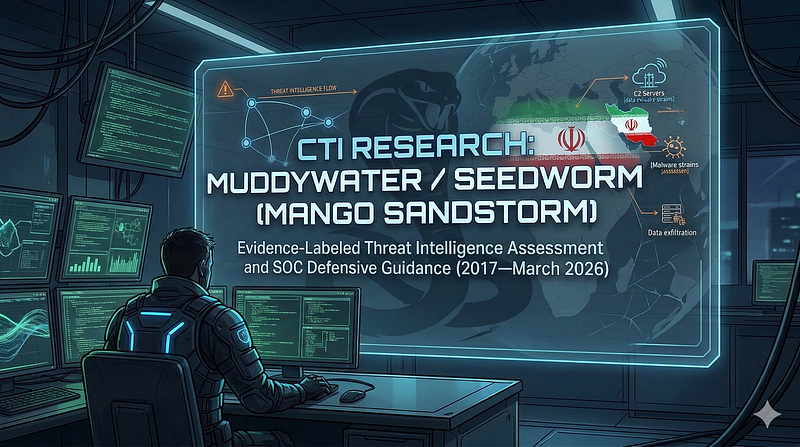
1200km CTI repository · explicit report mentionCTI Research: MuddyWater / Seedworm (Mango Sandstorm)
1200km CTI repository · explicit report mentionCTI Research: MuddyWater / Seedworm (Mango Sandstorm)
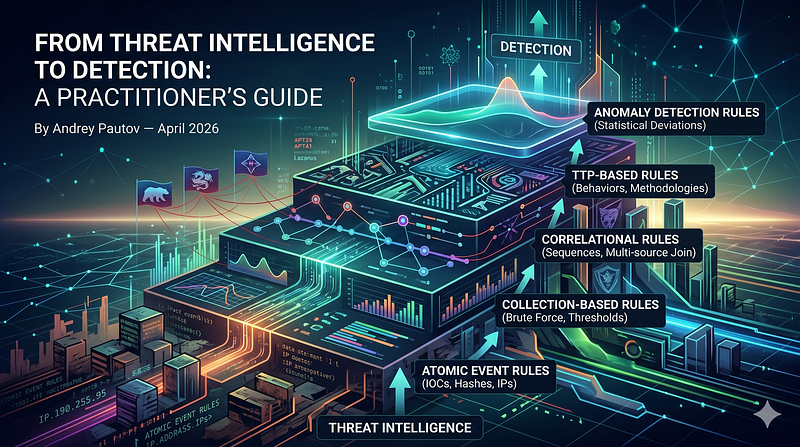
1200km CTI repository · explicit report mentionFrom Threat Intelligence to Detection: A Practitioner's Guide
1200km CTI repository · explicit report mentionIOC Tables — MuddyWater / Seedworm (Mango Sandstorm)
1200km CTI repository · explicit report mentionAI Powered Malware Debugger That Explains Every Function It Sees

1200km Medium · authored report mentionCTI Research MuddyWater Seedworm Mango Sandstorm
1200km Medium · authored report mentionFrom Threat Intelligence to Detection A Practitioner s Guide
1200km Medium · authored report mentionThe Atomic Standard A Practitioner s Compendium for Single Event Threat Detection
1200km Medium · authored report mention