These are practical ways to use the tool in CTI, SOC, incident response, malware analysis,
detection engineering, and platform validation work.
1. Check One IOC
Level: Simple
Check whether one IP, domain, URL, or hash has useful enrichment context.
Real-life scenario: A SOC analyst receives a suspicious domain from an EDR alert during morning triage and needs to know in under two minutes whether it is known malicious, related to malware, or only a weak signal.
Steps: 2
Output: Quick IOC context for triage or hunting seed.
Simple2 steps
2. Open One Actor Profile
Level: Simple
Review the core context for one ATT&CK group or actor.
Real-life scenario: A CTI analyst is asked during a standup what APT29 is known for and needs a fast actor summary with aliases, techniques, reports, and observable context.
Steps: 2
Output: Actor context ready for a note, briefing, or investigation pivot.
Simple2 steps
3. Show Actor TTPs On The Matrix
Level: Simple
Visualize one actor's known ATT&CK behavior.
Real-life scenario: A detection lead wants to show management what techniques are commonly associated with a specific actor before starting a coverage review.
Steps: 2
Output: Actor behavior map in Navigator.
Simple2 steps
4. Search The IOC Library
Level: Simple
Find whether an observable already exists in local or synced intelligence.
Real-life scenario: An incident responder finds an IP address in proxy logs and needs to know whether it already exists in synced ThreatFox, MISP, OTX, or private customer feeds.
Steps: 2
Output: Fast lookup across stored public and private observables.
Simple2 steps
5. Sync ThreatFox IOCs
Level: Simple
Refresh open-source IOC data for actor and malware context.
Real-life scenario: A SOC team starts a shift and wants fresh open-source IOC context before investigating overnight alerts.
Steps: 2
Output: Updated IOC Library records from ThreatFox.
Simple2 steps
6. Import A Navigator Layer
Level: Simple
Load an existing ATT&CK layer for review or comparison.
Real-life scenario: A detection engineer receives a Navigator layer from another team and wants to compare it with local My TTPs coverage inside AdversaryGraph.
Steps: 2
Output: Imported matrix layer available for analysis.
Simple2 steps
7. Export A PDF Report
Level: Simple
Create a shareable analyst report from reviewed findings.
Real-life scenario: A CTI analyst has finished reviewing report mappings and needs a quick PDF for an internal handoff meeting.
Steps: 2
Output: PDF report for handoff or briefing.
Simple2 steps
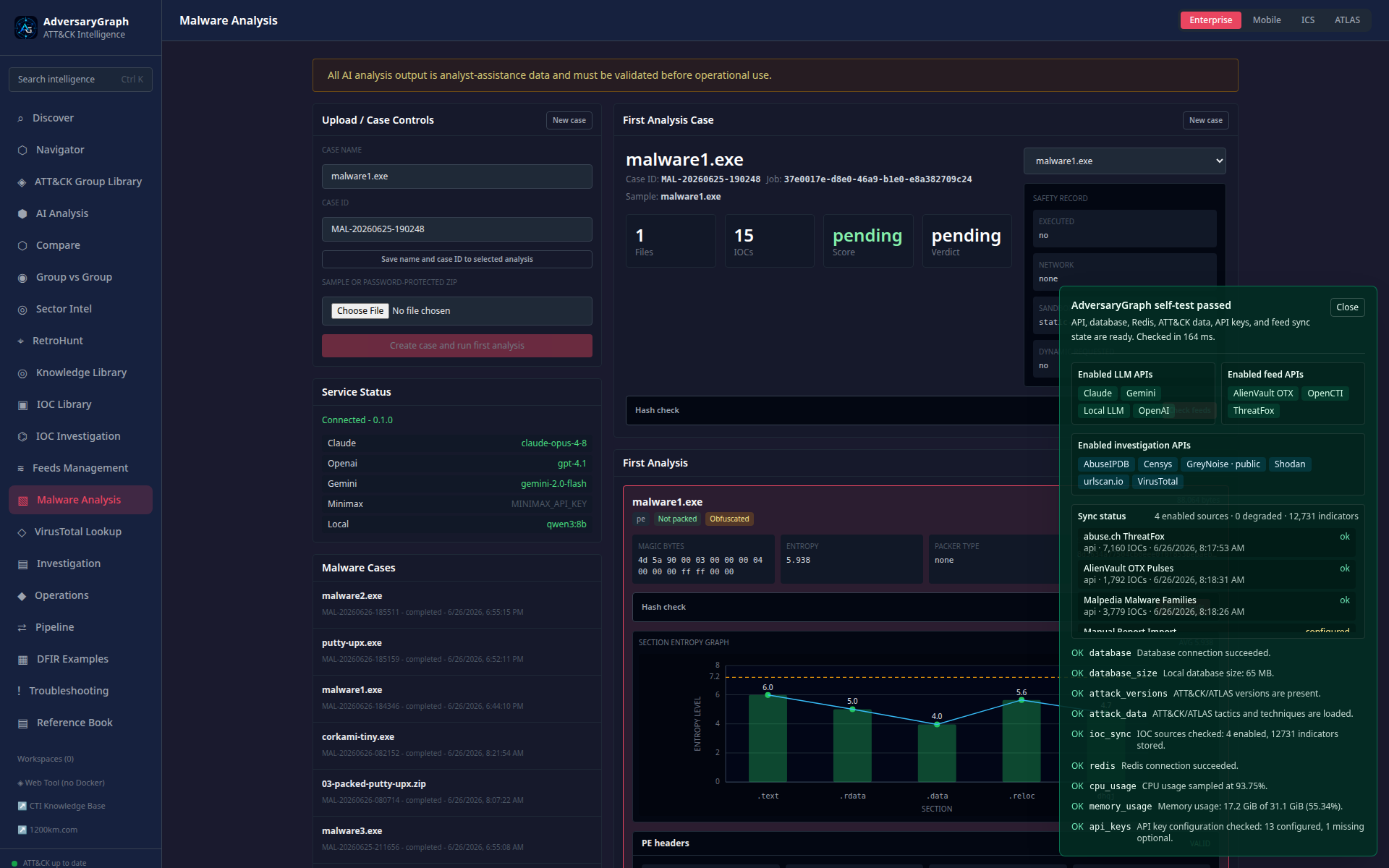
8. Run Deployment Selftest
Level: Simple
Check whether the deployment is healthy before analysis.
Real-life scenario: After a Docker update, the platform owner wants to confirm the API, database, ATT&CK data, and enrichment keys are working before analysts start using the system.
Steps: 2
Output: Clear readiness status for API, DB, ATT&CK data, and keys.
Simple2 steps
9. Add A Custom IOC Feed
Level: Simple
Connect a private or custom IOC feed.
Real-life scenario: A customer sends a short CSV of indicators from their incident response team, and the analyst needs to import it without mixing it with public feed data.
Steps: 2
Output: Private or custom observables stored with source context.
Simple2 steps
10. Open Troubleshooting For An Error
Level: Simple
Move from a popup error to practical remediation.
Real-life scenario: An enrichment action fails because an API key is missing, and the analyst needs a direct path from popup error to the relevant fix instructions.
Steps: 2
Output: Fast path from error to fix verification.
Simple2 steps
11. Map A Report To ATT&CK
Level: Intermediate
Turn one report into reviewed ATT&CK techniques.
Real-life scenario: A vendor publishes a report about a new intrusion chain, and the CTI team needs reviewed ATT&CK mappings before creating detections or briefing the SOC.
Steps: 5
Output: Reviewed TTP set with evidence and exportable layer/report.
Intermediate5 steps
12. Compare Incident TTPs To Actors
Level: Intermediate
Use TTP overlap to generate actor hypotheses.
Real-life scenario: An IR team observes credential theft, remote execution, and exfiltration behaviors and wants to know which known actors have similar TTP patterns.
Steps: 5
Output: Ranked actor hypotheses without overclaiming attribution.
Intermediate5 steps
13. Build A Sector Threat Brief
Level: Intermediate
Create a practical threat brief for one sector/customer.
Real-life scenario: A telecom customer asks which actors and techniques are most relevant to their environment this quarter.
Steps: 5
Output: Sector-specific actor and ATT&CK priority brief.
Intermediate5 steps
14. Enrich Actor IOCs
Level: Intermediate
Add current observable context to one actor profile.
Real-life scenario: A threat hunter is preparing an APT28 hunt and needs current source-labeled IOCs connected to actor context, not a generic stale blocklist.
Steps: 5
Output: Source-labeled actor IOC context.
Intermediate5 steps
15. Import MISP JSON
Level: Intermediate
Bring MISP event or attribute exports into IOC Library.
Real-life scenario: The CTI team already stores curated events in MISP and wants those observables searchable in AdversaryGraph without manual copy-paste.
Steps: 5
Output: MISP-backed IOC records searchable in AdversaryGraph.
Intermediate5 steps
16. Pull TAXII Or Import STIX
Level: Intermediate
Exchange structured intelligence with CTI platforms.
Real-life scenario: A partner shares a TAXII collection, and the platform owner wants to import the indicators into the local IOC Library for review and enrichment.
Steps: 5
Output: Structured STIX/TAXII intelligence connected to IOC workflows.
Intermediate5 steps
17. Sync YARA And Sigma Feeds
Level: Intermediate
Connect detection-rule context to IOCs and malware.
Real-life scenario: A malware analyst finds a suspicious hash and wants to know whether public or internal YARA/Sigma rules already describe related behavior.
Steps: 5
Output: Detection content leads tied to IOC/malware context.
Intermediate5 steps
18. Compare Two Reports
Level: Intermediate
Assess whether two reports describe related activity.
Real-life scenario: Two public reports mention similar tooling and infrastructure, and the analyst needs to decide whether they describe the same campaign or only common tradecraft.
Steps: 5
Output: Relationship assessment between reports.
Intermediate5 steps
19. Review One Coverage Gap
Level: Intermediate
Compare a threat layer to existing coverage.
Real-life scenario: A SOC lead imports current detection coverage and wants to know which high-priority actor TTPs are still not covered.
Steps: 5
Output: Focused coverage-gap list for engineering.
Intermediate5 steps
20. Use A Local LLM For Private Reports
Level: Intermediate
Analyze sensitive content without public LLM routing.
Real-life scenario: A customer report contains sensitive incident details, so the analyst must run extraction through a private local LLM gateway instead of a public API.
Steps: 5
Output: Private report extraction with controlled model routing.
Intermediate5 steps
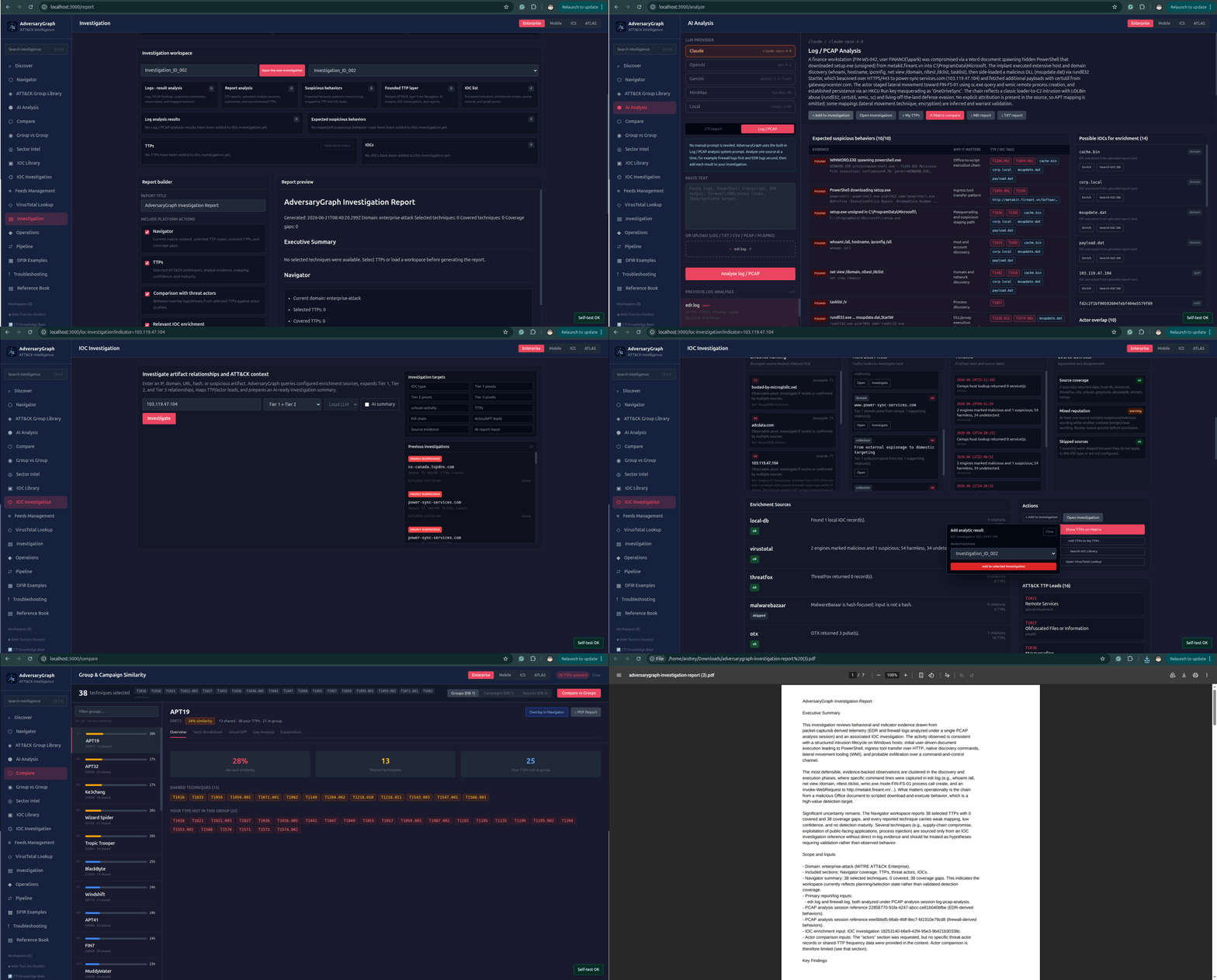
21. Investigation: From Log To Report
Level: Complex Platform Workflows
Turn firewall and EDR telemetry into IOC extraction, IOC Investigation, relationship graph review, ATT&CK mapping, actor overlap leads, AI summary, and a final report.
Real-life scenario: A SOC receives firewall logs with repeated outbound connections and EDR logs showing Office-spawned PowerShell, unsigned payloads, discovery commands, rundll32, WMI, and possible C2 infrastructure. The analyst needs a defensible package from raw evidence to report.
Steps: 13
Output: Complete investigation package with source-tagged IOCs, suspicious behaviors, TTP evidence, relationship graph pivots, actor comparison leads, AI summary, and exportable report.
Complex Platform Workflows13 stepsAI log analysisIOC Investigation
22. Investigation: Cloud And Kubernetes Incident
Level: Complex Platform Workflows
Investigate a cloud/Kubernetes incident using sector, TTP, IOC, and detection context.
Real-life scenario: A Kubernetes workload starts beaconing externally after suspicious service account activity, and the team needs to combine cloud context, TTPs, IOCs, and telemetry requirements.
Steps: 10
Output: Cloud incident CTI package with prioritized telemetry-backed detection work.
Complex Platform Workflows10 steps
23. Investigation: Cluster Multiple APT Reports
Level: Complex Platform Workflows
Assess whether several reports belong to one campaign cluster.
Real-life scenario: Three reports from different sources describe similar targeting and malware, and the CTI team needs to determine whether they form a campaign cluster.
Steps: 11
Output: Campaign clustering assessment with report-to-report and actor comparison evidence.
Complex Platform Workflows11 steps
24. Investigation: Malware Family Behavior Mapping
Level: Complex Platform Workflows
Build an ATT&CK and IOC profile for a malware family.
Real-life scenario: A new malware family appears in sandbox results and public reporting, and the analyst needs a behavior profile with ATT&CK mapping, IOCs, and rule context.
Steps: 10
Output: Malware behavior profile with TTP mapping, IOCs, rules, and evidence caveats.
Complex Platform Workflows10 steps
25. Investigation: Validate A Third-Party CTI Report
Level: Complex Platform Workflows
Validate a vendor or public CTI report before using it operationally.
Real-life scenario: A vendor report makes strong actor and technique claims, and the internal CTI team must validate which findings are evidence-backed before sending them to SOC operations.
Steps: 10
Output: Validated CTI report with reviewed mappings and operationally safe outputs.
Complex Platform Workflows10 steps
26. Defense: Build MITRE Coverage Baseline
Level: Complex Platform Workflows
Create a baseline of current coverage across MITRE ATT&CK.
Real-life scenario: A security program review requires a current MITRE ATT&CK coverage baseline showing which tactics are covered, weak, or missing.
Steps: 10
Output: MITRE coverage baseline with prioritized gaps and detection roadmap.
Complex Platform Workflows10 steps
27. Defense: Create Sector-Based Detection Roadmap
Level: Complex Platform Workflows
Create a detection roadmap for a sector/customer environment.
Real-life scenario: A financial services customer wants a 90-day detection roadmap based on actors, techniques, and technologies relevant to their sector.
Steps: 10
Output: Sector-driven detection roadmap tied to actor relevance and MITRE coverage.
Complex Platform Workflows10 steps
28. Defense: Build IOC Enrichment Pipeline
Level: Complex Platform Workflows
Create a repeatable SOC enrichment pipeline for incoming IOCs.
Real-life scenario: A SOC receives IOCs from many sources every day and needs a repeatable enrichment pipeline with source labels, recency, actor links, and export options.
Steps: 10
Output: Central IOC enrichment workflow with source labels, pivots, and export paths.
Complex Platform Workflows10 steps
29. Defense: Create Detection Content From CTI
Level: Complex Platform Workflows
Turn CTI findings into detection content candidates.
Real-life scenario: A CTI report describes new intrusion behavior, and detection engineers need to convert it into practical Sigma, SIEM, EDR, or hunting tasks.
Steps: 10
Output: Detection content package traceable from CTI evidence to engineering tasks.
Complex Platform Workflows10 steps
30. Defense: Executive Risk And Coverage Report
Level: Complex Platform Workflows
Produce an executive report showing threat relevance and coverage posture.
Real-life scenario: A CISO asks for a non-technical view of which relevant threats are covered, which MITRE areas are weak, and what investments should come next.
Steps: 10
Output: Executive-ready risk and MITRE coverage report with clear next actions.
Complex Platform Workflows10 steps