TrainSec source integration · Windows internals · Technical walkthrough
Understanding the Differences Between CreateProcessAsUser and CreateProcessWithTokenW in Windows
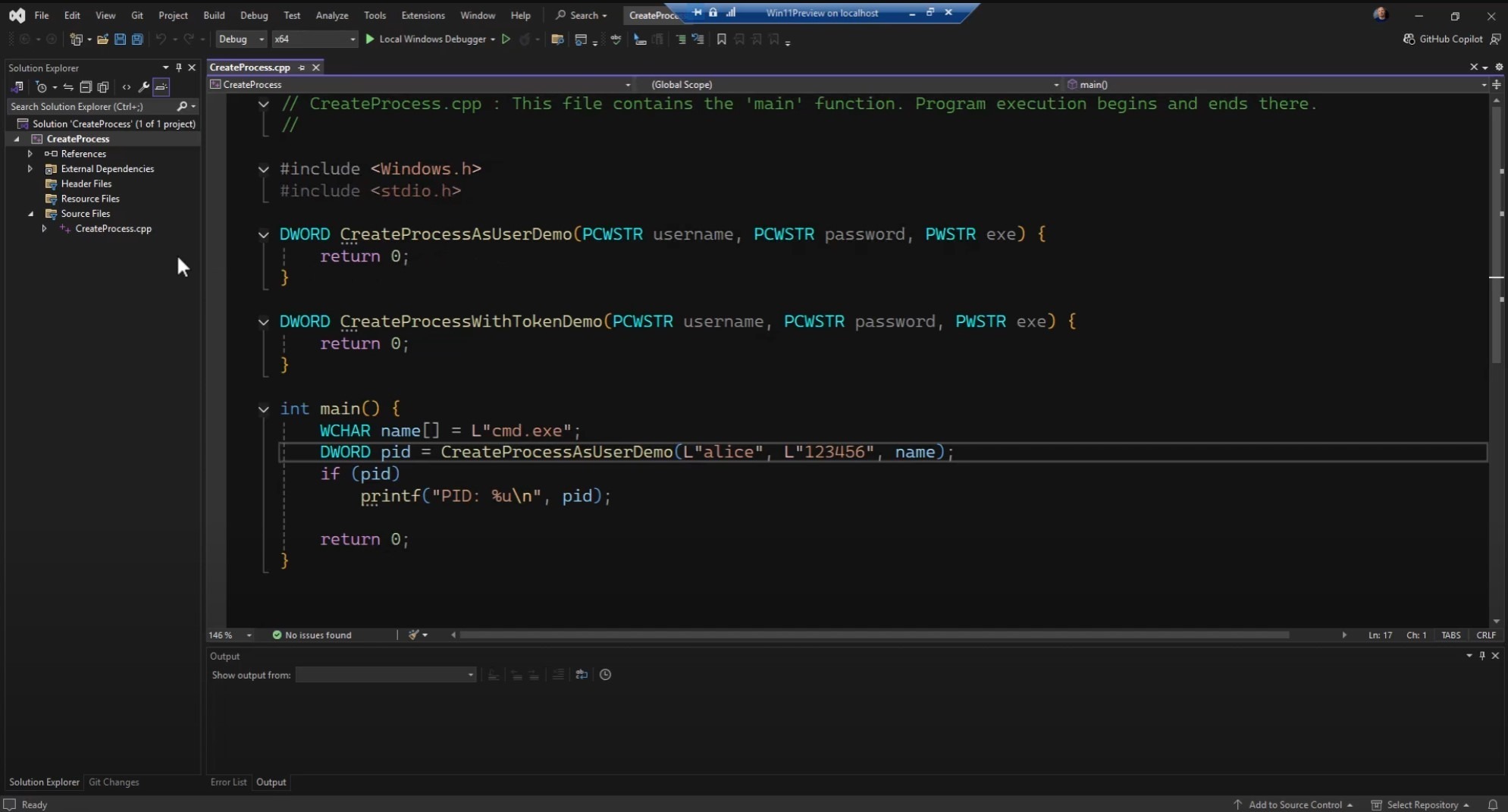
Note: This blog post is designed to complement the accompanying video embedded at the top of the page. The video provides an in-depth, visual demonstration of the concepts and code discussed here, making it an invaluable resource for learners.
In this video, we dive into two powerful Windows API functions—CreateProcessAsUser and CreateProcessWithTokenW—that allow you to start a new process under a different user context. You’ll learn when to use each function, what privileges and services they depend on, and how to overcome common pitfalls. The video demonstration includes live coding examples, troubleshooting steps, and insights into managing tokens, sessions, and user profiles.

Video Sections:
- Introduction to Process Creation APIs
- Overview of
CreateProcessand running processes under the same user - Motivation for running processes as a different user
- Introduction to
CreateProcessAsUserandCreateProcessWithTokenW
- Overview of
- Key Differences Between the Functions
CreateProcessAsUser: Requires the AssignPrimaryToken privilegeCreateProcessWithTokenW: Relies on the Secondary Logon (seclogon) service- The trade-offs: Independence from services vs. higher privilege requirements
- Demonstration: Using CreateProcessAsUser
- Setting up a sample project and calling
CreateProcessAsUser - Handling the logon token with
LogonUser - Enabling the AssignPrimaryToken privilege
- Common failure scenarios and error messages (e.g., “privilege not held”)
- Partial success and the complexities of fully supporting this method
- Setting up a sample project and calling
- Demonstration: Using CreateProcessWithTokenW
- Simplifying the process with
CreateProcessWithLogonW(a helper that combinesLogonUserandCreateProcessWithTokenW) - Easily starting processes under another account without needing a special privilege
- How the
seclogonservice makes it all work behind the scenes
- Simplifying the process with
- Troubleshooting and Edge Cases
- Issues when the
seclogonservice is disabled - Situations where
CreateProcessAsUseris ideal (e.g., running from services) - Ensuring user profiles and environments load properly
- Additional code and steps needed for fully stable process creation
- Issues when the
- Best Practices and Final Thoughts
- Choosing between
CreateProcessAsUserandCreateProcessWithTokenWbased on your environment and requirements - Understanding privileges and dependencies before deploying code
- Summary of pros and cons for both approaches
- Choosing between
For more insights into Windows internals and advanced programming concepts, keep exploring TrainSec’s Knowledge Library. Stay tuned for more deep dives into topics that empower your technical growth!
Original publication: TrainSec Knowledge Library ↗
Original text, screenshots, infographics, videos, and author biography remain attributed to TrainSec.net and the named author. This page is hosted by 1200km.com with permission from the TrainSec rights holders.